Made and tested by Pritam Sonone. Write in and you get a reply from him.
Email a question
For Canon EOS on Mac · v5.0
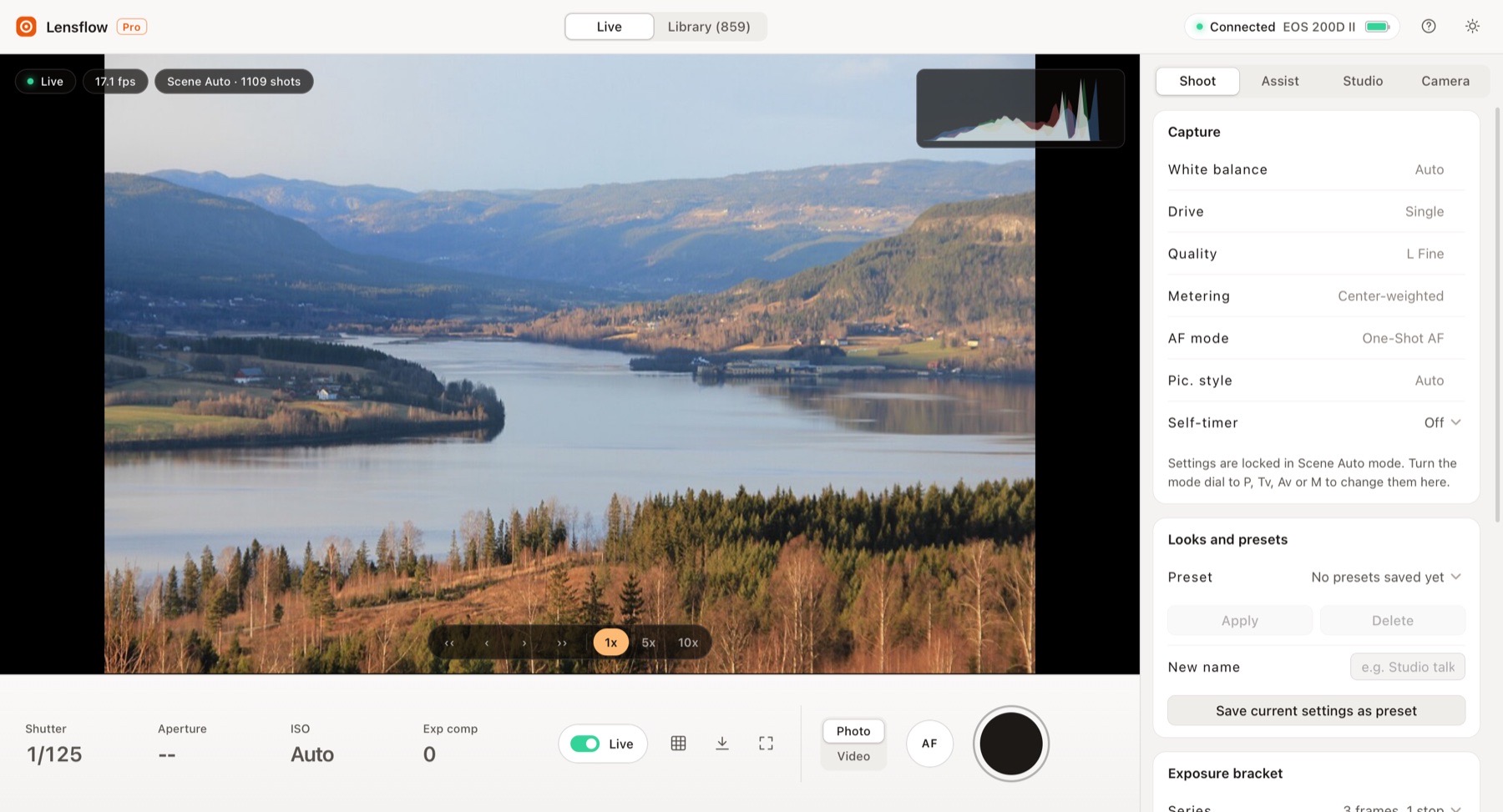
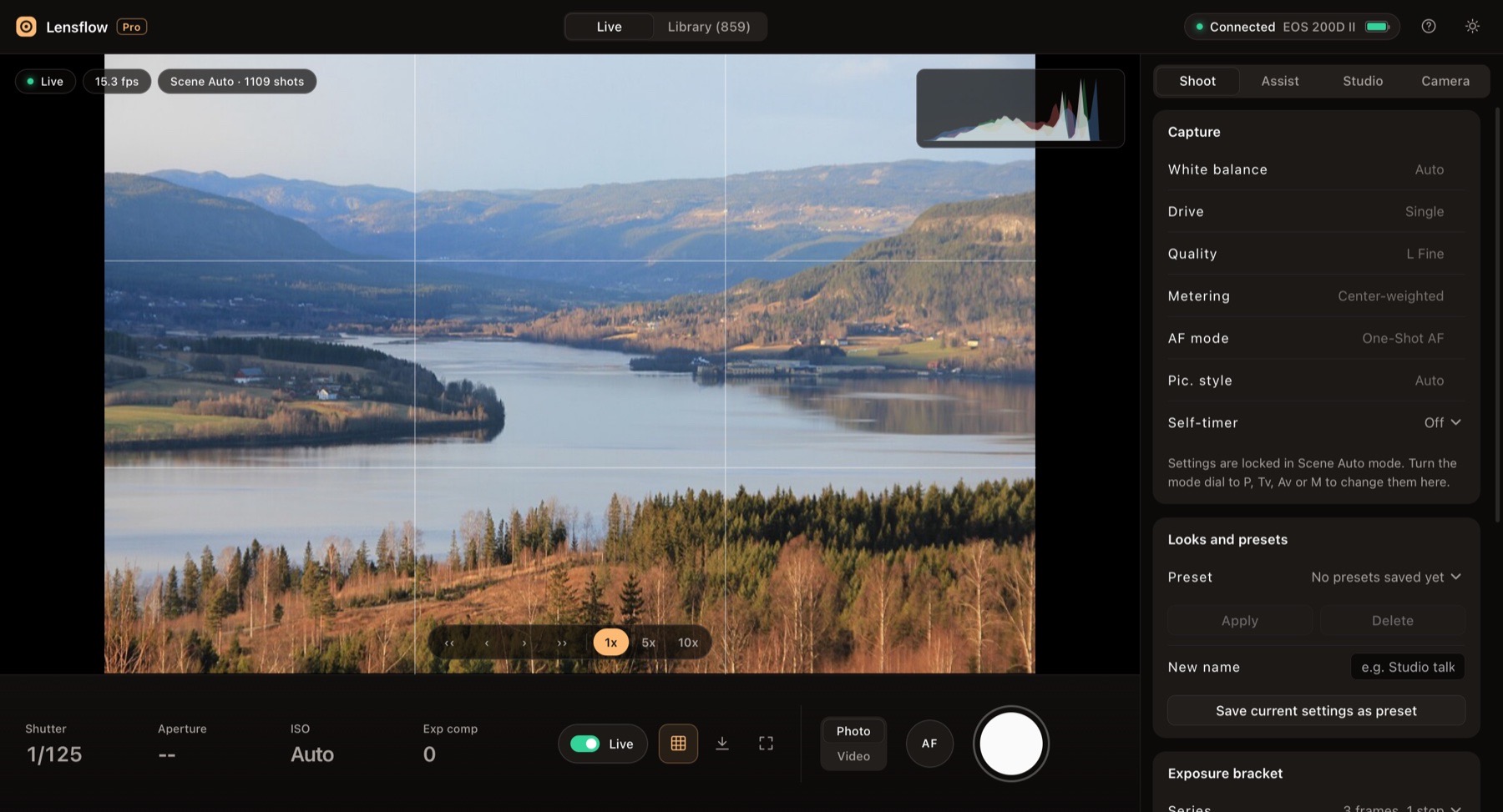
Your Canon, live on your Mac.
See the frame, press the shutter and get every file on your Mac. Over Wi-Fi, no cable, even on macOS 27.
₹1,999₹2,999Launch price
ConnectedEOS 200D II over Wi-Fi
IMG_1110.JPGCopied to your Mac
15 to 20frames a second live
0cables needed
Everynew file, auto-copied
1app for shoot to share
Why it exists
Paired. Connected. And every button grey.
On the newest macOS, EOS Utility pairs with the camera but its main window never wakes up. Lensflow talks to the camera directly, so live view, shooting and downloads work again.
Shoot
Press Space. Know it saved.
One big button for photos and video. Lensflow waits for the camera to report the new file, so you never wonder if the shot happened.
- Click the picture to focus on that spot
- Photo and Video switch, with record and stop
- Self-timer, interval timer and bracketing
Live17 fpsPhoto
IMG_1110.JPG✓On the card and your Mac
Try it: press the button.
Library
Your whole card. One click per day.
Every new shot lands on your Mac by itself. For older ones, open Library, pick a day and download only what you need.
- Thumbnails grouped by day, 850+ files tested
- Preview, compare two photos side by side
- Downloads resume after a Wi-Fi drop, nothing overwritten
Studio
A one-person studio, built in.
For creators who stand in front of the camera and run it too.
Webcam for calls
One click, then pick OBS Virtual Camera in Zoom, Meet, Teams or FaceTime.
You · EOS 200D II
Live link to any phone
A private, view-only link. Check the frame from another room, on mobile data too.
Live · view only
Mac mic sound
Record with your Mac or USB mic. A synced copy of each clip.
Camera micMac mic
Teleprompter
Read your script while you look into the lens.
Hi, I'm back with a new video. Today I'll show you how I shoot everything alone, with my camera on Wi-Fi and the frame right here on my Mac. No cable, no second person, no guessing.
Vertical 9:16 copies
Every clip, ready for Reels and Shorts.
→
Captions, made on your Mac
An SRT file and a subtitled MP4 for every clip, in English. No upload, no subscription.
No cable, no second person, no guessing.
00:00:07,120 --> 00:00:09,640 · No cable, no second person, no guessing.
Private by default
No analytics, no cloud. Files stay on your Mac. Sharing is off until you turn it on, and stops in one click.
Assist
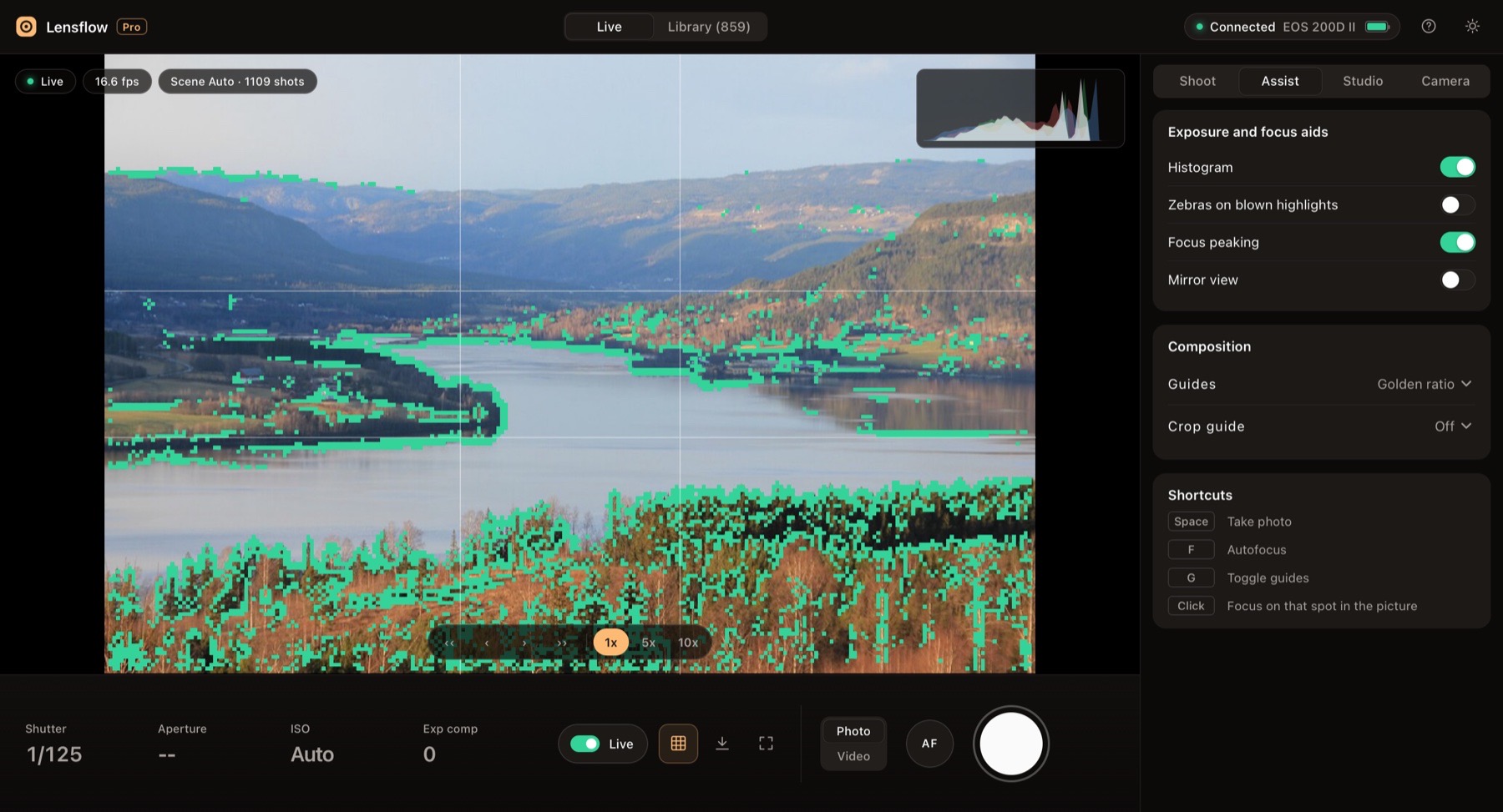
Nail focus and exposure, first take.
Pro aids on a big screen, so you catch soft focus and blown skies before you shoot.
- Live histogram and focus peaking
- Zebras, grid and golden-ratio guides, crop guides
- Mirror view, 5x and 10x zoom, lens and body info
Light and dark
Feels at home on your Mac.
Light by day, dark for the edit suite. Drag to compare.
LightDark
Compare
Everything, in one app.
| On a Mac with macOS 27 | Lensflow | EOS Utility | Webcam Utility Pro |
|---|---|---|---|
| Live view on the Mac | ✓ | ✕ | ✓ |
| Remote photo and video | ✓ | ✕ | ✕ |
| Files copied to the Mac | ✓ | ✕ | ✕ |
| Wireless | ✓ | ✕ | ! |
| Webcam for calls | ✓ | ✕ | ✓ |
| Live link, teleprompter, captions | ✓ | ✕ | ✕ |
! Camera Connect shoots from a phone, not the Mac. Webcam Utility Pro lists wireless for subscribers only. Checked on macOS 27 with an EOS 200D II, November 2026.
What you need
Four things. Most people have all four.
Apple silicon MacM1 or newer, macOS 12.3 or later. Tested on macOS 27.
Canon EOS with Wi-FiWith a Remote control (EOS Utility) option. Tested on EOS 200D II.
Python 3Free from python.org. The guide shows the two clicks.
One-time pairingPair once with EOS Utility. After that, Lensflow connects by itself.
Different camera? Send your model before you buy and get a straight answer.Ask about my camera →
FAQ
Questions, answered.
Still have a question?
Which cameras does Lensflow work with?
It is tested on the Canon EOS 200D II (250D, Rebel SL3). Canon EOS cameras with Wi-Fi and a Remote control (EOS Utility) option should work, but are not confirmed yet. Email contact@digitalpritam.in with your model before you buy.
What do I need on my Mac?
A Mac with Apple silicon (M1 or newer), macOS 12.3 or later, and free Python 3 from python.org. Intel Macs are not supported yet.
Do I still need Canon EOS Utility?
Only once, to pair the camera with your Mac. After that, Lensflow connects by itself.
Does it need a cable?
No. Lensflow works over Wi-Fi. The camera and the Mac must be on the same network.
Why does macOS warn me when I open it?
Lensflow is not yet signed by Apple. Open System Settings, Privacy & Security and click Open Anyway once. The guide shows each step.
How do I get the app after paying?
You get a download link right away on the order page and by email: a zip with the Lensflow DMG inside.
Is Lensflow made by Canon?
No. Lensflow is an independent app by Digital Pritam. Canon and EOS are trademarks of Canon Inc.
Put your camera back to work.
Live view, shooting, downloads and a full creator studio. One payment, yours to keep.