









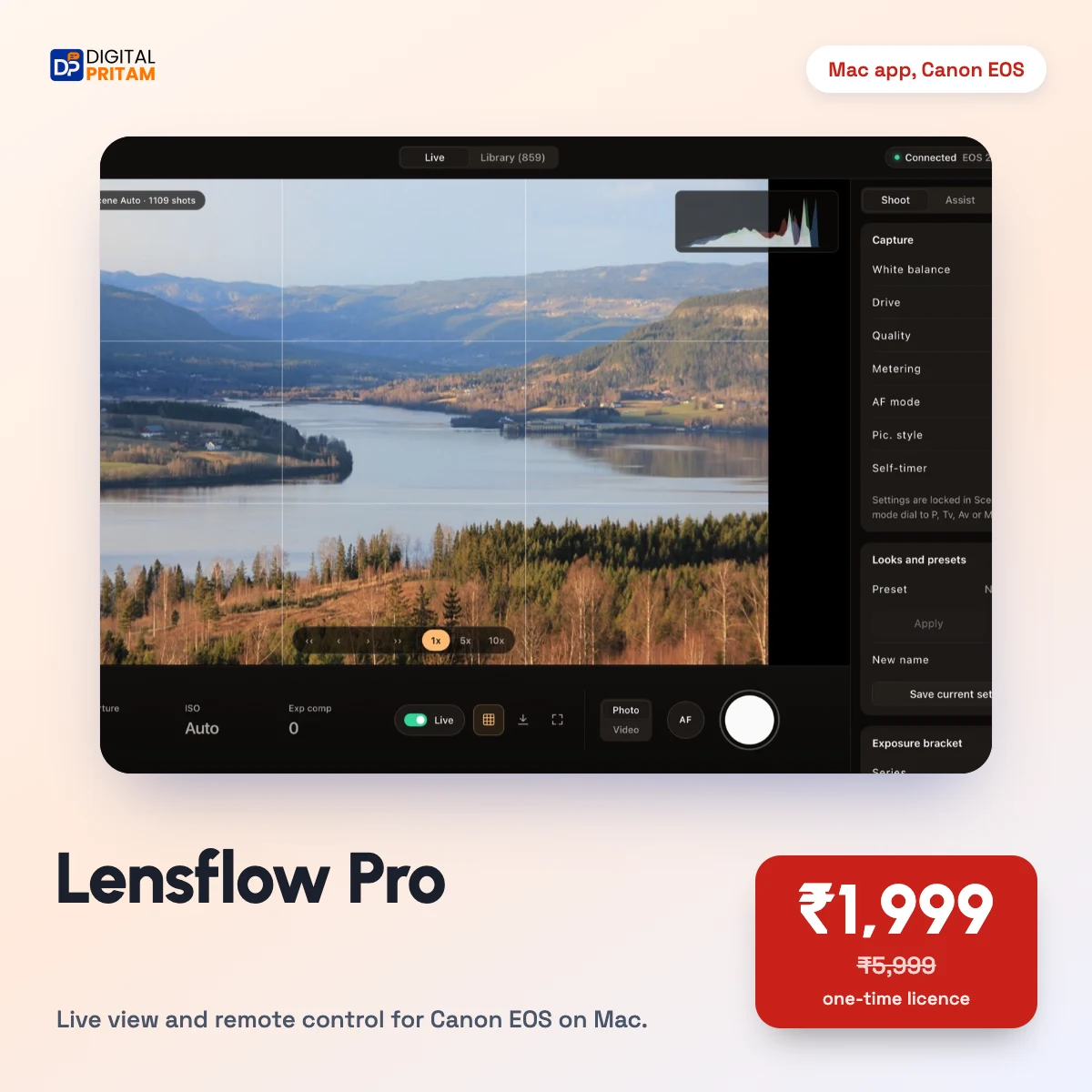
Lensflow Pro: Wireless Live View and Remote Control for Canon EOS on Mac
By Pritam Sonone, creator and growth strategist since 2016

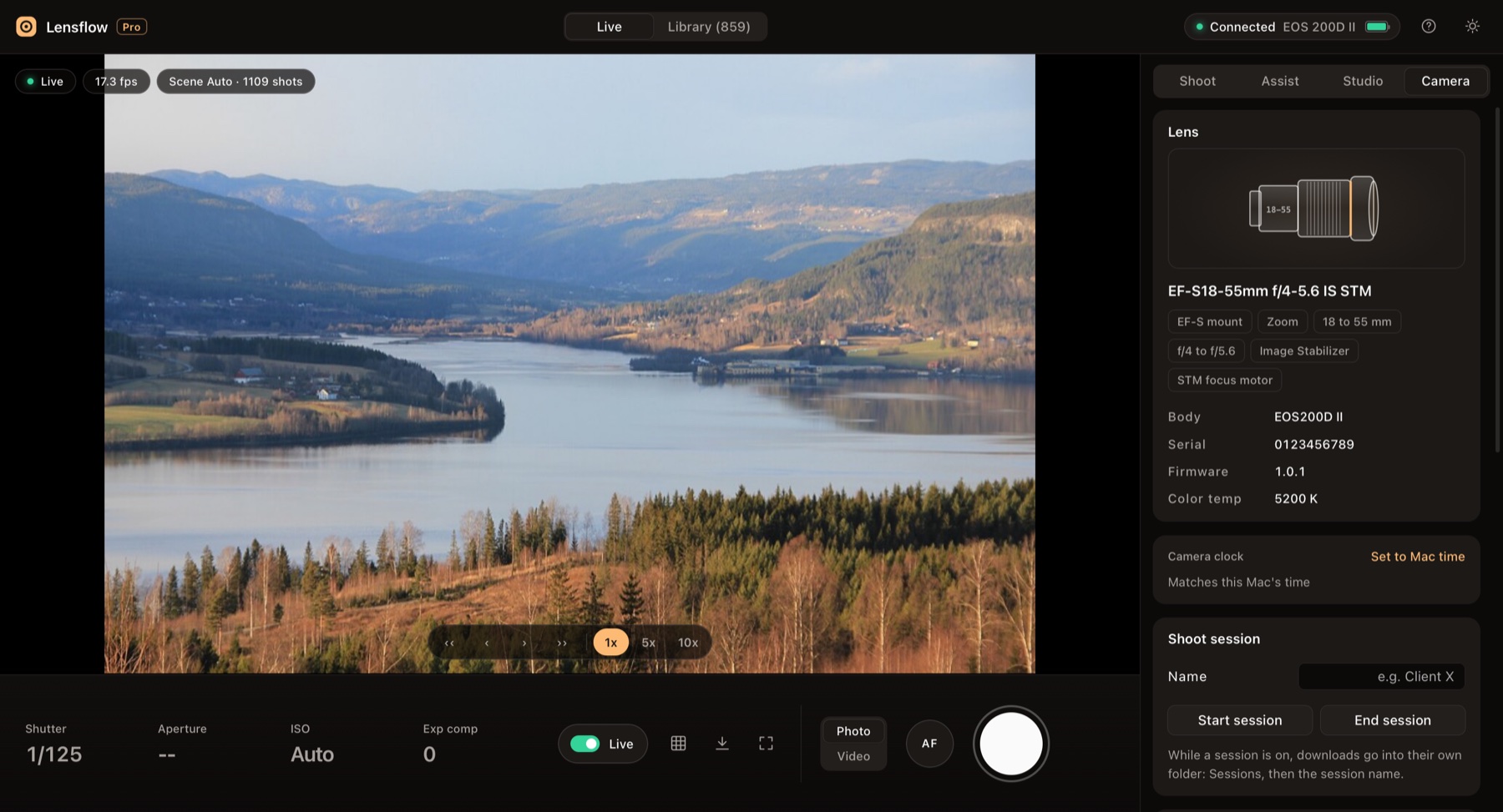
See your Canon camera live on your Mac, shoot photos and videos from the keyboard, and bring every file across, all over Wi-Fi. Built for one-person creators after Canon's own EOS Utility stopped working on the newest macOS. Wireless live view at about 15 to 20 frames a second Photo and video remote shooting, with every new shot copied to your Mac Card library: preview, select a day, download photos and videos Creator studio: webcam for calls, Mac microphone, teleprompter, vertical 9:16 copies, captions, live link to any phone Needs: a Mac with Apple silicon (M1 or newer), Python 3 (free) and a Canon EOS camera with Wi-Fi. Tested on the EOS 200D II. Read the full guide or see every screen before you buy.
- Wireless live view
- Photo and Video
- Every shot on your Mac
- Card library
- Webcam for calls
- Mac microphone
Everything in Lensflow Pro
A Mac app that shows your Canon EOS camera live over Wi-Fi, takes photos and videos from your desk, and brings every file to your Mac. Built for one-person creators.
Screenshots
How Lensflow Pro works for you
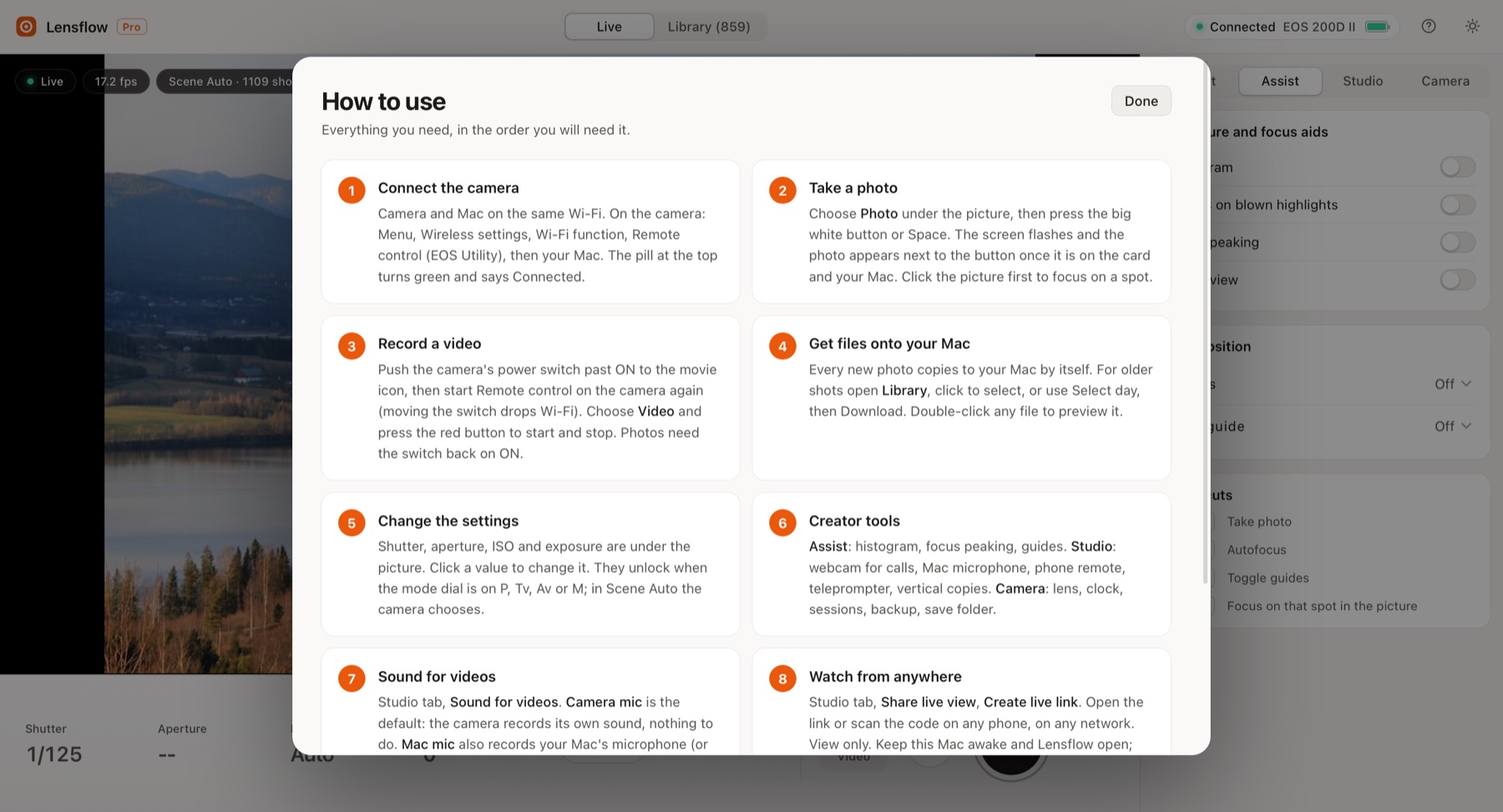
Lensflow Pro is a Mac app that connects to your Canon EOS camera over Wi-Fi. You see the camera's picture on your screen, take photos and record videos from your desk, and every new shot lands on your Mac by itself.
I built it because Canon's EOS Utility connected to my camera but then sat greyed out on the newest macOS. Read the full story.
Want to see every screen first? Take the Lensflow Pro tour.
What you can do with Lensflow Pro
Shoot
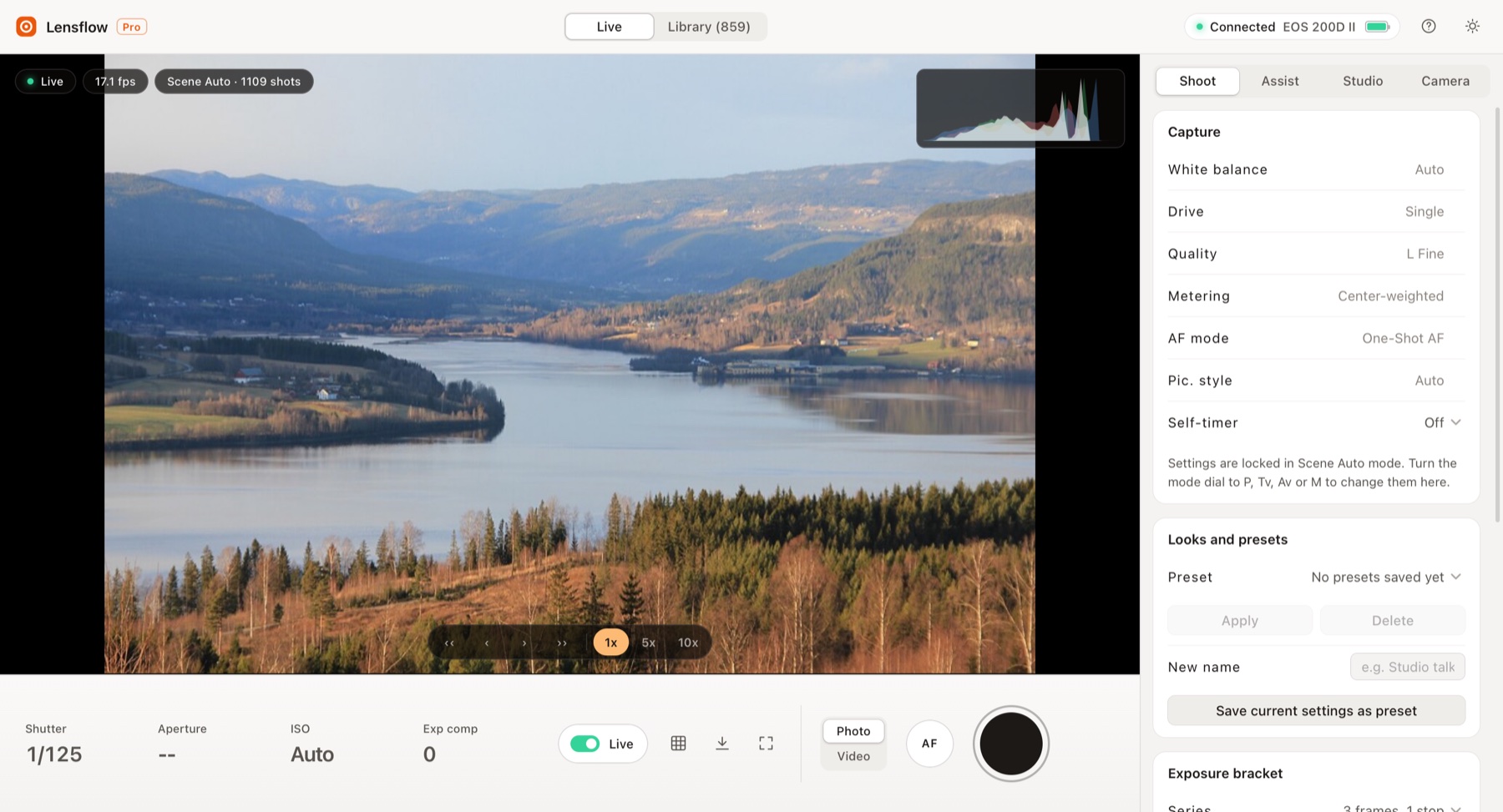
- Live view on your Mac at about 15 to 20 frames a second over Wi-Fi.
- Photo and Video modes on one big button. Space takes a photo.
- Click to focus on a spot in the picture, plus an AF button and fine focus steps.
- Shot confirmation: the screen flashes and the photo appears next to the button only when the camera really saved it. If focus fails, Lensflow Pro retries without autofocus and tells you.
- Exposure controls: shutter, aperture, ISO, exposure compensation, white balance, drive, quality, metering, AF mode and picture style (in P, Tv, Av and M modes).
- Timers: self-timer, interval timer, bulb timer and exposure brackets.
Library
- Every photo and video on the card with thumbnails, grouped by day.
- Full preview, select one file, a whole day or everything new, then download.
- Compare two photos side by side.
- New shots copy to your Mac automatically, into dated folders. Optional shoot sessions and an automatic backup copy.
Studio, for one-person creators
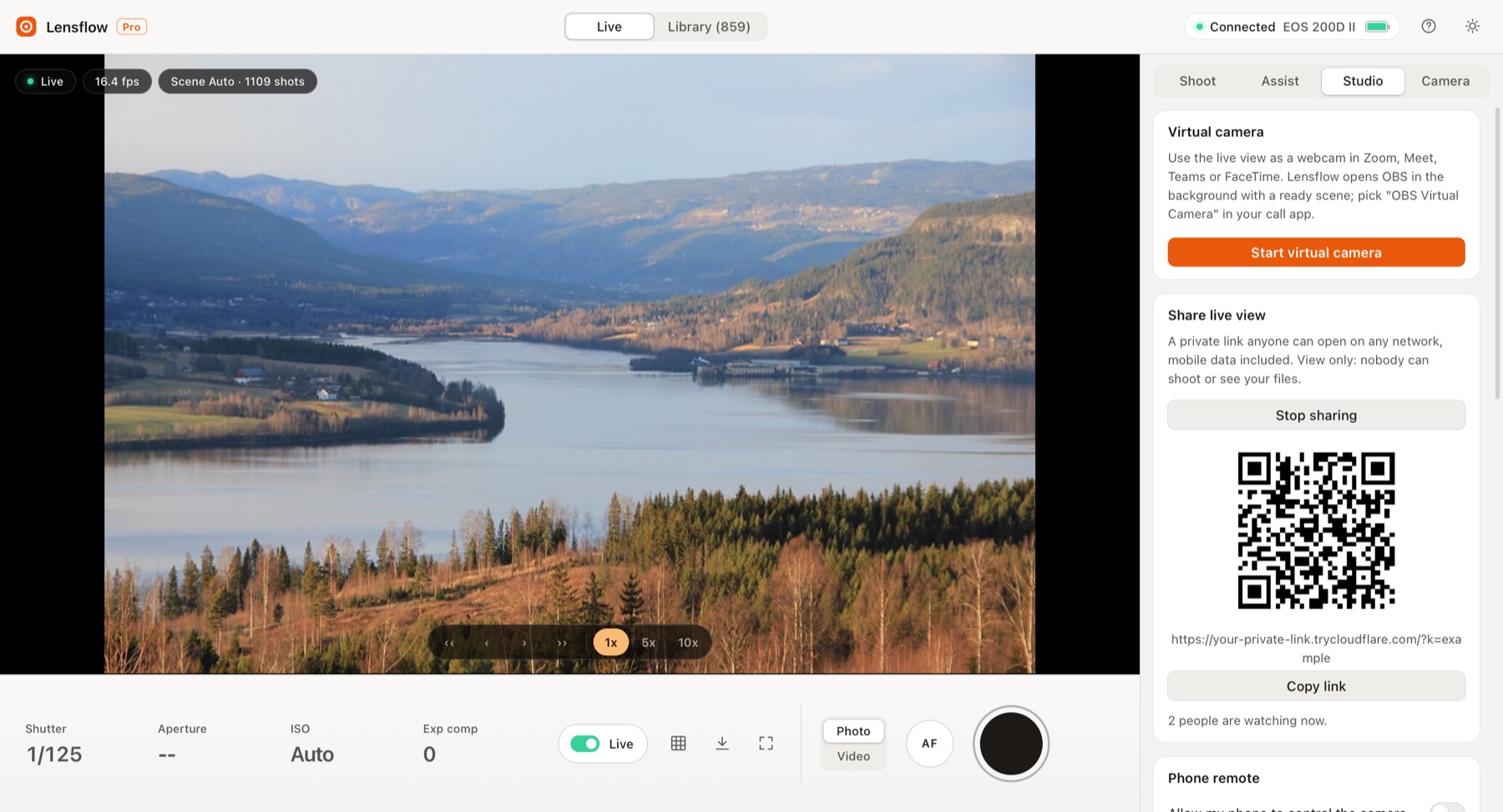
- Webcam for calls: use the camera in Zoom, Meet, Teams or FaceTime (with free OBS Studio).
- Sound for videos: keep the camera microphone, or record your Mac microphone too and get a copy of each clip with that sound, lined up automatically.
- Live link: share a private, view-only link to the live picture and watch it on any phone, on any network.
- Phone remote on the same Wi-Fi: live view plus shutter on your phone.
- Teleprompter over the live view, exposure presets and a recording timer.
- Vertical 9:16 copies of every video for reels and shorts, and captions (SRT) from speech.
Assist and camera
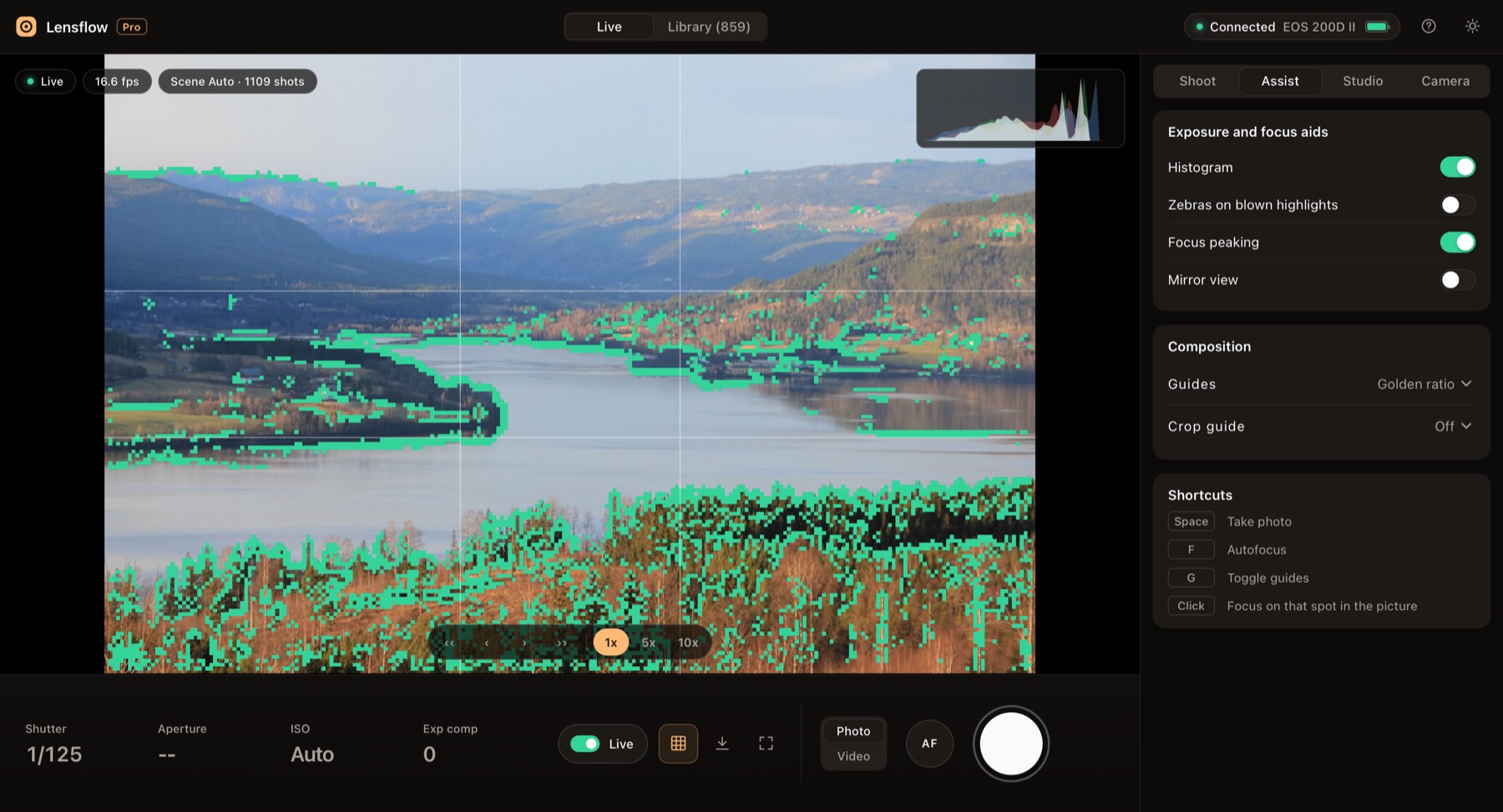
- Histogram, focus peaking, zebras, composition guides, crop guides for 1:1, 4:5, 9:16 and 2.39:1, mirror view.
- Lens detection, battery and shots left, camera clock sync, light and dark appearance.
Requirements
- Mac: Apple silicon (M1 or newer), macOS 12.3 or later. Intel Macs are not supported.
- Python 3: free from python.org. Lensflow Pro uses it to talk to the camera.
- Camera: a Canon EOS camera with Wi-Fi that works with EOS Utility over Wi-Fi. Tested on the EOS 200D II (also sold as 250D and Rebel SL3). Other models are likely to work but are not confirmed yet.
- One-time pairing of the camera with your Mac using Canon's free EOS Utility. After that, Lensflow Pro connects on its own.
Optional free tools that unlock extra features
- ffmpeg: Mac microphone recording and vertical copies.
- OBS Studio: webcam for video calls.
- cloudflared: the live link to any phone.
- whisper.cpp with an English model: captions.
The guide shows how to install each one in a minute.
What you get
- Lensflow Pro 5.0.1 for Mac as a download (DMG), right after payment.
- The full user guide.
- Email help at contact@digitalpritam.in.
Good to know
- Lensflow Pro is not yet signed by Apple, so the first time you open it you click Open Anyway in System Settings. The guide shows where.
- Photos need the camera's power switch on ON; video needs the movie position. Moving the switch drops Wi-Fi, so you start Remote control on the camera again.
- Lensflow Pro is an independent product by Digital Pritam. Canon and EOS are trademarks of Canon Inc. Lensflow Pro is not made, endorsed or supported by Canon.
Questions before you buy? Write to contact@digitalpritam.in with your camera model.

Pritam Sonone
Founder of Digital Pritam and the Marathi farming channel Amhi Kastkar (380K subscribers). He has drawn millions of visits to his WordPress news sites, speaks at Josh Talks and WordCamps, and has written four books.
Read his storyWhich cameras does Lensflow Pro work with?
It is tested on the Canon EOS 200D II (250D, Rebel SL3). Canon EOS cameras with Wi-Fi and a Remote control (EOS Utility) option should work, but are not confirmed yet. Email contact@digitalpritam.in with your model before you buy.
What do I need on my Mac?
A Mac with Apple silicon (M1 or newer), macOS 12.3 or later, and free Python 3 from python.org. Intel Macs are not supported.
Do I still need Canon EOS Utility?
Only once, to pair the camera with your Mac. After that, Lensflow Pro connects by itself.
Does it need a cable?
No. Lensflow Pro works over Wi-Fi. The camera and the Mac must be on the same network.
Why does macOS warn me when I open it?
Lensflow Pro is not yet signed by Apple. Open System Settings, Privacy & Security and click Open Anyway once. The guide shows each step.
How do I get the app after paying?
You get a download link right away on the order page and by email: the Lensflow Pro DMG installer for Mac.
Is Lensflow Pro made by Canon?
No. Lensflow Pro is an independent app by Digital Pritam. Canon and EOS are trademarks of Canon Inc.
 Lensflow Pro: Wireless Live View and Remote Control for Canon EOS on Mac