









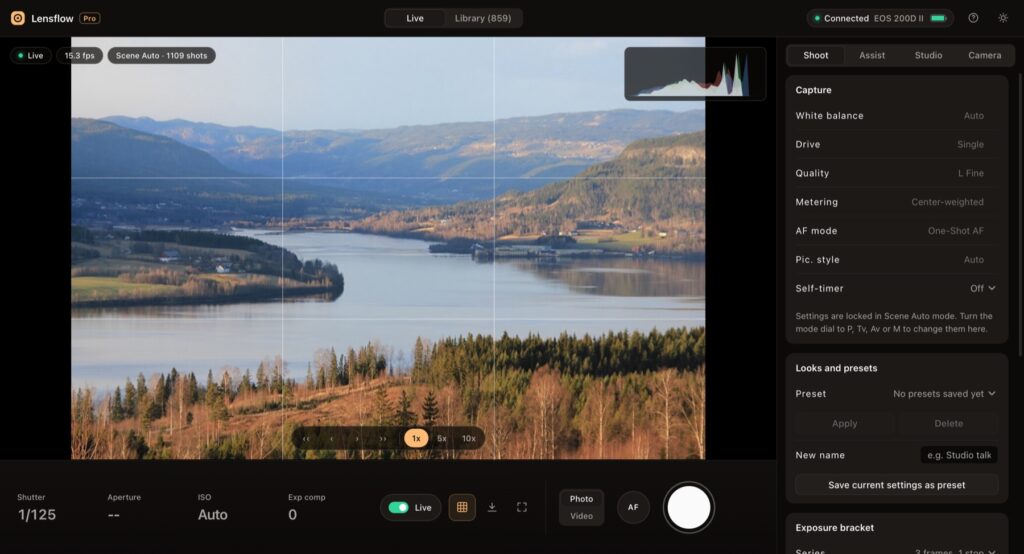
Quick answer: on the newest macOS, Canon’s EOS Utility can still pair with a Canon camera over Wi-Fi, but its main window stays greyed out, so you cannot see live view, shoot or download. The camera is fine and the Wi-Fi is fine. The break happens inside Canon’s app, when its small launcher tries to hand the camera to the main program. I built Lensflow Pro to talk to the camera directly, the same way Canon’s launcher does, and skip the broken part.
This post explains what goes wrong, what I tried first, how Lensflow Pro fixes it, and who it is for. If you just want to get going, jump to the Lensflow Pro guide, or see every Lensflow Pro screen on one page.
On this page11 sections
The problem: EOS Utility connects, then does nothing
I shoot with a Canon EOS 200D Mark II. It has Wi-Fi, and Canon’s free EOS Utility is meant to let a Mac see the camera, shoot and copy files without a cable.
On my MacBook Air with macOS 27, this is what happened every time:
- EOS Utility installed fine.
- Pairing worked. The camera found the Mac and showed Connected.
- The EOS Utility 3 window opened, but every button was grey: no download, no remote shooting, no camera settings.
- Restarting the camera, the app and the Mac changed nothing.
So the camera said it was connected, and the Mac app said nothing was there. If you are searching for “EOS Utility not working on Mac” or “EOS Utility greyed out”, this is probably your problem too.
What is actually going wrong
EOS Utility is really two programs that work as a pair.
- A small launcher. It finds the camera on Wi-Fi and opens the connection. On my Mac this part worked: I could see its live connection to the camera.
- EOS Utility 3, the window with all the buttons. It does not talk to the camera itself. It asks the launcher to pass the camera over.
That hand-over uses an old Apple messaging system (called Distributed Objects) that Apple marked as outdated many years ago. On my Mac the hand-over never happened. EOS Utility 3 never received the camera, so it greyed everything out.
Canon’s camera software lists support up to macOS 26 Tahoe. My Mac runs macOS 27, so this is most likely a compatibility gap that Canon will fix in a future update. I could not prove it from inside Canon’s app, but every test pointed the same way.
What I tried before building anything
- Reinstalling and re-pairing EOS Utility. Same grey window.
- gphoto2, a well-known open source camera tool. The camera rejected it with “Err 11: connection target not found”.
- EOS Webcam Utility Pro. It runs on the newest macOS, but Canon lists its wireless feature for subscribers, and it is built for video calls, not for shooting and downloads.
- Canon Camera Connect on my phone. It works, but it lives on the phone. I wanted the picture and the files on my Mac.
Nothing gave me what I needed: a big live picture on my Mac, a shutter button on my desk, and every shot on my Mac, over Wi-Fi.
Why I built Lensflow Pro
I run a one-person media company. I film talking-head videos, shoot product photos and record tutorials, mostly alone. When you are both the person in front of the camera and the person behind it, three things matter:
- You need to see yourself while you frame and focus.
- You need to press the shutter without walking to the camera.
- You need the files on your Mac right away, so you can edit and post.
Waiting for Canon was not an option, so I studied how the launcher talks to the camera and rebuilt that conversation in a new app.
How Lensflow Pro works, in plain words
- It finds the camera. When you choose Remote control on the camera, the camera announces itself on your Wi-Fi. Lensflow Pro listens for that announcement.
- It introduces itself the way Canon’s launcher does. It uses the pairing your camera already made with your Mac, so the camera accepts it as the same computer.
- It talks to the camera directly. Live view, the shutter, settings and file transfers all go straight between Lensflow Pro and the camera. The broken hand-over inside EOS Utility is never used.
Getting step 2 right took the longest. The camera expects the pairing ID in one exact byte order. Send it any other way and the camera answers “Err 11”. Once that matched, the camera accepted Lensflow Pro in under a second.
Lensflow Pro compared with the other options
This table is based on my own tests on a MacBook Air with macOS 27 and an EOS 200D II. “Not tested” means I did not check it, not that it is missing.
| What you need | Lensflow Pro | EOS Utility (macOS 27) | Camera Connect (phone) | EOS Webcam Utility Pro |
|---|---|---|---|---|
| Live view on the Mac over Wi-Fi | Yes | No, window greyed out | No, on the phone | Yes, wireless for subscribers |
| Take photos from the Mac | Yes | No | From the phone | Not tested |
| Download photos and videos to the Mac | Yes, plus auto-copy of new shots | No | To the phone | No |
| Use as a webcam in calls | Yes, with free OBS | No | No | Yes |
| Record sound with a Mac microphone | Yes, synced copy | No | No | Not tested |
| Watch the live view from anywhere | Yes, private view-only link | No | No | No |
| Creator tools (teleprompter, 9:16 copies, captions) | Yes | No | No | No |
What makes Lensflow Pro better for creators
It tells you what happened
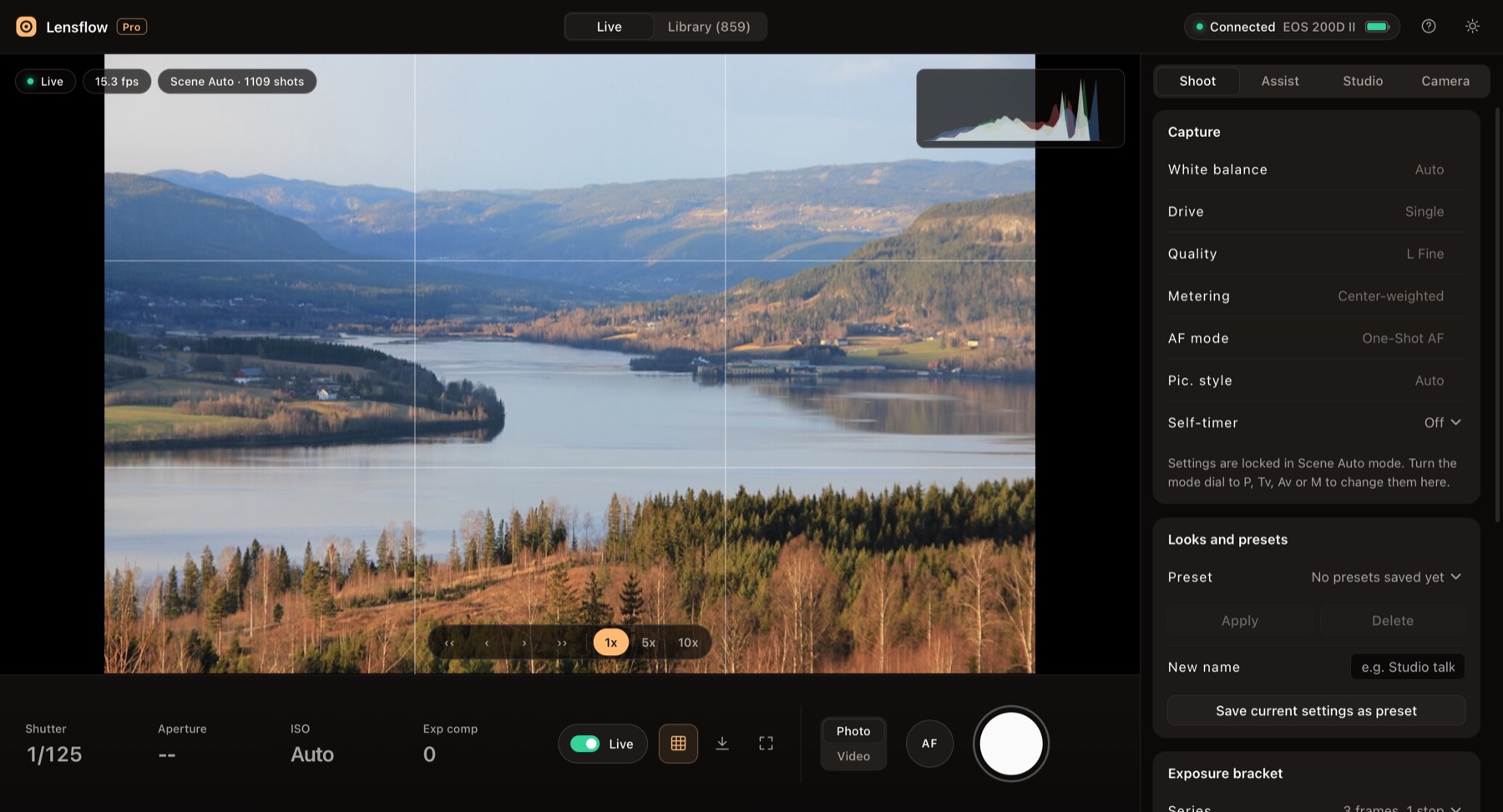
A Canon camera quietly skips a shot when it cannot focus. Lensflow Pro waits for the camera to confirm the new file. If nothing arrives, it tries once more without autofocus and then tells you why. When a photo saves, the screen flashes and the photo appears next to the shutter button.
Your files arrive on their own
Every new photo and clip copies to your Mac into dated folders. You can name a shoot session, keep a backup copy on another drive, and browse the whole card by day in the Library.
Studio tools in one place
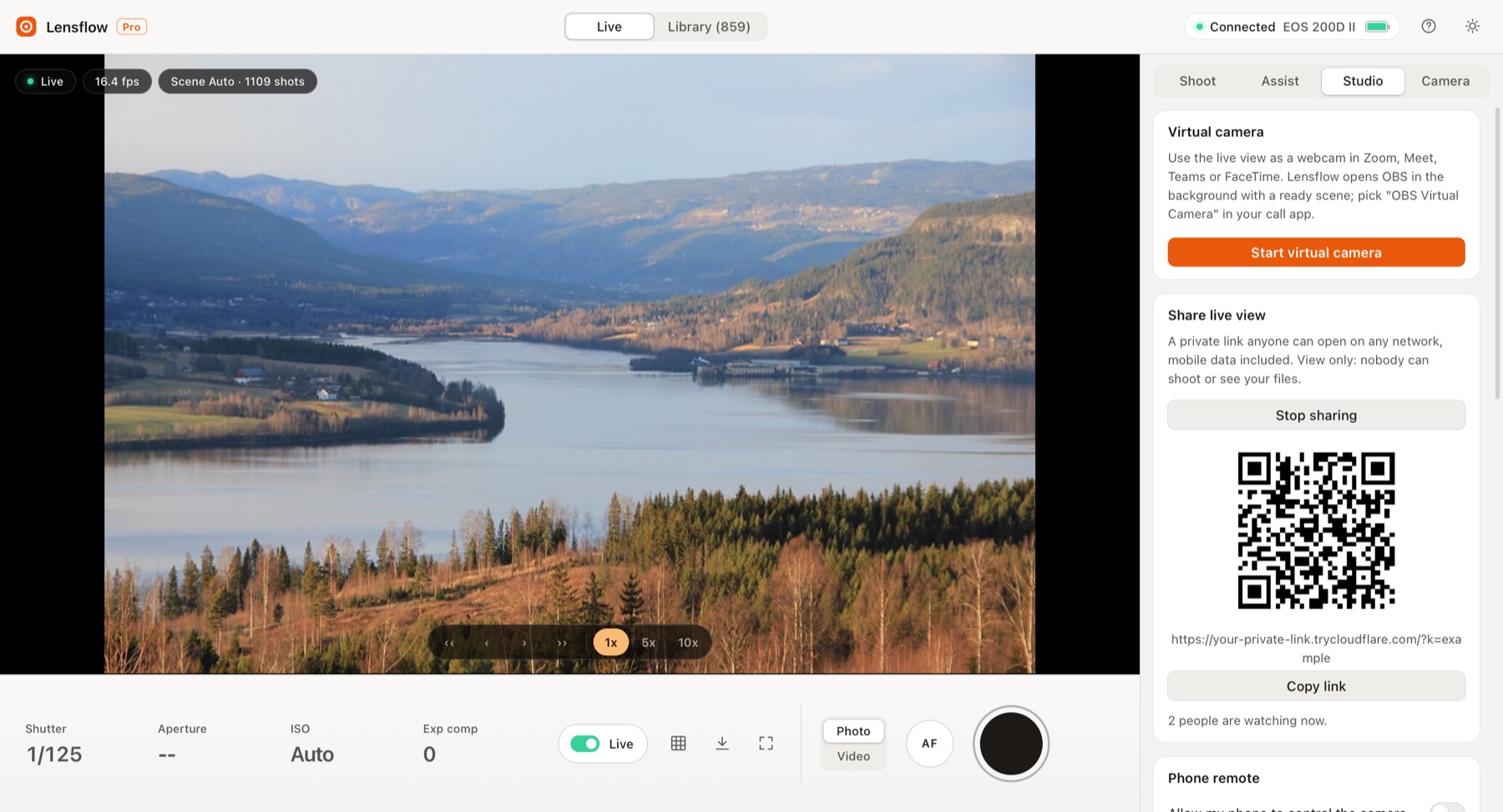
- Webcam for calls through free OBS Studio, set up with one click.
- Mac microphone sound: Lensflow Pro starts the Mac microphone first, then the camera, and makes a copy of each clip with that sound lined up.
- Live link: a private, view-only link to the live picture that opens on any phone, even on mobile data.
- Teleprompter over the live view, so you read your script while looking near the lens.
- Vertical 9:16 copies for reels and shorts, and captions as an SRT file.
Pro aids without the clutter
Histogram, focus peaking, zebras for blown highlights, guides and crop guides for every social format sit in one Assist tab. The main screen stays clean: the picture, four exposure values and one big button.
Who Lensflow Pro is for
- Solo YouTubers and course creators who film themselves and need to see the frame.
- Product and food photographers who want photos on the Mac as they shoot.
- Coaches and teachers who want a sharp camera picture in Zoom or Meet.
- Anyone whose EOS Utility stopped working after a macOS update.
Honest limits
- Tested on the EOS 200D II. Other Canon EOS cameras with Wi-Fi that work with EOS Utility are likely to work but are not confirmed yet.
- Needs a Mac with Apple silicon and free Python 3.
- The camera must be paired once with EOS Utility. Pairing still works on macOS 27; only the main window is broken.
- Lensflow Pro is not yet signed by Apple, so you click Open Anyway the first time.
- Moving the camera between photo and movie mode drops the Wi-Fi link. Start Remote control on the camera again.
Get Lensflow Pro
Lensflow Pro costs ₹2,999, with a launch price of ₹1,999. You download it right after payment. Want to see it first? Take the Lensflow Pro tour.
Frequently asked questions
Why is EOS Utility greyed out on my Mac?
Most likely because EOS Utility 3 never receives the camera from Canon’s launcher on the newest macOS. The camera shows Connected, but the main window has nothing to control. A future Canon update may fix it.
Do I still need EOS Utility?
Only once, to pair the camera with your Mac. After that, Lensflow Pro connects on its own and closes EOS Utility so they do not fight over the camera.
Does Lensflow Pro work without a cable?
Yes. Everything runs over your Wi-Fi. The camera and the Mac must be on the same network. The live link also works from outside your home.
Will it work with my Canon camera?
It is tested on the EOS 200D II. If your camera has a “Remote control (EOS Utility)” Wi-Fi option, it should work, but please email contact@digitalpritam.in with your model before you buy.
Can I use the camera microphone?
Yes, that is the default. The camera records its own sound in every clip. Switch to Mac mic only when you want a Mac or USB microphone instead.
Is Lensflow Pro made by Canon?
No. Lensflow Pro is an independent app by Digital Pritam. Canon and EOS are trademarks of Canon Inc.
 FREE PDF
Get the Hostinger setup checklist, plus every sale alert
The exact steps we use on our lab sites, and an email when each big hosting sale opens.
Sent instantly. Deal alerts until 1 Dec. Unsubscribe in one click.


 Pritam Sonone