









WordPress.com vs WordPress.org (2026): which should you use in India?
What each one is, the real yearly cost in rupees, plugins, control and who should pick which.
Disclosure: some links on this page are affiliate links. If you buy through them we may earn a commission, at no extra cost to you. It never changes our verdicts.
Short answer: WordPress.org is free software you put on your own hosting; WordPress.com runs WordPress for you. For most Indian bloggers and businesses, self-hosted WordPress.org is cheaper (about ₹1,771 a year on Hostinger) and gives full control. WordPress.com suits people who never want to touch hosting.
What each one is
WordPress.org
- Free, open-source software
- You choose the host and install it (most hosts do it in one click)
- Any plugin, any theme, full code access
- You or your host handle updates, backups and security
WordPress.com
- A paid service by Automattic, the company behind WordPress
- Hosting, SSL, updates, backups and security included
- Plugins on paid plans; staging and SSH from Business
- 24/7 support on paid plans
WordPress runs 39.6% of all websites and 58.3% of sites that use a known CMS (W3Techs, 20 Oct 2026). Both options run that same software.
Quick answer: which one is right for you?
Pick the row that sounds like you.
| You are | Pick | Why |
|---|---|---|
| A student or hobby writer with no budget | WordPress.com Free | No cost, but WordPress.com ads, a .wordpress.com address and 1 GB of storage |
| A new blogger who wants AdSense and affiliate income | WordPress.org on shared hosting | Lowest yearly cost, any plugin, your own ads and full control |
| A small business that wants a site and no tech work | WordPress.org, or WordPress.com Business | .org with a Mumbai server is cheaper; .com Business suits you if nobody will maintain the site |
| Someone starting an online store | WordPress.org with WooCommerce, or WordPress.com Commerce | WooCommerce works on any host; Commerce has a 0% WordPress.com payment fee |
| A freelancer or agency building client sites | WordPress.org | Staging, SSH and any plugin on most hosts, at a lower cost per site |
What it costs in India
Rupees with 18% GST.
| WordPress.org on Hostinger Premium | WordPress.com Personal | WordPress.com Business | |
|---|---|---|---|
| Year 1 | ₹1,771 (4-year term) | ₹2,266 | ₹9,062 |
| Year 2 | ₹1,771 | ₹2,832 | ₹11,328 |
| 4 years | ₹7,086 | ₹10,762 | ₹43,046 |
| Free domain | Year 1 | Year 1 (yearly billing) | Year 1 (yearly billing) |
WordPress.com plans: what each one unlocks
From WordPress.com’s pricing and support pages, 19 Oct 2026. India prices are the first year on yearly billing, before GST.
| Free | Personal | Premium | Business | Commerce | |
|---|---|---|---|---|---|
| Price in India | ₹0 | ₹160/mo | ₹280/mo | ₹640/mo | ₹1,152/mo |
| Storage | 1 GB | 6 GB | 13 GB | 50 GB | 50 GB |
| WordPress.com ads shown to visitors | Yes | No | No | No | No |
| Custom domain | No (.wordpress.com) | Free year 1 | Free year 1 | Free year 1 | Free year 1 |
| Install plugins, upload themes | No | Yes | Yes | Yes | Yes |
| WordAds and Google Analytics | No | No | Yes | Yes | Yes |
| WordPress.com fee on payments | 10% | 8% | 4% | 2% | 0% |
| SFTP, SSH, staging, full backup download | No | No | No | Yes | Yes |
Plugins and theme uploads now start on Personal. Older guides that say you need Business for plugins are out of date.
The real cost of self-hosting WordPress.org
The software is free.
| Item | What you pay | Note |
|---|---|---|
| Hosting | ₹6,672 + GST for 48 months on Hostinger Premium | Renews at ₹449 a month, so check the renewal before you buy |
| Domain | Free for year 1 with Hostinger Premium | Then the registrar’s yearly renewal price |
| SSL certificate | Free on most hosts | Needed for the padlock and https |
| Theme and plugins | ₹0 to start | Free options are enough for most new sites; buy premium only when you need a feature |
| Backups | Weekly on Hostinger Premium | Add a free backup plugin for daily copies |
| Your time | A few minutes a month | Updates for WordPress, themes and plugins; one-click on most hosts |
WordPress.org recommends PHP 8.3 or newer and MySQL 8.0 or newer (or MariaDB 10.11 or newer), with HTTPS. Most Indian hosts meet this; check before you buy a very cheap plan.
Side by side
| WordPress.org (self-hosted) | WordPress.com | |
|---|---|---|
| Plugins and themes | Any | Paid plans; some blocked |
| Server work | You or your host | None |
| Staging, SSH | On most hosts | Business and Commerce |
| Server location | Your choice, e.g. Mumbai | WordPress.com’s CDN |
| Ads and monetisation | Full control | Allowed on paid plans |
| Support | Your host | 24/7 on paid plans |
Earning money: AdSense, affiliates and selling
Monetisation is where the two differ most.
| WordPress.org | WordPress.com | |
|---|---|---|
| Display ads | Any network, AdSense included, on any host | WordAds from Premium; WordPress.com ads on the Free plan go to WordPress.com |
| Your own analytics | Any tool, Google Analytics included | Google Analytics from Premium |
| Taking payments | WooCommerce or any payment plugin, no platform fee | From Premium: 4% fee, 2% on Business, 0% on Commerce |
| Custom code and scripts | Anything you need | SFTP and SSH on Business and Commerce only |
Which should you choose?
Choose WordPress.org if
- You want the lowest cost and full control
- You plan to run ads, affiliate links and custom code
- You want a server in Mumbai
Choose WordPress.com if
- You never want to deal with hosting or updates
- You want support from the WordPress company itself
- You are happy to pay more for convenience
Switching from WordPress.com to WordPress.org later
You are not locked in, but plan the move.
Export your content
In WordPress.com go to Tools, Export, All content. This gives posts, pages and comments only, not the theme, plugins or image files.
Copy the whole site if you can
On Business and Commerce you can download a full backup; on other plans use a migration plugin.
Set up hosting
Install WordPress on your new host; most do it in one click.
Import
In the new site go to Tools, Import, WordPress and upload the export file, ticking the option to download attachments.
Move the domain
Point the name servers to the new host. A full registrar transfer is possible 60 days after the domain was registered or last transferred.
Common mistakes when choosing
Avoid
- Starting a money blog on the free WordPress.com plan, then moving it later
- Comparing only the first-year price and ignoring the renewal
- Buying Business just for plugins: they start on Personal now
- Assuming the WordPress.com export includes your images
Do instead
- Decide now if you will run ads or affiliate links
- Add up 3 to 4 years, renewals included
- Pick the cheapest plan that has the feature you need
- Keep a full backup before any move
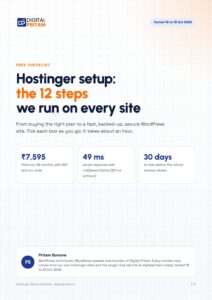
Get every deal the day it goes live
One email per big WordPress and hosting deal, in rupees with GST. Plus the free Hostinger setup checklist.
Free. Unsubscribe any time. Privacy policy
WordPress.com vs WordPress.org: FAQ
What is the difference between WordPress.com and WordPress.org?
WordPress.org is the free software you install on your own hosting. WordPress.com is a paid service by Automattic that runs WordPress for you, with hosting, updates and security included.
Which is cheaper in India?
Self-hosted WordPress.org: Hostinger Premium for 4 years is about ₹7,086 with GST and our code, roughly ₹1,771 a year. WordPress.com Personal is about ₹2,266 for the first year with GST, then ₹2,832.
Can I use plugins on WordPress.com?
Yes, on any paid plan from Personal. On WordPress.org you can install any plugin on any host.
Can I earn with ads and affiliate links?
Yes on both. On WordPress.org you control every ad network and script; WordPress.com allows ads and plugins on paid plans.
Can I move from WordPress.com to WordPress.org later?
Yes. Tools, Export, All content gives you posts, pages and comments. It does not include your theme, plugins or the image files, so for a full move use a migration plugin, or the full backup download on Business and Commerce.
Is WordPress.org really free?
The software is free and released under the GPLv2 (or later) licence. You pay for hosting and a domain, plus any premium theme or plugin you choose to buy.
Does the free WordPress.com plan have limits?
Yes. It shows WordPress.com ads to your visitors, uses a yoursite.wordpress.com address, gives 1 GB of storage, and does not allow plugins, theme uploads or a custom domain.
Which is better for SEO?
Both run the same WordPress software, so content and structure matter more than the platform. WordPress.org gives you full control of SEO plugins, server location and speed settings; WordPress.com allows SEO plugins on paid plans from Personal.
Which is better for a beginner in India?
If you want to earn from the site, start on WordPress.org with a host that installs WordPress in one click and has a Mumbai server. If you only want to write and never touch hosting, a paid WordPress.com plan is simpler.
Can I sell products?
On WordPress.org, install WooCommerce on any host. On WordPress.com, payments start on Premium with a 4% fee, falling to 2% on Business and 0% on Commerce.
About this page

Pritam Sonone
Founder of Digital Pritam. WordPress developer and designer, WordCamp Kolhapur 2025 speaker. Builds WordPress sites for clients.
How we checked
- Plans, renewals and terms read on each official page on 19 Oct 2026
- Rupee prices as shown by each brand in India, with 18% GST where it applies
- User ratings from Trustpilot, read the same day
Sources: WordPress.com pricing · Hosting.com India · Trustpilot
Related guides
 Best WordPress hosting in India8 hosts compared in rupees
 Hostinger review 2026Tested on our own sites
 Best cheap hosting in India5 hosts ranked by real cost
 Best managed WordPress hosting in India4 hosts ranked for India
 WordPress ComparisonsHead-to-head WordPress comparisons
 How we test dealsOur price checks, labels and corrections
Affiliate disclosure: some links on this page are affiliate links. If you buy through them, Digital Pritam may earn a commission at no extra cost to you. We only list deals we have checked on the brand’s own website, and commissions never change our picks. Prices can change at any time; always confirm the final price at checkout. Read our full affiliate disclosure.