









Astra vs GeneratePress 2026: Measured on Identical Installs
Same WordPress, same post, no plugins: here is the real page weight, price and refund policy of each theme.
 By Pritam SononeUpdated 17 Oct 2026Reviewed by Pritam SononePrices re-checked regularly against the brand’s own website.How we test →
Affiliate links: we may earn a commission at no extra cost to you. It never changes our verdicts.
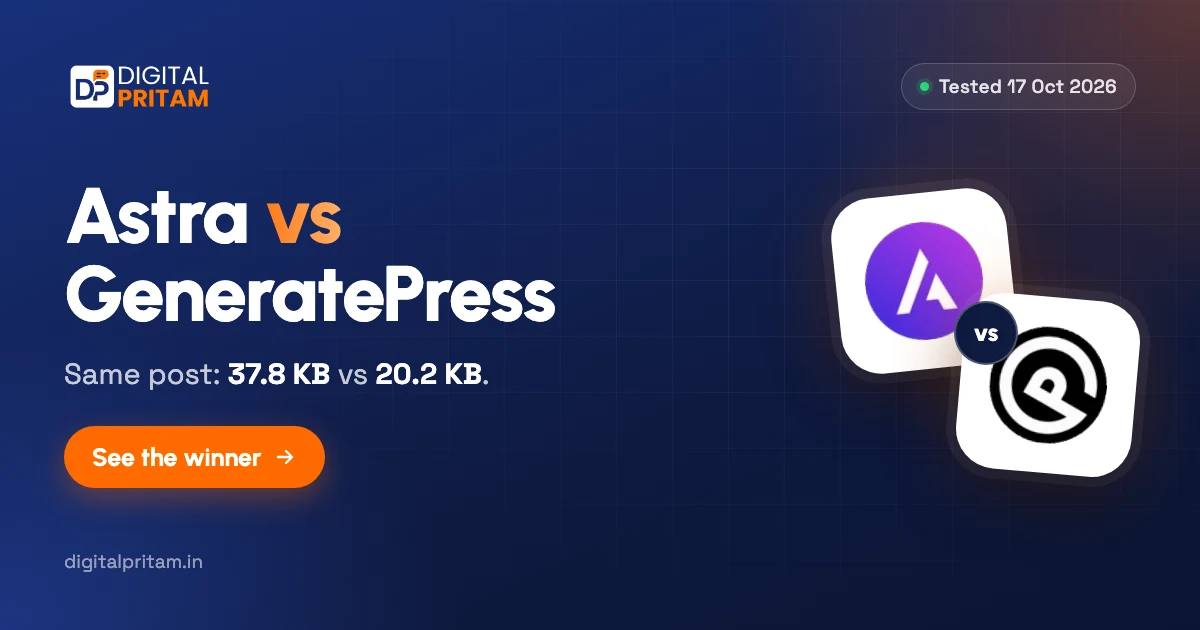
GeneratePress is lighter (20.2 KB against 37.8 KB on the same post). Astra is easier to start with thanks to its Starter Templates and costs less for a few sites: Astra Pro is $69 a year for 3 sites against $99 for GP One on 1 site. Both sell lifetime licences: Astra Pro $249, GP One $596.
- Our test3.5
- Features4.5
- Price in India4
- Ease5
Astra vs GeneratePress: side by side
From our 8-theme test on WordPress Playground (PHP 8.3, latest WordPress, no plugins), 17 Oct 2026.
| Astra | GeneratePress | |
|---|---|---|
| Page weight on a post (gzipped) | 37.8 KB | 20.2 KB |
| CSS and JS files | 3 | 4 |
| CSS and JS, uncompressed | 74.8 KB | 31.3 KB |
| Inline CSS in the page | 91.9 KB | 32.3 KB |
| Version tested | 4.14.1 | 3.6.1 |
| WordPress.org rating | 4.9/5 | 4.9/5 |
| Active installs | 1M+ | 500k+ |
| Paid plan, yearly | $69/yr Astra Pro (3 sites) | $99/yr GP One (1 site) |
| Lifetime option today | Yes, $249 (3 sites) | Yes, $596 (100 sites) |
| Refund window | 14 days | 30 days |
| Made by | Brainstorm Force, Pune, India | Tom Usborne, Canada |
Where Astra’s extra weight goes
Both themes load only 3 to 4 files.
GeneratePress
- 32.3 KB inline CSS
- 31.3 KB of CSS and JS files
- Live on investmarathi.com: layout shift 0.001 on mobile
Astra
- 91.9 KB inline CSS, about 3x GeneratePress
- 74.8 KB of CSS and JS files
- Still lighter than Kadence, Blocksy and OceanWP in our test
Which should you choose?
Choose GeneratePress if
- Page speed comes first
- You are happy building pages with blocks
- You want a 30-day refund window
Choose Astra if
- You want a ready-made design from Starter Templates
- You prefer paying once (lifetime $249)
- You like a large Indian-made ecosystem
Astra vs GeneratePress price
First-year prices from each official pricing page, 23 Oct 2026. Add 18% GST and your card’s forex fee in India.
| Plan | Price | Renews at | Note |
|---|---|---|---|
| GP One, 1 site | $99/yr | $99/yr | GP Premium, GenerateBlocks Pro, GenerateCloud |
| GP One, 10 sites | $149/yr | $149/yr | Same, or $596 lifetime for 100 sites |
| Astra Pro addon | $69/yr | $69/yr | 3 sites, or $249 lifetime |
| Astra Pro + AI | $99/yr | $149/yr | 3 sites, or $279 lifetime |
Both run Black Friday sales: see GeneratePress Black Friday and Astra Black Friday.
Set up Astra or GeneratePress, step by step
Both free themes installed fresh on our lab site, 24 Oct 2026. Pick a theme.
Tap any screenshot to open it full size. Each theme was installed fresh on our lab site, then the lab theme was switched back.
- 1
Find it and install
Appearance, Themes, Add New Theme, search “Astra”. Hover the card and click Install.

Astra in the WordPress theme directory - 2
Activate it
When the install finishes, the same card shows Activate. Click it.

Activate Astra - 3
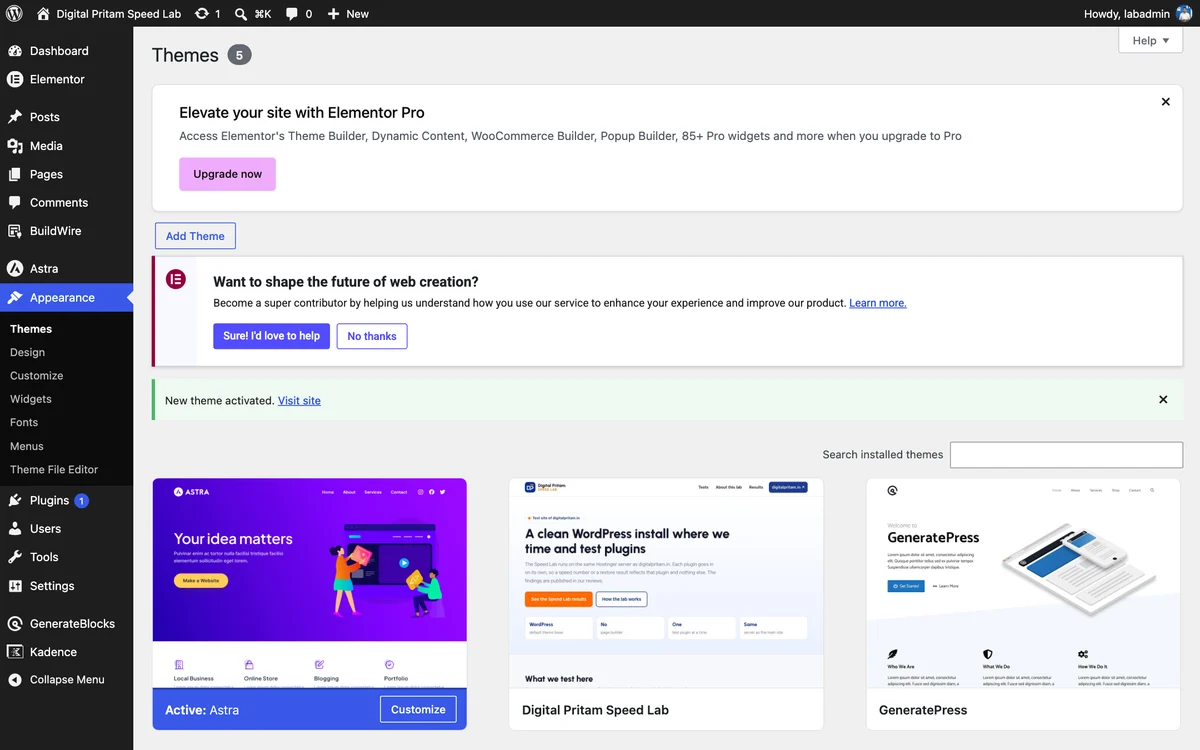
Check it is the active theme
Themes now lists Astra first, marked Active, with a Customize button.
Astra active on the Themes screen - 4
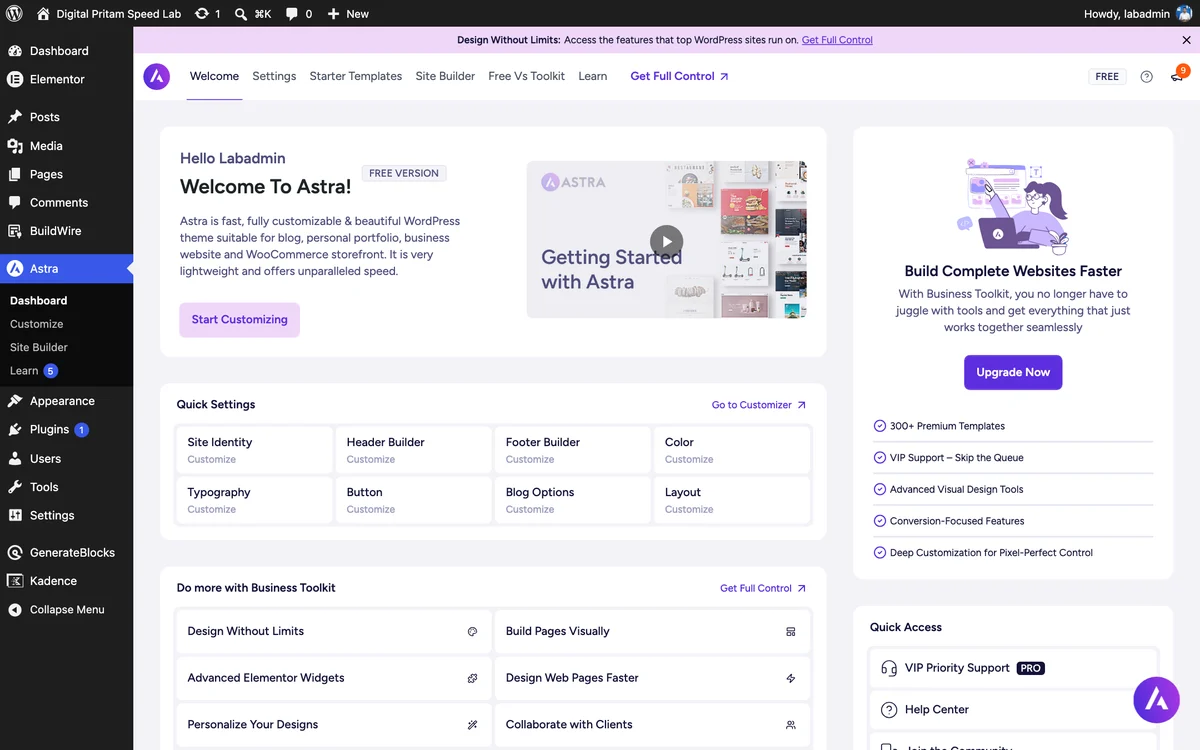
Open the theme dashboard
Astra adds its own menu with a Welcome screen, quick links to the header and footer builder, and Starter Templates. Upgrade boxes appear throughout the free version.
Astra theme dashboard - 5
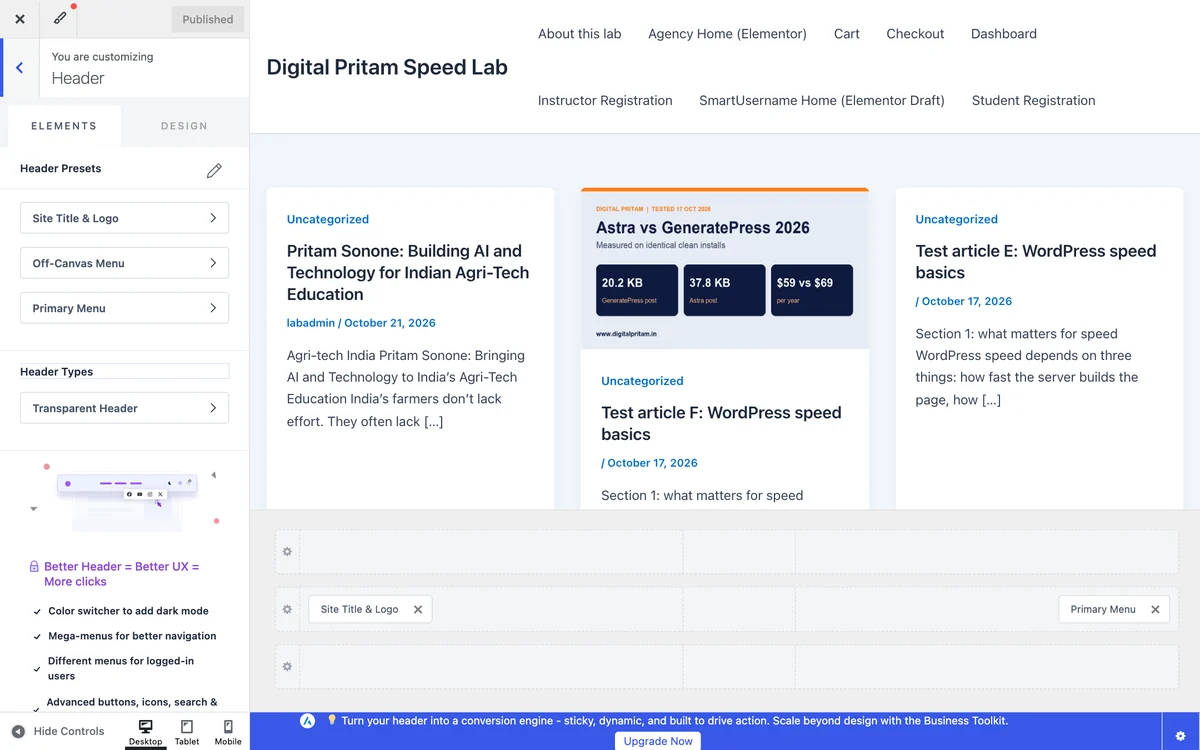
Set it up in the Customizer
The header builder has Elements and Design tabs and presets. Drag items into the header rows at the bottom of the preview.
Astra in the WordPress Customizer - 6
See your site
Our lab post on Astra 4.14.1 with no changes.
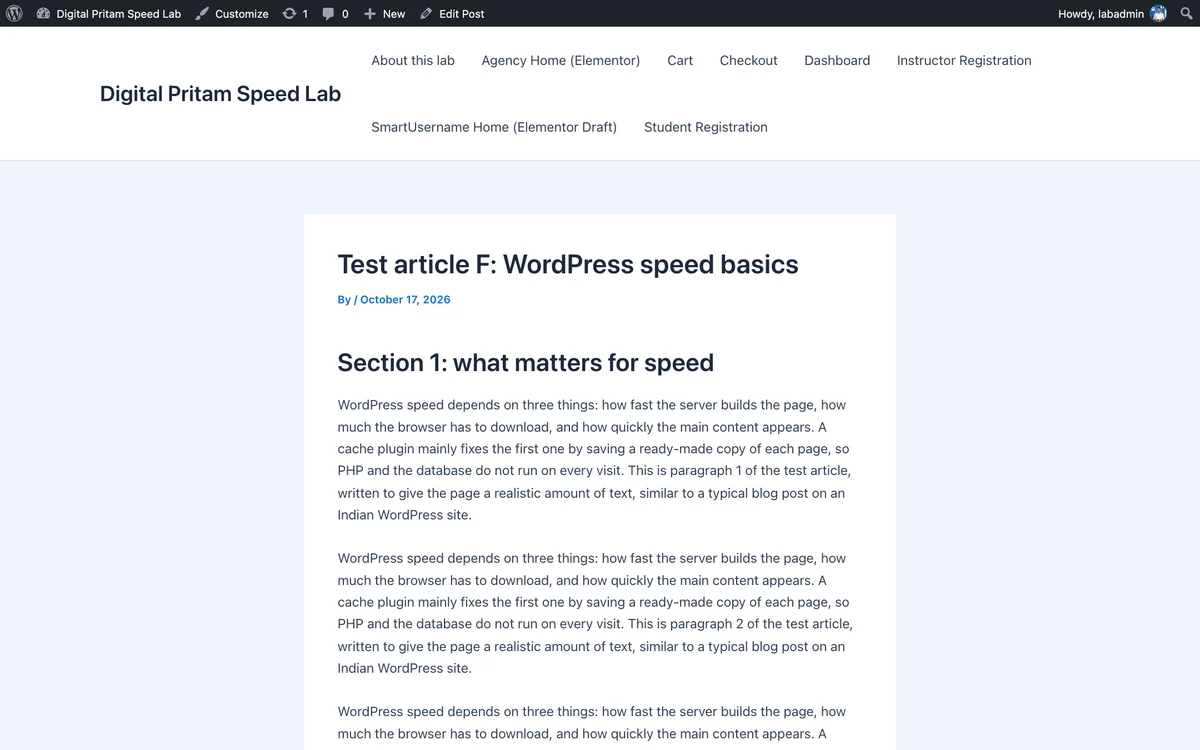
Our lab post with Astra, default settings
- 1
Find it and install
Appearance, Themes, Add New Theme, search “GeneratePress”. Hover the card and click Install.
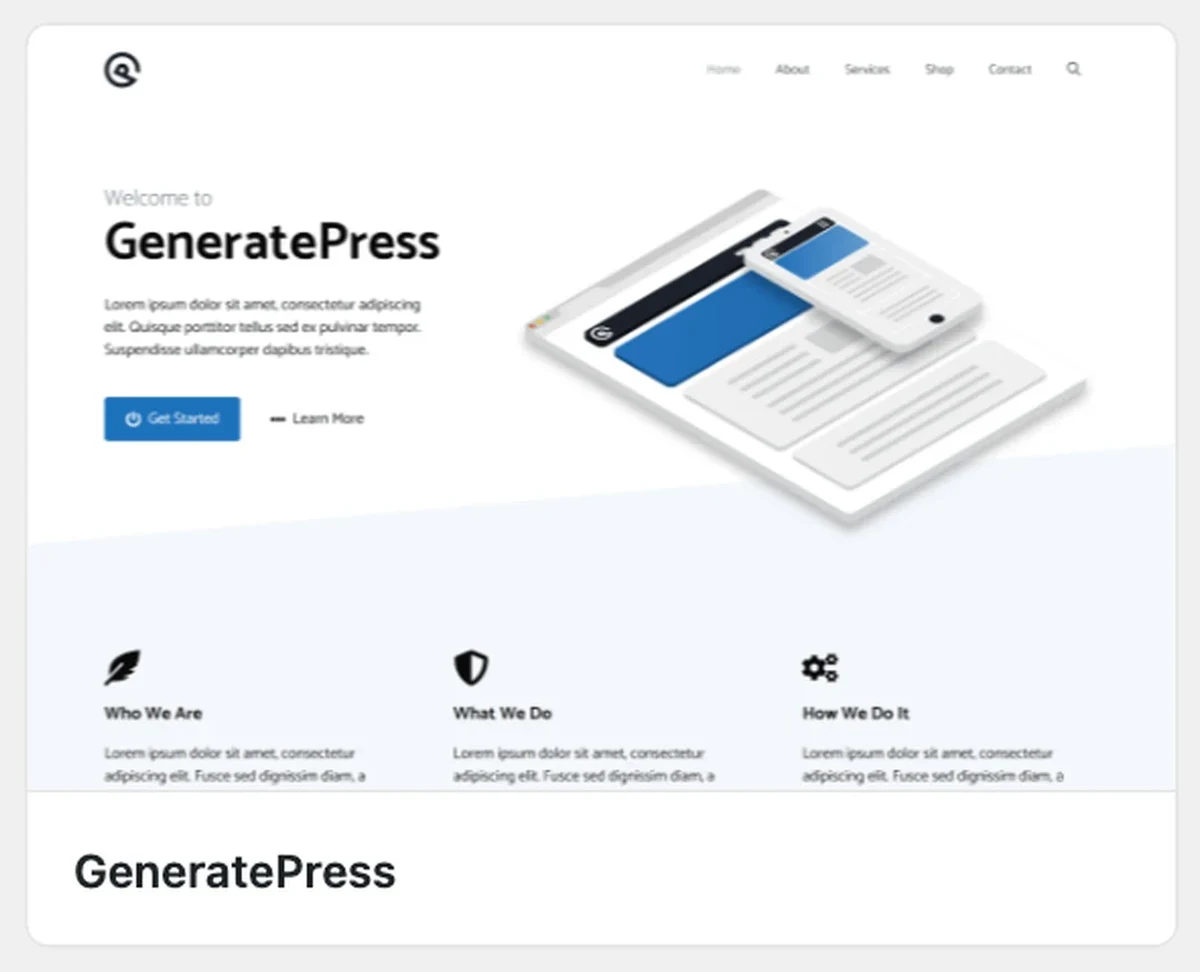
GeneratePress in the WordPress theme directory - 2
Activate it
When the install finishes, the same card shows Activate. Click it.
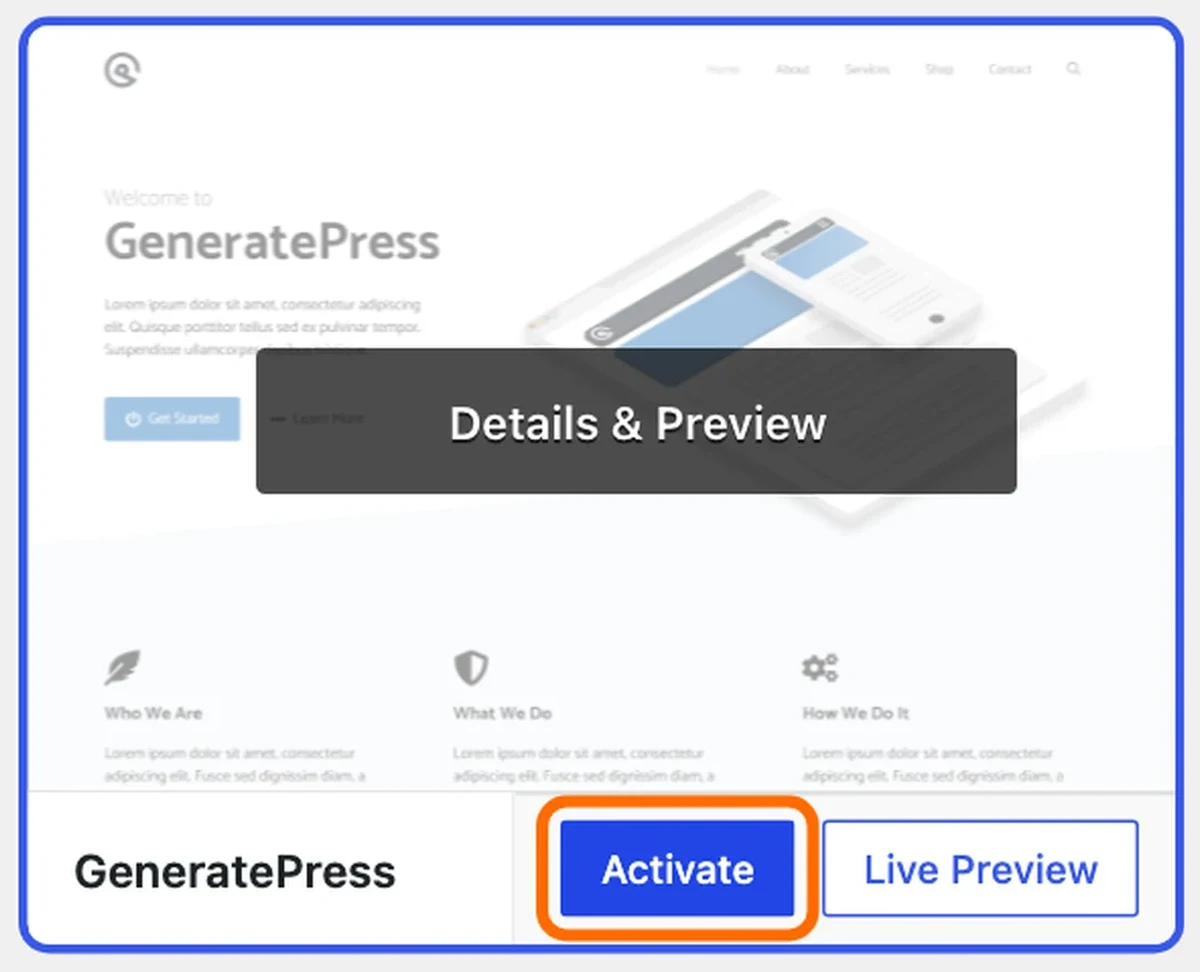
Activate GeneratePress - 3
Check it is the active theme
Themes now lists GeneratePress first, marked Active, with a Customize button.
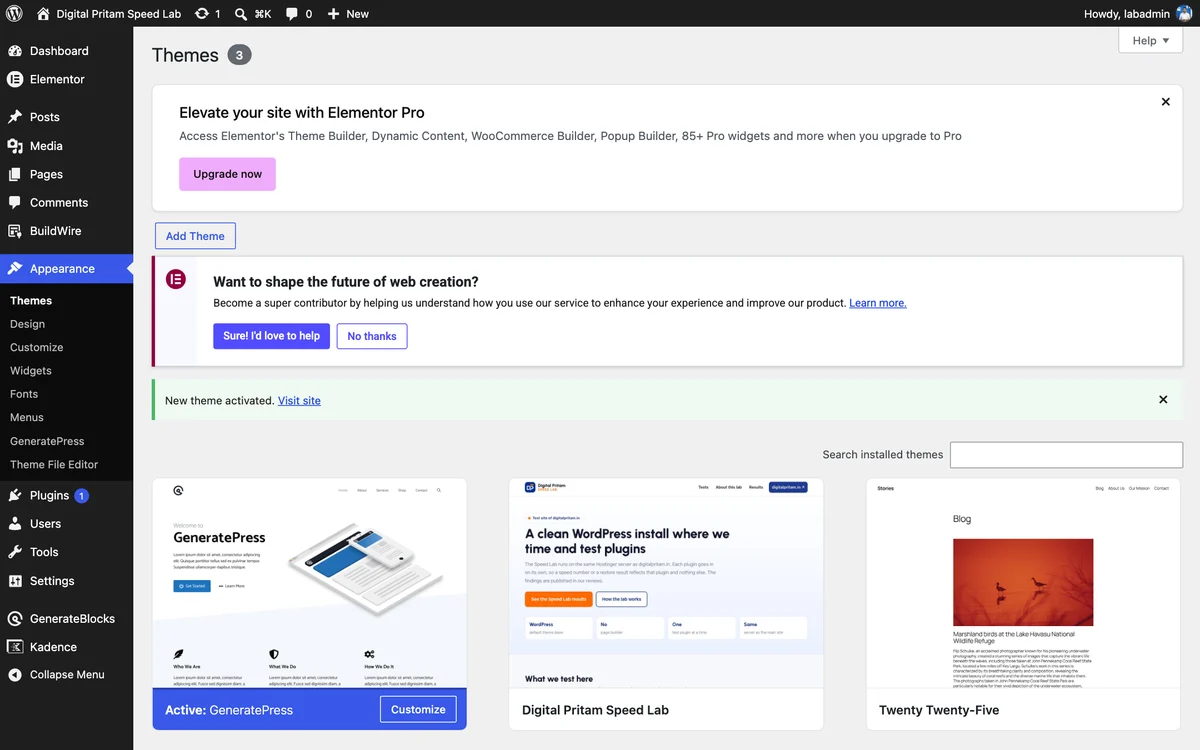
GeneratePress active on the Themes screen - 4
Open the theme dashboard
Appearance, GeneratePress opens Start Customizing: site identity, colours, typography and layout, each with an Open options button. Premium modules are listed below but locked.
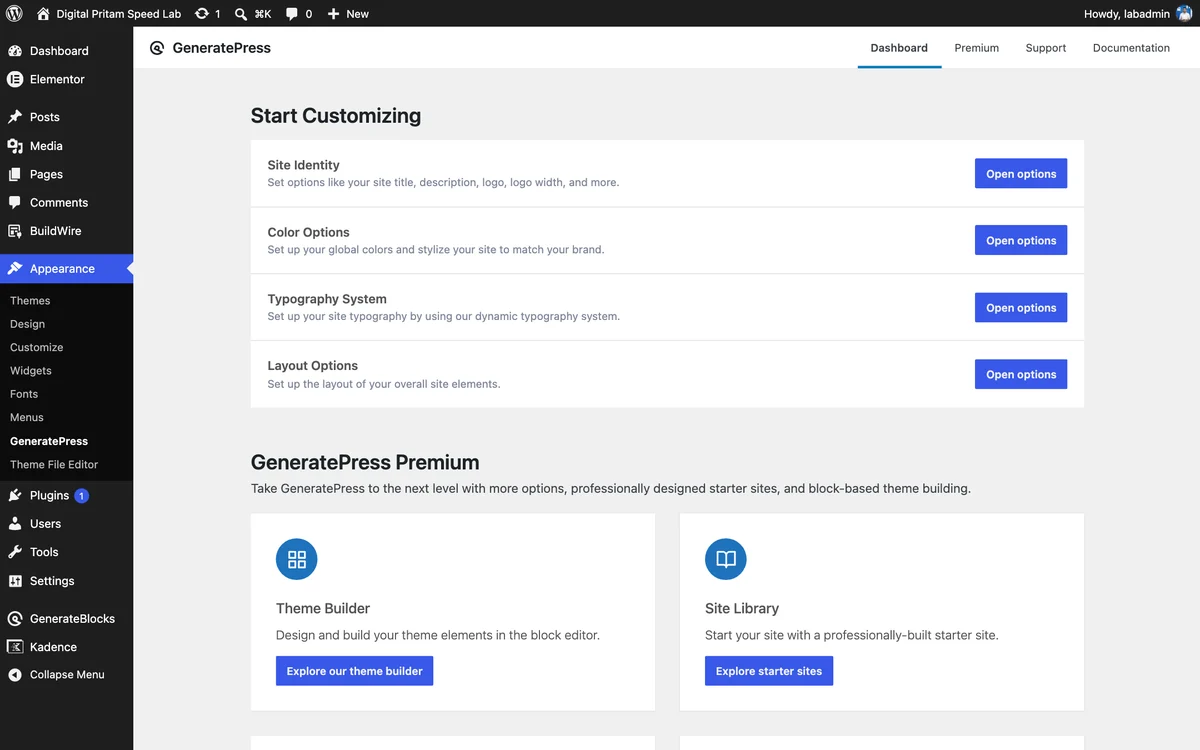
GeneratePress theme dashboard - 5
Set it up in the Customizer
Layout has Container, Header, Primary Navigation, Sidebars, Footer and Blog. Everything here is in the free theme.

GeneratePress in the WordPress Customizer - 6
See your site
Our lab post on GeneratePress 3.6.1 with no changes: plain, light, sidebar on the right.
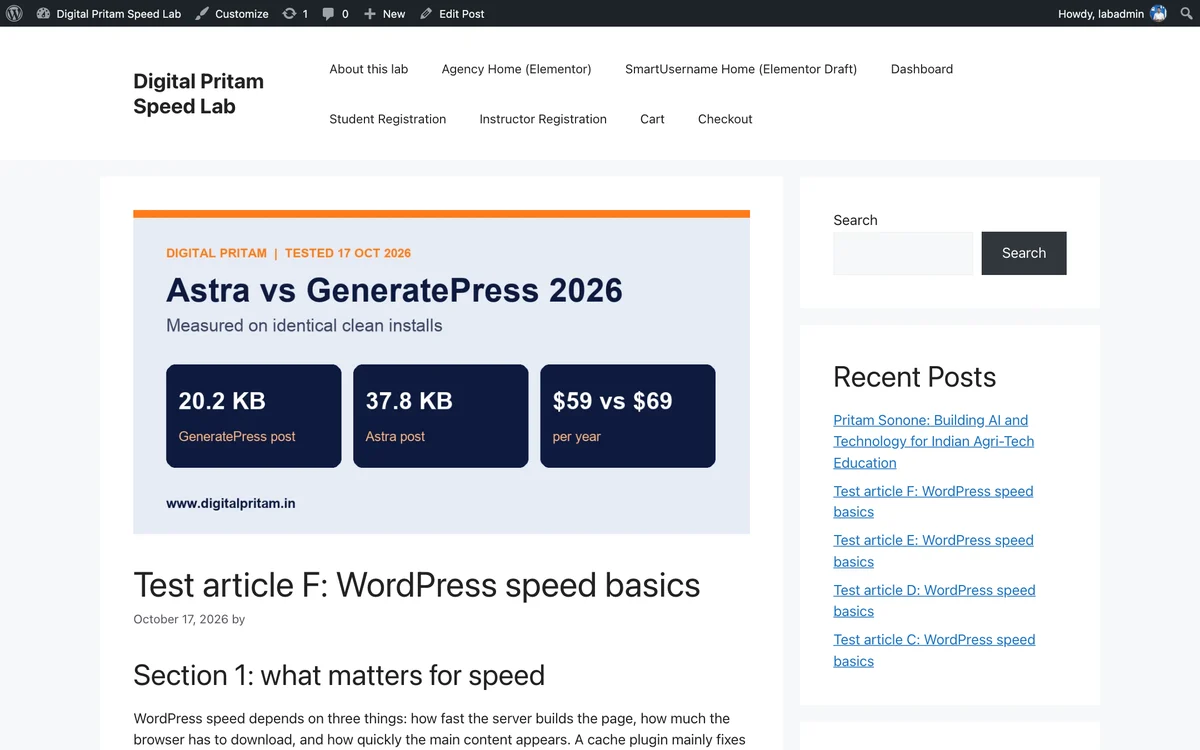
Our lab post with GeneratePress, default settings
Pick a free checklist. Get the best deals too.
Plus an email when each big hosting, WordPress and AI tool sale opens, with the price checked by us.
Sent to your inbox instantly. Unsubscribe in one click. Privacy policy
Astra vs GeneratePress: FAQ
Astra vs GeneratePress: which is faster?
GeneratePress. On identical clean installs, a post page with GeneratePress weighed 20.2 KB gzipped against 37.8 KB with Astra. Most of Astra's extra weight is 91.9 KB of inline CSS.
Which is better for beginners?
Astra. Its free Starter Templates import a full designed site in a few clicks, and the Customizer covers most settings. GeneratePress is simple too, but you build more yourself.
Which is cheaper?
Astra Pro is $69 a year for 3 sites against $99 for GP One on 1 site ($149 for 10). To pay once: Astra Pro lifetime is $249 for 3 sites, GP One lifetime $596 for 100 sites.
Astra vs GeneratePress vs Kadence: which should I pick?
GeneratePress for the lightest pages, Astra for templates and the cheapest lifetime option, Kadence for the most design control. See our Kadence vs GeneratePress test for Kadence's numbers.
Do you use either theme?
Yes. Our site investmarathi.com runs GeneratePress 3.6.1 with GP Premium. We have not run Astra on a live site of ours, so its numbers here come from our clean-install test.
Is Astra an Indian company?
Yes. Astra is built by Brainstorm Force in Pune, India.
About this page
Pritam Sonone
Founder of Digital Pritam. WordPress developer and designer, WordCamp Kolhapur 2025 speaker. Builds WordPress sites for clients.
How we checked
- Both themes measured on identical clean WordPress installs (PHP 8.3, no plugins) on 17 Oct 2026
- GeneratePress also checked live on our own site, investmarathi.com
- Prices from each official pricing page the same day
Sources: Astra pricing · GeneratePress pricing · Astra on WordPress.org · GeneratePress on WordPress.org
Related guides
 Fastest WordPress themes 20268 themes measured on a clean install
 Kadence vs GeneratePressTested on two live sites
 GeneratePress review 2026The lightest full theme we tested
 Astra Black Friday 2026Astra Pro price and lifetime deal
 Best WordPress Theme 2026Kadence, GeneratePress, Astra, Blocksy
 How we test dealsOur price checks, labels and corrections
Affiliate links: we may earn a commission at no extra cost to you. It never changes our verdicts.