









Elementor vs Gutenberg 2026: Same Page, 6x the Weight
We built the same landing section in the block editor and in Elementor on a clean install, and measured what visitors download.
 By Pritam SononeUpdated 17 Oct 2026Reviewed by Pritam SononePrices re-checked regularly against the brand’s own website.How we test →
Affiliate links: we may earn a commission at no extra cost to you. It never changes our verdicts.
Gutenberg is far lighter: 17.6 KB against 103.4 KB for the same layout, with no jQuery. Elementor is easier for visual design and has a bigger template library. For blogs, use the block editor; for complex landing pages and client sites, Elementor can be worth the weight.
What is it?Gutenberg is WordPress’s built-in block editor, while Elementor is a separate page-builder plugin with its own visual canvas and widgets.
- Our test5
- Features3.5
- Price in India5
- Ease3.5
- Our test2.5
- Features5
- Price in India3
- Ease5
How we tested
Clean WordPress (latest, PHP 8.3) with GeneratePress 3.6.1 and nothing else, run in WordPress Playground on 17 Oct 2026.
Same layout twice
A heading, a line of text, a button and three feature columns: one page in blocks, one in Elementor (free).
Measured each page
Every CSS and JS file plus the HTML, gzipped, after a warm-up view so Elementor could write its CSS files.
Checked other pages
The homepage too, to see what Elementor adds to pages not built with it.
Elementor vs Gutenberg: side by side
Page weight is what each visitor downloads, before images.
| Gutenberg (block editor) | Elementor | |
|---|---|---|
| Page weight, same layout (gzipped) | 17.6 KB | 103.4 KB |
| CSS and JS files | 2 | 16, plus 2 Google Fonts requests |
| Loads jQuery | No | Yes |
| Weight on a page not built with it | 17.4 KB (nothing added) | 34.7 KB (+17.3 KB) |
| Cost | Free, built into WordPress | Free; Pro from $60/yr |
| Visual drag and drop | Blocks, inline editing | Yes, full visual canvas |
| Theme builder (headers, templates) | With a block theme, free | Pro only |
| Version tested | WordPress latest, GeneratePress 3.6.1 | Elementor 4.3.5 |
| Active installs | Every WordPress site | 10 million+ |

Biggest Elementor files: frontend.min.js (18.8 KB gzipped), frontend-modules.min.js (16.4 KB), jQuery (30.4 KB) and frontend.min.css (7.3 KB). Turning on Elementor’s performance experiments can trim some of this.
Which should you choose?
Choose Gutenberg if
- You run a blog or content site
- Speed and Core Web Vitals come first
- You want no extra plugin to maintain
Choose Elementor if
- You design landing pages visually
- You build client sites that clients will edit
- You want a large template and widget library
Elementor Pro price
From elementor.com/pricing, 17 Oct 2026. In rupees on our Elementor Pro price in India page.
| Plan | Price | Sites |
|---|---|---|
| Essential | $60/yr | 1 |
| Advanced Solo | $84/yr | 1 |
| Advanced | $108/yr | 3 |
| One | $180/yr first year | 1 |
Build the same section in Elementor and the block editor
One heading, one line of text and one button, built both ways on our lab site, 24 Oct 2026. Pick an editor.
Tap any screenshot to open it full size. Headless browsers cannot drag into Elementor’s preview, so we added the three widgets through Elementor’s page data; everything else is the normal editor.
- 1
Open a page with Elementor
With Elementor active, every page gets an Edit with Elementor button at the top of the block editor.
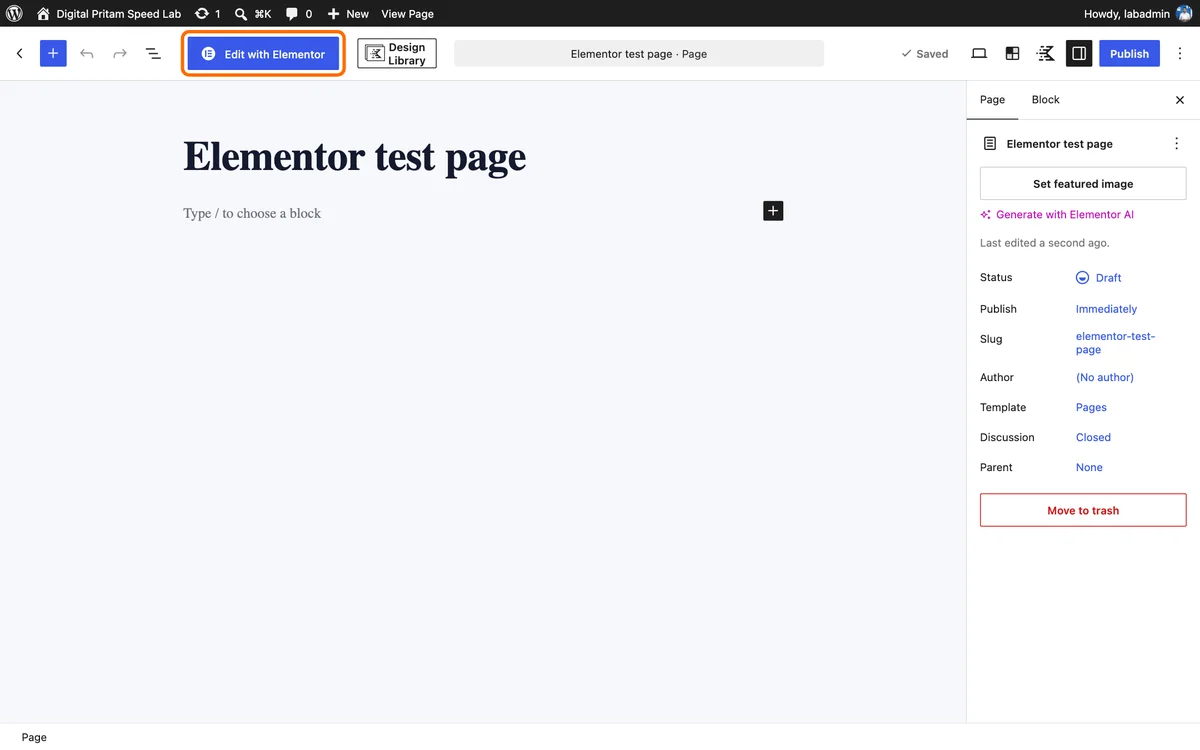
Edit with Elementor button in the WordPress editor - 2
Meet the editor
Elementor 4.3.5 opens with its new Atomic Elements panel on the left and a live page on the right.
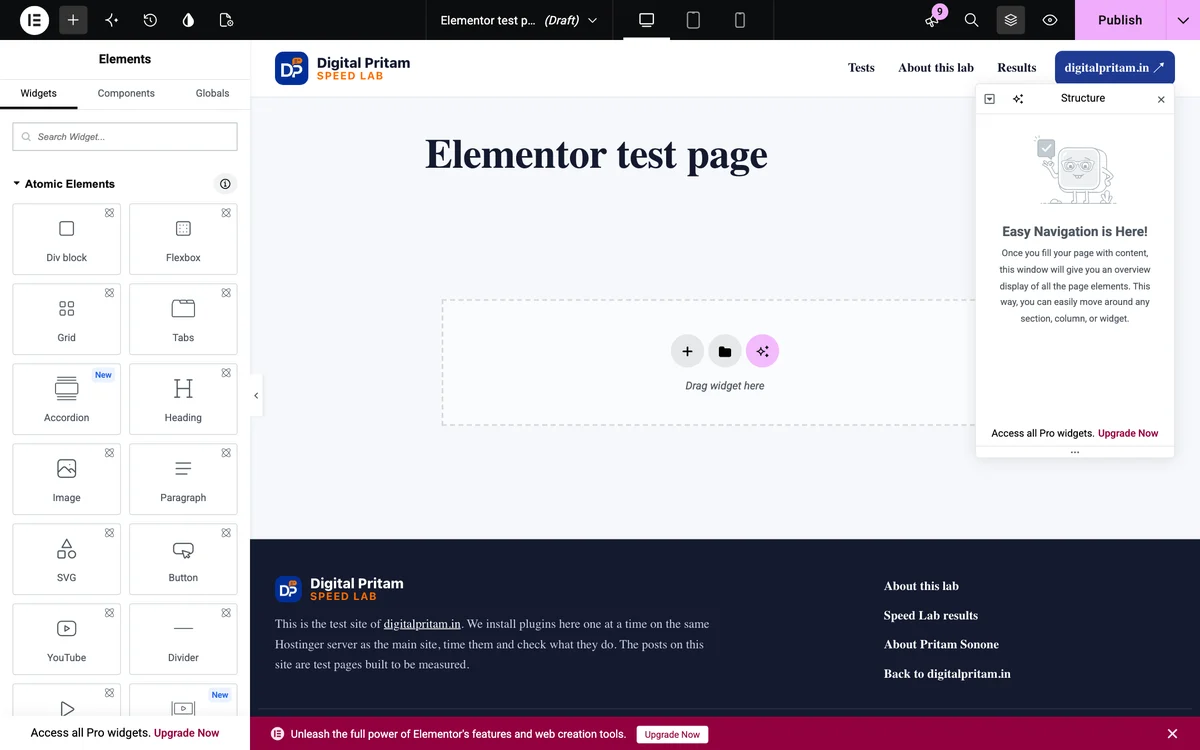
Elementor editor with the Atomic Elements panel - 3
Add widgets
Drag Heading, Text and Button into the page and edit them in place. Our test section uses those three.
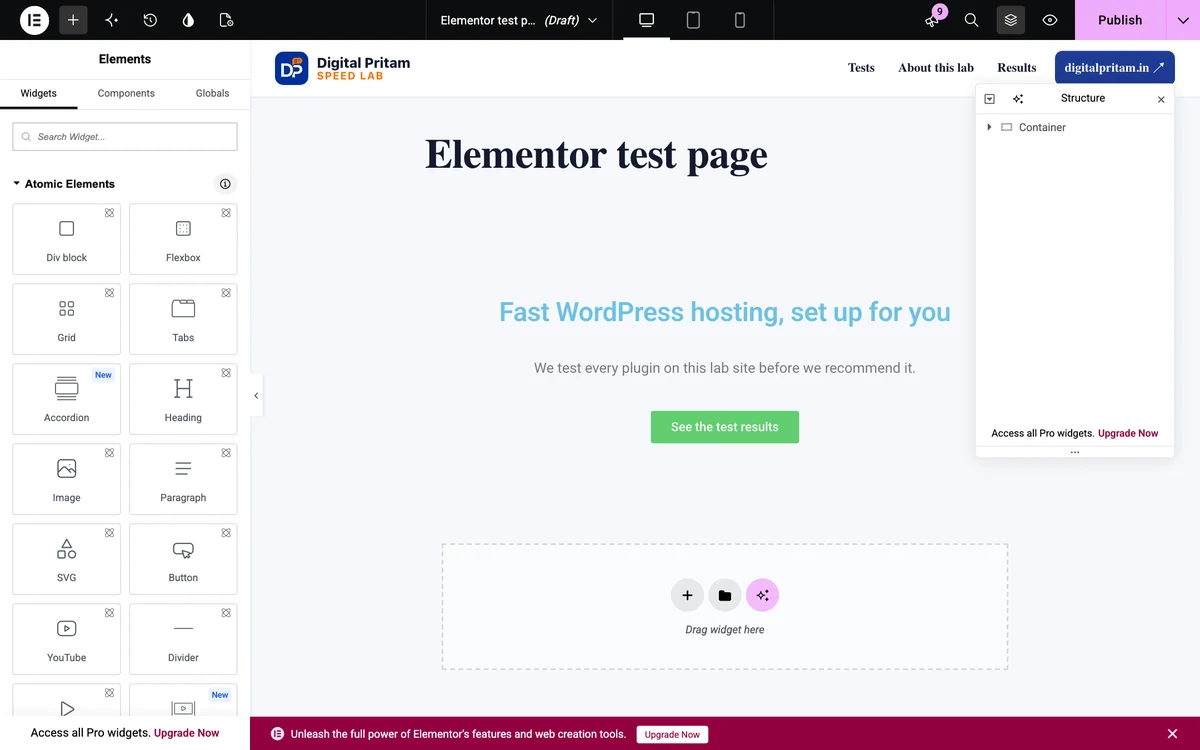
Heading, text and button widgets in the Elementor editor - 4
Publish and check
Click Publish. The page on our lab site, Elementor free, no extra CSS.
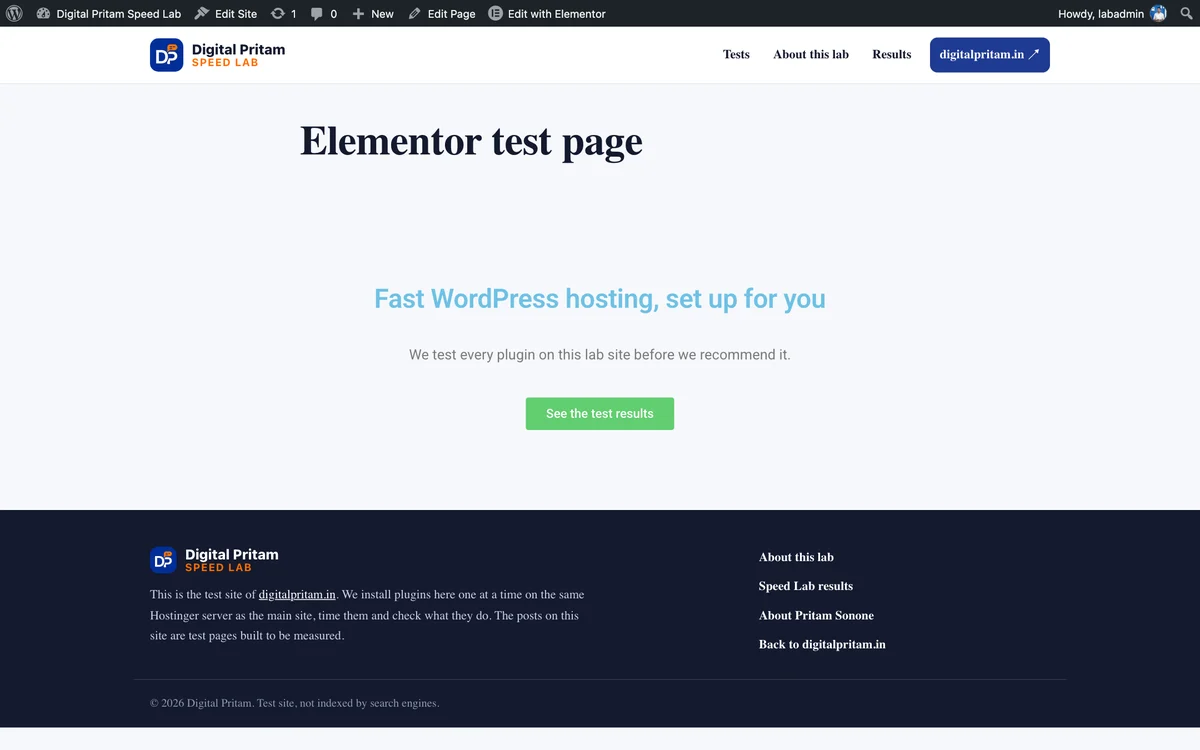
The Elementor test page on our lab site
- 1
Open the block inserter
Pages, Add New. Click the blue + at the top left to see every block. Our lab also has Kadence Blocks installed, so those show first.
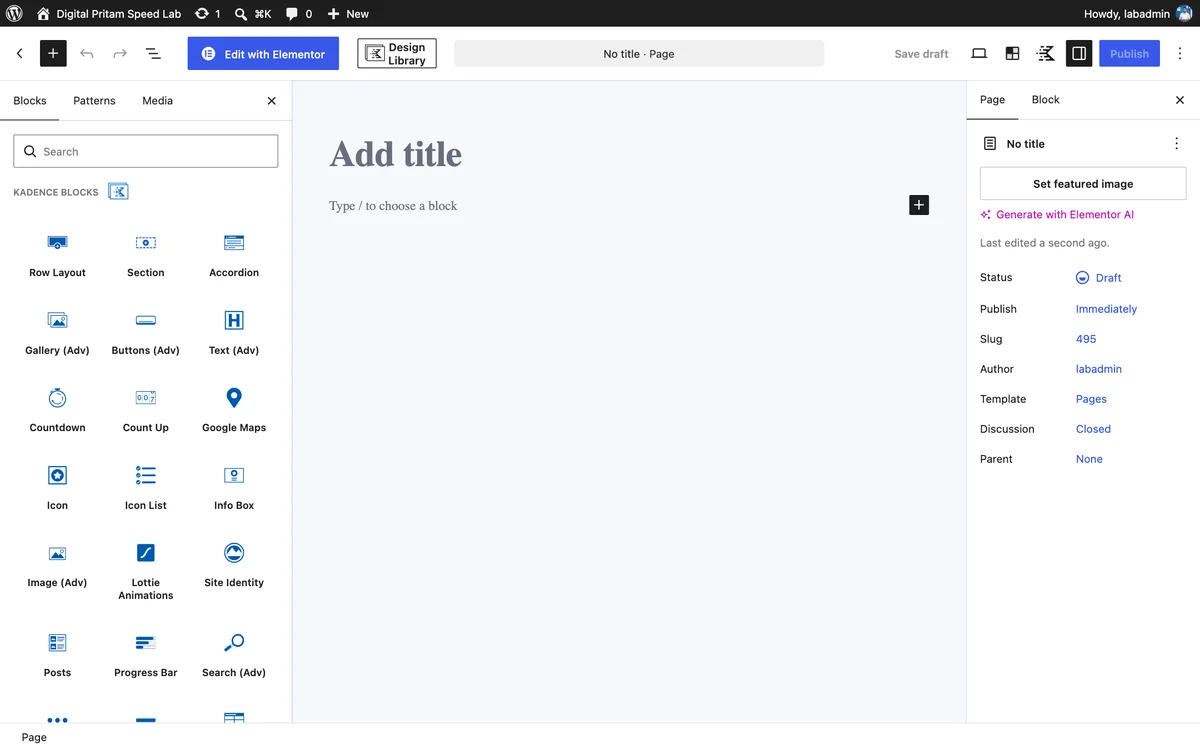
WordPress block inserter - 2
Add Heading, Paragraph and Buttons
The same section as the Elementor test, built from three core blocks. No plugin needed.
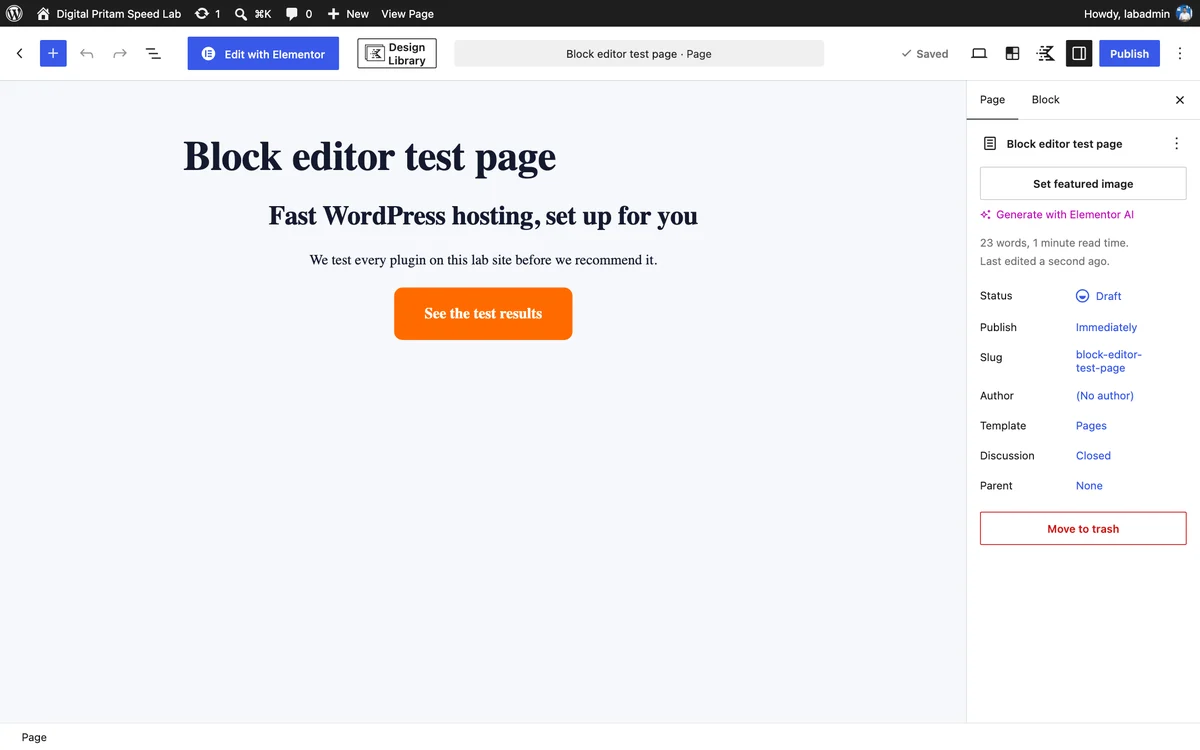
Heading, paragraph and button blocks in the block editor - 3
Publish and check
The block editor version on our lab site, styled by the theme.
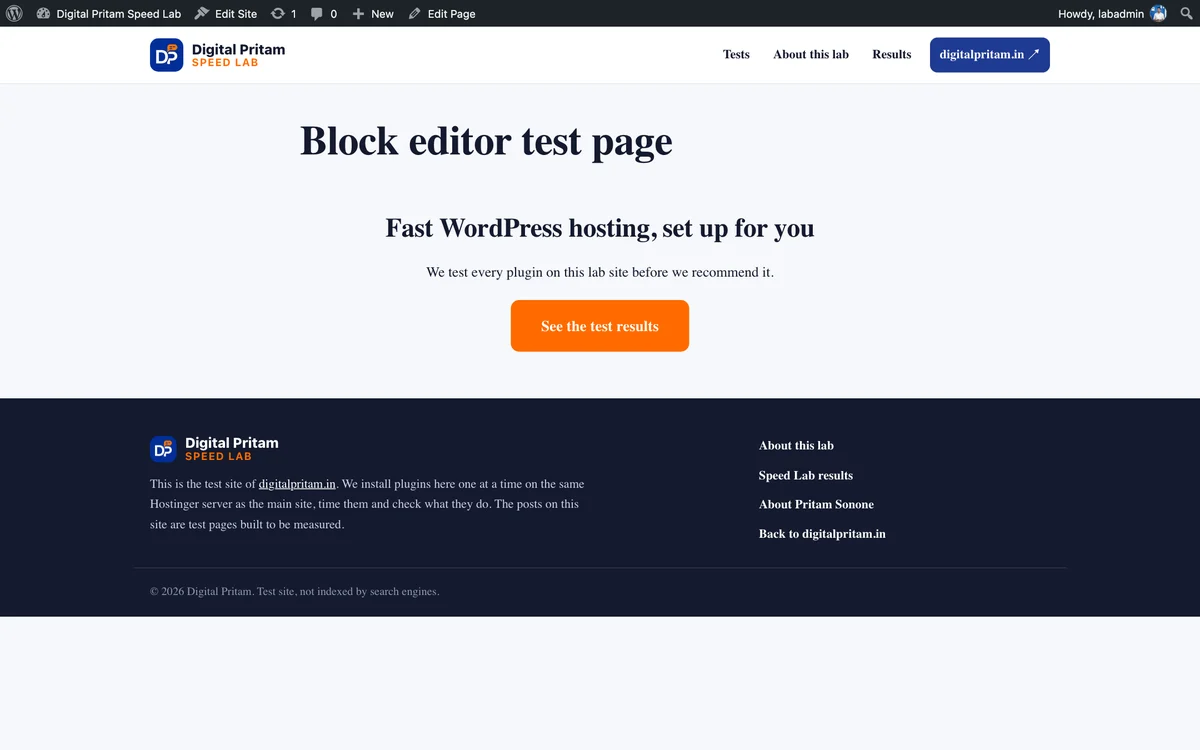
The block editor test page on our lab site
Pick a free checklist. Get the best deals too.
Plus an email when each big hosting, WordPress and AI tool sale opens, with the price checked by us.
Sent to your inbox instantly. Unsubscribe in one click. Privacy policy
Elementor vs Gutenberg: FAQ
Elementor vs Gutenberg: which is faster?
Gutenberg, by a wide margin. The same hero, button and three-column layout weighed 17.6 KB (gzipped) with blocks and 103.4 KB with Elementor, which also loaded 16 files, jQuery and Google Fonts.
Does Elementor slow down pages not built with it?
A little. On our test site the homepage, not built with Elementor, went from 17.4 KB to 34.7 KB once Elementor was active.
Which is easier for beginners?
Elementor, for its visual drag-and-drop canvas and large template library. The block editor has improved, but complex layouts take more practice.
Is Elementor Pro worth it?
For client sites, landing pages and theme building, often yes. Elementor Pro Essential is $60 a year for one site. For a blog, the free block editor is enough.
Can I switch from Elementor to Gutenberg later?
Yes, but pages built in Elementor have to be rebuilt; deactivating Elementor leaves them as plain text. Plan the move page by page.
What do you use?
Our two sites use the block editor: Kadence Blocks on digitalpritam.in and GeneratePress with blocks on investmarathi.com.
Methodology
How this page was built, so you can check it.
| Detail | |
|---|---|
| Date | 17 Oct 2026 |
| Environment | WordPress Playground (latest WordPress, PHP 8.3), a clean install with GeneratePress 3.6.1 and nothing else |
| Versions | Elementor 4.3.5 (free) and the WordPress block editor |
| Procedure | The same layout built twice (heading, text, button, three feature columns), each page viewed once to warm Elementor's CSS, then measured |
| Measured | Every CSS and JS file plus the HTML, compressed with gzip, on the page and on the homepage |
| Limits | A synthetic site, not a live one; no images; Elementor Pro features not tested |
About this page
Pritam Sonone
Founder of Digital Pritam. WordPress developer and designer, WordCamp Kolhapur 2025 speaker. Builds WordPress sites for clients.
How we checked
- Clean WordPress (latest, PHP 8.3) with GeneratePress 3.6.1 and nothing else, run in WordPress Playground on 17 Oct 2026
- Same layout built in blocks and in Elementor 4.3.5 (free); measured after a warm-up view
- Elementor prices from elementor.com/pricing
Sources: Elementor pricing · Elementor on WordPress.org · WordPress block editor
Related guides
 Best WordPress Page Builder 2026Elementor, Divi, Bricks and more by price
 Elementor Pro Price in India 2026Every plan in rupees with GST
 Elementor Black Friday 2026Pro price today and 2025's discounts
 Fastest WordPress themes 20268 themes measured on a clean install
 WPForms vs Fluent FormsSame form, measured on a clean install
 How we test dealsOur price checks, labels and corrections
Affiliate links: we may earn a commission at no extra cost to you. It never changes our verdicts.