









Best WordPress Theme 2026: Kadence, GeneratePress and Astra
Five themes by price, sites and lifetime options, from each official pricing page.
 By Pritam SononePrices checked 17 Oct 2026Reviewed by Pritam SononePrices re-checked regularly against the brand’s own website.How we test →
Affiliate links: we may earn a commission at no extra cost to you. It never changes our verdicts.
All five have a good free version, so start free. For a blog, GeneratePress One ($99 a year for 1 site) is the lightest upgrade. Kadence, which this site runs on, is the best all-round block theme. Astra is made in Pune and sells lifetime licences.
What is it?A WordPress theme controls how your site looks and how much code each page loads.
The right theme for you
Pick by what you need, not by the longest feature list.

Kadence
Block-based theme and blocks; this site is built with it.

GeneratePress
Very small and fast; GP One is $99 a year for 1 site.

Astra
Built by Brainstorm Force in Pune, with lifetime licences.

Blocksy
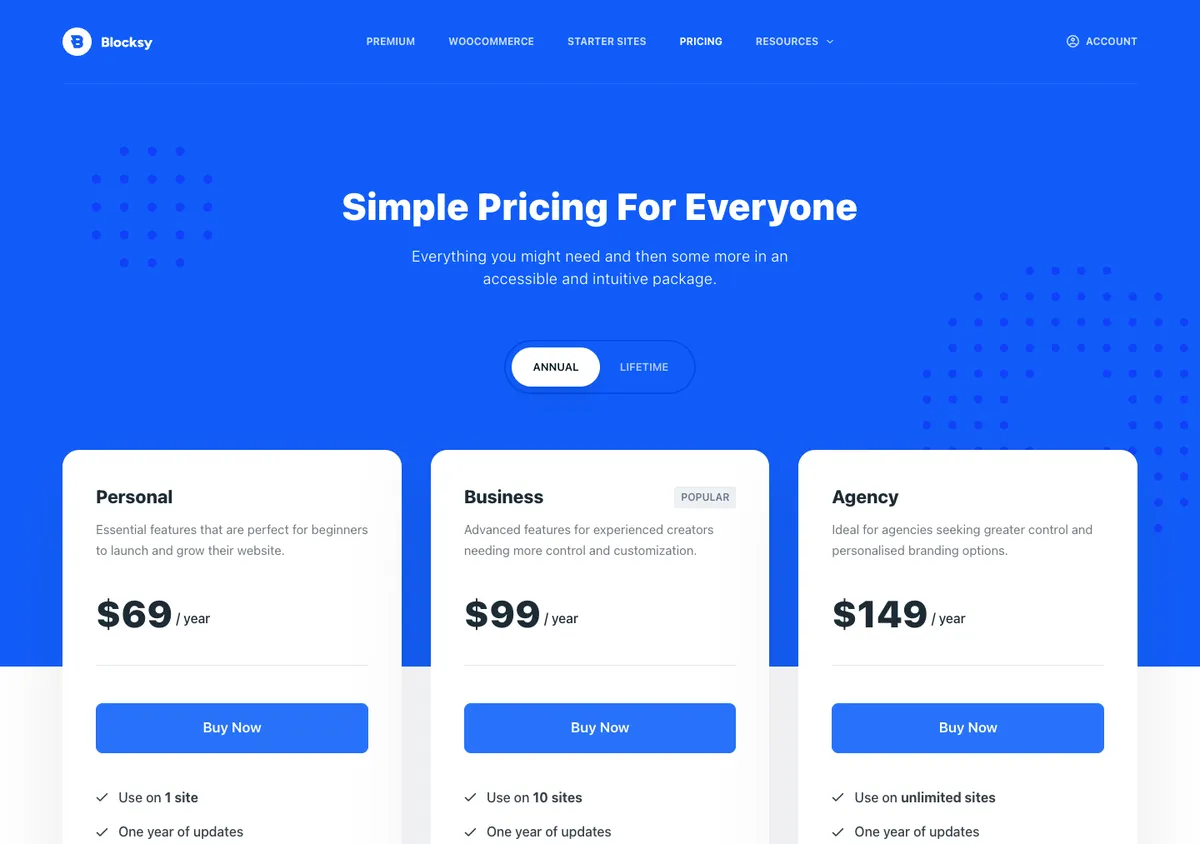
Pro from $69 a year; Business covers 10 sites for $99.

Divi
Unlimited sites from $89 a year or $249 once.
WordPress themes: price and sites
Prices from each official pricing page on 17 Oct 2026, excluding tax.
| Theme | Free version | Pro from | Sites | Lifetime | Best for |
|---|---|---|---|---|---|
| Kadence | Yes | From $350 bundle (1 site) | Bundle | No | Block-based sites |
| GeneratePress | Yes | $99/yr | GP One, 1 site | $596 once | Fast blogs |
| Astra | Yes | $69/yr Pro addon | 3 | $249 once | Starter templates |
| Blocksy | Yes | $69/yr | 1 ($99 for 10) | Not checked | Value for many sites |
| Divi | No | $89/yr | Unlimited | $249 once | Visual building |
Prices in US dollars excluding tax. Kadence’s paid plan is now one bundle (Kadence with Give, The Events Calendar and LearnDash) from $350 for 1 site on kadencewp.com/pricing, read on 25 Oct 2026.
Free or paid theme?
A free theme is enough if
- You run a simple blog
- You use the block editor
- You do not need custom headers or layouts
Upgrade to Pro if
- You want a header and footer builder
- You need WooCommerce layout controls
- You build client sites with starter templates
Official pricing pages
Captured 17 Oct 2026, so you can compare with what you see today.
WordPress theme FAQ
What is the best WordPress theme in 2026?
For most sites, Kadence or GeneratePress. GeneratePress is the lightest; Kadence has the most block-building features. This site runs on Kadence.
What is the best free WordPress theme?
Kadence, GeneratePress, Astra and Blocksy all have strong free versions. Start with one of them.
Which WordPress theme is made in India?
Astra, by Brainstorm Force in Pune.
Which theme has a lifetime licence?
Astra Pro ($249 once for 3 sites) and Divi ($249 once, unlimited sites), per their pricing pages.
Kadence vs GeneratePress: which is better?
GeneratePress is lighter and cheaper (GP One from $99 a year). Kadence includes more design blocks and starter templates. Both are fast.
How to install the three fastest free themes, step by step
GeneratePress, Kadence and Astra, each installed fresh on our lab site, 24 Oct 2026. Pick a theme.
Tap any screenshot to open it full size. Each theme was installed fresh on our lab site, then the lab theme was switched back.
- 1
Find it and install
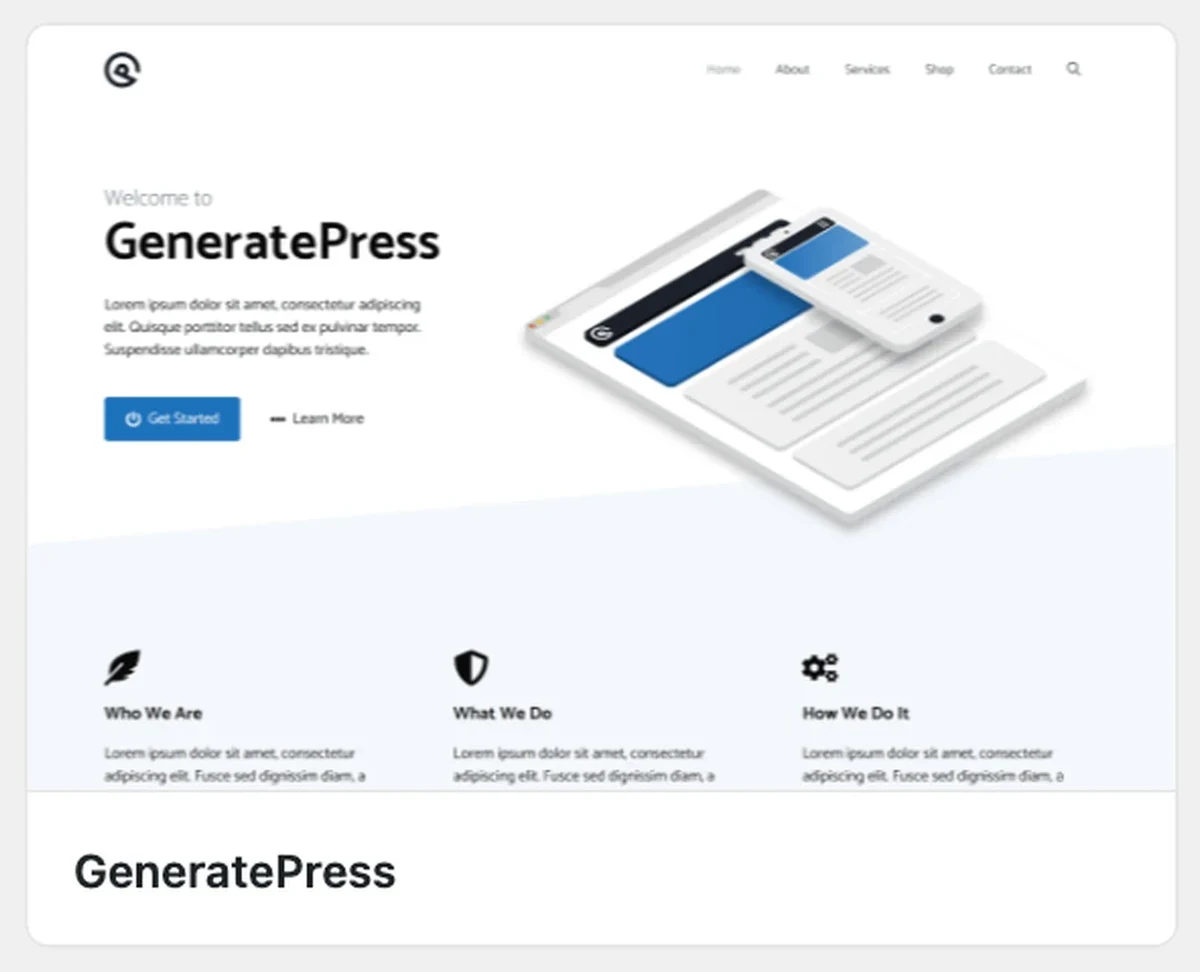
Appearance, Themes, Add New Theme, search “GeneratePress”. Hover the card and click Install.
GeneratePress in the WordPress theme directory - 2
Activate it
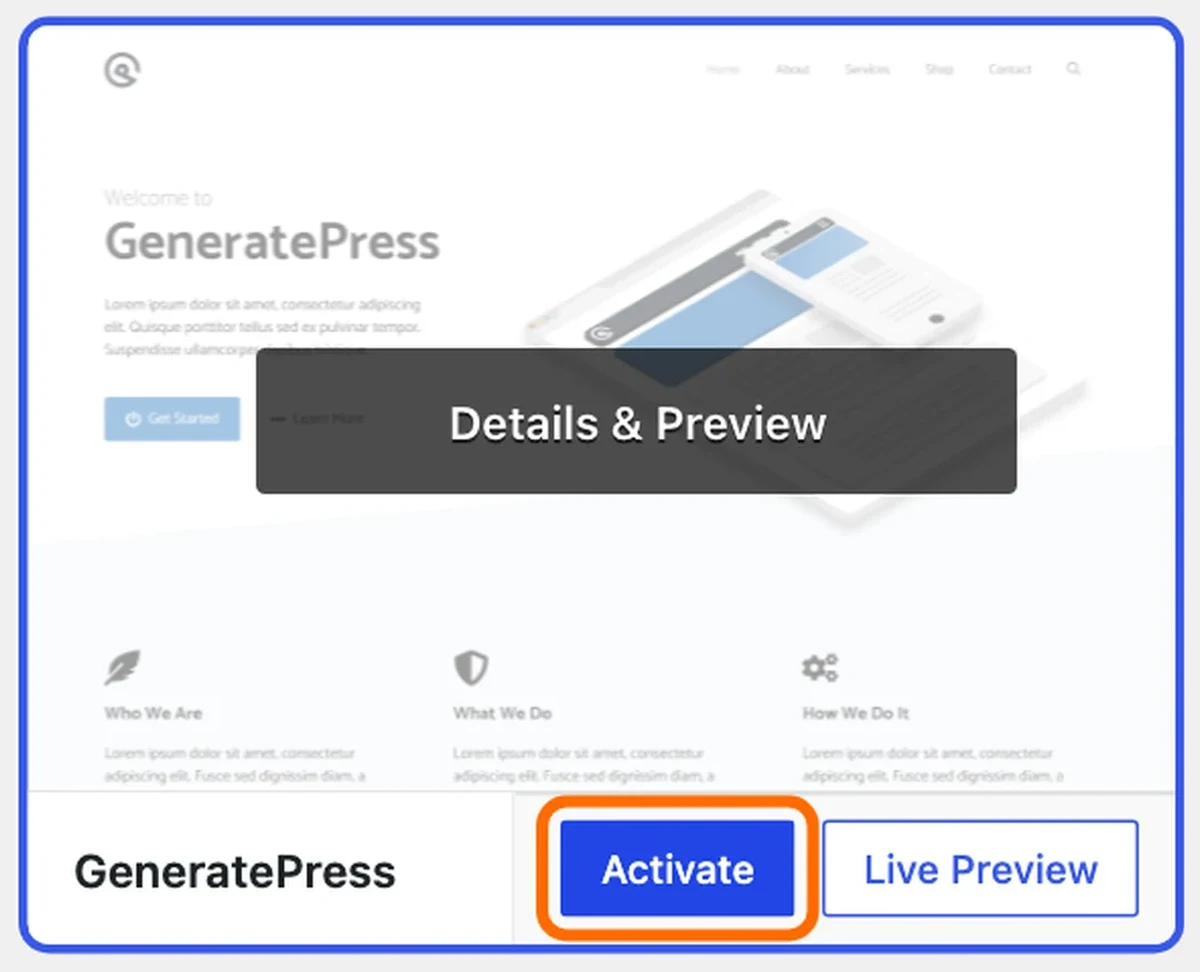
When the install finishes, the same card shows Activate. Click it.
Activate GeneratePress - 3
Check it is the active theme
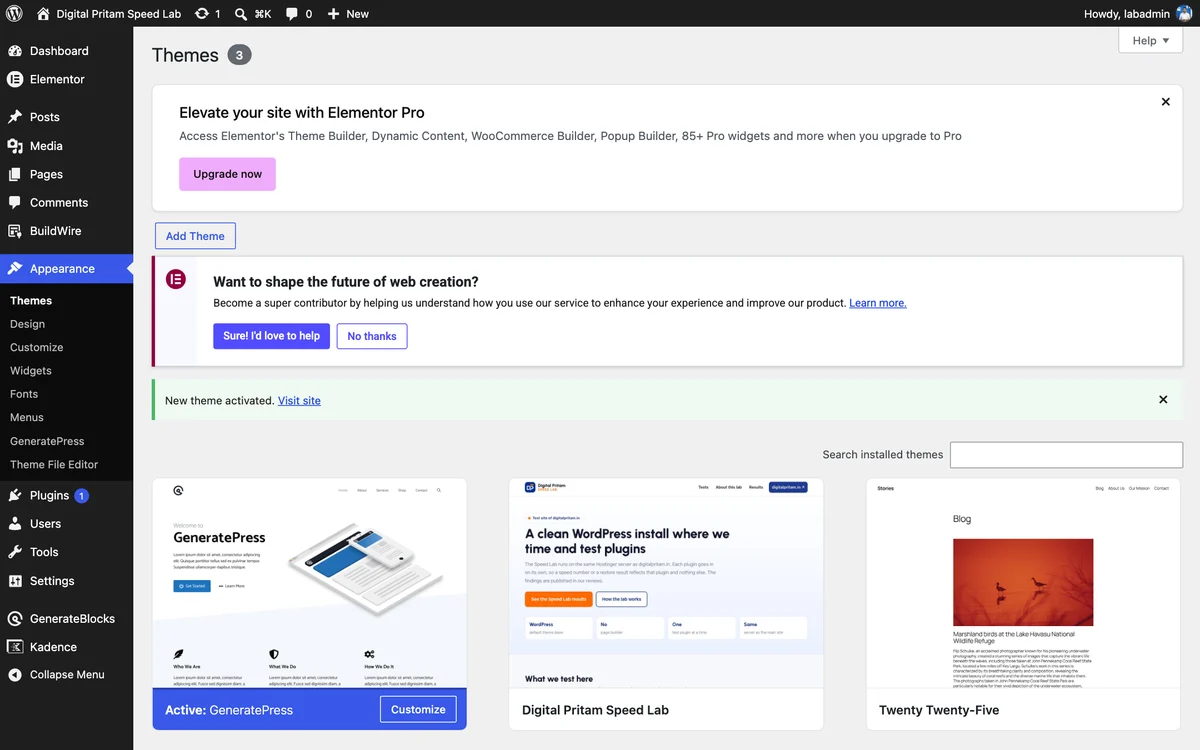
Themes now lists GeneratePress first, marked Active, with a Customize button.
GeneratePress active on the Themes screen - 4
Open the theme dashboard
Appearance, GeneratePress opens Start Customizing: site identity, colours, typography and layout, each with an Open options button. Premium modules are listed below but locked.
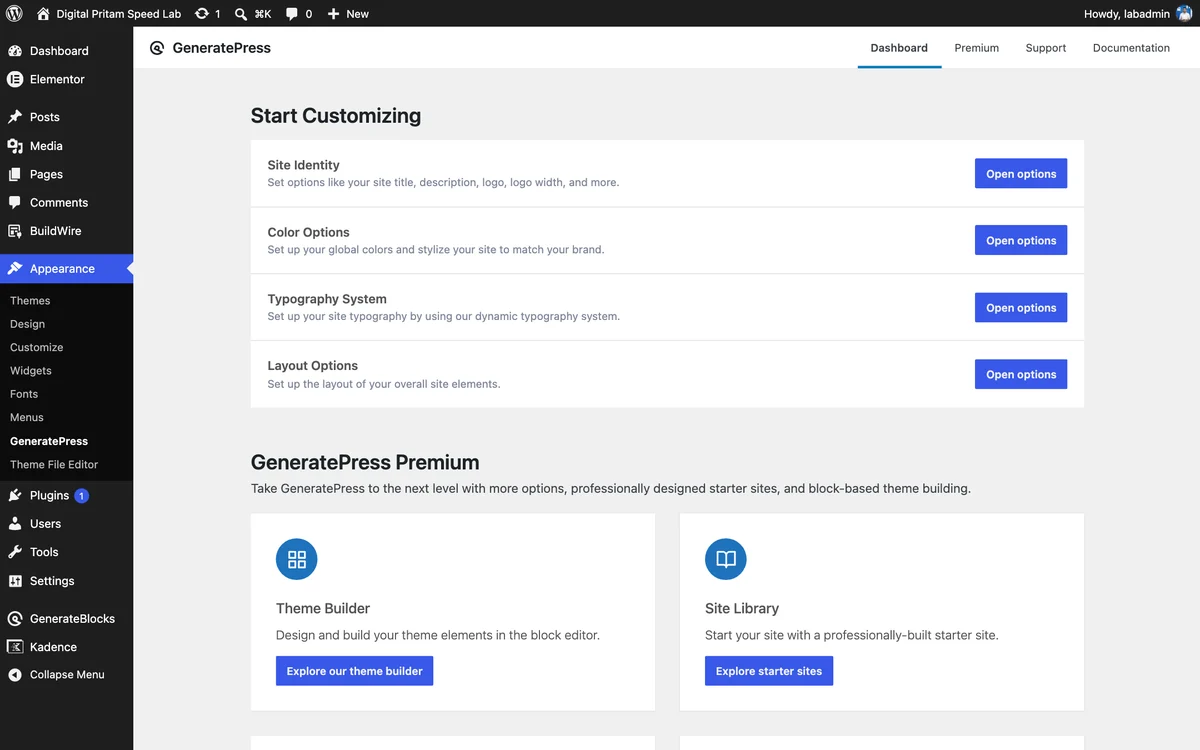
GeneratePress theme dashboard - 5
Set it up in the Customizer
Layout has Container, Header, Primary Navigation, Sidebars, Footer and Blog. Everything here is in the free theme.
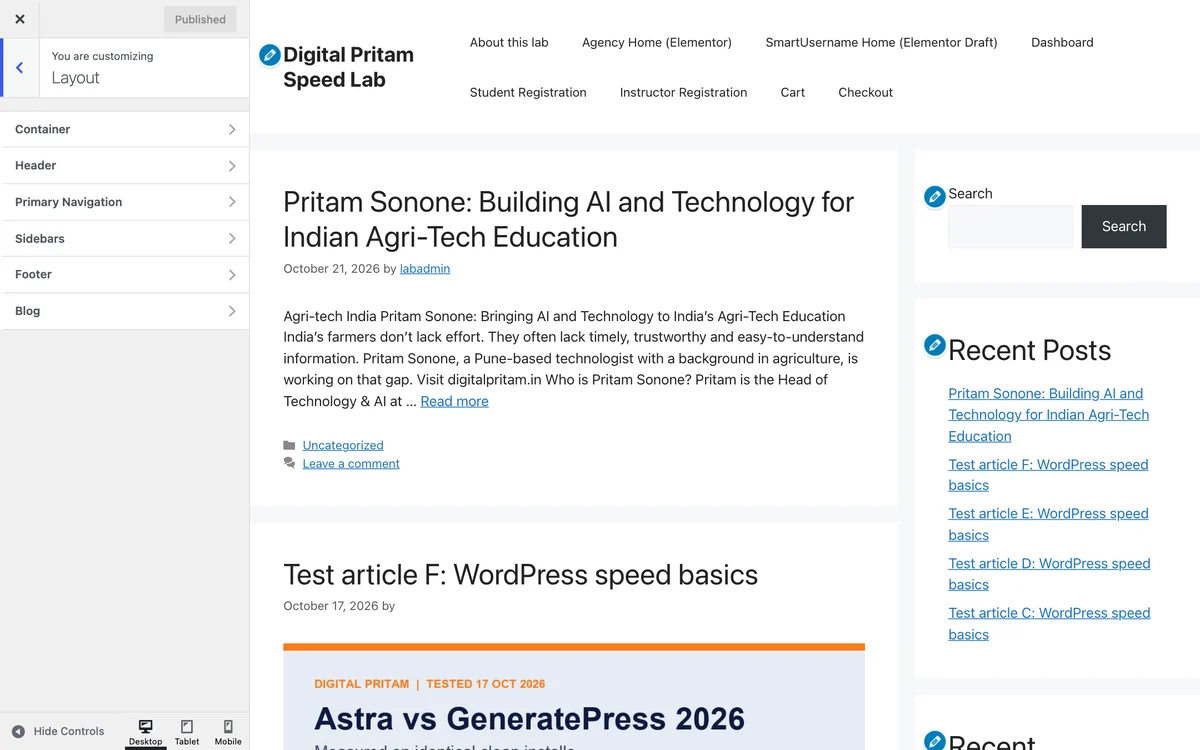
GeneratePress in the WordPress Customizer - 6
See your site
Our lab post on GeneratePress 3.6.1 with no changes: plain, light, sidebar on the right.
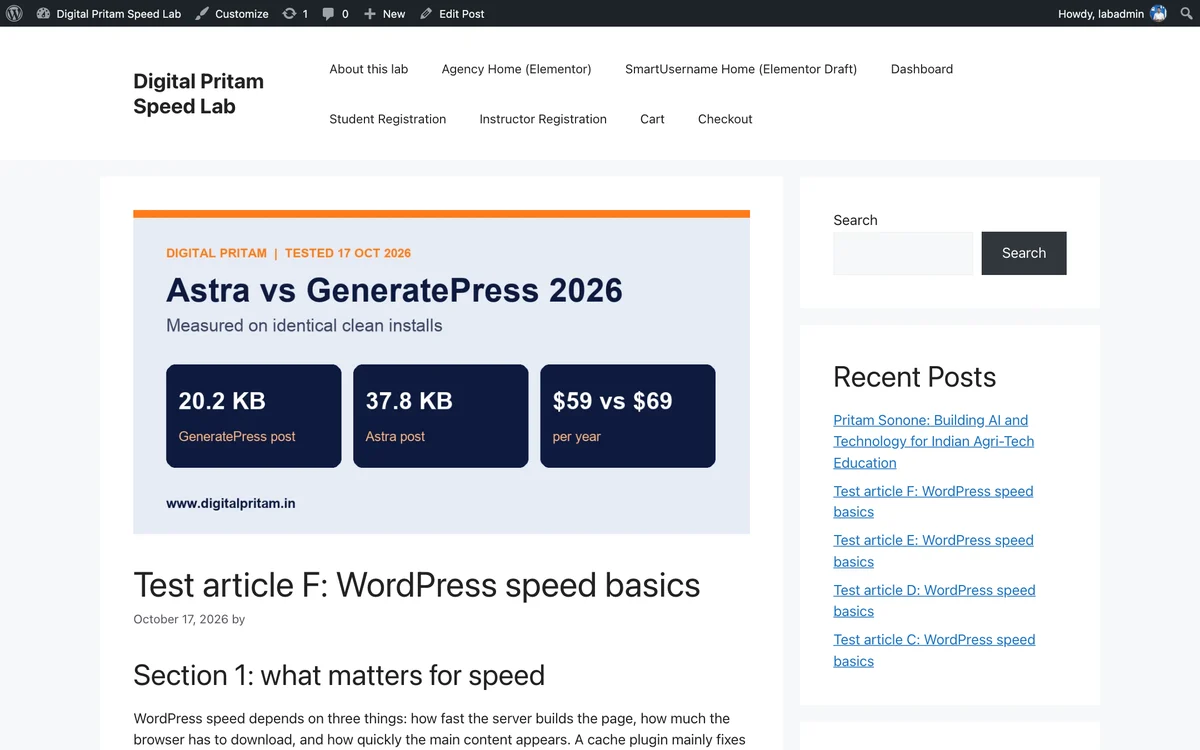
Our lab post with GeneratePress, default settings
- 1
Find it and install
Appearance, Themes, Add New Theme, search “Kadence”. Hover the card and click Install.
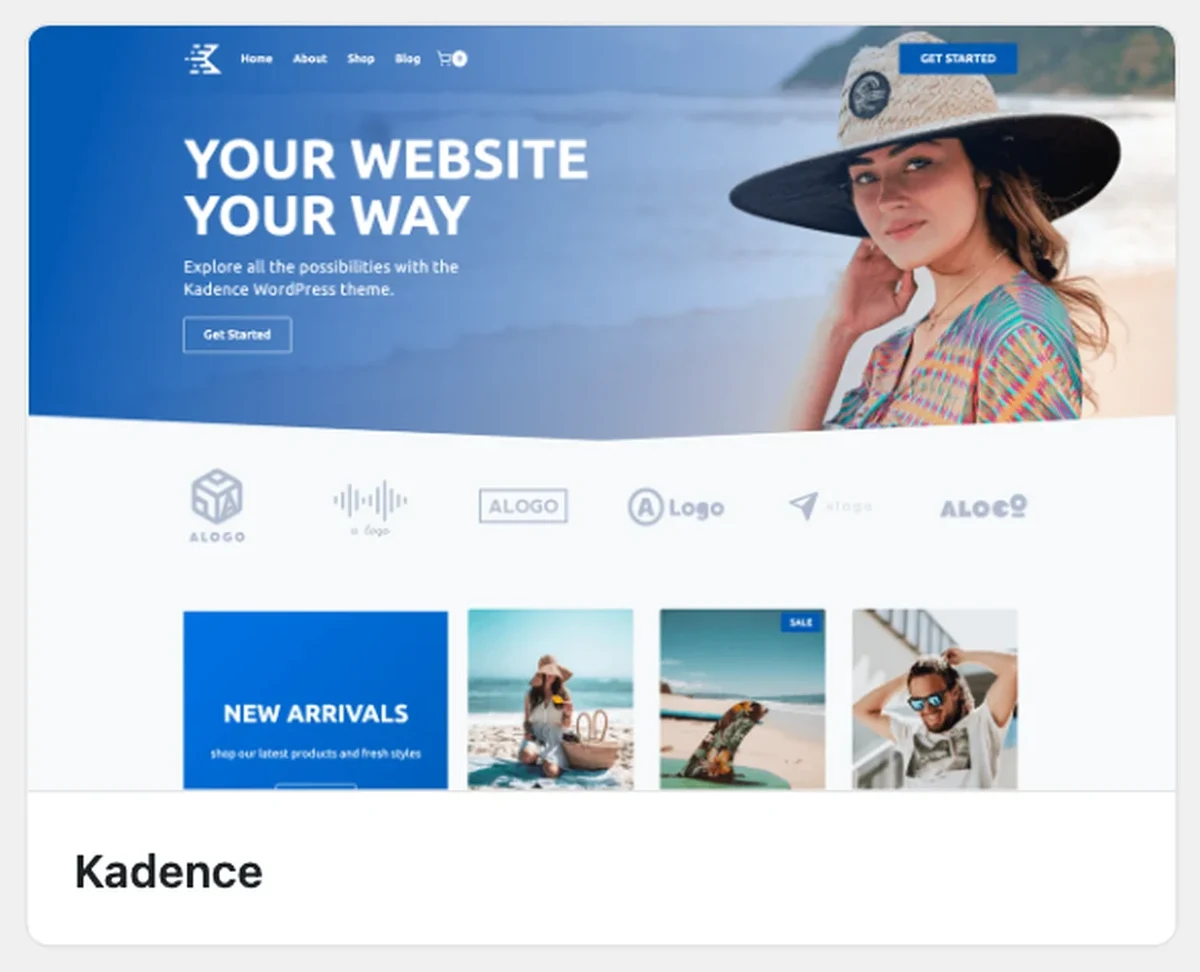
Kadence in the WordPress theme directory - 2
Activate it
When the install finishes, the same card shows Activate. Click it.

Activate Kadence - 3
Check it is the active theme
Themes now lists Kadence first, marked Active, with a Customize button.
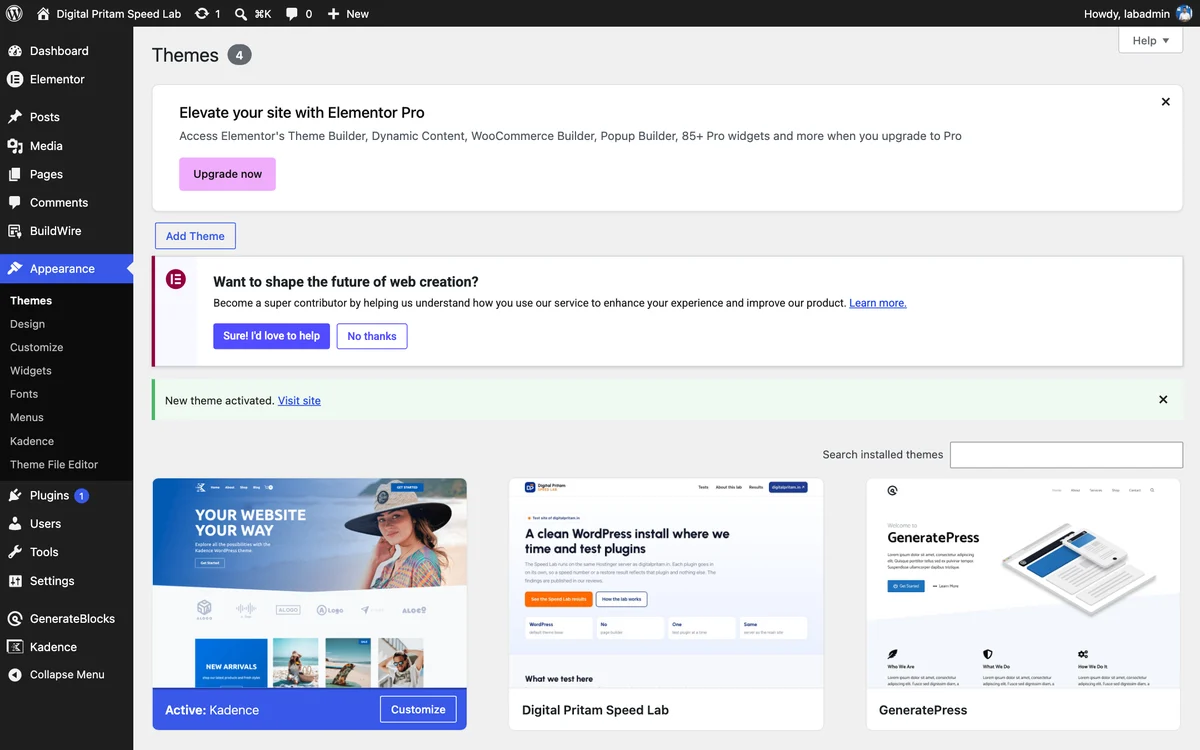
Kadence active on the Themes screen - 4
Open the theme dashboard
Appearance, Kadence opens a dashboard with shortcuts to colours, branding, typography, header, page and footer layout. A Starter Templates tab sits at the top.
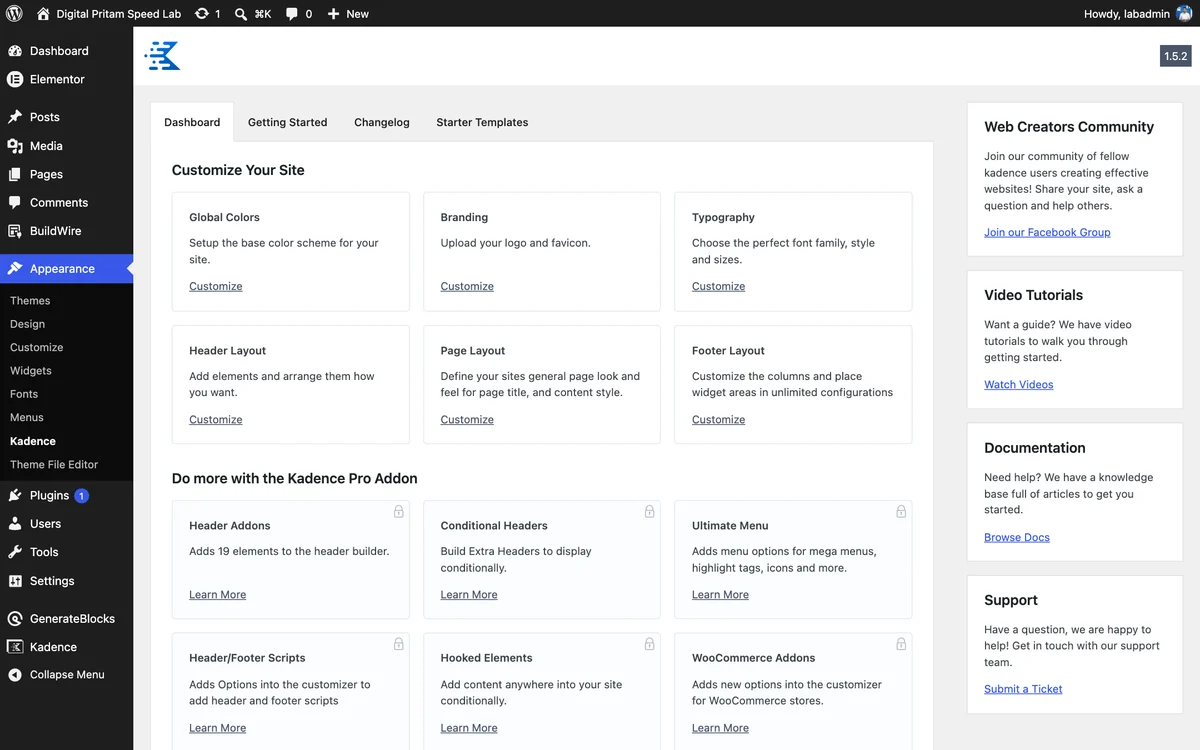
Kadence theme dashboard - 5
Set it up in the Customizer
The Customizer adds Kadence panels: Colors & Fonts, Header, Footer, General, Posts/Pages Layout and more. The header and footer are drag-and-drop builders.
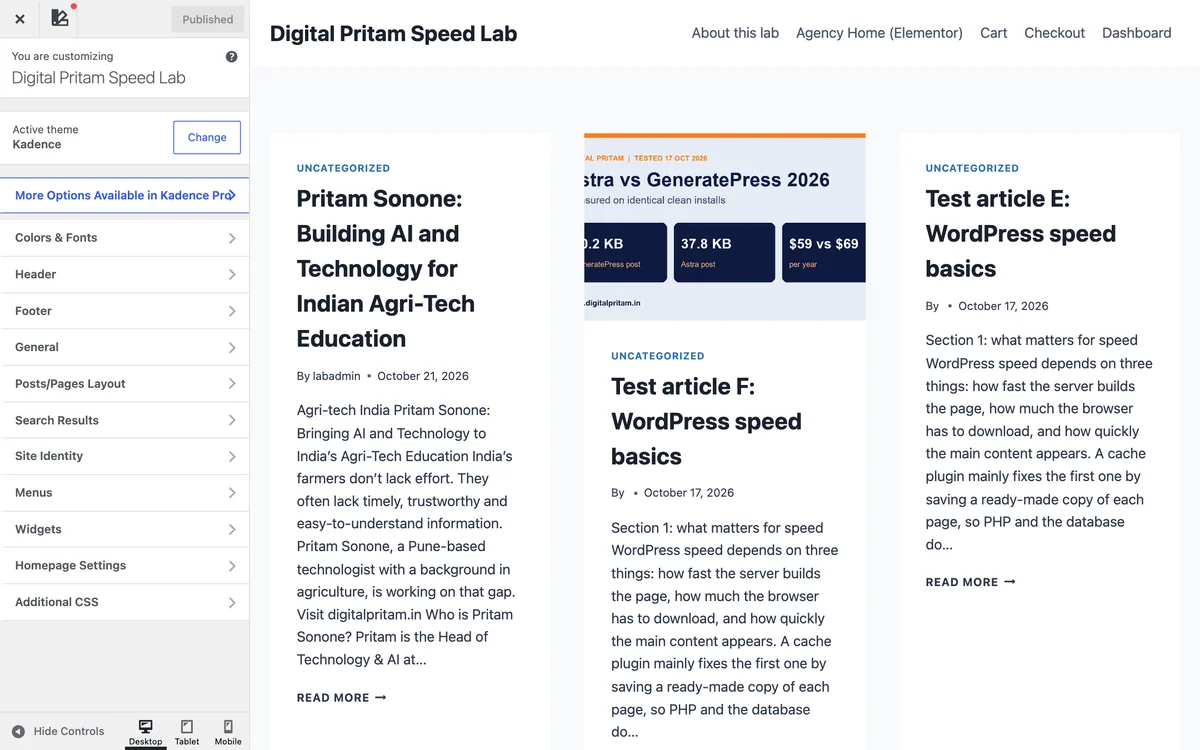
Kadence in the WordPress Customizer - 6
See your site
Our lab post on Kadence 1.5.2 with no changes: a card grid on the blog page and a clean single post.
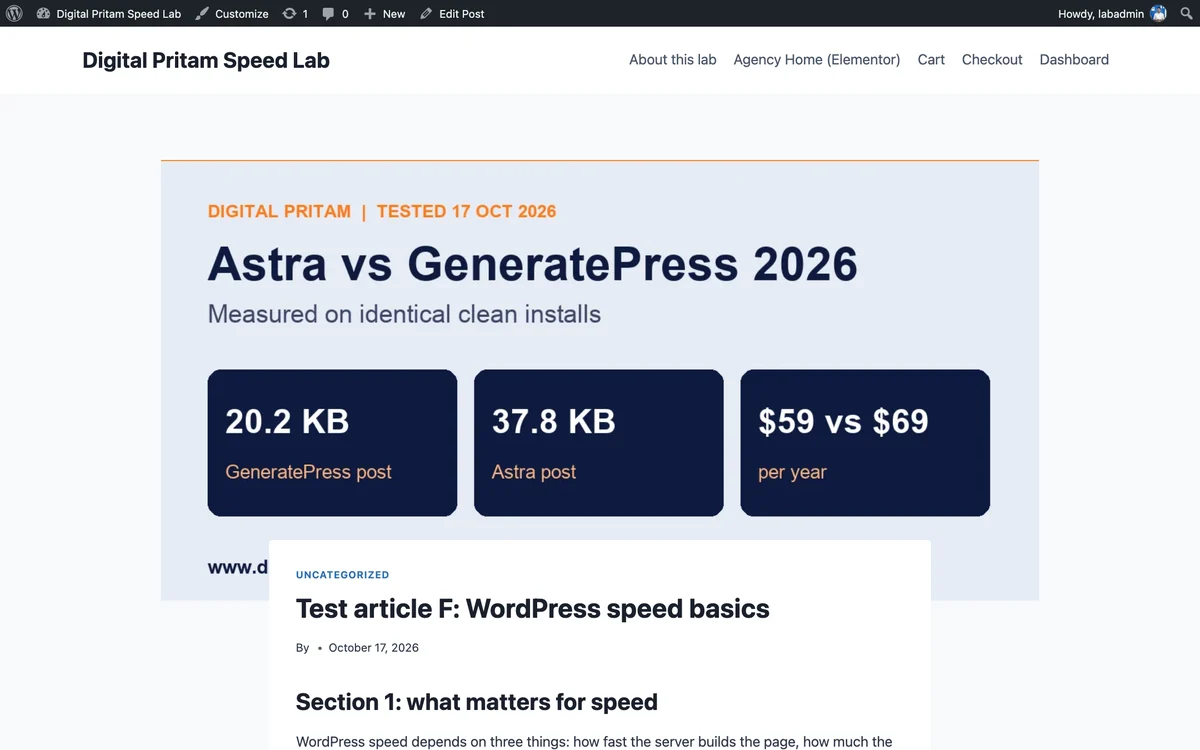
Our lab post with Kadence, default settings
- 1
Find it and install
Appearance, Themes, Add New Theme, search “Astra”. Hover the card and click Install.
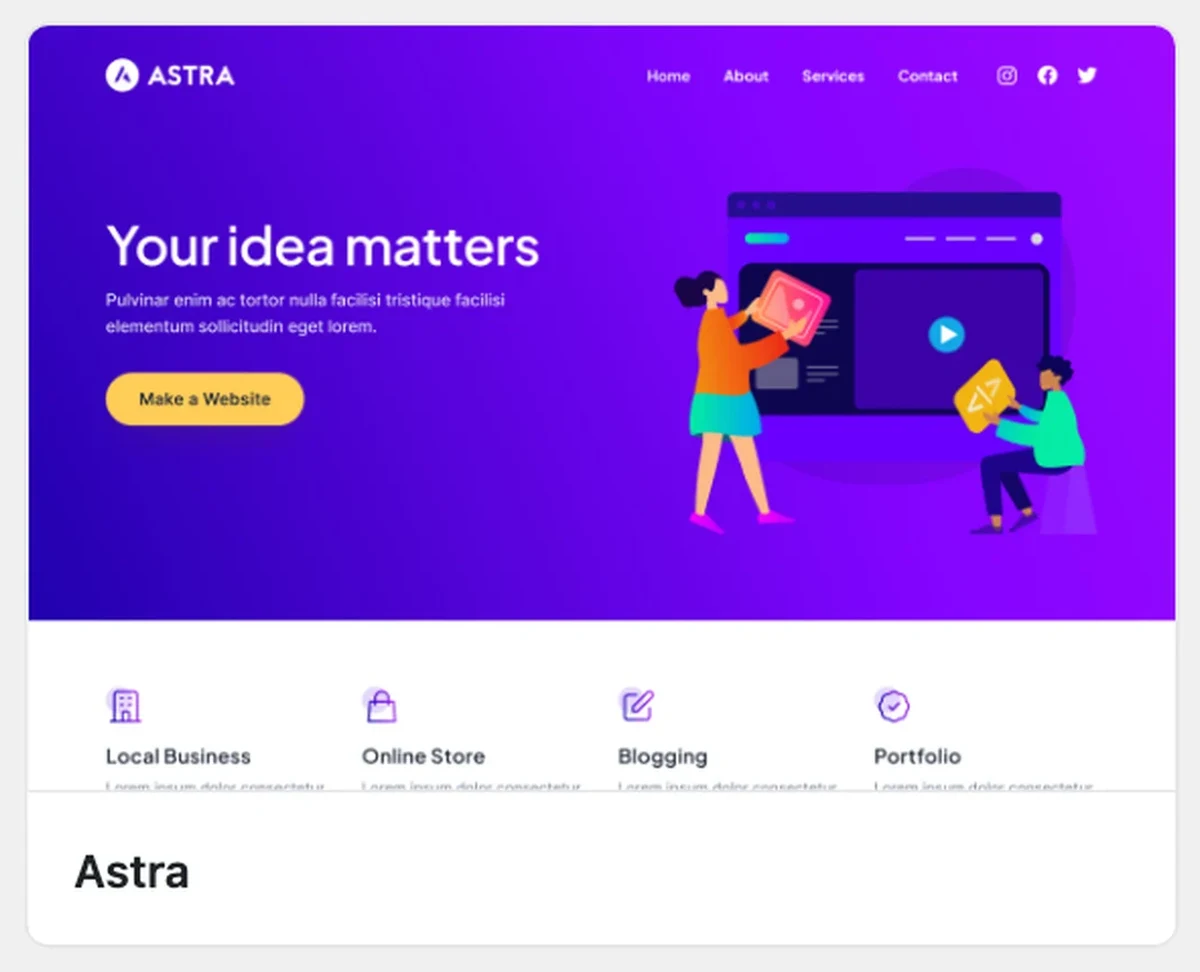
Astra in the WordPress theme directory - 2
Activate it
When the install finishes, the same card shows Activate. Click it.
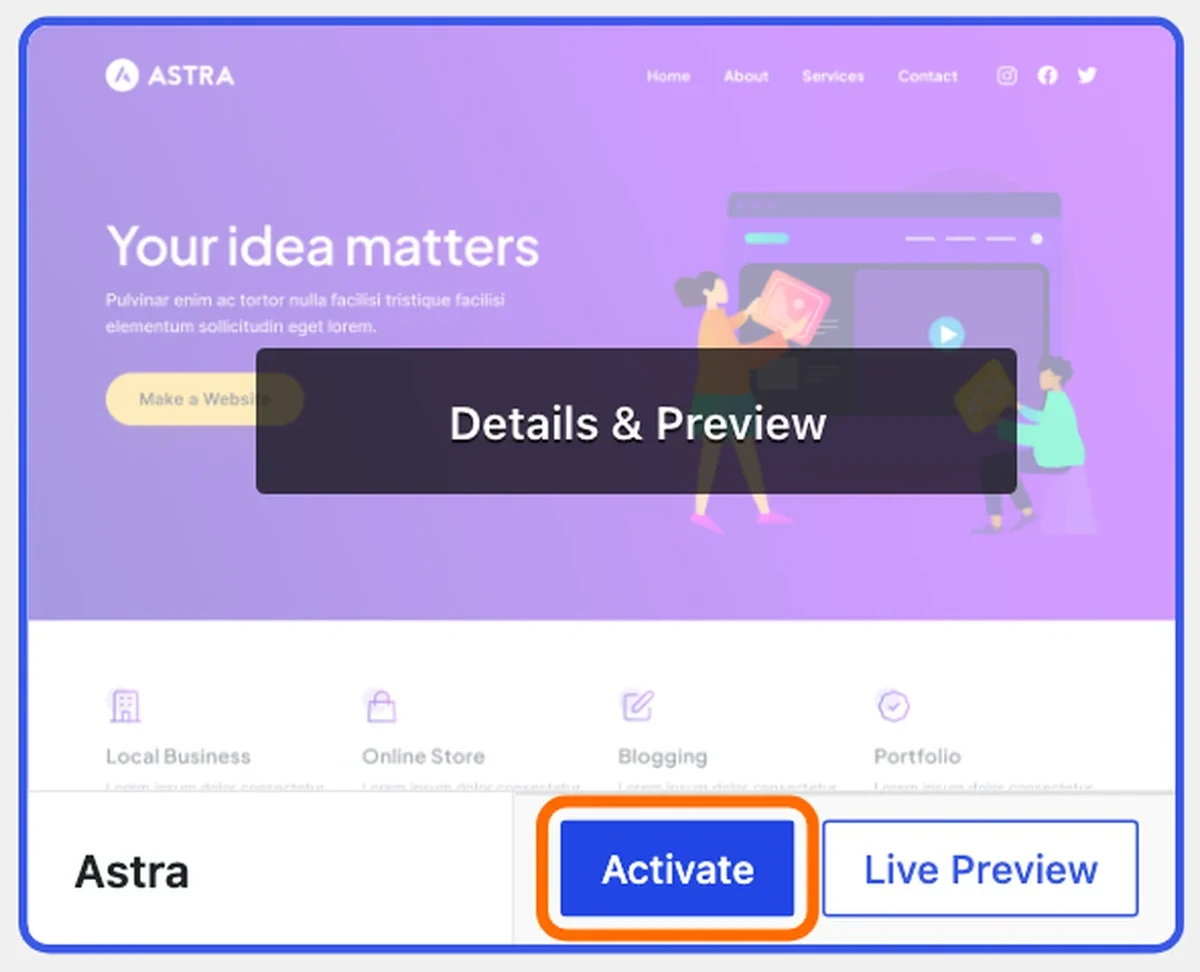
Activate Astra - 3
Check it is the active theme
Themes now lists Astra first, marked Active, with a Customize button.
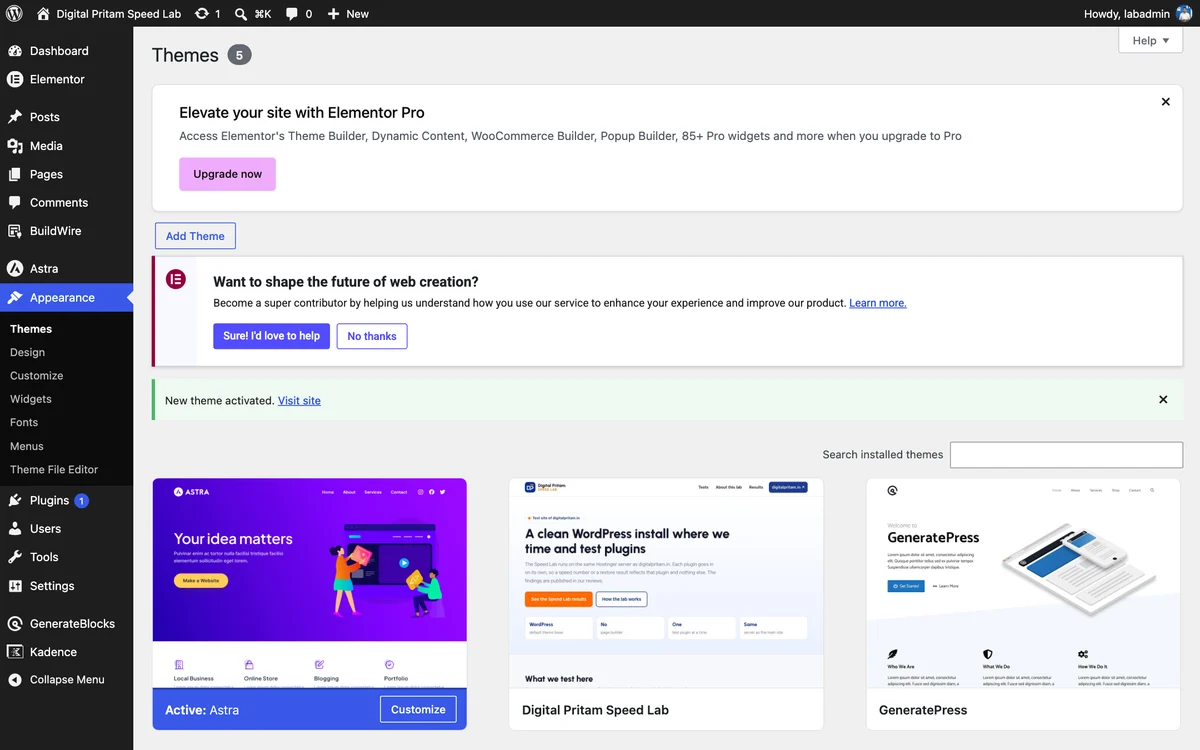
Astra active on the Themes screen - 4
Open the theme dashboard
Astra adds its own menu with a Welcome screen, quick links to the header and footer builder, and Starter Templates. Upgrade boxes appear throughout the free version.
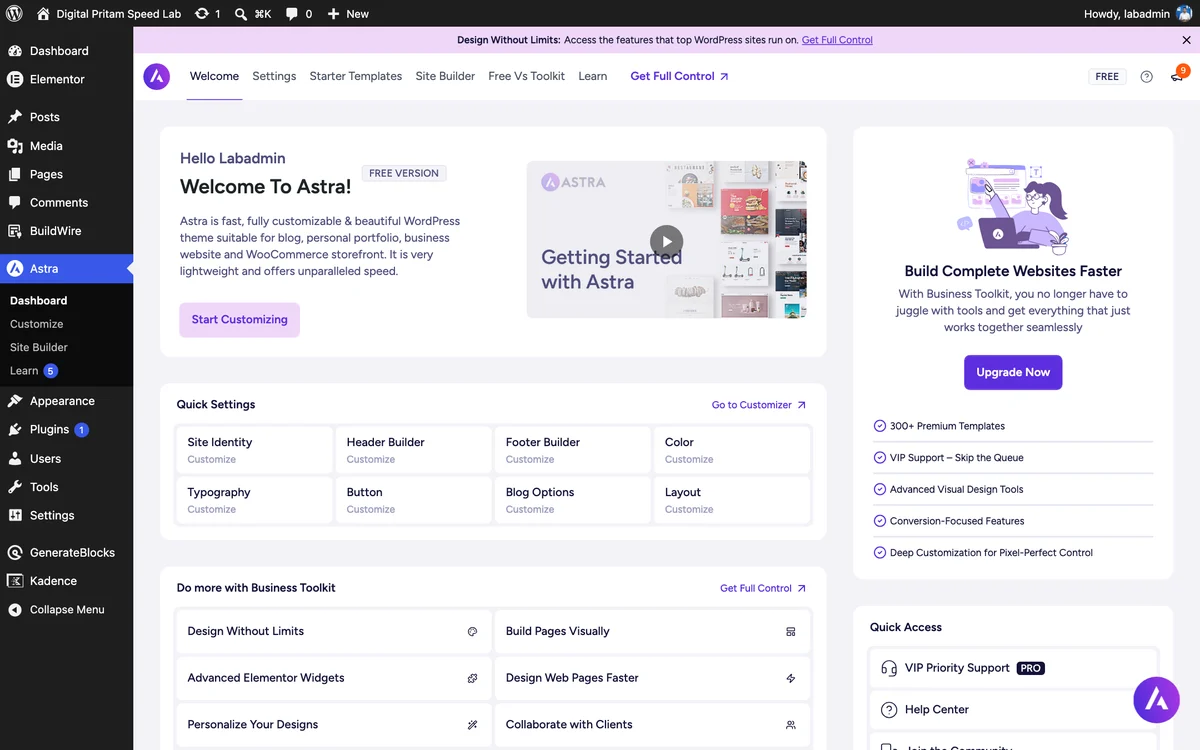
Astra theme dashboard - 5
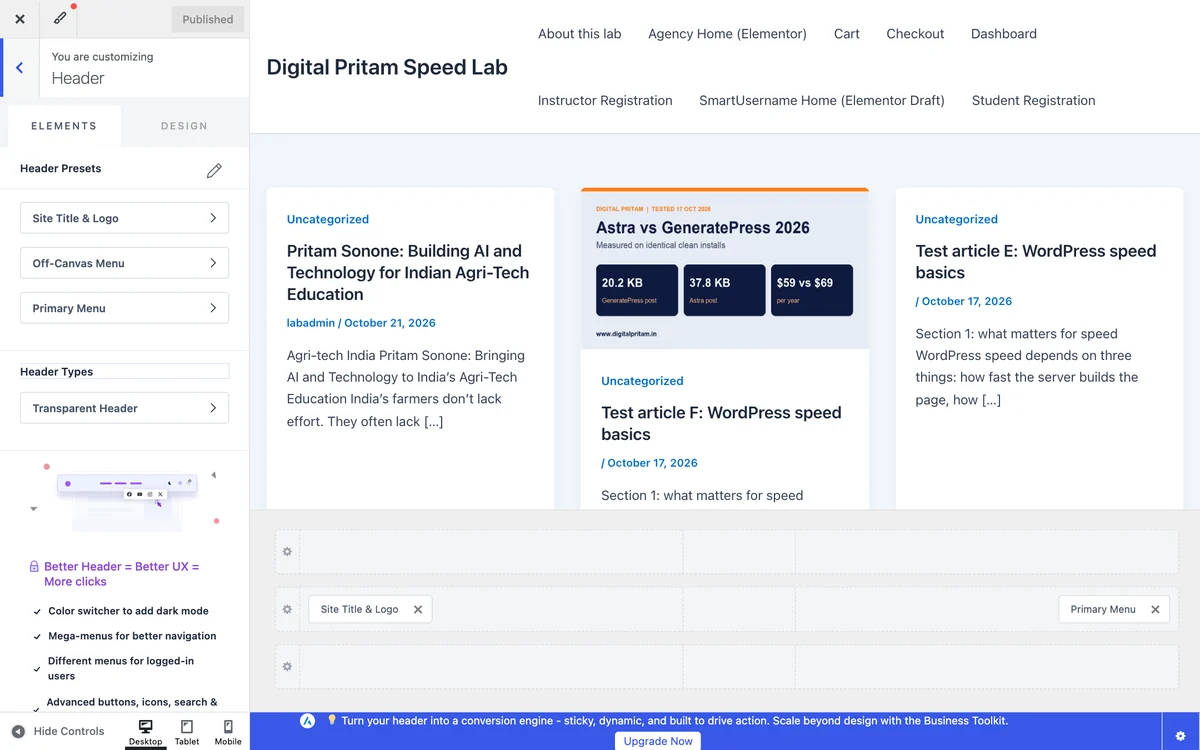
Set it up in the Customizer
The header builder has Elements and Design tabs and presets. Drag items into the header rows at the bottom of the preview.
Astra in the WordPress Customizer - 6
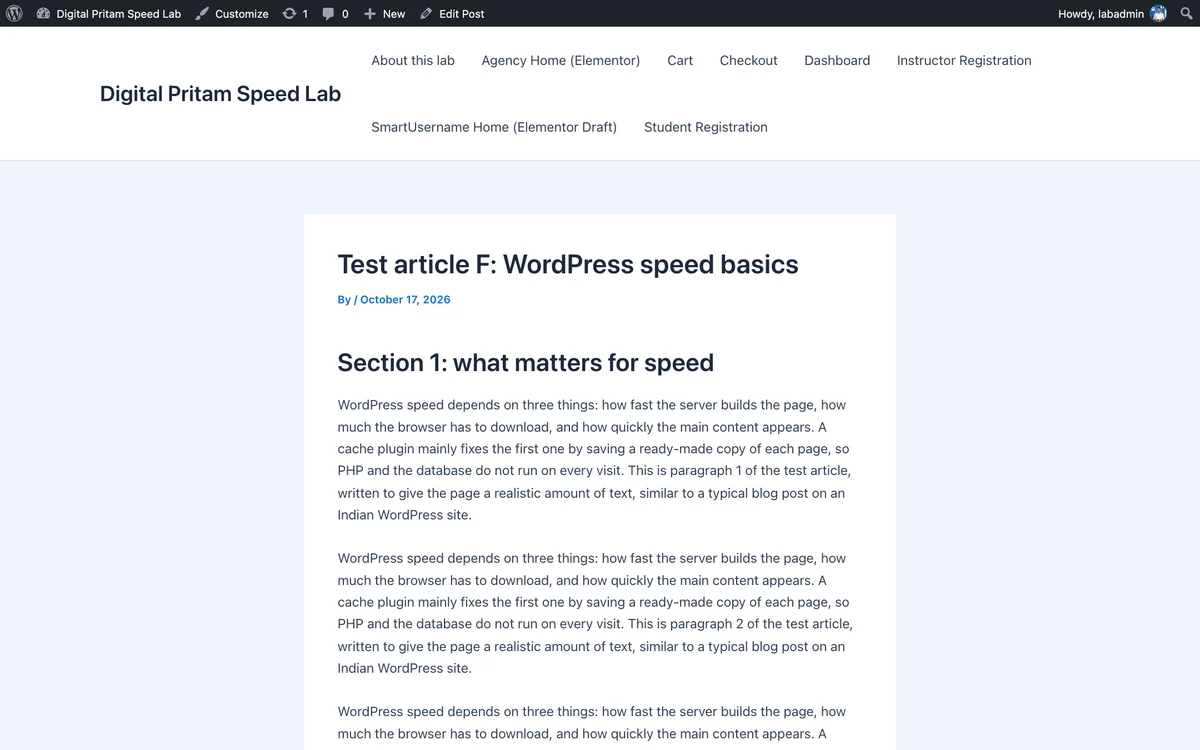
See your site
Our lab post on Astra 4.14.1 with no changes.
Our lab post with Astra, default settings
Methodology
How this page was built, so you can check it.
| Detail | |
|---|---|
| Date | 17 Oct 2026 |
| Sources | Each product's official pricing page and, where marked, our own tests |
| Procedure | We read every price, plan and renewal term for themes and dated the page; tested pages link to their raw data |
| Limits | Prices change. Deal prices are re-checked against the official pricing pages every morning where the site allows it, and each card shows its date. Some links are affiliate links and never change which product we rank higher |
About this page
Pritam Sonone
Founder of Digital Pritam. WordPress developer and designer, WordCamp Kolhapur 2025 speaker. Builds WordPress sites for clients.
How we checked
- Every price read on the official pricing page on 17 Oct 2026
- Free versions and refund terms from each vendor's own site
- No speed or feature test claims until our own tests are published
Sources: Kadence pricing · GeneratePress pricing · Astra pricing · Blocksy pricing · Divi pricing
Related guides
 Astra vs GeneratePressMeasured on identical clean installs
 GeneratePress review 2026The lightest full theme we tested
 Fastest WordPress themes 20268 themes measured on a clean install
 Kadence vs GeneratePressTested on two live sites
 Kadence theme review 2026The theme this site runs on, with real data
 GeneratePress Black Friday 2026GP One from $99 today
Affiliate links: we may earn a commission at no extra cost to you. It never changes our verdicts.