









Best WordPress SEO Plugin 2026: Rank Math vs Yoast vs AIOSEO
Four SEO plugins by price, sites and features, from each official pricing page.
 By Pritam SononePrices checked 17 Oct 2026Reviewed by Pritam SononePrices re-checked regularly against the brand’s own website.How we test →
Affiliate links: we may earn a commission at no extra cost to you. It never changes our verdicts.
Rank Math gives the most for the money: the free version covers most blogs and PRO is €7.99 a month billed yearly for unlimited personal sites. Yoast Premium is $118.80 a year for one site. Rank Math’s Black Friday sale opens 28 October.
What is it?A WordPress SEO plugin adds titles, descriptions, sitemaps and schema markup so search engines and AI assistants can read your pages.
The right SEO plugin for you
Pick by what you need, not by the longest feature list.

Rank Math
The most features free; PRO covers unlimited personal sites. Our own sites run it.

Yoast SEO
Simple and widely used; Premium is priced per site.

AIOSEO
Shows INR prices to Indian visitors; first-year discount.

SEOPress
PRO from $49 a year and renews at the same price.
WordPress SEO plugins: price and sites
Prices from each official pricing page on 17 Oct 2026, excluding tax.
| Plugin | Free version | Pro from | Sites | Renews | Best for |
|---|---|---|---|---|---|
| Rank Math | Yes, generous | €7.99/mo yearly | Unlimited personal | €107.88/yr | Most bloggers |
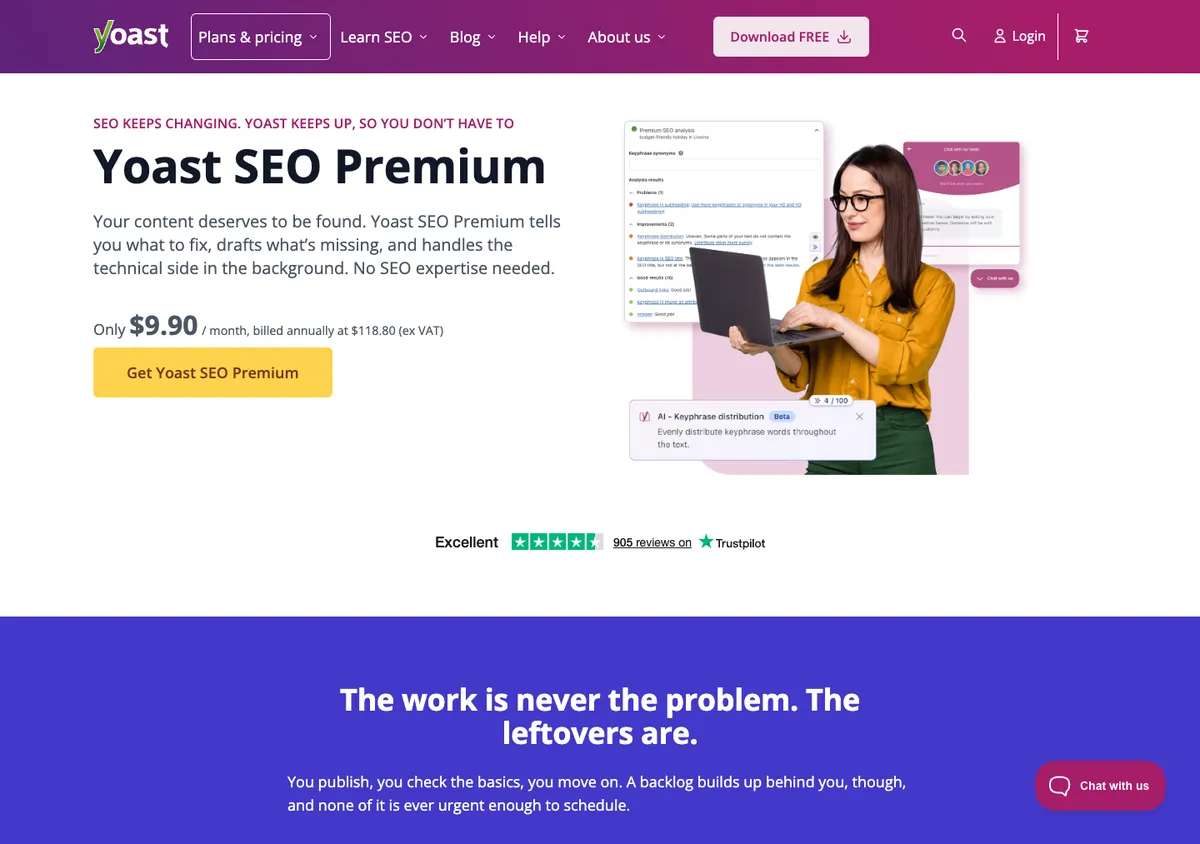
| Yoast SEO | Yes | $118.80/yr | 1 | Same price | Teams used to Yoast |
| AIOSEO | Yes (Lite) | ₹250/mo yearly | 1 | Higher than year 1 | Buyers who want INR pricing |
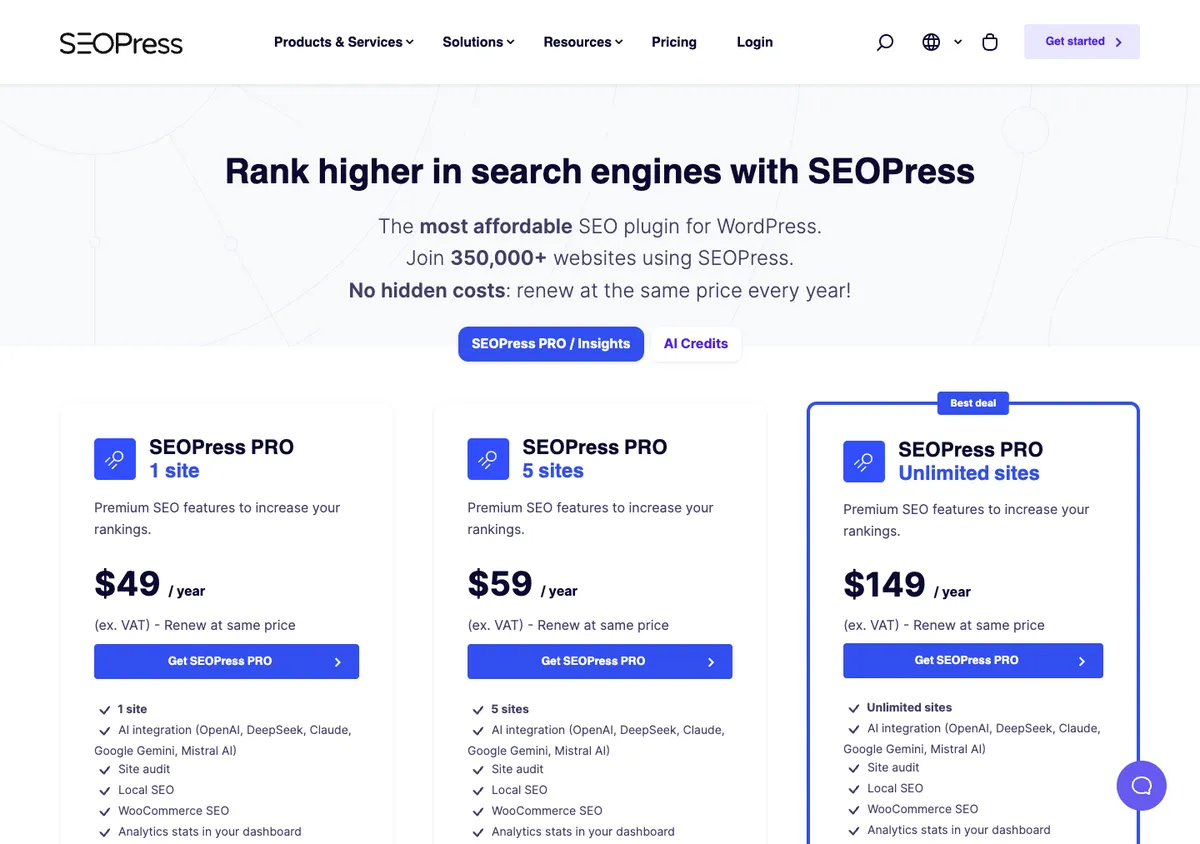
| SEOPress | Yes | $49/yr | 1 ($59 for 5) | Same price | Lowest yearly cost |
Rank Math prices in euros, AIOSEO’s in rupees as shown to Indian visitors, others in US dollars, all excluding tax. AIOSEO says renewals are higher than the first-year rate.
Which should you use?
Choose Rank Math if
- You want the most features in the free version
- You run several personal sites
- You want built-in schema and rank tracking
Choose another if
- Yoast: your team already knows it
- AIOSEO: you prefer paying in rupees
- SEOPress: you want the lowest renewal price
Official pricing pages
Captured 17 Oct 2026, so you can compare with what you see today.

WordPress SEO plugin FAQ
What is the best WordPress SEO plugin in 2026?
For most bloggers, Rank Math: the free version covers sitemaps, schema and on-page analysis, and PRO is €7.99 a month billed yearly for unlimited personal sites.
Rank Math vs Yoast: which is better?
Rank Math includes more in its free version and PRO covers unlimited personal sites. Yoast Premium is $118.80 a year per site. Both are reliable; Rank Math is better value.
Is there a free WordPress SEO plugin?
Yes. Rank Math, Yoast SEO, AIOSEO Lite and SEOPress all have free versions.
Which SEO plugin shows prices in rupees?
AIOSEO showed INR prices to us from India, from ₹250 a month billed yearly for Basic.
When is the Rank Math sale?
Rank Math’s own partner page lists its 2026 sale as 28 October to 3 December.
How to set up a free SEO plugin, step by step
Rank Math SEO 1.0.280, installed fresh on our lab site, 23 Oct 2026. Switching from Yoast? See our Yoast to Rank Math guide, also with screenshots.
Tap any screenshot to open it full size. We left the free account unconnected, so Analytics and Content AI were not tested.
- 1
Install the plugin
In wp-admin go to Plugins, Add New, search “Rank Math SEO” and click Install Now.
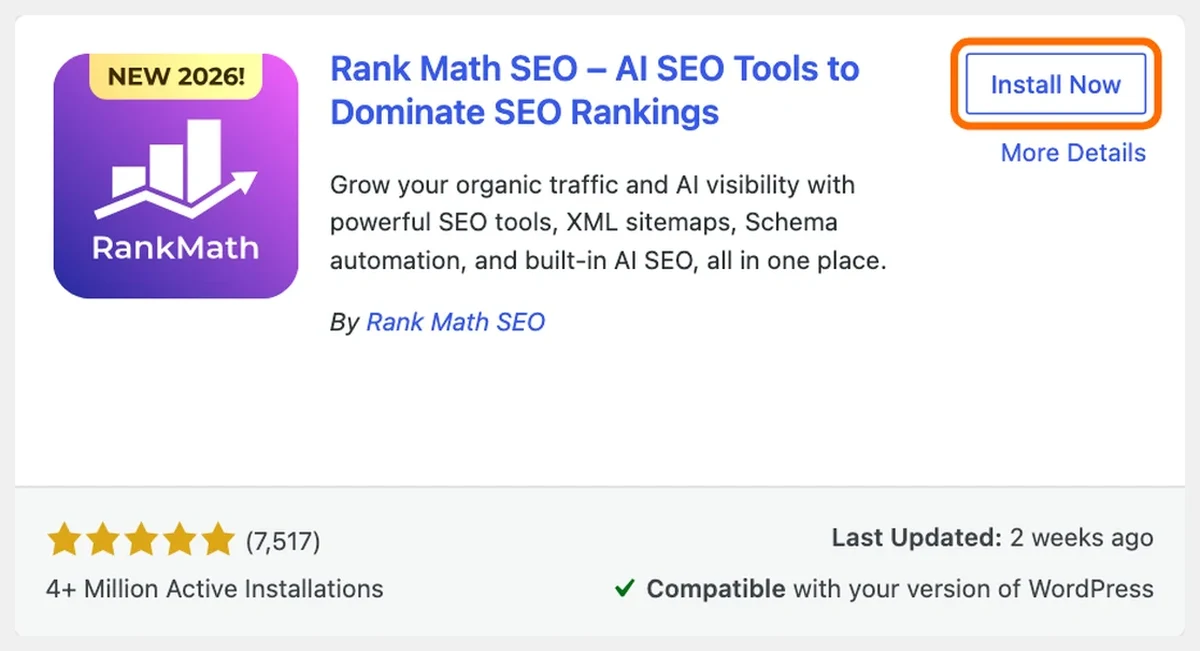
Rank Math SEO in the WordPress plugin directory, Install Now - 2
Activate it
Click Activate. Rank Math opens its setup straight away.

Activate Rank Math SEO on the Plugins screen - 3
Connect an account, or skip
A free Rank Math account adds keyword suggestions and Content AI. It is optional: we clicked Skip Step and every free feature below still worked.
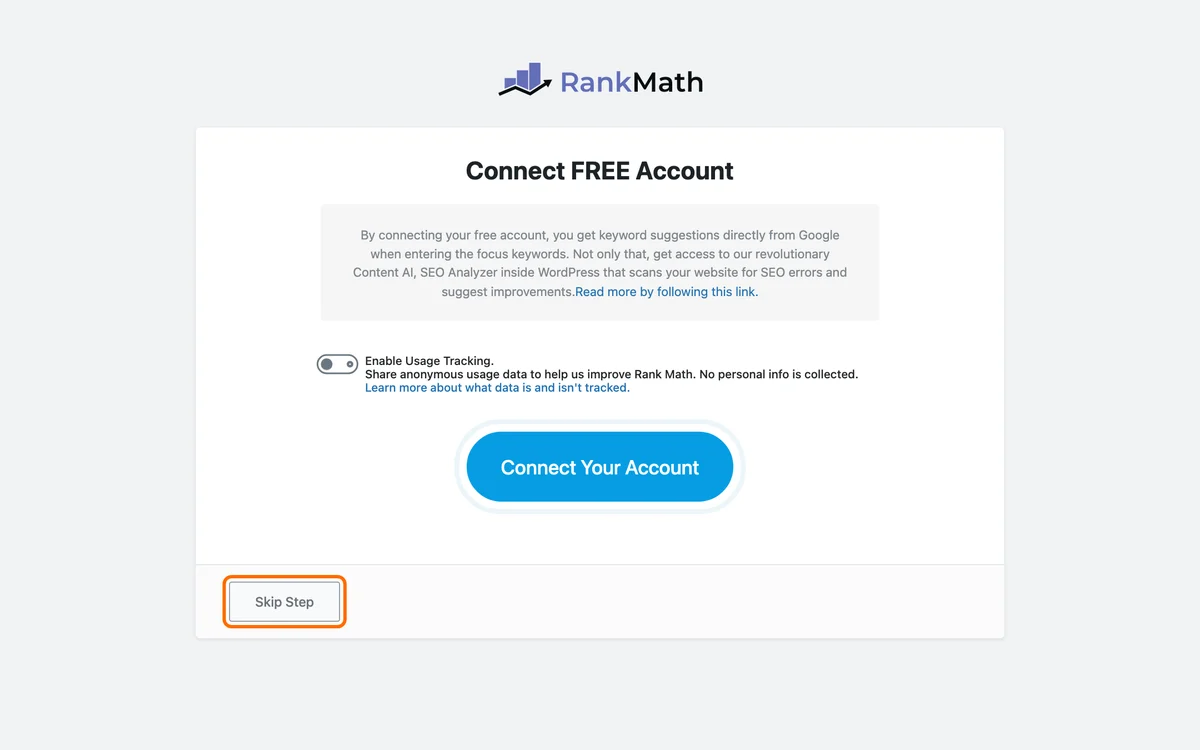
Rank Math Connect FREE Account screen with Skip Step - 4
Pick Easy or Advanced mode
Easy hides most settings; Advanced shows them all. You can switch later. Then click Start Wizard.
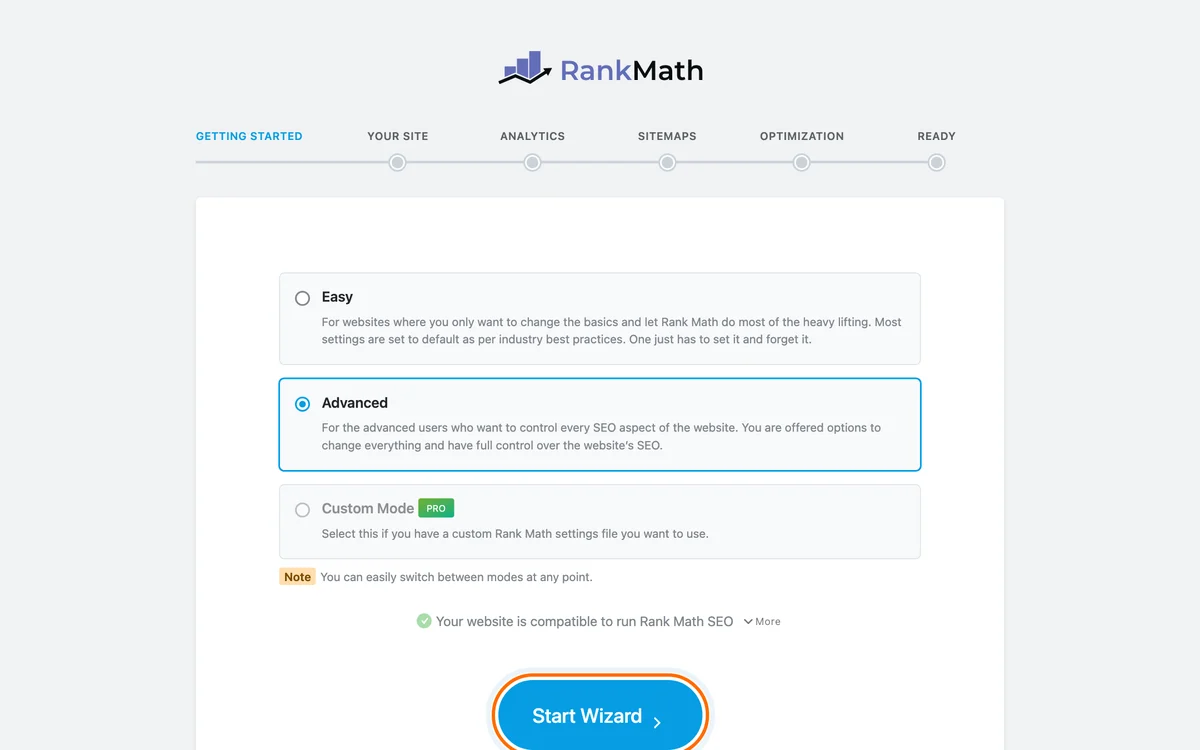
Rank Math setup wizard: Easy, Advanced and Custom mode - 5
Describe your site
Choose the site type, then the name and logo Google may show. Click Save and Continue.
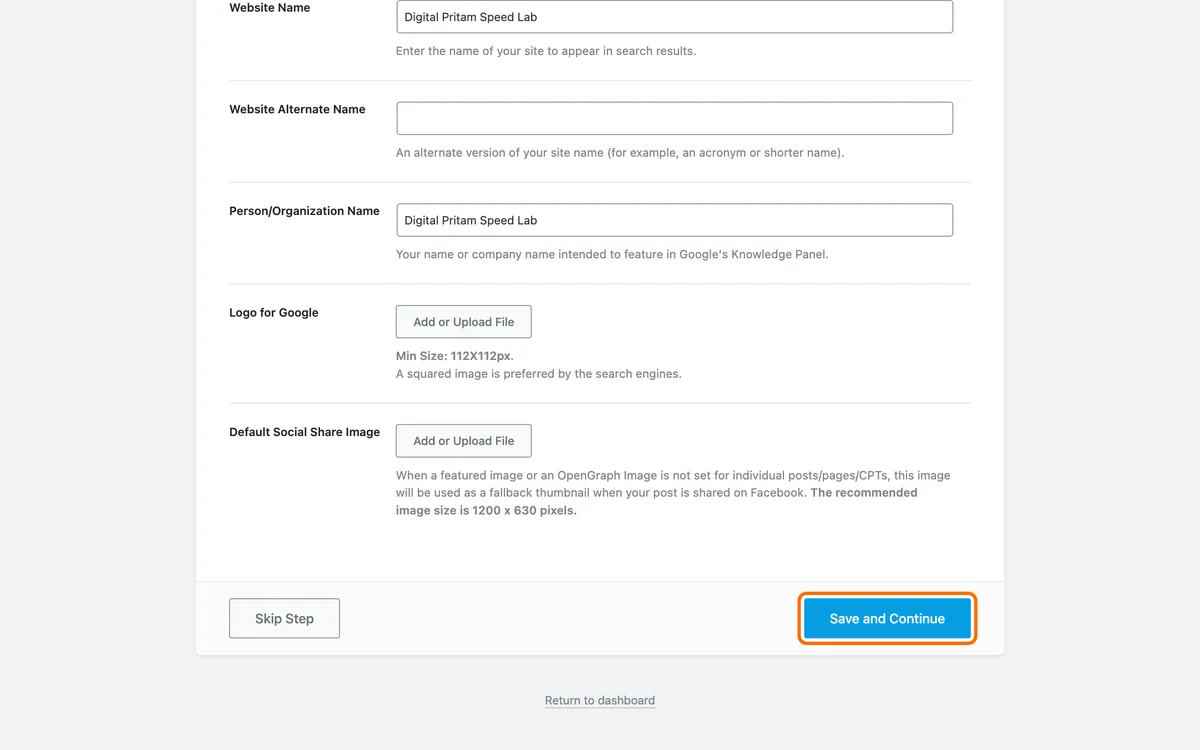
Rank Math wizard Your Site step - 6
Analytics: connect or skip
Search Console and Analytics inside WordPress need the free account. We skipped this step.
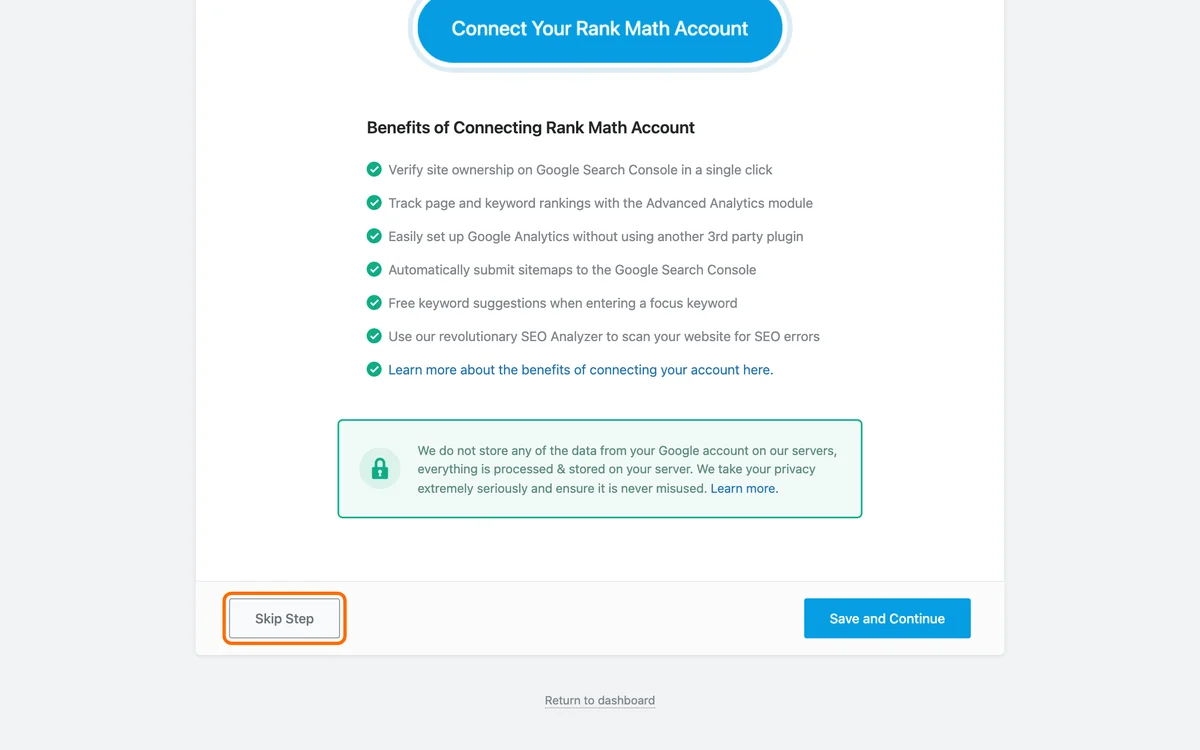
Rank Math wizard Analytics step with Skip Step - 7
Turn on the XML sitemap
Keep Sitemaps and Include Images on, and tick the post types you want indexed.
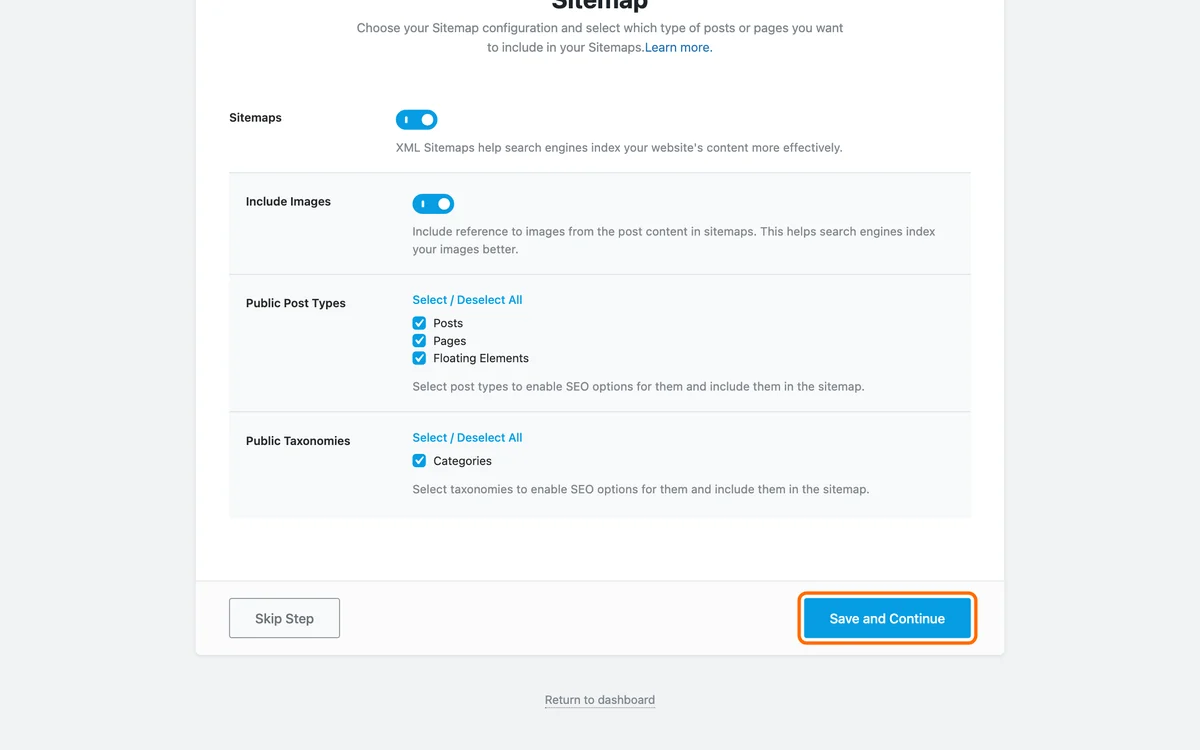
Rank Math wizard Sitemap settings - 8
SEO tweaks
Noindex empty archives is on by default. External links open in a new tab; nofollow for external links is off.
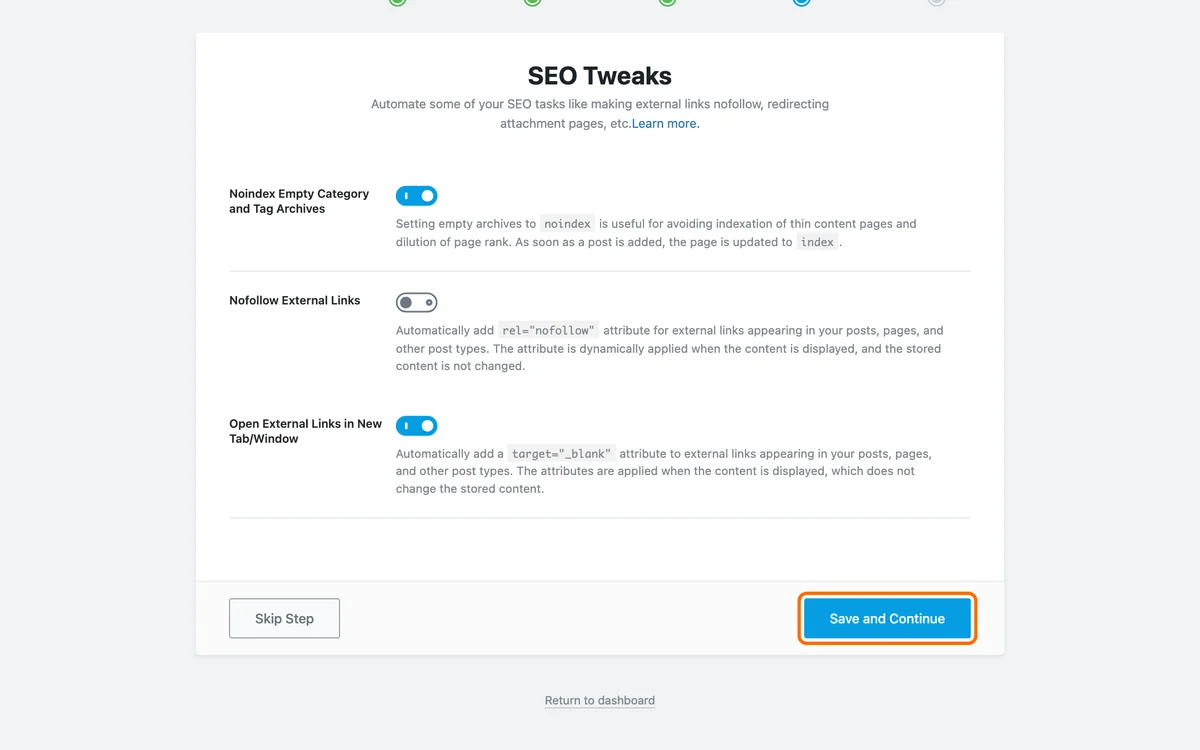
Rank Math wizard SEO Tweaks step - 9
Setup done
Rank Math confirms the site is ready. Return to the dashboard.
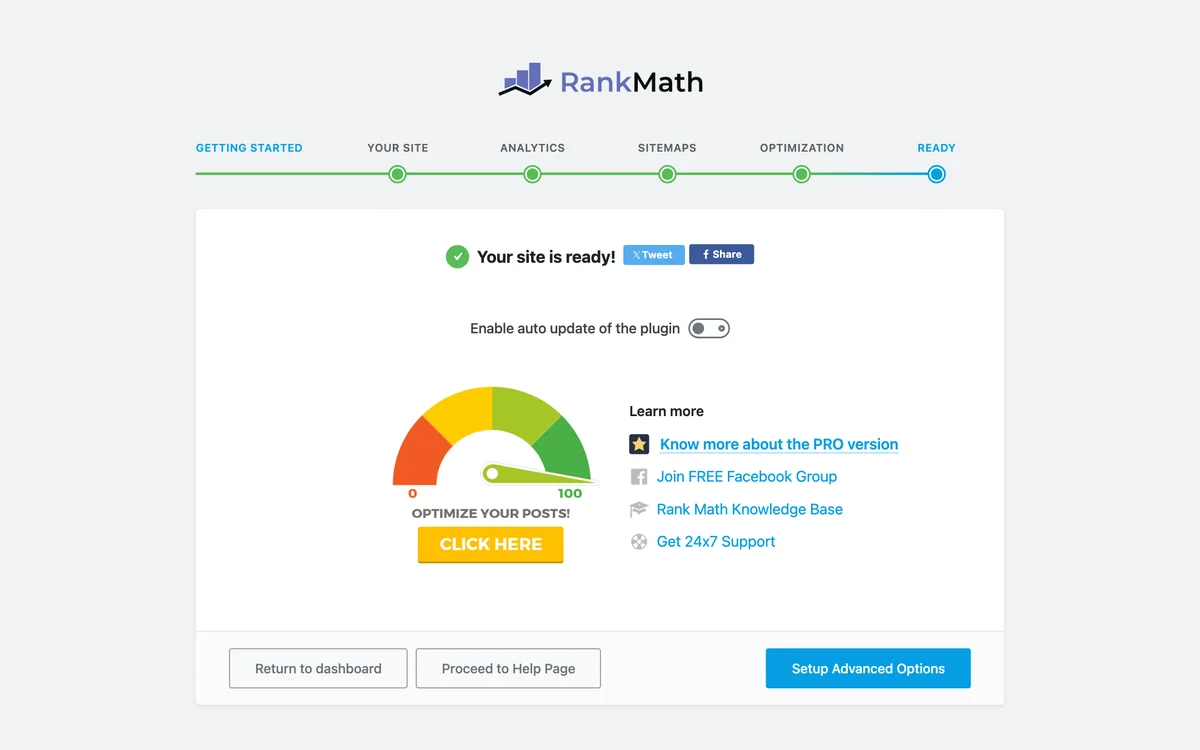
Rank Math wizard: your site is ready - 10
Switch modules on or off
The Modules screen turns features such as the 404 Monitor, Redirections and Schema on or off. Fewer modules means less code.
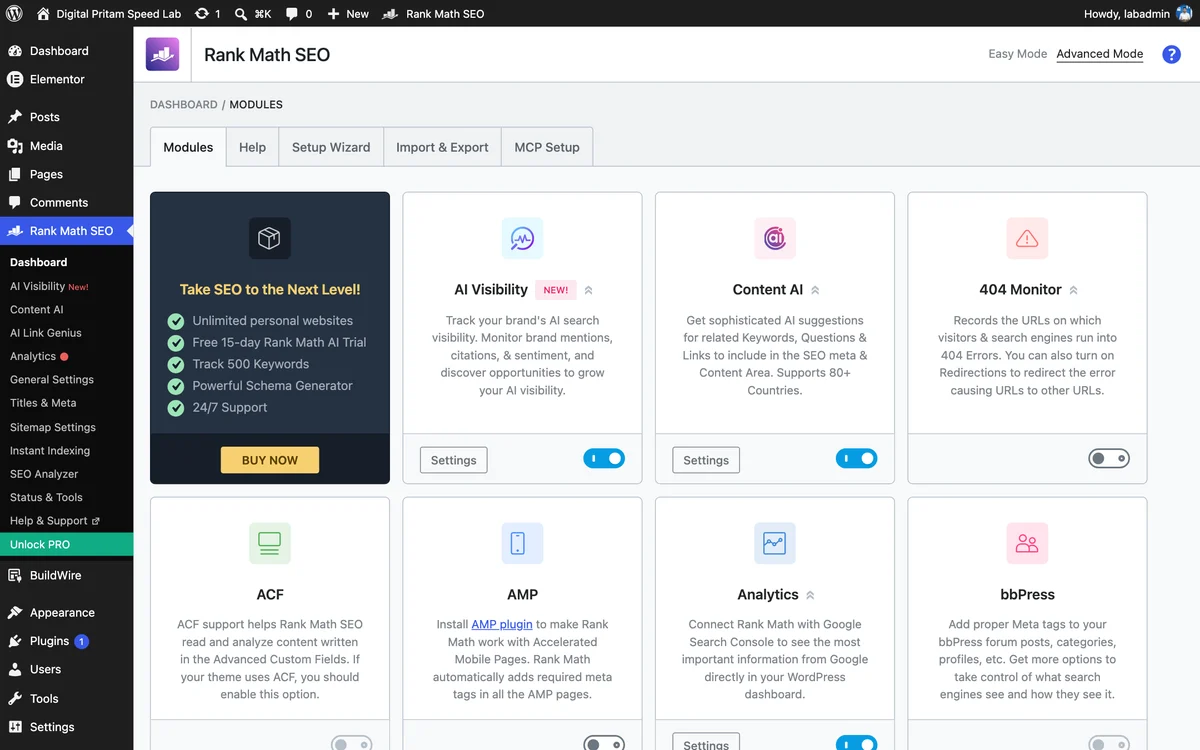
Rank Math modules dashboard - 11
Set global titles and meta
Titles and Meta sets default robots rules and title templates for every post type.
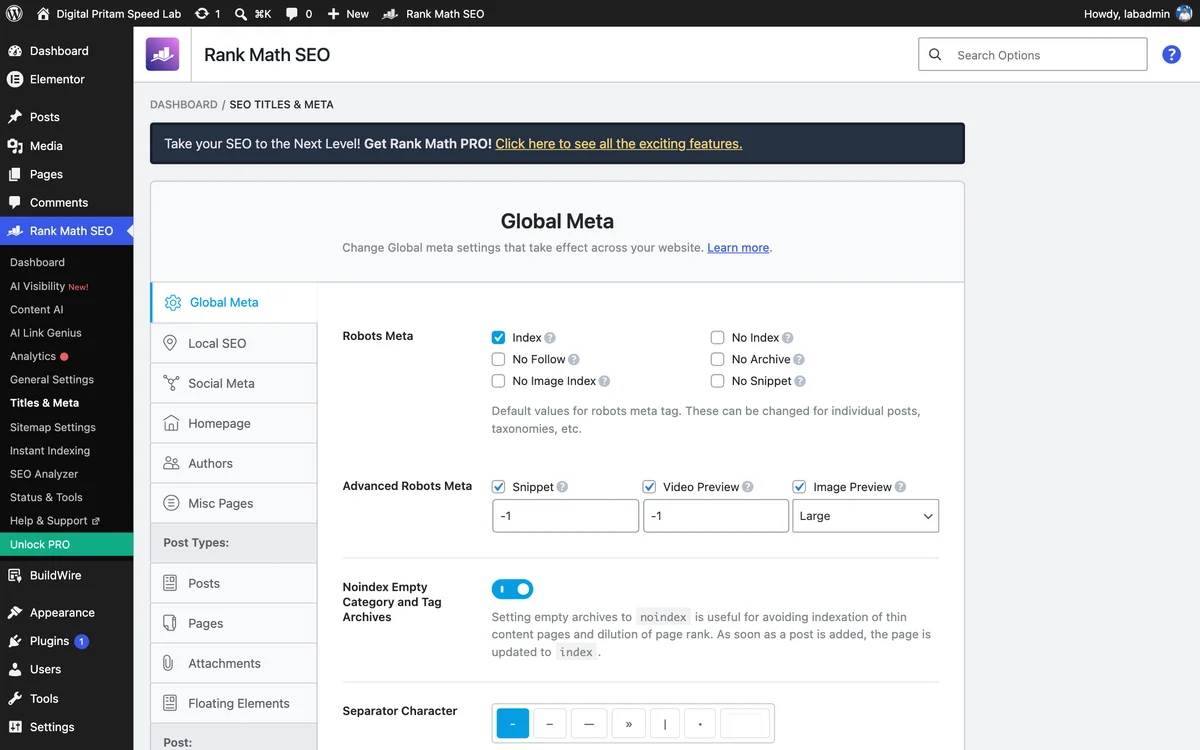
Rank Math Titles and Meta, Global Meta - 12
Find your sitemap URL
Sitemap Settings shows your sitemap index link. Submit it in Google Search Console.
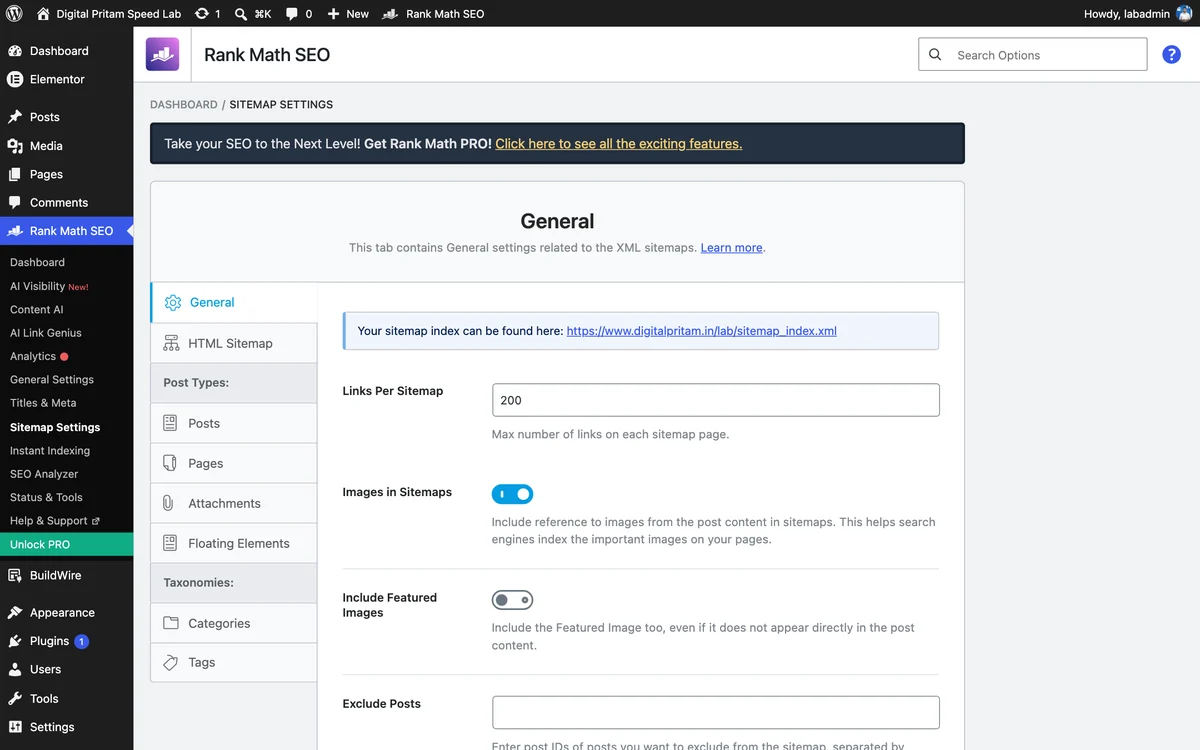
Rank Math Sitemap Settings with the sitemap index URL - 13
Check it is live
Open yoursite.com/sitemap_index.xml. Ours listed posts, pages and categories within seconds.
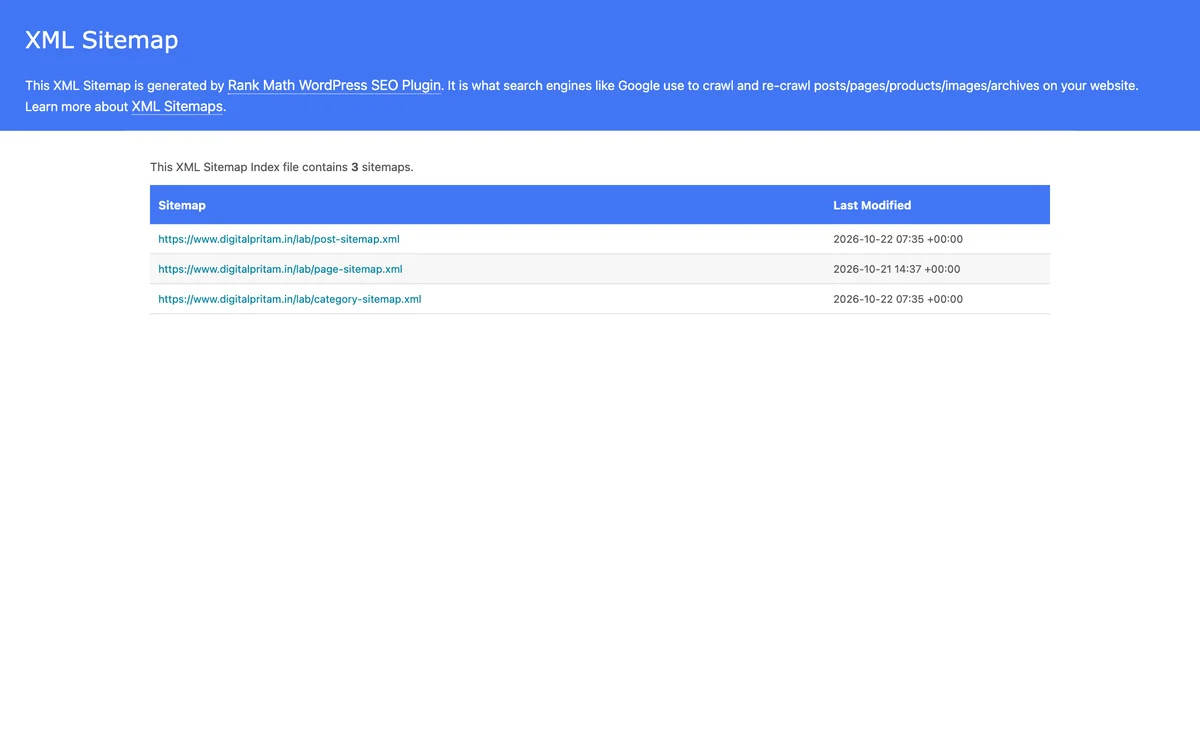
Live Rank Math XML sitemap index on our lab site
Methodology
How this page was built, so you can check it.
| Detail | |
|---|---|
| Date | 17 Oct 2026 |
| Sources | Each product’s official pricing page and, where marked, our own tests |
| Procedure | We read every price, plan and renewal term for SEO plugins and dated the page; tested pages link to their raw data |
| Limits | Prices change. Deal prices are re-checked against the official pricing pages every morning where the site allows it, and each card shows its date. Some links are affiliate links and never change which product we rank higher |
About this page
Pritam Sonone
Founder of Digital Pritam. WordPress developer and designer, WordCamp Kolhapur 2025 speaker. Builds WordPress sites for clients.
How we checked
- Every price read on the official pricing page on 17 Oct 2026
- Free versions and refund terms from each vendor’s own site
- No speed or feature test claims until our own tests are published
Sources: Rank Math pricing · Yoast SEO pricing · AIOSEO pricing · SEOPress pricing
Related guides
 Yoast to Rank Math migrationSwitch without losing rankings
 Rank Math Black Friday 2026Pro price today and last year’s deal
 Rank Math review 20265 years on our own sites, with real data
 Rank Math PRO Price in IndiaEvery plan in rupees with GST, renewals and free vs PRO
 SEO tools Black Friday 2026Semrush, Ahrefs, Rank Math and more, compared
 WordPress Black Friday deals 2026Themes, builders and plugins compared
Affiliate links: we may earn a commission at no extra cost to you. It never changes our verdicts.