









WP Rocket best settings 2026: every tab, tested on a live site
The exact WP Rocket 3.23 settings we run on our own site, investmarathi.com, why each one is on or off, and the PageSpeed results they gave.
 By Pritam SononeUpdated 17 Oct 2026Reviewed by Pritam SononePrices re-checked regularly against the brand’s own website.How we test →
Affiliate links: we may earn a commission at no extra cost to you. It never changes our verdicts.
turn on mobile cache, minify CSS and JS, load JavaScript deferred, Delay JavaScript execution (exclude your ad and analytics scripts), LazyLoad, missing image dimensions and preloading. Leave Combine JS off. Enable Remove Unused CSS last and check your pages, because it is the setting most likely to need fixing.

WP Rocket settings at a glance
Our recommended value and what we actually run on investmarathi.com.
| Tab | Setting | Recommended | Our site |
|---|---|---|---|
| Cache | Mobile cache + separate mobile files | On | On |
| Cache | Cache lifespan | 10 hours | 10 hours |
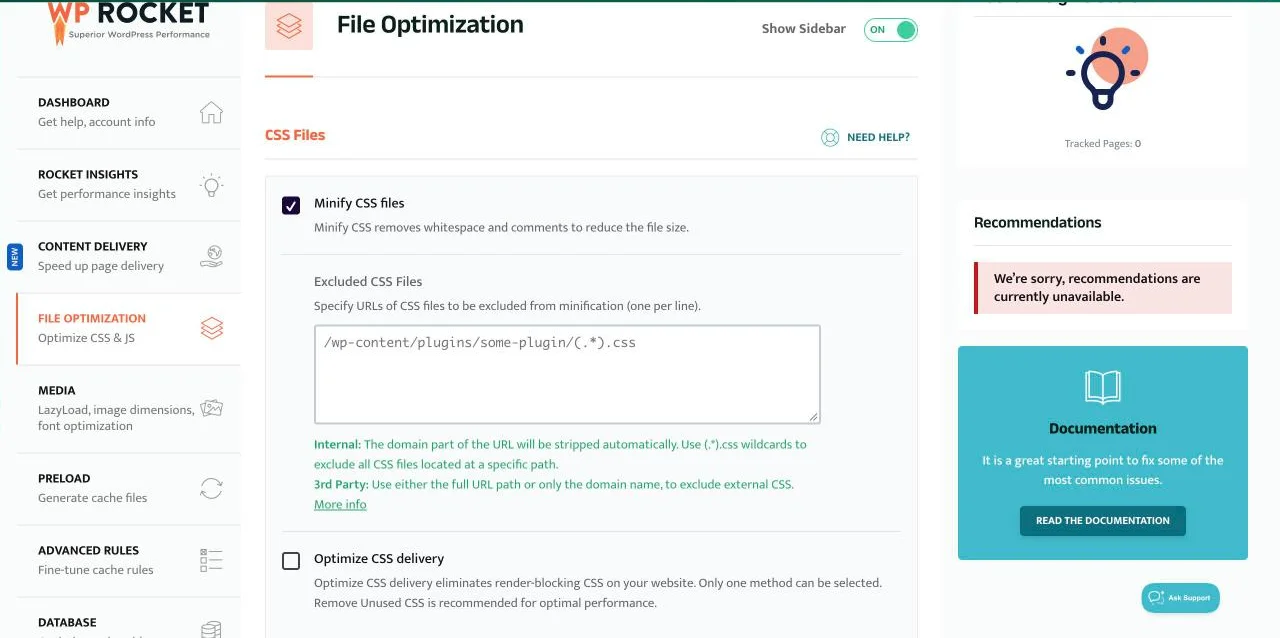
| File Optimization | Minify CSS / JS | On | On |
| File Optimization | Combine JS | Off (HTTP/2) | Off |
| File Optimization | Load JS deferred | On, exclude ads | On |
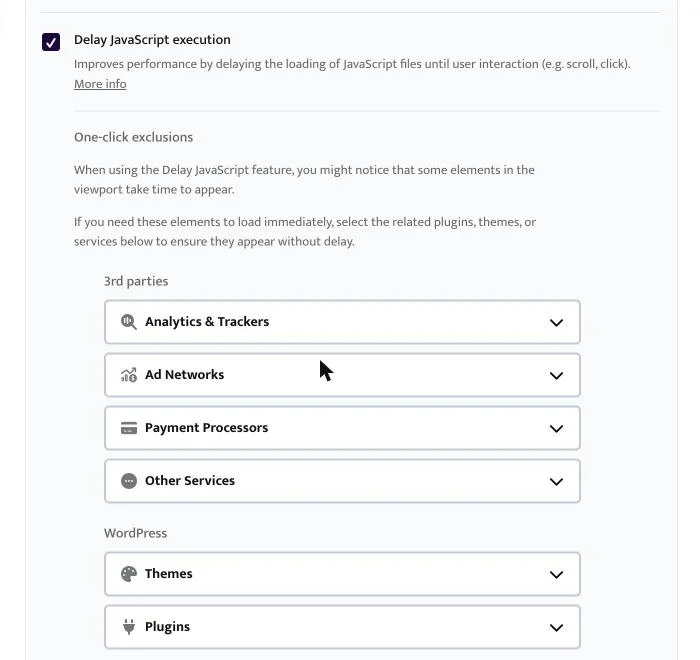
| File Optimization | Delay JS execution | On, exclude ads and analytics | On (Safe Mode) |
| File Optimization | Remove Unused CSS | On, then test | On (processing) |
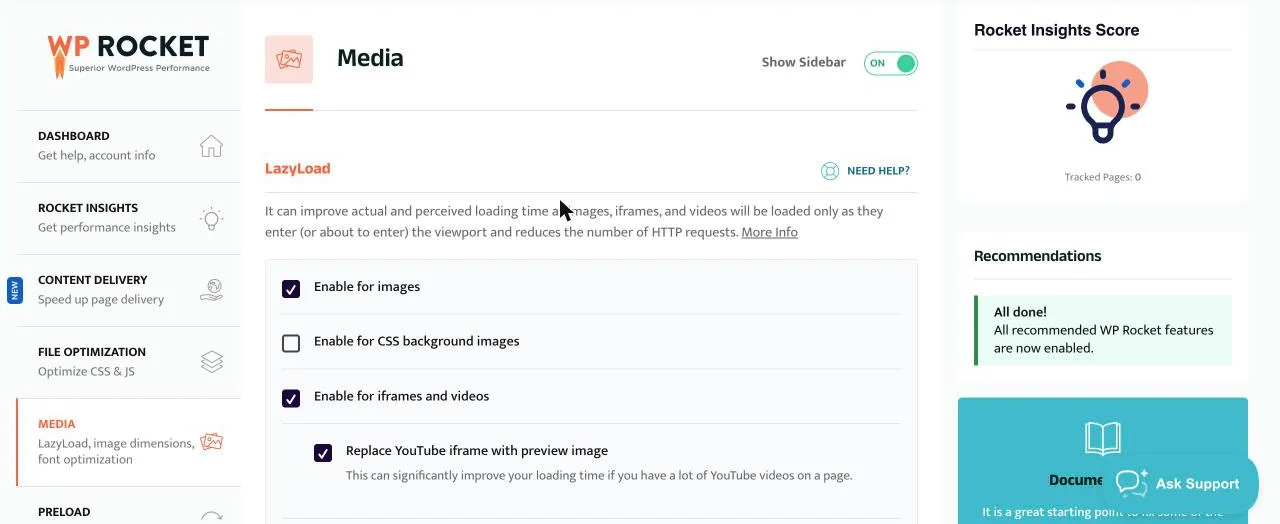
| Media | LazyLoad images + iframes | On, exclude ads | On |
| Media | YouTube preview image | On | On |
| Media | Add missing image dimensions | On | On |
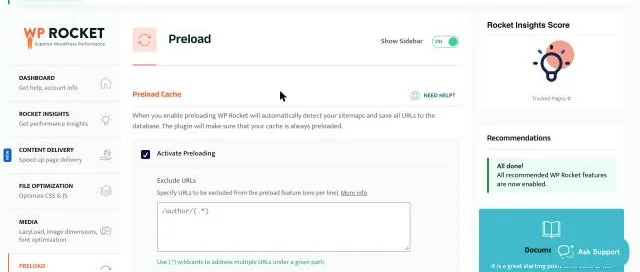
| Preload | Activate preloading + link preload | On | On |
| Heartbeat | Reduce activity | Reduce periodicity | Reduce periodicity |
| Database | Cleanup | Manual, after a backup | Off |
1. Cache
WP Rocket caches pages the moment you activate it; these are the only choices to make.
Needed so phones get cached pages too.
Use it when mobile and desktop HTML differ, as with many themes and ad setups.
Only for membership sites; it serves per-user cache files.
Old cache is cleared and rebuilt on this schedule; content updates purge it anyway.
2. File Optimization
The tab with the biggest speed gains, and the one most likely to break something.
Removes whitespace and comments. Safe on almost every site.
Keeps only the CSS each page needs; this is what fixes slow mobile paint. It is processed in the cloud page by page.
Smaller scripts.
Little gain on HTTP/2 hosting and a common cause of broken scripts.
Gave us 0 ms Total Blocking Time. We exclude adsbygoogle, googlesyndication, pagead2, mgid, googletagmanager and gtag.
Loads scripts on first scroll or tap. Exclude the same ad and analytics scripts so ads load straight away.
3. Media
Image and video loading.
Images below the fold load as visitors scroll. Exclude ad containers; WP Rocket also keeps the LCP image out of lazy-load automatically.
Embeds load on demand.
A big saving on pages with videos.
Reserves space and reduces layout shift.
Turn on only if your theme uses large background images.
4. Preload
Keep the cache warm so the first visitor gets a fast page.
Reads your sitemap and rebuilds the cache after every purge.
Skip low-value pages so the preload finishes faster.
Starts loading a page when a visitor hovers over its link.
5. Advanced rules, database, Heartbeat and CDN
Mostly leave these at their defaults.
Add URLs only if a page must never be cached, such as a custom dashboard.
Run it after a full backup; we do not schedule it.
Fewer background admin requests to the server.
Our site uses Hostinger’s CDN, so we added no CNAME in WP Rocket.
Our before and after results
PageSpeed Insights on investmarathi.com, 17 Oct 2026, mobile.
| Test | Settings | Mobile score | LCP | CLS | TBT |
|---|---|---|---|---|---|
| Before, 8:35 AM | Base settings, no Delay JS or RUCSS | 56 | 9.2 s | 0.121 | 0 ms |
| After, 8:52 AM | + Delay JavaScript (Safe Mode) | 58 | 9.1 s | 0.102 | 10 ms |
Desktop scored 86 (LCP 1.7 s, TBT 0 ms, CLS 0) on the base settings. Remove Unused CSS was enabled at 8:45 AM but its jobs had not completed, so these results do not include it yet; we will add them when it finishes. Single Lighthouse runs, so expect a few points of variation. Full write-up: our WP Rocket review.
Troubleshooting WP Rocket
The three problems we see most, including one we hit while writing this.
Remove Unused CSS not working
- It is processed in WP Rocket’s cloud, up to 100 URLs a minute
- On our site all jobs stayed pending with a ‘400’ queue error
- Pages kept their full CSS, so nothing broke
- If it does not complete in an hour, contact WP Rocket support
Site or ads broken after Delay JS
- Start with Safe Mode
- Exclude ad, analytics and consent scripts
- Use the one-click exclusions for your theme and plugins
- Test logged out: optimisations do not run for logged-in users
WP Rocket settings for WooCommerce and Elementor
WooCommerce
- WP Rocket already keeps cart, checkout and account pages out of the cache
- Use the same settings as above
- After Delay JS, test add to cart and checkout
Elementor
- Use the Elementor one-click exclusion under Delay JS if menus or sliders stop working
- Regenerate Elementor CSS after big changes, then clear WP Rocket’s cache
- Check mobile layouts logged out
Hosting matters as much as settings
Our test site runs on Hostinger with PHP 7.4. PHP 7.4 stopped receiving security updates in November 2022, so moving to PHP 8.2 or later is our next speed and security step.
WP Rocket price
From wp-rocket.me/pricing, 17 Oct 2026.
| Licence | Price | Websites | Refund |
|---|---|---|---|
| Single | $60/yr | 1 | 14 days |
| Plus | $120/yr | 3 | 14 days |
| Multi | $300/yr | 50 | 14 days |
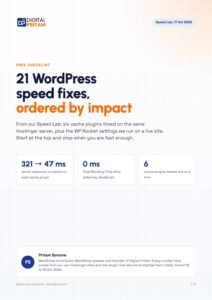
21 WordPress speed fixes, ordered by impact
From our Speed Lab tests on Hostinger. Start at the top and stop when you are fast enough.
Free. Unsubscribe any time. Privacy policy
WP Rocket settings: FAQ
What are the best WP Rocket settings?
For most sites: mobile cache on, minify CSS and JS, load JavaScript deferred, Delay JavaScript execution with your ad and analytics scripts excluded, LazyLoad for images and iframes, add missing image dimensions, and preloading on. Turn on Remove Unused CSS last and test your pages after.
Should I combine JavaScript files in WP Rocket?
Usually no. On HTTP/2 hosting, combining brings little gain and can break scripts. We leave it off.
Why is WP Rocket Remove Unused CSS not working?
Used CSS is generated by WP Rocket’s cloud service page by page, so it can take time. On our site the jobs stayed pending with a 400 queue error, so the pages kept their full CSS. Wait, check the job status, then contact WP Rocket support if it does not complete.
How do I stop Delay JavaScript from breaking ads?
Add the ad scripts to the Delay JavaScript exclusions. We exclude adsbygoogle, googlesyndication, pagead2, mgid, googletagmanager and gtag, and the ads still load immediately.
What are the best WP Rocket settings for WooCommerce?
Use the same settings. WP Rocket already keeps the cart, checkout and account pages out of the cache. Test the cart and checkout after enabling Delay JavaScript.
Can I use WP Rocket with LiteSpeed Cache?
Do not run two page caches. On a LiteSpeed host you can use LiteSpeed Cache instead, or use WP Rocket with LiteSpeed Cache’s page cache turned off.
Does WP Rocket improve Core Web Vitals?
On our site it brought Total Blocking Time to 0 ms on mobile and desktop and desktop LCP to 1.7 s. Mobile LCP stayed high until render-blocking CSS is removed.
Is there a WP Rocket settings file to import?
WP Rocket can export and import settings under Tools. Import only from a site with the same theme and plugins, then test, because exclusions are site-specific.
About this page
Pritam Sonone
Founder of Digital Pritam. WordPress developer and designer, WordCamp Kolhapur 2025 speaker. Builds WordPress sites for clients.
How we checked
- Settings read from WP Rocket 3.23.3.3 on our own site, investmarathi.com, 17 Oct 2026
- Before and after PageSpeed Insights runs at 8:35 and 8:52 AM IST, same URL and device
- Remove Unused CSS job status read from WP Rocket’s database table on the server
Sources: PageSpeed report, before · PageSpeed report, after · WP Rocket documentation · WP Rocket pricing
Related guides
 FlyingPress review 2026Tested against 5 cache plugins
 Best cache plugin for Hostinger6 plugins tested on a Hostinger server
 LiteSpeed Cache vs WP RocketSpeed Lab: tested on Hostinger
 WP Rocket review 2026Tested on our own site: real scores and settings
 Best WordPress Cache Plugin 2026LiteSpeed Cache, WP Rocket and more compared
 WP Rocket Black Friday 2026Licence prices and whether you need it
Affiliate links: we may earn a commission at no extra cost to you. It never changes our verdicts.