









WordPress plugin bloat scanner: which plugins slow your site?
Enter your site. We list every stylesheet and script the home page loads, group them by plugin, weigh them, and tell you which plugins load where the page does not even use them.
Reads public pages only. Nothing is stored. What we read
- Up to 20 seconds
- Size per plugin
- Fix for every finding
21 WordPress speed fixes ordered by impact, from our tests on Hostinger: per-page unloading, fonts, cache, CDN, images. Free, one email a week after that, unsubscribe any time.
Free. Unsubscribe any time. Privacy policy
Why plugin bloat matters
A contact form plugin adds its CSS and JavaScript to every page, not just the contact page. A slider does the same. Twenty plugins can mean forty extra files on a page that uses three of them, and the browser has to download and parse all of them before it paints.
Unloading a plugin on the pages that do not use it changes nothing for visitors except speed. It is the one WordPress speed fix with no trade-off, and the one most sites never do because nobody could see which plugin was the problem. This scan shows you.
How to fix it
Work from the top of the list down: the three heaviest rows are usually half the weight. Replace a heavy builder or slider only when you rebuild anyway; everything else is a settings change.
The usual findings and their switches (technical)
Perfmatters > Script Manager: open the page, disable the plugin’s handles “everywhere except” the pages that use it. Asset CleanUp does the same per page, free. Test the page that does use it afterwards.
LiteSpeed Cache > Page Optimization has switches for emoji and Google Fonts. Perfmatters > Assets covers all four. WP Rocket handles emoji. For Dashicons and block CSS without Perfmatters, use Asset CleanUp to unload the dashicons and wp-block-library handles for guests.
Self-host: LiteSpeed Cache > Page Optimization > Localize Resources, Perfmatters > Fonts > Local Google Fonts, or the OMGF plugin. Keep two families and the weights you use. Preload the one used above the fold.
Critical CSS plus async loading of the rest: LiteSpeed Cache > Page Optimization > Load CSS Asynchronously (QUIC.cloud), WP Rocket > Remove Unused CSS, or FlyingPress. Defer every script and delay third-party ones until the visitor interacts.
Elementor > Settings > Features: turn on Optimized CSS loading, Optimized Gutenberg loading and Improved asset loading. Long term, rebuild the key pages with the block editor on Kadence or GeneratePress; the same layout weighs a tenth.
If a cache plugin merges CSS and JS, the scan sees one big file instead of the plugins inside it. Switch combine off for a minute, scan, switch it back on. Combining is a good setting to keep once you know what is in it.
What we read
One load of your home page plus a HEAD request for up to 60 of its own files, the way a browser asks for them.
Show the paths, tags and markup we look for (technical)
/wp-content/plugins/<slug>/Plugin filesEvery stylesheet and script whose path names a plugin folder is grouped under that plugin and sized with a HEAD request.
/wp-content/themes/ and /wp-includes/Theme and core filesTheme assets are needed on every page; core files such as jQuery Migrate, emoji and Dashicons often are not.
fonts.googleapis.com, googletagmanager.comThird-party hostsCounted and named, never fetched. Google Fonts families are read from the request URL.
<link rel=stylesheet> in <head>Render-blockingA stylesheet in the head, or a script without async or defer, holds the first paint.
class="wpcf7", elementor-section, woocommerce-pageNeeded here?For 35 common plugins we look for their own markup on the page. Files with no matching markup are flagged as not needed here.
<script> and <style> blocksInline codeCounted and weighed. Inline code cannot be cached by the browser, so it is downloaded on every page view.
From the Speed Lab
Trimming plugins is step one; the cache in front of them is step two.
Related guides
 Best WordPress Cache Plugin 2026LiteSpeed Cache, WP Rocket and more compared
 Best cache plugin for Hostinger6 plugins tested on a Hostinger server
 LiteSpeed Cache vs WP RocketSpeed Lab: tested on Hostinger
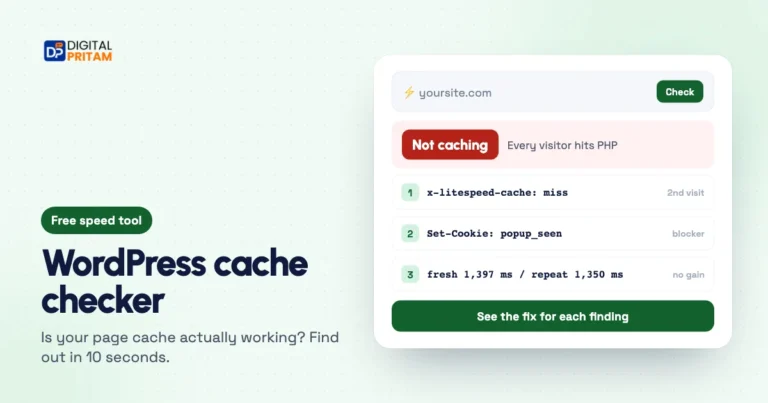 WordPress cache checkerIs your page cache really working?
 WordPress username checkerSee which logins your site leaks
 How we test dealsOur price checks, labels and corrections
Affiliate disclosure: some links on this page are affiliate links. If you buy through them, Digital Pritam may earn a commission at no extra cost to you. We only list deals we have checked on the brand’s own website, and commissions never change our picks. Prices can change at any time; always confirm the final price at checkout. Read our full affiliate disclosure.