









WordPress username checker: see which logins your site leaks
Enter your site. We check the public places where WordPress reveals usernames and tell you what to fix.
Checks public pages only. No login attempts. The address is not stored. How it works
- About 10 seconds
- Fix for every leak
- Full report by email
Plus the Username Security Checklist (PDF) with the two snippets and the rename steps. Free, one email a week after that, unsubscribe any time.
By asking for the report you join the Digital Pritam list. Privacy policy
Why a public username matters
A login is a username plus a password. When the username is public, attackers only have to guess the password. Hiding it does not replace a strong password, but it takes away the free half.
WordPress builds the author slug (/author/pritam/) from the login name when the account is created. Changing the display name does not change the slug or the login. Only a rename does, and WordPress has no button for that; SmartUsername adds one, and since version 1.3 it can hide the login names from visitors altogether.
How to fix it

That closes all five leaks. Your posts stay where they are and old author links redirect.
Prefer code? Show the manual snippets (for developers)
Visitors do not need it; editors and the block editor keep it. Add to a child theme or a snippets plugin:
add_filter('rest_endpoints', function ($e) {
  if (!is_user_logged_in()) {
    unset($e['/wp/v2/users'], $e['/wp/v2/users/(?P<id>[\d]+)']);
  }
  return $e;
});Send ID lookups home and drop the users sitemap if author pages need not rank:
add_action('template_redirect', function () {
  if (is_author() && isset($_GET['author'])) {
    wp_safe_redirect(home_url('/'), 301); exit;
  }
});
add_filter('wp_sitemaps_add_provider', function ($p, $n) {
  return $n === 'users' ? false : $p;
}, 10, 2);
What we check
Five public pages, read the way a browser reads them.
Show the five checks and the URLs we read (technical)
/wp-json/wp/v2/usersOpen by default. Lists every author’s slug and display name as JSON.
/?author=1 to 5WordPress redirects each ID to /author/slug/, so IDs 1 to 5 reveal the first accounts.
/wp-sitemap-users-1.xmlCore, Yoast and Rank Math list author pages for search engines.
/wp-json/oembed/1.0/embedEmbeds of a post carry the author_url; bylines link to /author/slug/.
Compared with the display nameA slug that equals the display name, or a common admin name, is almost certainly the login.
SmartUsername: closes all five leaks in two clicks
- Hide login names from visitors: one switch closes the REST users list, ?author=N lookups, the users sitemap and the oEmbed author URL
- Fix author slugs: one button stops author URLs showing logins, with a 301 from the old link
- Exposure check card in wp-admin links back to this checker for a re-scan
- Rename any account safely; the security check flags admin, test and the site name
Hide login names: on → Fix author slugs → scan againRelated guides
 How to change a WordPress usernameThree ways, including SmartUsername
 WordPress security and backupWhat we actually run
 Wordfence vs Solid SecuritySolid is now Kadence Security
 Backup plugin on Hostinger?Backups by plan, and when to add one
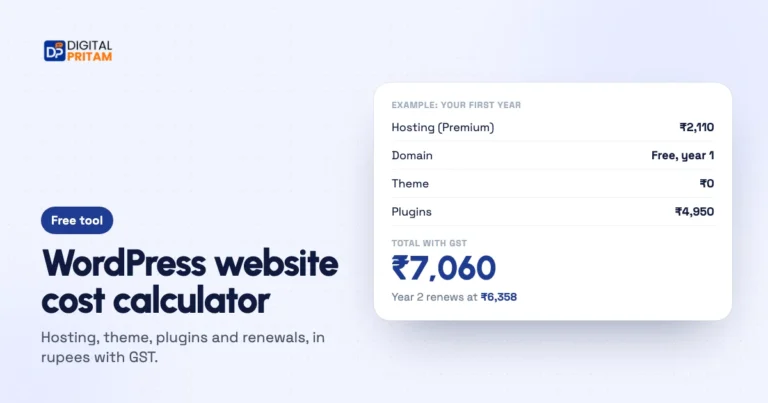 WordPress cost calculatorYour real budget in rupees
 How we test dealsOur price checks, labels and corrections
Affiliate disclosure: some links on this page are affiliate links. If you buy through them, Digital Pritam may earn a commission at no extra cost to you. We only list deals we have checked on the brand’s own website, and commissions never change our picks. Prices can change at any time; always confirm the final price at checkout. Read our full affiliate disclosure.