









Fastest WordPress themes 2026: 8 themes measured on a clean install
Same fresh WordPress, no plugins, one theme at a time: how many files and kilobytes each theme sends to your visitors.
Disclosure: some links on this page are affiliate links. If you buy through them we may earn a commission, at no extra cost to you. It never changes our verdicts.
Short answer: on identical clean installs, Hello Elementor (13.5 KB), Twenty Twenty-Five (18.7 KB) and GeneratePress (20.2 KB) sent the least to a post page. GeneratePress is the lightest full-featured theme. OceanWP was heaviest at 148.8 KB and 18 files.

What is it?A lightweight WordPress theme loads little CSS and JavaScript, so pages download faster before any plugins or images are added.
Theme weight on a post page
Total compressed page weight: HTML plus every CSS and JS file.
| Theme | CSS/JS files | CSS/JS gzipped | CSS/JS raw | Inline CSS | Total gzipped | WordPress.org | Installs |
|---|---|---|---|---|---|---|---|
| 1. Hello Elementor | 4 | 6.1 KB | 22.1 KB | 16.7 KB | 13.5 KB | 4.2/5 | 1M+ |
| 2. Twenty Twenty-Five | 3 | 5.0 KB | 26.8 KB | 48.0 KB | 18.7 KB | 4.0/5 | 1M+ |
| 3. GeneratePress | 4 | 8.4 KB | 31.3 KB | 32.3 KB | 20.2 KB | 4.9/5 | 500k+ |
| 4. Neve | 4 | 14.4 KB | 52.7 KB | 37.4 KB | 28.6 KB | 4.7/5 | 200k+ |
| 5. Astra | 3 | 16.3 KB | 74.8 KB | 91.9 KB | 37.8 KB | 4.9/5 | 1M+ |
| 6. Blocksy | 6 | 30.7 KB | 133.7 KB | 39.3 KB | 42.9 KB | 5.0/5 | 300k+ |
| 7. Kadence | 11 | 42.3 KB | 180.9 KB | 31.9 KB | 54.5 KB | 4.9/5 | 500k+ |
| 8. OceanWP | 18 | 136.3 KB | 566.8 KB | 37.8 KB | 148.8 KB | 4.9/5 | 400k+ |
Measured 17 Oct 2026 on the default “Hello world!” post. WordPress core files are included because every theme loads them. Ratings and installs from WordPress.org.
The 8 themes, ranked
From lightest to heaviest, with what each is best at.
Lightest, but it is a blank canvas built for Elementor; add Elementor and the page gets much heavier.
WordPress’s default block theme: very light, with full-site editing built in.
The lightest full-featured classic theme. It runs our site investmarathi.com. More on GeneratePress.
Light and simple, with a header builder in the free version.
Few files but a lot of inline CSS; huge starter template library. More on Astra.
Feature-rich free version with a header builder; mid-weight. More on Blocksy.
Most flexible here, and heavier: 11 files. It runs digitalpritam.in. More on Kadence.
Heaviest by far on a default install: 18 files and 567 KB of CSS and JS before compression.
How we tested
The same clean setup for every theme, so only the theme changes.
Fresh WordPress for each theme
Latest WordPress on PHP 8.3 in WordPress Playground, with no plugins.
Install and activate one theme
Straight from WordPress.org, default settings, no starter templates.
Load the homepage and a post
The default homepage and the Hello World post.
Count everything the browser downloads
Every CSS and JS file plus the HTML, compressed with gzip as most hosts do.
Does the lightest theme win on a real site?
We run two of these themes on live sites.
Our live results
- digitalpritam.in on Kadence: mobile PageSpeed 59
- investmarathi.com on GeneratePress: mobile PageSpeed 59
- Same score, with 5 times less theme code on GeneratePress
What that tells you
- Ads, fonts and images can outweigh the theme
- A light theme gives you headroom, not a guaranteed score
- Pair it with caching: see our WP Rocket settings
How to choose a fast theme
Pick a light theme if
- You run a blog or content site
- You care about mobile Core Web Vitals
- You use the block editor: GeneratePress, Twenty Twenty-Five, Neve
A heavier theme is fine if
- You need its builder or templates (Kadence, Astra, Blocksy)
- You add caching and remove unused features
- You check PageSpeed after every big change
How to install the three fastest free themes, step by step
GeneratePress, Kadence and Astra, each installed fresh on our lab site, 24 Oct 2026. Pick a theme.
Tap any screenshot to open it full size. Each theme was installed fresh on our lab site, then the lab theme was switched back.
- 1
Find it and install
Appearance, Themes, Add New Theme, search “GeneratePress”. Hover the card and click Install.
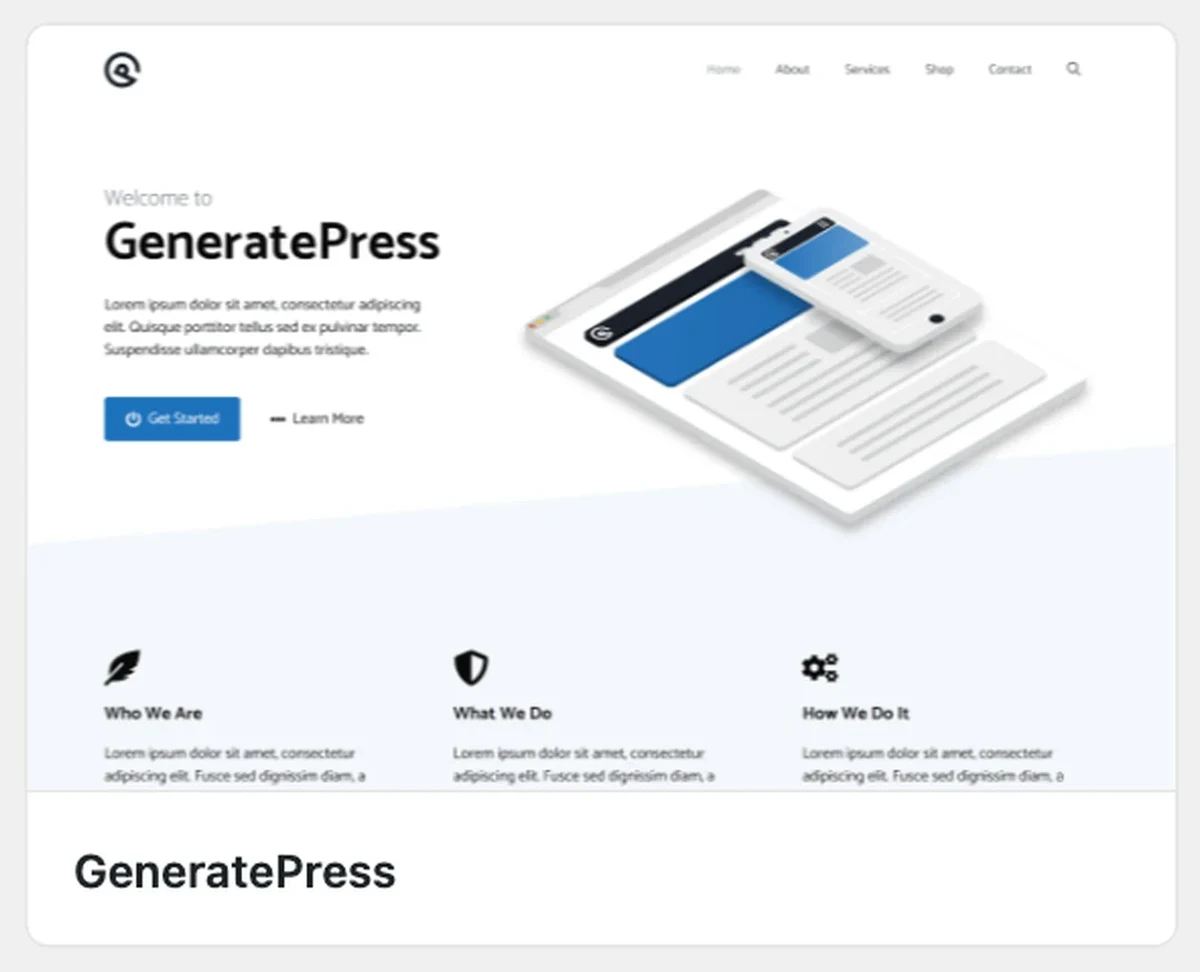
GeneratePress in the WordPress theme directory - 2
Activate it
When the install finishes, the same card shows Activate. Click it.
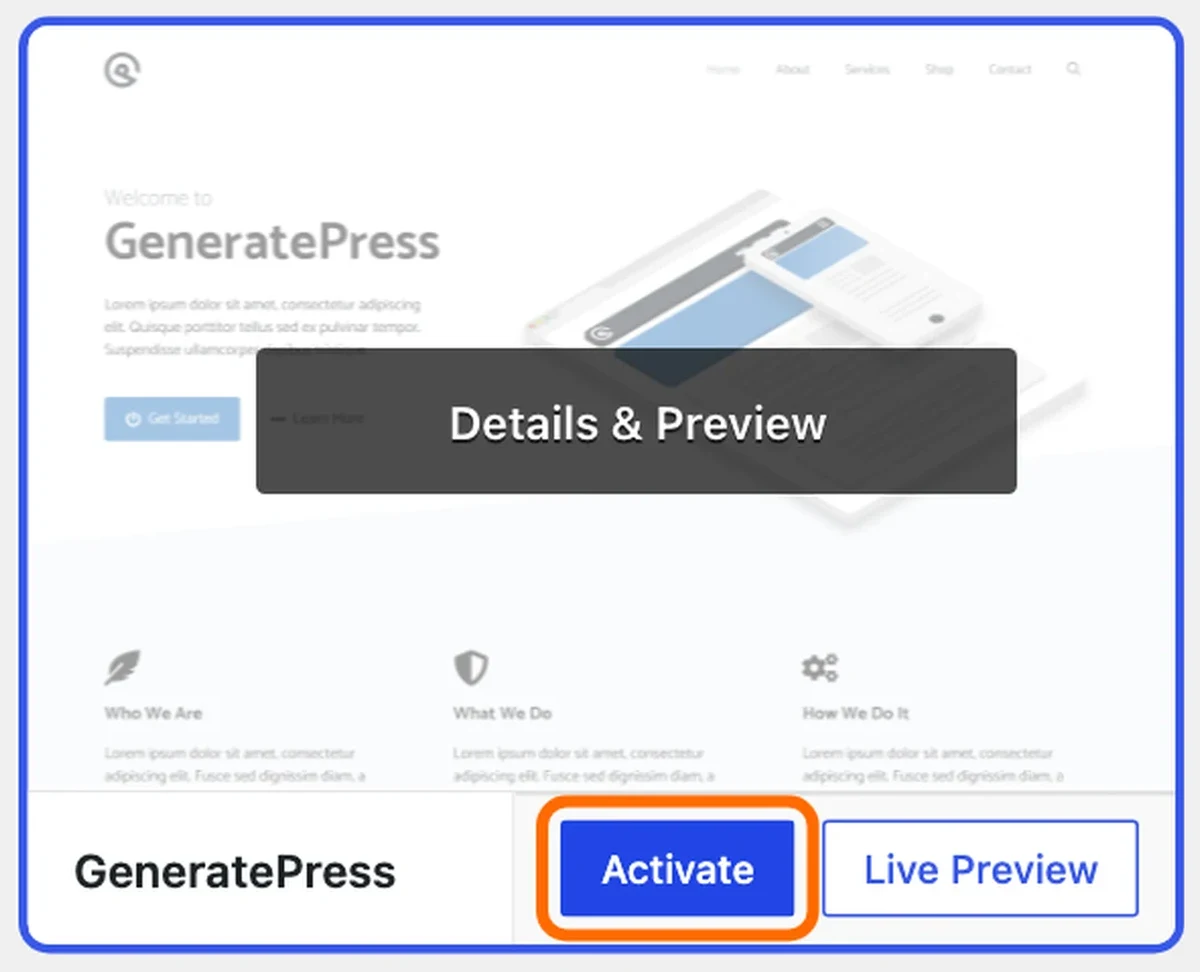
Activate GeneratePress - 3
Check it is the active theme
Themes now lists GeneratePress first, marked Active, with a Customize button.
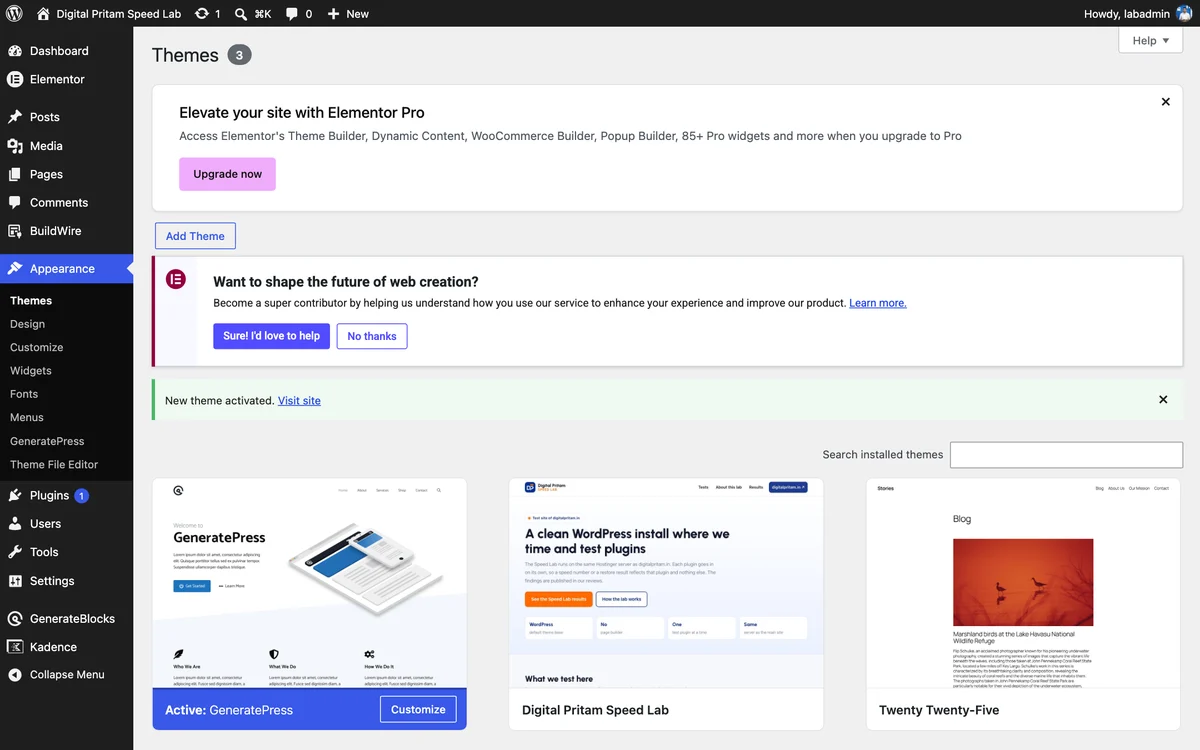
GeneratePress active on the Themes screen - 4
Open the theme dashboard
Appearance, GeneratePress opens Start Customizing: site identity, colours, typography and layout, each with an Open options button. Premium modules are listed below but locked.
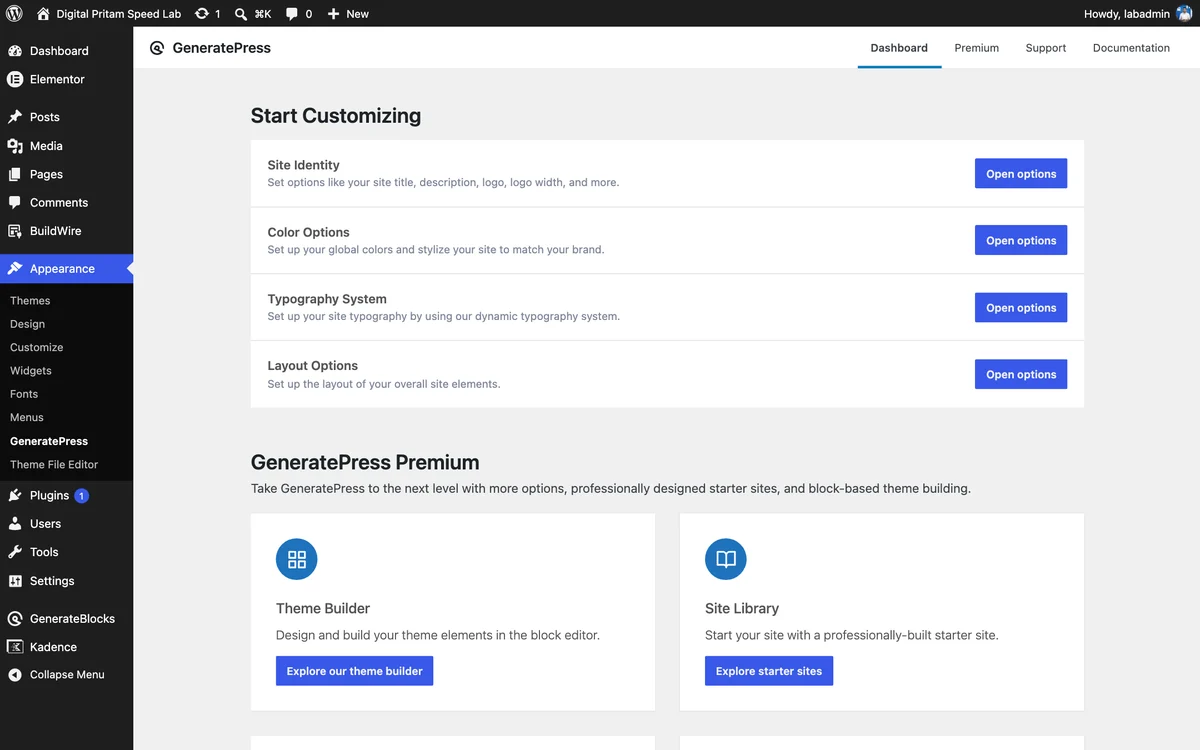
GeneratePress theme dashboard - 5
Set it up in the Customizer
Layout has Container, Header, Primary Navigation, Sidebars, Footer and Blog. Everything here is in the free theme.

GeneratePress in the WordPress Customizer - 6
See your site
Our lab post on GeneratePress 3.6.1 with no changes: plain, light, sidebar on the right.
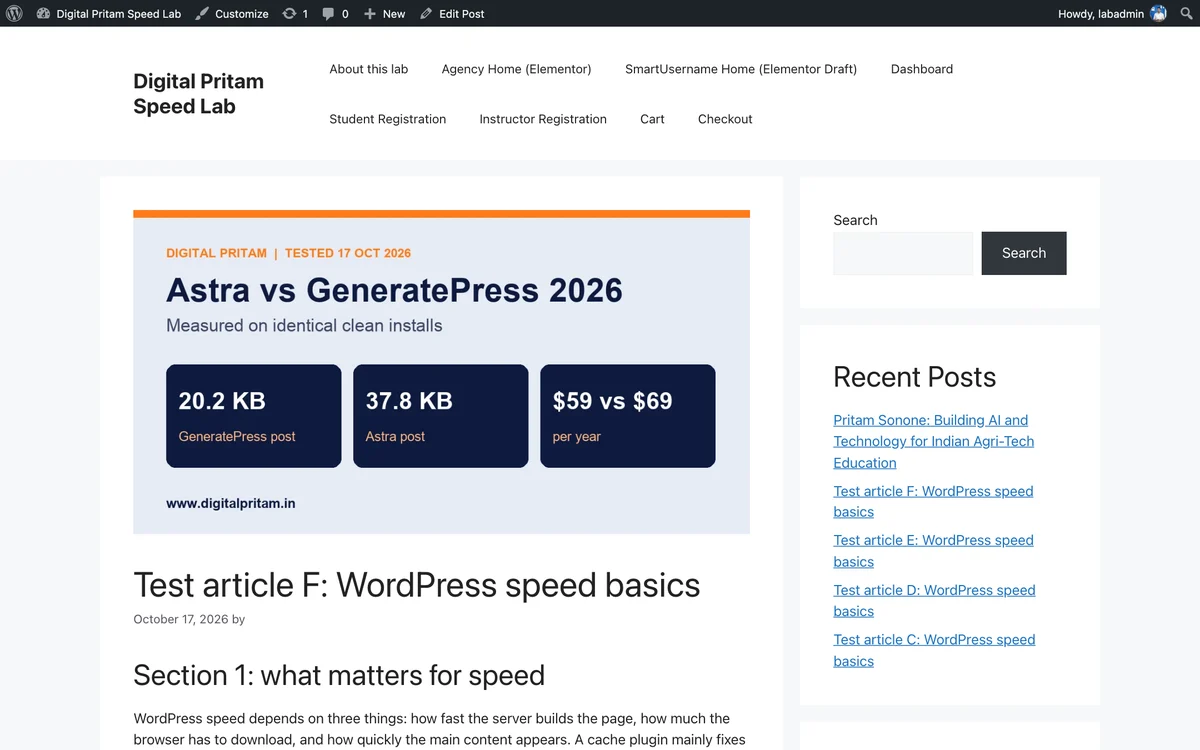
Our lab post with GeneratePress, default settings
- 1
Find it and install
Appearance, Themes, Add New Theme, search “Kadence”. Hover the card and click Install.

Kadence in the WordPress theme directory - 2
Activate it
When the install finishes, the same card shows Activate. Click it.

Activate Kadence - 3
Check it is the active theme
Themes now lists Kadence first, marked Active, with a Customize button.
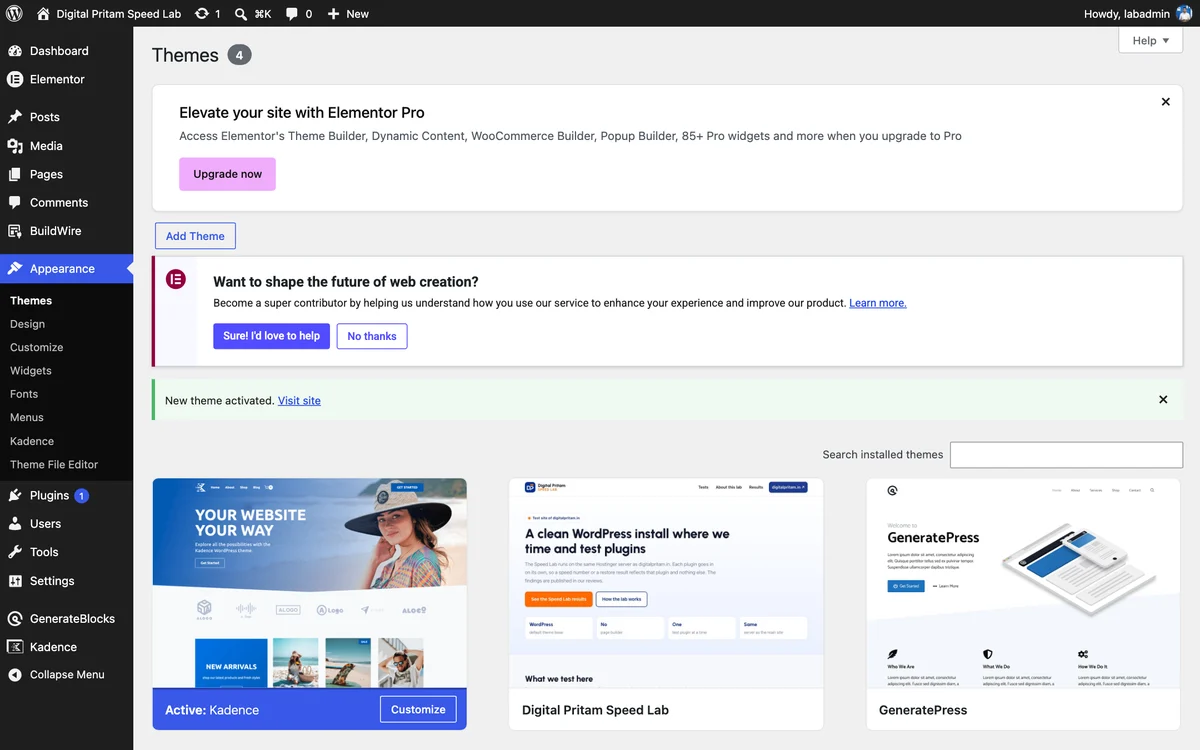
Kadence active on the Themes screen - 4
Open the theme dashboard
Appearance, Kadence opens a dashboard with shortcuts to colours, branding, typography, header, page and footer layout. A Starter Templates tab sits at the top.
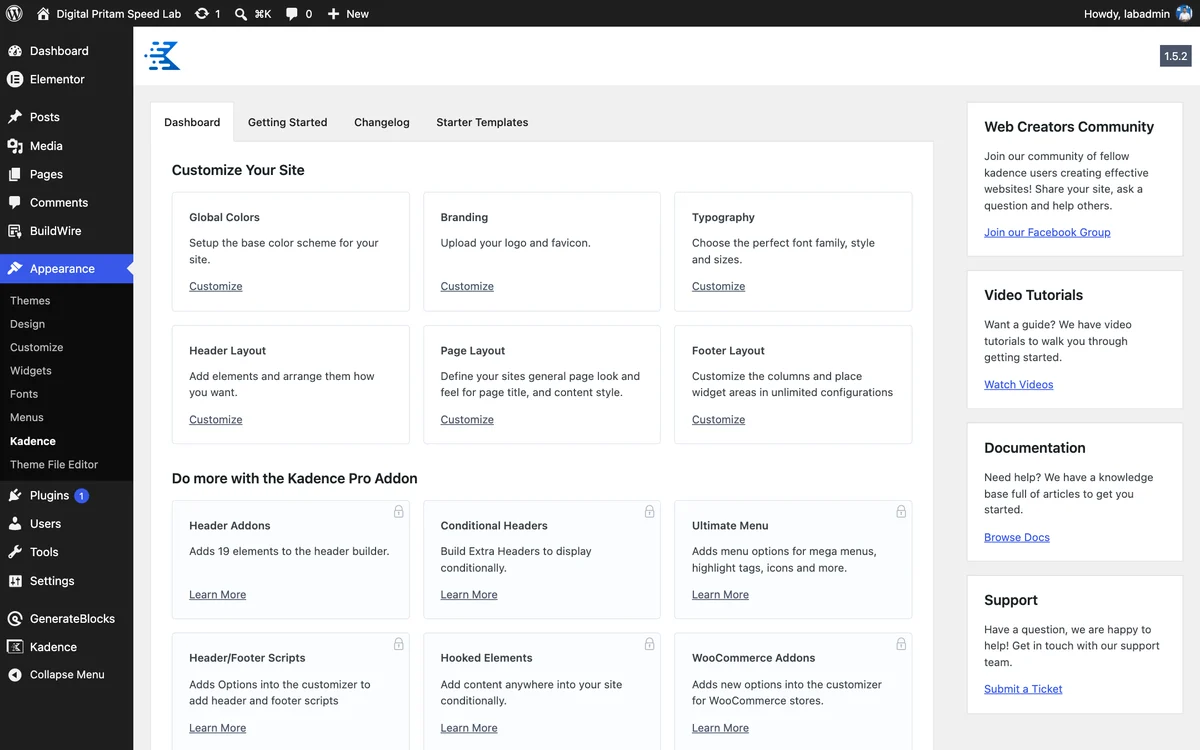
Kadence theme dashboard - 5
Set it up in the Customizer
The Customizer adds Kadence panels: Colors & Fonts, Header, Footer, General, Posts/Pages Layout and more. The header and footer are drag-and-drop builders.
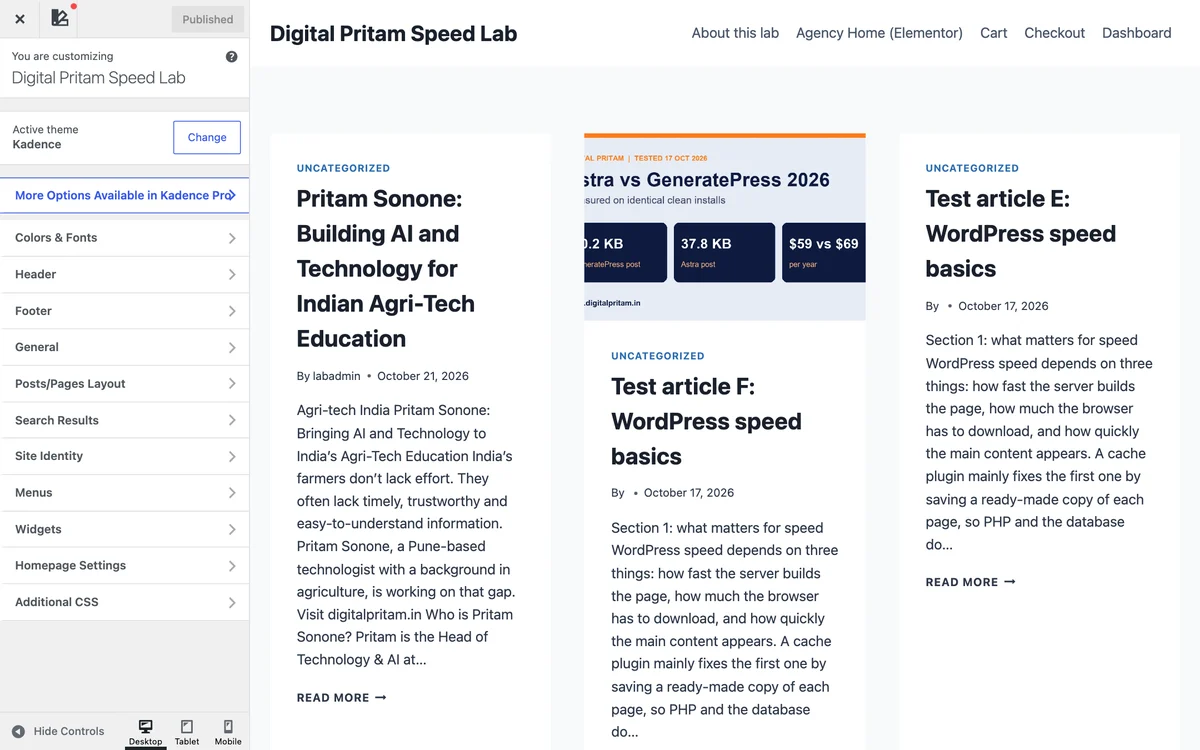
Kadence in the WordPress Customizer - 6
See your site
Our lab post on Kadence 1.5.2 with no changes: a card grid on the blog page and a clean single post.
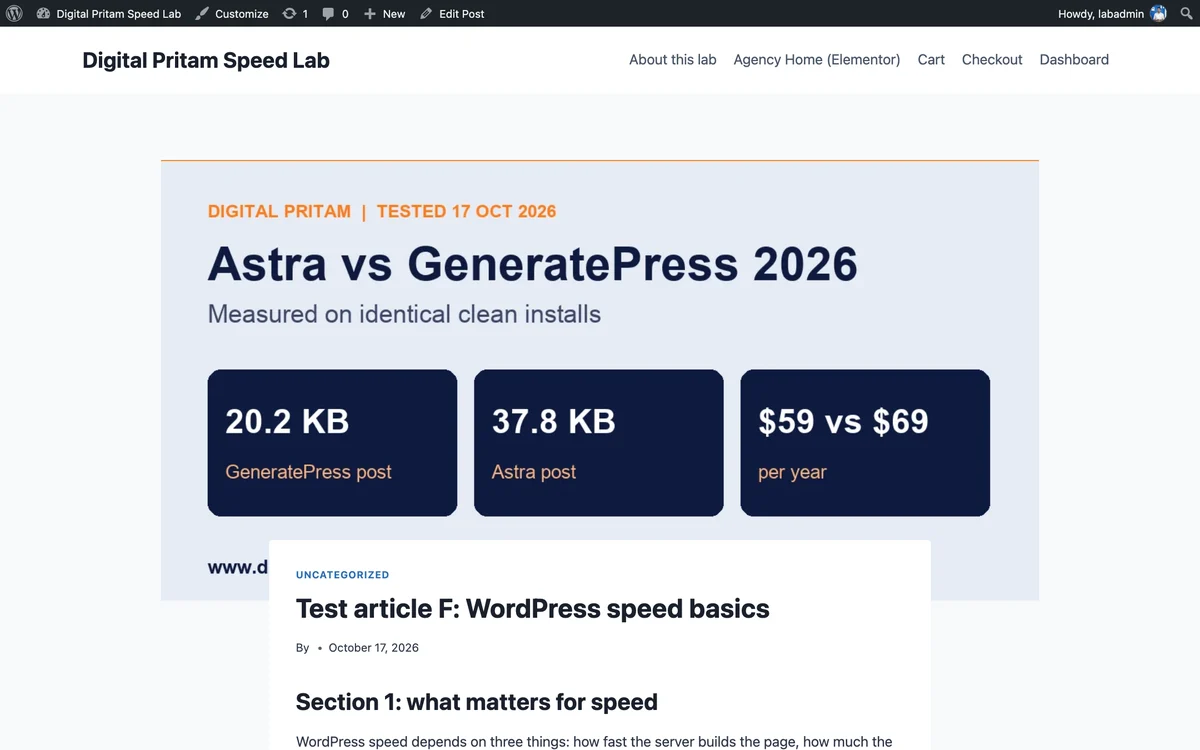
Our lab post with Kadence, default settings
- 1
Find it and install
Appearance, Themes, Add New Theme, search “Astra”. Hover the card and click Install.

Astra in the WordPress theme directory - 2
Activate it
When the install finishes, the same card shows Activate. Click it.

Activate Astra - 3
Check it is the active theme
Themes now lists Astra first, marked Active, with a Customize button.
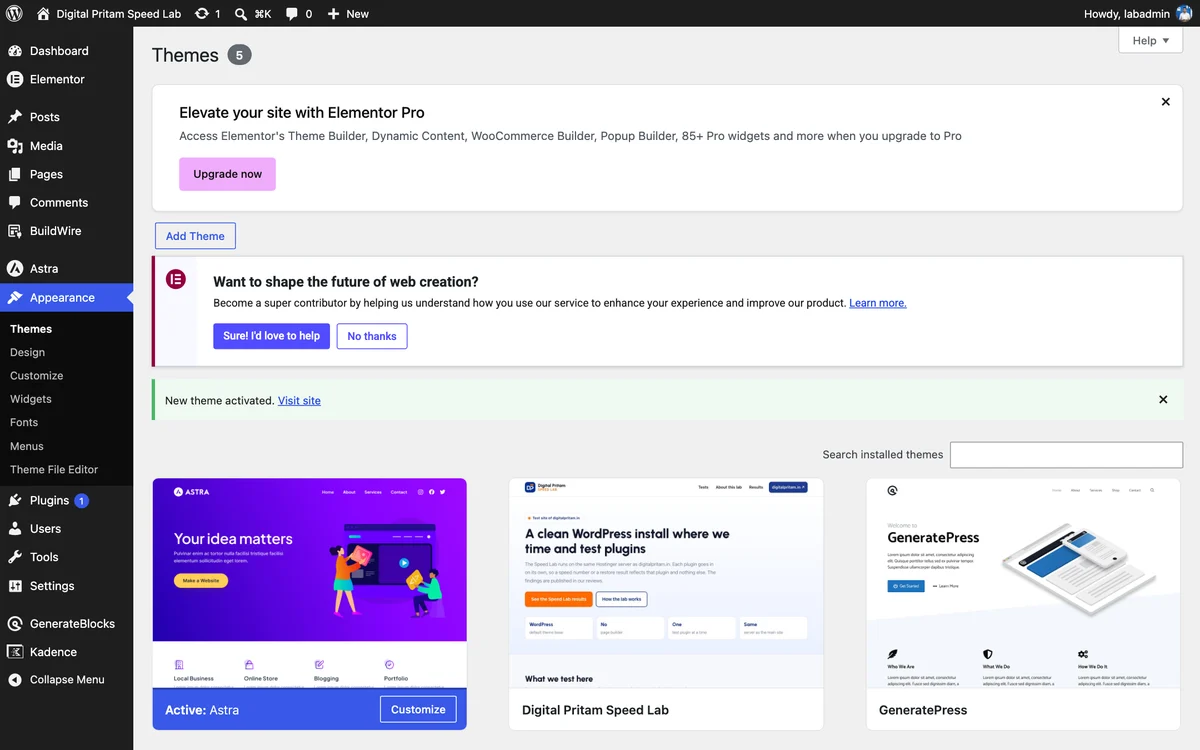
Astra active on the Themes screen - 4
Open the theme dashboard
Astra adds its own menu with a Welcome screen, quick links to the header and footer builder, and Starter Templates. Upgrade boxes appear throughout the free version.
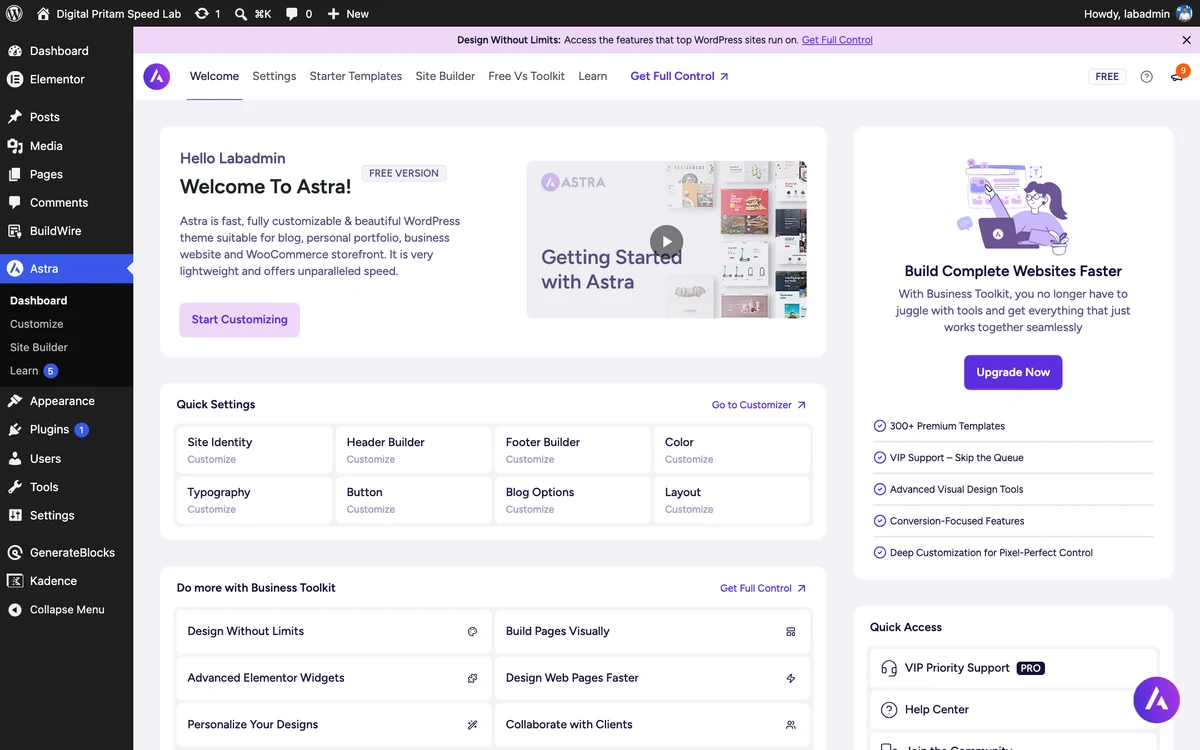
Astra theme dashboard - 5
Set it up in the Customizer
The header builder has Elements and Design tabs and presets. Drag items into the header rows at the bottom of the preview.
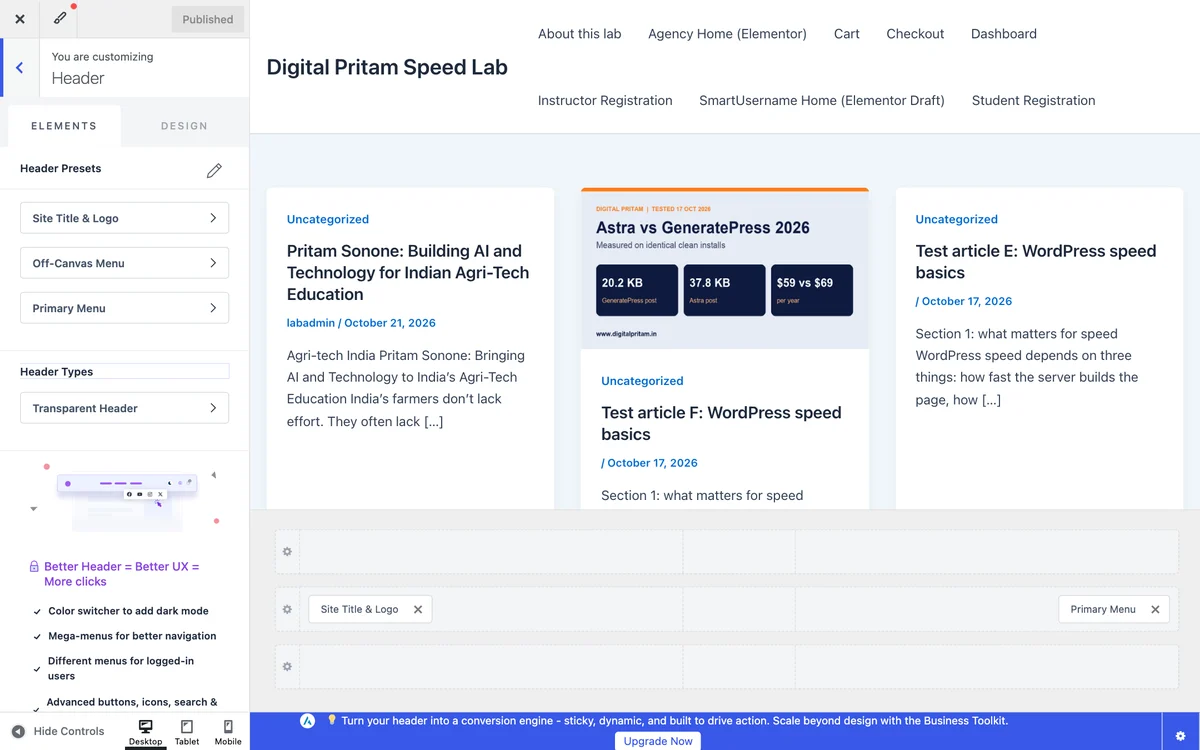
Astra in the WordPress Customizer - 6
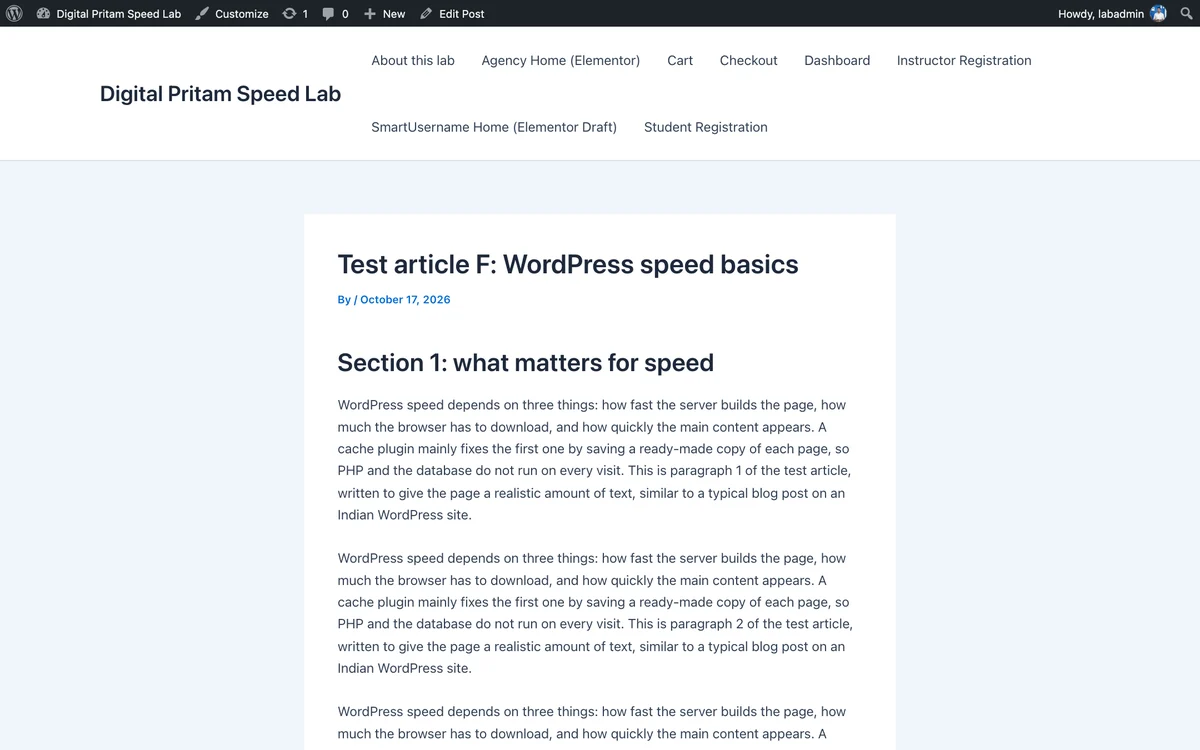
See your site
Our lab post on Astra 4.14.1 with no changes.
Our lab post with Astra, default settings
21 WordPress speed fixes, ordered by impact
From our Speed Lab tests on Hostinger. Start at the top and stop when you are fast enough.
Free. Unsubscribe any time. Privacy policy
Fastest WordPress themes: FAQ
What is the fastest WordPress theme in 2026?
On our clean-install test, Hello Elementor sent the least (13.5 KB compressed on a post page), then Twenty Twenty-Five (18.7 KB) and GeneratePress (20.2 KB). GeneratePress is the lightest full-featured theme; Hello Elementor is a blank canvas meant for Elementor.
What is the fastest free WordPress theme?
All eight themes we tested are free on WordPress.org. GeneratePress, Twenty Twenty-Five and Neve gave the best weight with useful features out of the box.
Is Astra faster than GeneratePress?
Not on our test: Astra sent 37.8 KB on a post page against GeneratePress's 20.2 KB, mostly because Astra prints about 92 KB of inline CSS.
Is Kadence a fast theme?
It is mid-to-heavy: 54.5 KB and 11 CSS and JS files on a post page in our test. It makes up for it with flexibility; we use it on digitalpritam.in.
Does the theme decide my PageSpeed score?
Only partly. Our two live sites, one on Kadence and one on GeneratePress, both scored 59 on mobile, because ads, fonts and images also matter. Pick a light theme, then optimise the rest.
How did you test the themes?
Each theme ran on a fresh WordPress install with PHP 8.3, the latest WordPress and no plugins, using WordPress Playground. We measured the default homepage and the Hello World post, counting every CSS and JS file and the HTML, compressed with gzip.
About this page

Pritam Sonone
Founder of Digital Pritam. WordPress developer and designer, WordCamp Kolhapur 2025 speaker. Builds WordPress sites for clients.
How we checked
- Each theme measured on a fresh WordPress install (PHP 8.3, latest WordPress, no plugins) via WordPress Playground on 17 Oct 2026
- We counted every CSS and JS file and the HTML on the homepage and a post, compressed with gzip
- Live-site PageSpeed from our own Kadence and GeneratePress sites the same day
Sources: WordPress Playground · WordPress.org themes · Kadence site PageSpeed · GeneratePress site PageSpeed
Related guides
 Elementor vs GutenbergSame page: 17.6 KB vs 103.4 KB
 Astra vs GeneratePressMeasured on identical clean installs
 GeneratePress review 2026The lightest full theme we tested
 Kadence vs GeneratePressTested on two live sites
 Kadence theme review 2026The theme this site runs on, with real data
 Best WordPress Theme 2026Kadence, GeneratePress, Astra, Blocksy
Affiliate disclosure: some links on this page are affiliate links. If you buy through them, Digital Pritam may earn a commission at no extra cost to you. We only list deals we have checked on the brand's own website, and commissions never change our picks. Prices can change at any time; always confirm the final price at checkout. Read our full affiliate disclosure.