









WPForms Review 2026: The Easiest Form Builder, With One Catch
We installed WPForms Lite on our lab site, built a contact form and measured it.
 By Pritam SononePrices checked 2 Nov 2026Reviewed by Pritam SononePrices re-checked regularly against the brand’s own website.How we test →
Affiliate links: we may earn a commission at no extra cost to you. It never changes our verdicts.
- Best forBeginners
- CatchLite saves no entries
- PaymentsNo fee on Pro
- Lighter rivalFluent Forms
WPForms has the simplest form builder we have used. The free version emails you each entry but does not save it, and the paid plans renew at double the first-year price.

Pros
- The simplest form builder we have used: pick a template, drag fields, embed
- Pages without a form load nothing extra
- Pro removes the payment processing fee that Basic and Plus add
Cons
- WPForms Lite does not save entries; you only get the email
- Heavier form page than Fluent Forms in our test: 86.5 KB against 66.7 KB
- Paid plans renew at double the first-year price
What we found
From WPForms Lite 2.0.3 on our lab site (24 Oct 2026) and prices read on 2 Nov 2026.
What WPForms does well
- The easiest builder we have used: pick a template, drag fields, embed
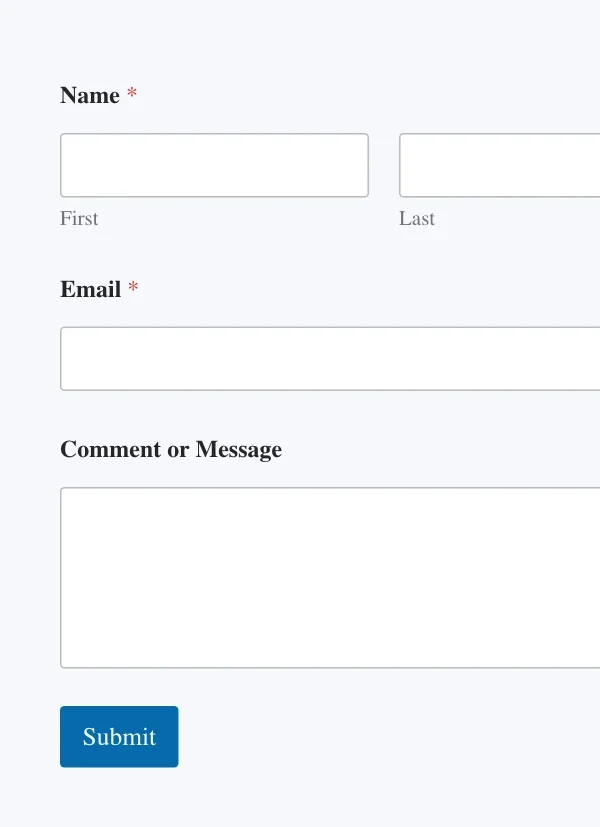
- Simple Contact Form template gave us Name, Email and Message in one click
- Email notification to the site admin is set up by default
- Loads nothing on pages without a form
- 5 million+ installs and a 4.8 out of 5 rating on WordPress.org
What to watch
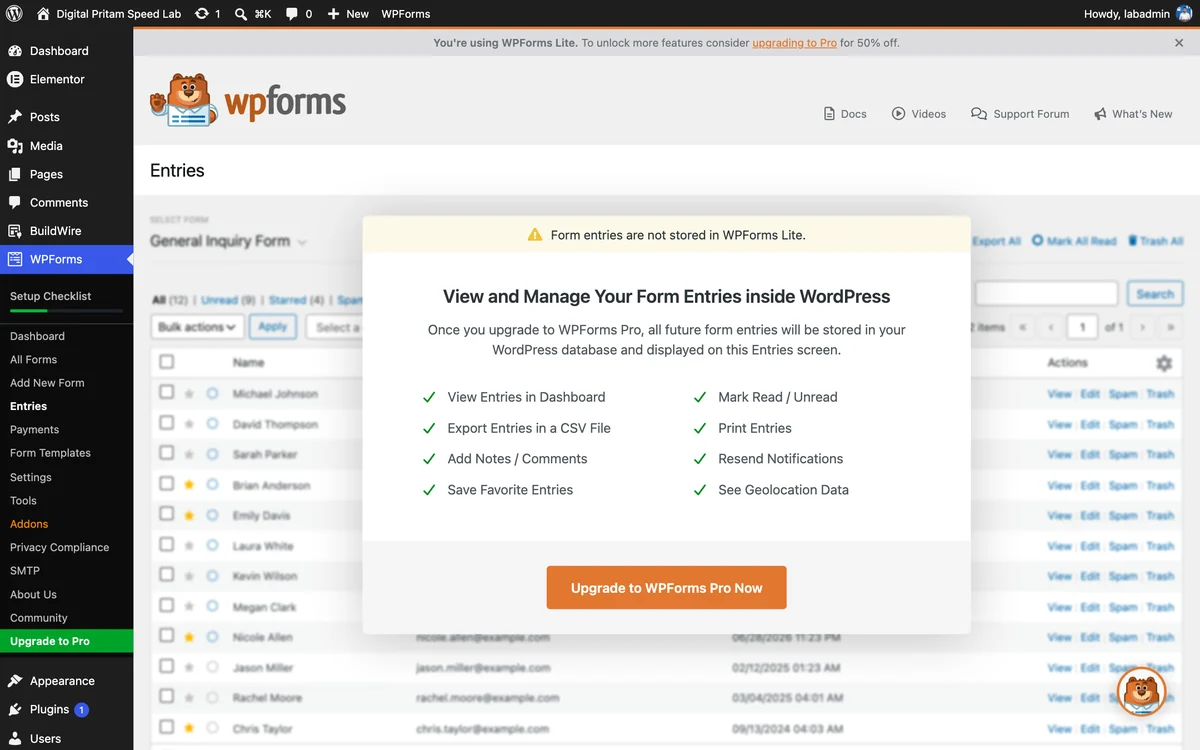
- Lite does not save entries in WordPress; the Entries screen says so
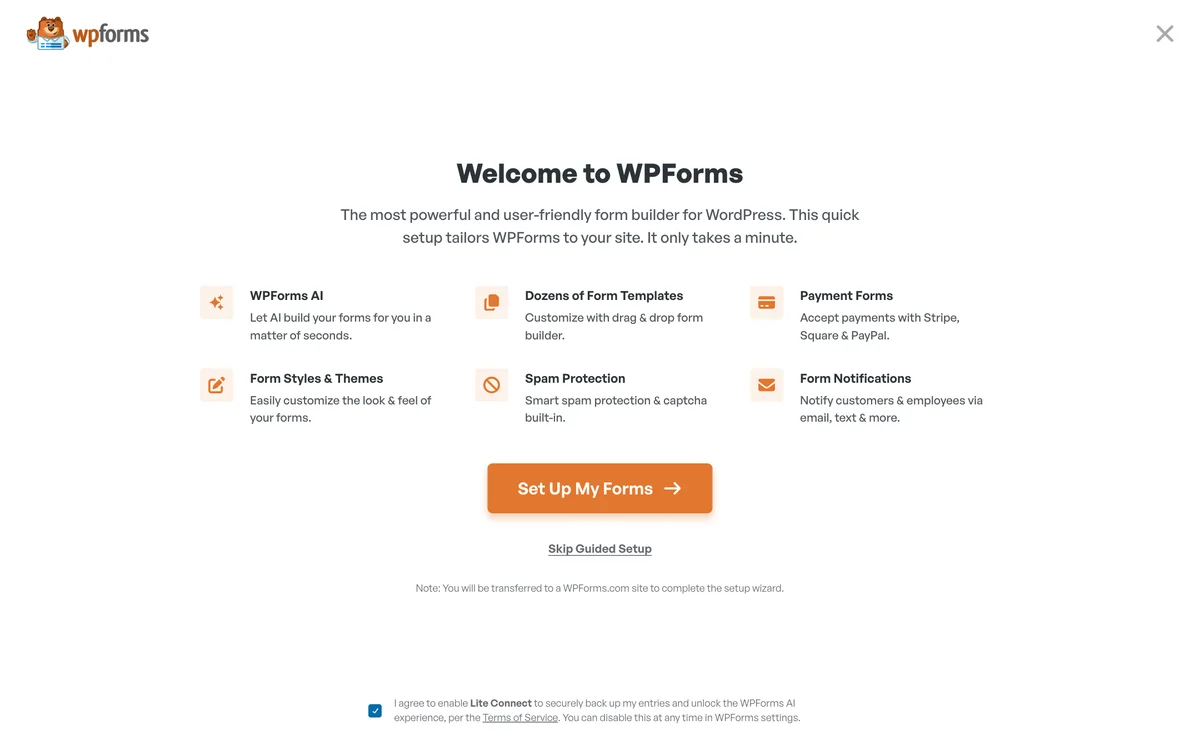
- The Lite Connect box (entry backups to WPForms) was already ticked on the welcome screen
- Heavier than Fluent Forms on the form page: 86.5 KB against 66.7 KB
- Basic and Plus add a fee on Stripe, Square and PayPal payments; Lite adds 3% on Stripe
- Renewals are full price: Basic goes from $49.50 to $99
Speed: what WPForms adds to a page
Same three-field form, WPForms Lite 2.0.2.2 against Fluent Forms 6.2.16, on a clean install measured on 17 Oct 2026.
| WPForms Lite | Fluent Forms | |
|---|---|---|
| Page weight with the form (gzipped) | 103.2 KB | 83.4 KB |
| Added by the form plugin | +86.5 KB | +66.7 KB |
| CSS and JS files on the form page | 13 | 7 |
| Extra weight on pages without a form | None | None |
| Active installs | 5 million+ | 800,000+ |
| WordPress.org rating | 4.8/5 (14,384 reviews) | 4.8/5 (805 reviews) |
Most of the weight is one stylesheet, wpforms-full.min.css (169 KB, 16.6 KB gzipped). Full method on WPForms vs Fluent Forms.
WPForms Lite vs paid plans
What each plan includes, from the WPForms pricing page on 2 Nov 2026.
| Lite (free) | Basic | Plus | Pro | Elite | |
|---|---|---|---|---|---|
| Saves entries in WordPress | No | Yes | Yes | Yes | Yes |
| Conditional logic, file uploads, multi-page forms | No | Yes | Yes | Yes | Yes |
| Stripe, Square, PayPal | Stripe only, 3% fee | Extra fee | Extra fee | No extra fee | No extra fee |
| Mailchimp, MailerLite, ConvertKit, Brevo | No | Constant Contact only | Yes | Yes | Yes |
| Surveys, signatures, Google Sheets, Zapier | No | No | No | Yes | Yes |
| User registration, calculations, save and resume | No | No | No | Yes | Yes |
| Webhooks, HubSpot, Salesforce | No | No | No | No | Yes |
| Sites | Any | 1 | 3 | 5 | Unlimited |
WPForms price in India (2026)
Prices are in US dollars and include the first-year discount.
| Plan | Year 1 | In ₹ with GST | Renews at | Sites | What you get |
|---|---|---|---|---|---|
| Basic | $49.50 | ₹5,547 | $99/yr | 1 | One site, entries saved, conditional logic |
| Plus | $99.50 | ₹11,149 | $199/yr | 3 | Adds Mailchimp and other email tools |
| Pro | $199.50 | ₹22,355 | $399/yr | 5 | Payments with no extra fee, surveys, Google Sheets, Zapier |
| Elite | $299.50 | ₹33,560 | $599/yr | Unlimited | Agencies; adds webhooks, HubSpot and Salesforce |
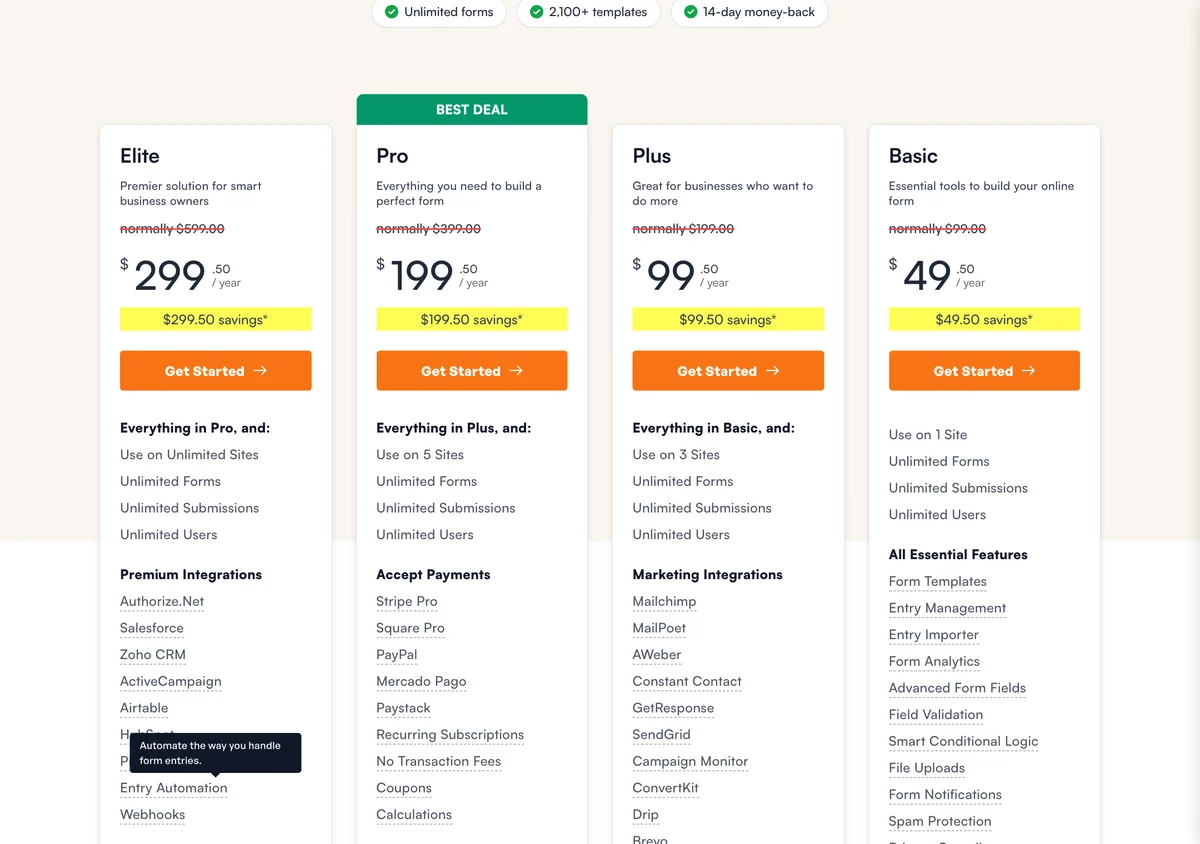
WPForms offers a full refund within 14 days. In Black Friday 2025 Pro and Elite dropped to 60% and 70% off; see WPForms Black Friday 2026 before you buy those plans.
Who should use WPForms
Beginner with one site
The builder is the easiest we have used. Start with Lite, buy Basic when you want entries saved in WordPress.
Business taking payments
Pro removes the extra payment fee on Stripe, Square and PayPal that Basic and Plus charge.
Tight budget, many features
The free Fluent Forms has conditional logic and saves entries. See WPForms vs Fluent Forms.
How to build a contact form in WPForms Lite, step by step
Every screenshot is from WPForms Lite 2.0.3 installed fresh on our lab site on 24 Oct 2026. The orange outline shows what to click.
Tap any screenshot to open it full size. We tested the free version; paid features come from WPForms’ pricing page.
- 1
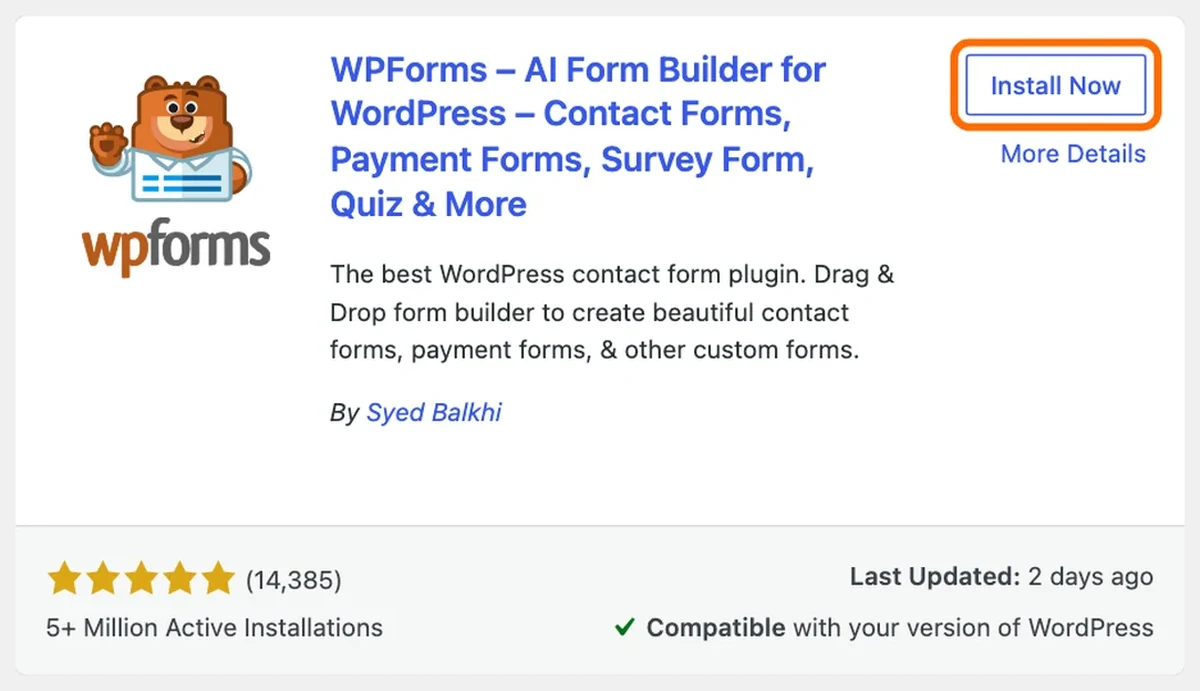
Install WPForms Lite
Plugins, Add New, search “WPForms” and click Install Now on the card by Syed Balkhi.
WPForms in the WordPress plugin directory - 2
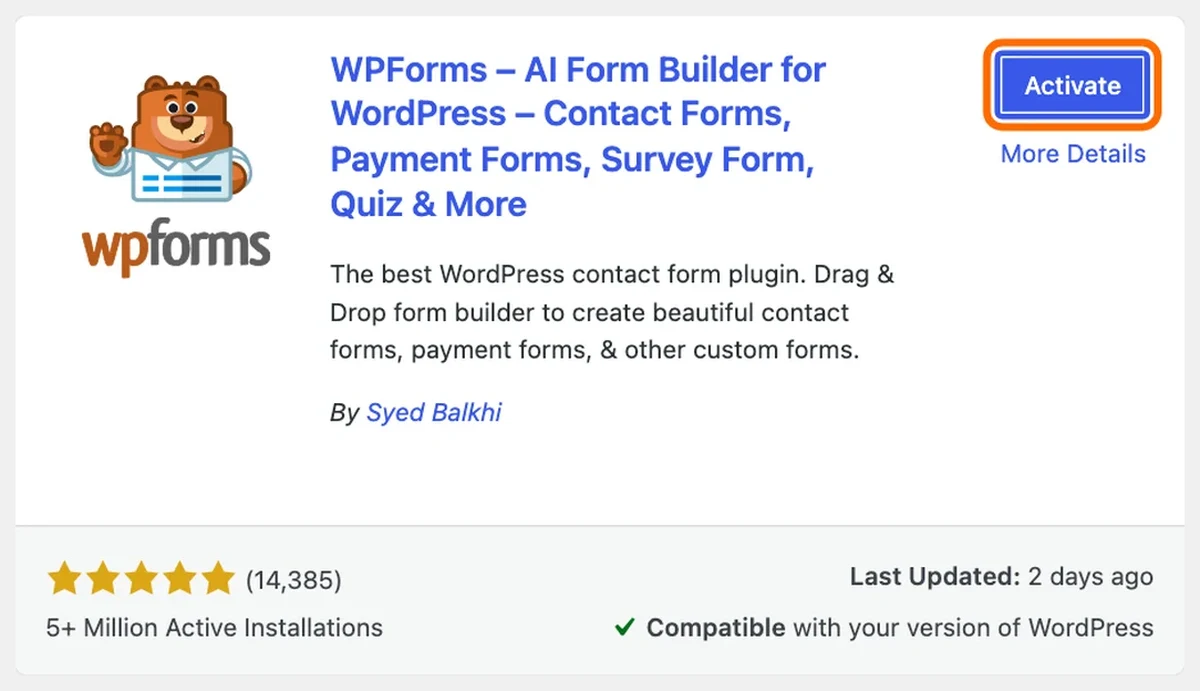
Activate it
Click Activate.
Activate WPForms - 3
Check the Lite Connect box
The welcome screen has a ticked box that enables Lite Connect, which backs up your entries to WPForms. Untick it if you do not want that.
WPForms welcome screen with the Lite Connect box - 4
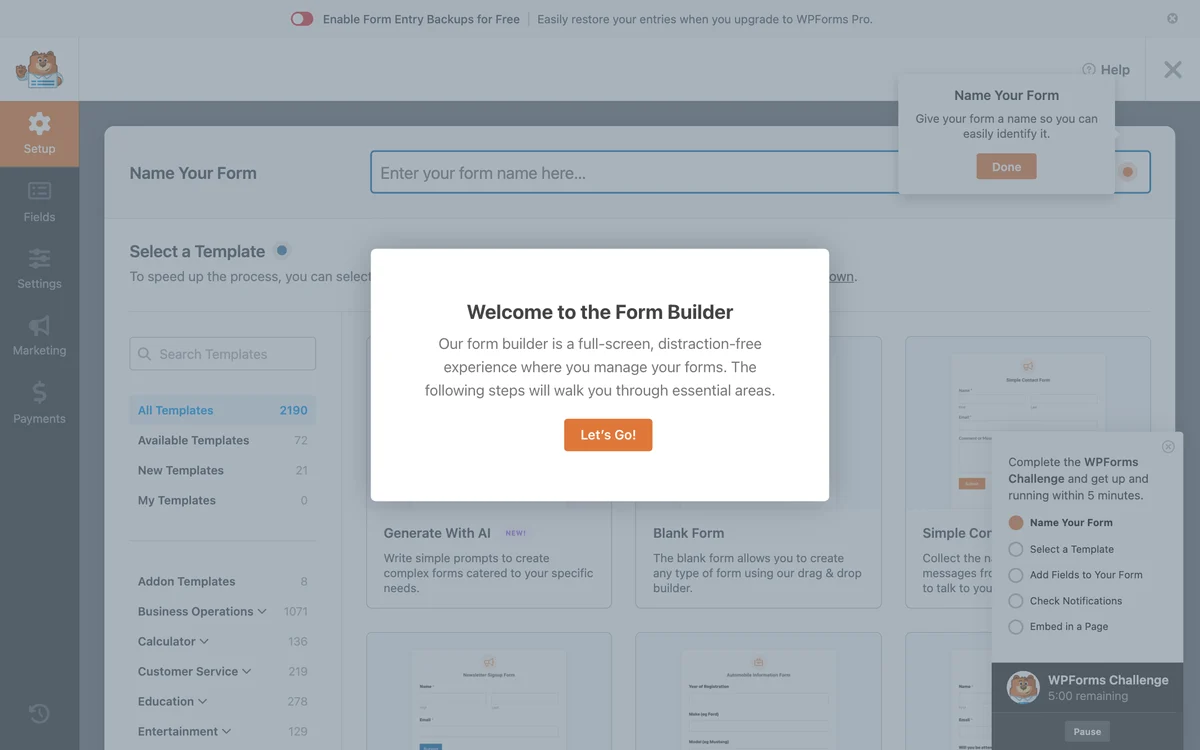
Name the form and pick a template
WPForms, Add New. Type a name and choose a template; we used Simple Contact Form.
WPForms form setup with templates - 5
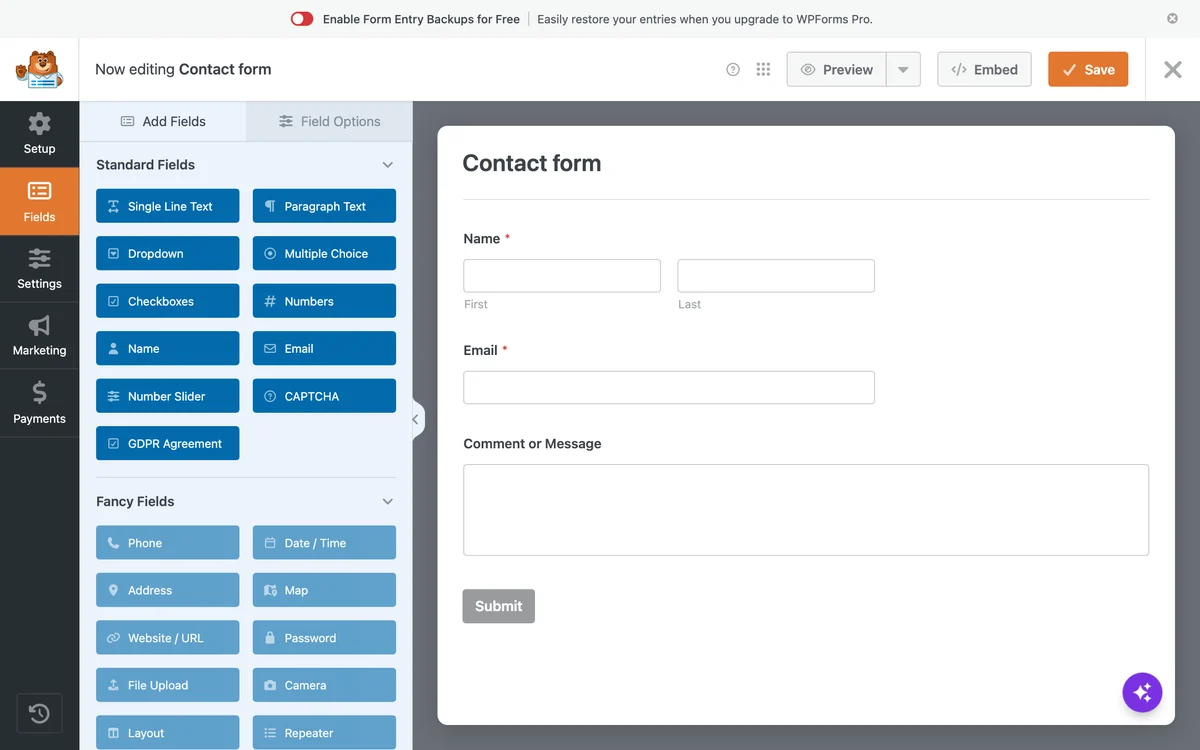
Edit the fields
The builder shows Name, Email and Comment or Message. Drag more fields in from the left.
WPForms builder with the contact form - 6
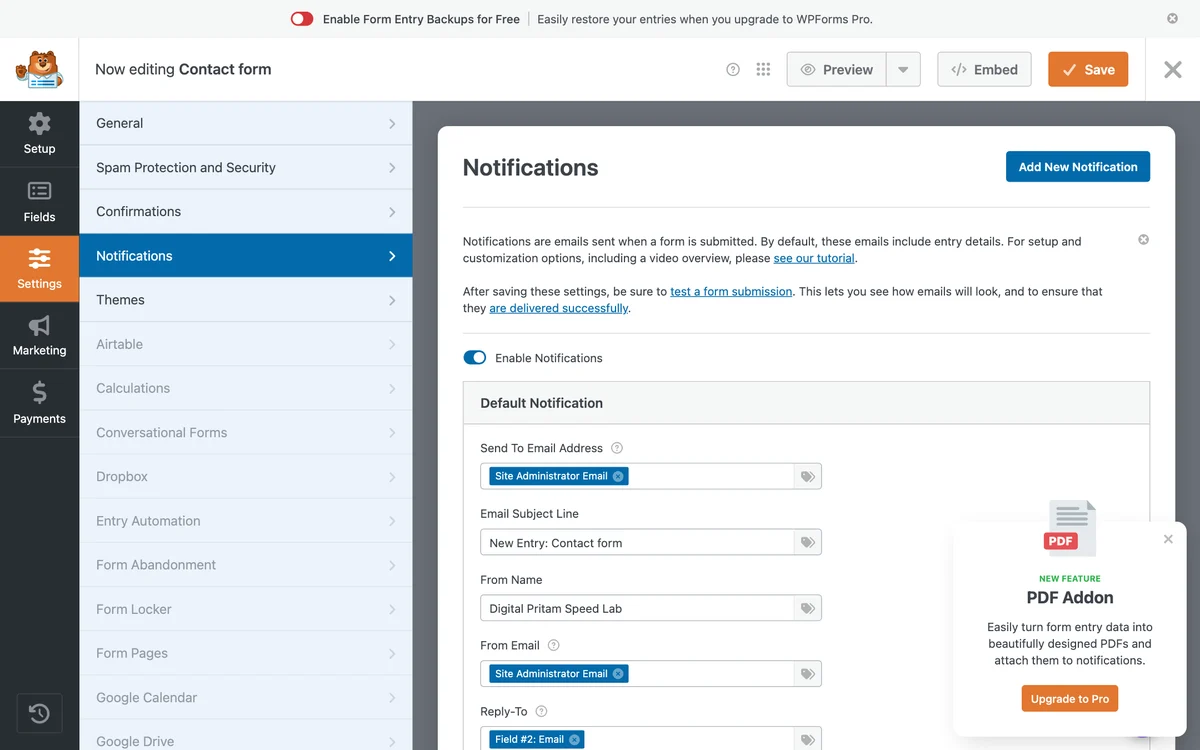
Set the email
Settings, Notifications sends each entry to the site admin email by default. Change the address here.
WPForms notification settings - 7
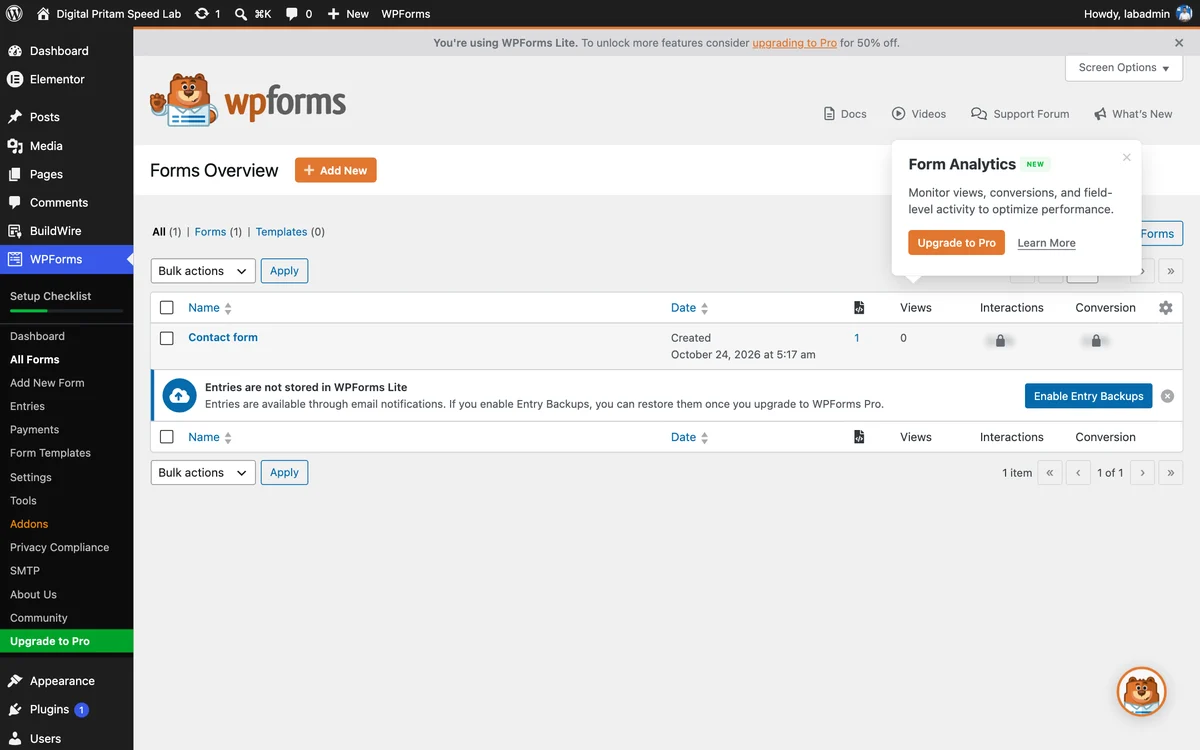
Embed the form
Use Embed in the builder, or the WPForms block, or the shortcode .
WPForms forms overview - 8
Know that Lite does not save entries
WPForms Lite says it plainly: form entries are not stored. You only get the notification email unless you upgrade.
WPForms Lite entries screen: entries are not stored - 9
See it live
The form on our lab page with WPForms default styles.
WPForms contact form live on our lab page
Pick a free checklist. Get the best deals too.
Plus an email when each big hosting, WordPress and AI tool sale opens, with the price checked by us.
Sent to your inbox instantly. Unsubscribe in one click. Privacy policy
WPForms review: FAQ
Is WPForms free?
Yes. WPForms Lite is free on WordPress.org and has 5 million+ active installs. It builds simple contact forms well, but it does not save entries in WordPress: you only get the email. Paid plans start at $49.50 for the first year.
How much is WPForms in India?
WPForms charges in US dollars. With 18% GST at US$1 = ₹94.96: Basic $49.50 is about ₹5,547, Plus $99.50 about ₹11,149, Pro $199.50 about ₹22,355 and Elite $299.50 about ₹33,560 for the first year. They renew at $99, $199, $399 and $599. Prices read on 2 Nov 2026.
Does WPForms Lite save form entries?
No. Our lab test showed it plainly: the Entries screen says entries are not stored in WPForms Lite. You get each entry by email. Lite Connect can back them up to WPForms’ servers, and you see them only after you upgrade.
What is Lite Connect, and should I turn it on?
It sends a copy of each form entry to WPForms so you can restore it after upgrading. On our lab install the box to enable it was already ticked on the welcome screen. Untick it if you do not want visitor data stored outside your site.
Which WPForms plan should I buy?
Basic if you need one site with saved entries and conditional logic. Pro if you take payments, because Basic and Plus add a processing fee and Pro removes it. Elite only for agencies or if you need webhooks, HubSpot or Salesforce.
Does WPForms slow down my site?
Only on the page with the form. In our test the same three-field form added 86.5 KB gzipped with WPForms Lite, against 66.7 KB with Fluent Forms. Pages without a form loaded nothing extra.
Is there a WPForms coupon code?
We do not list WPForms codes. The first-year price is already 50% off on WPForms’ own pricing page, and Black Friday prices are applied automatically without a code.
What is the WPForms refund policy?
Full refund within 14 days, according to the WPForms pricing page.
About this page
Pritam Sonone
Founder of Digital Pritam. WordPress developer and designer, WordCamp Kolhapur 2025 speaker. Builds WordPress sites for clients.
How we checked
- WPForms Lite 2.0.3 installed on our lab site (Hostinger, same server as this site) on 24 Oct 2026; every screenshot on this page is from that install
- Speed numbers from WPForms Lite 2.0.2.2 on a clean WordPress install on 17 Oct 2026
- Prices and plan features read on wpforms.com/pricing on 2 Nov 2026; WPForms pays us a commission, which does not change these findings
Sources: WPForms pricing · WPForms Lite on WordPress.org · Lite Connect · Stripe in WPForms Lite
Related guides
 WPForms vs Fluent FormsSame form, measured on a clean install
 Best WordPress Form Plugin 2026WPForms, Fluent Forms, Gravity, Formidable
 WPForms Black Friday 202650% off now, up to 70% in 2025
 How we test dealsOur price checks, labels and corrections
 WordPress deals and coupon codesEvery verified deal in one place
 Black Friday 2026 deals hubEvery verified tool and hosting deal
Affiliate links: we may earn a commission at no extra cost to you. It never changes our verdicts.