









Best WordPress Form Plugin 2026: WPForms vs Fluent Forms and More
Four form plugins by price, site count and renewal, from each official pricing page.
 By Pritam SononePrices checked 17 Oct 2026Reviewed by Pritam SononePrices re-checked regularly against the brand’s own website.How we test →
Affiliate links: we may earn a commission at no extra cost to you. It never changes our verdicts.
Fluent Forms gives the most for the money: Pro from $79 a year ($55 the first year with code TREAT30) with a full-featured free version. WPForms is the easiest to use. Gravity Forms suits complex workflows. WPForms and Formidable show 50% first-year discounts, so check renewals.
What is it?A WordPress form plugin adds contact forms, surveys and payment forms to a page without code.
The right form plugin for you
Pick by what you need, not by the longest feature list.

Fluent Forms
Generous free version; Pro from $79 a year ($55 with TREAT30), lifetime option.

WPForms
Beginner-friendly builder; first year half price.

Gravity Forms
Powerful add-ons for complex forms; no free version.

Formidable Forms
Views and calculators for directories and tools.
WordPress form plugins: price and sites
Prices from each official pricing page on 17 Oct 2026, excluding tax.
| Plugin | Free version | Paid from | Sites | Renewal | Best for |
|---|---|---|---|---|---|
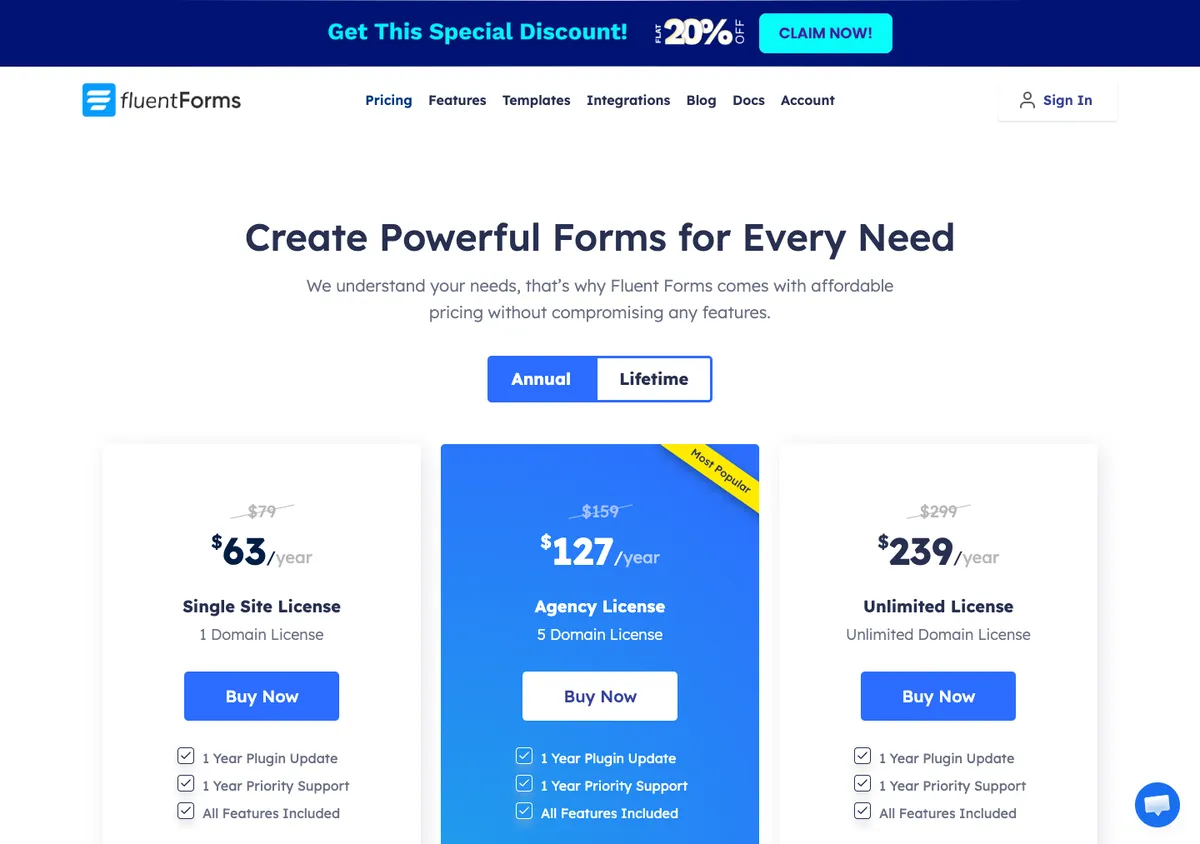
| Fluent Forms | Yes | $63/yr | 1 ($127 for 5) | Shown at $79 | Value |
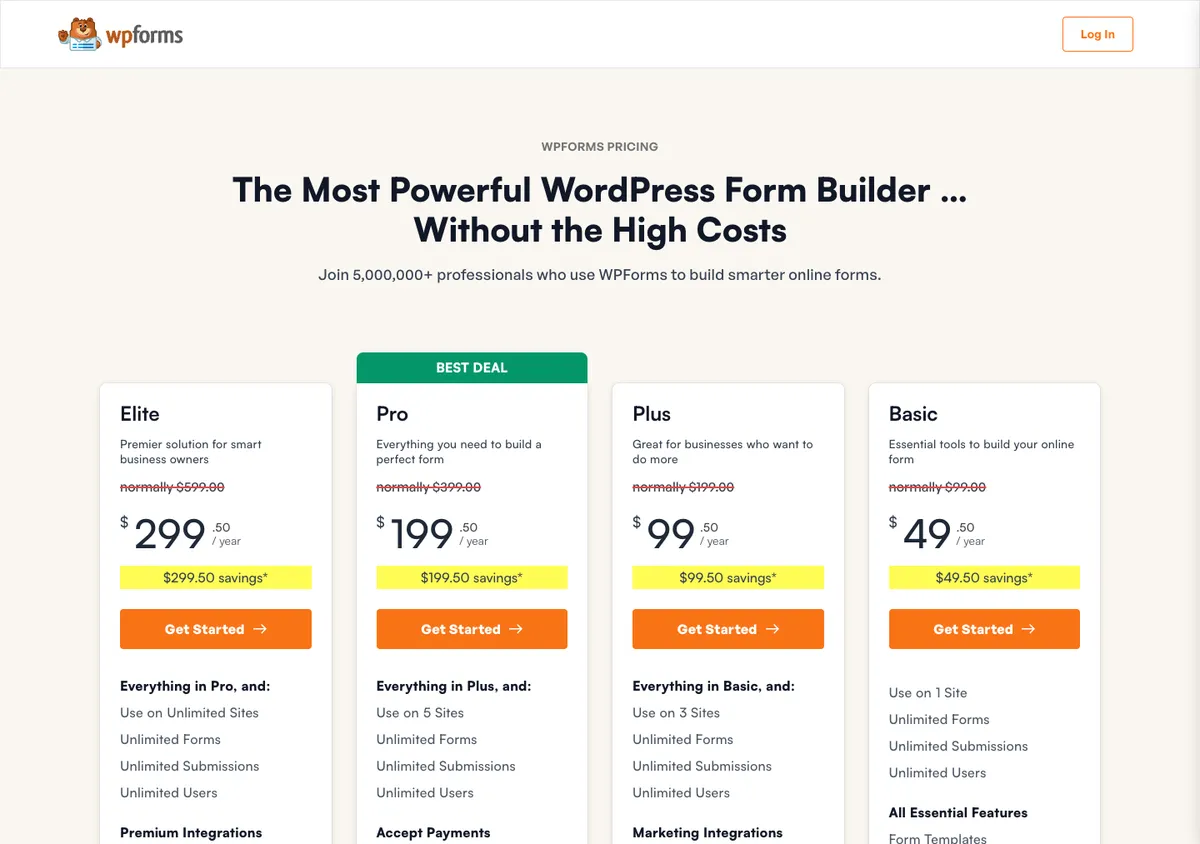
| WPForms | Yes (Lite) | $49.50/yr | 1 | Normally $99 | Beginners |
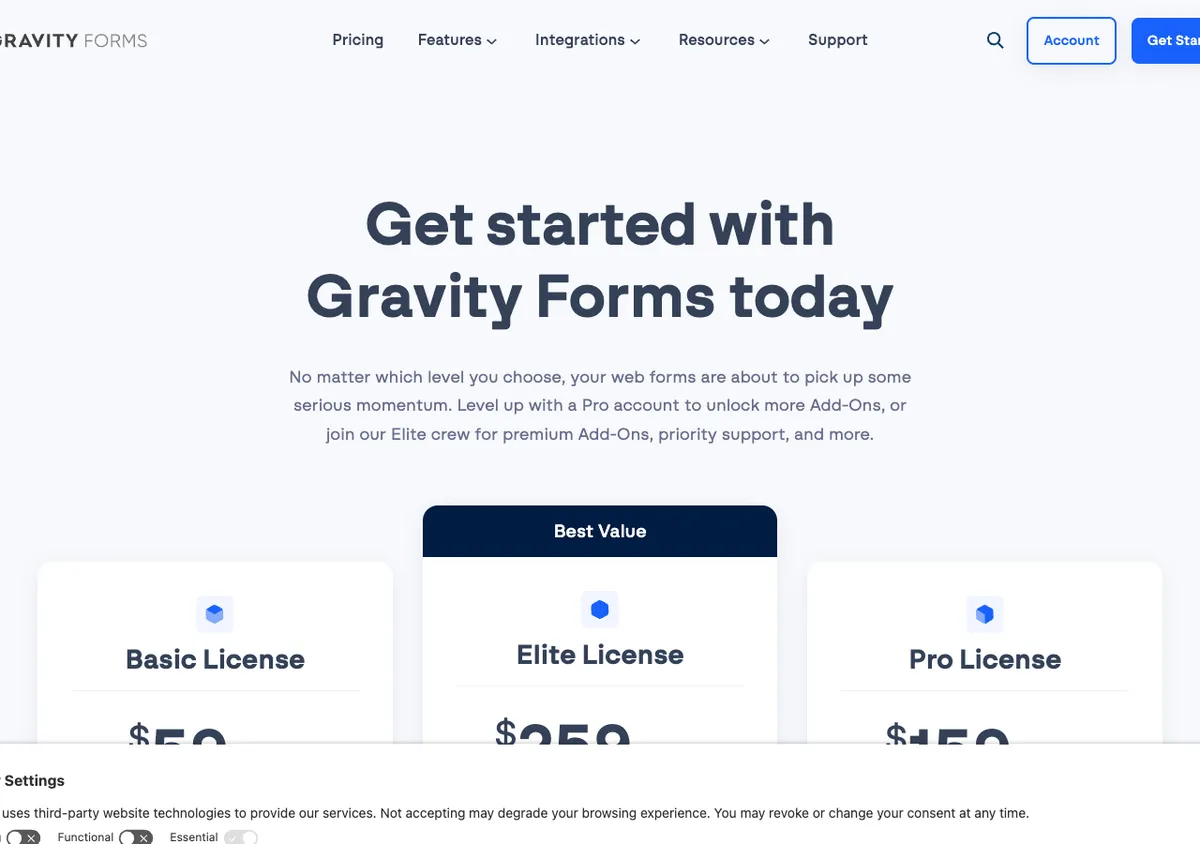
| Gravity Forms | No | $59/yr | 1 ($159 for 3) | Same price | Complex workflows |
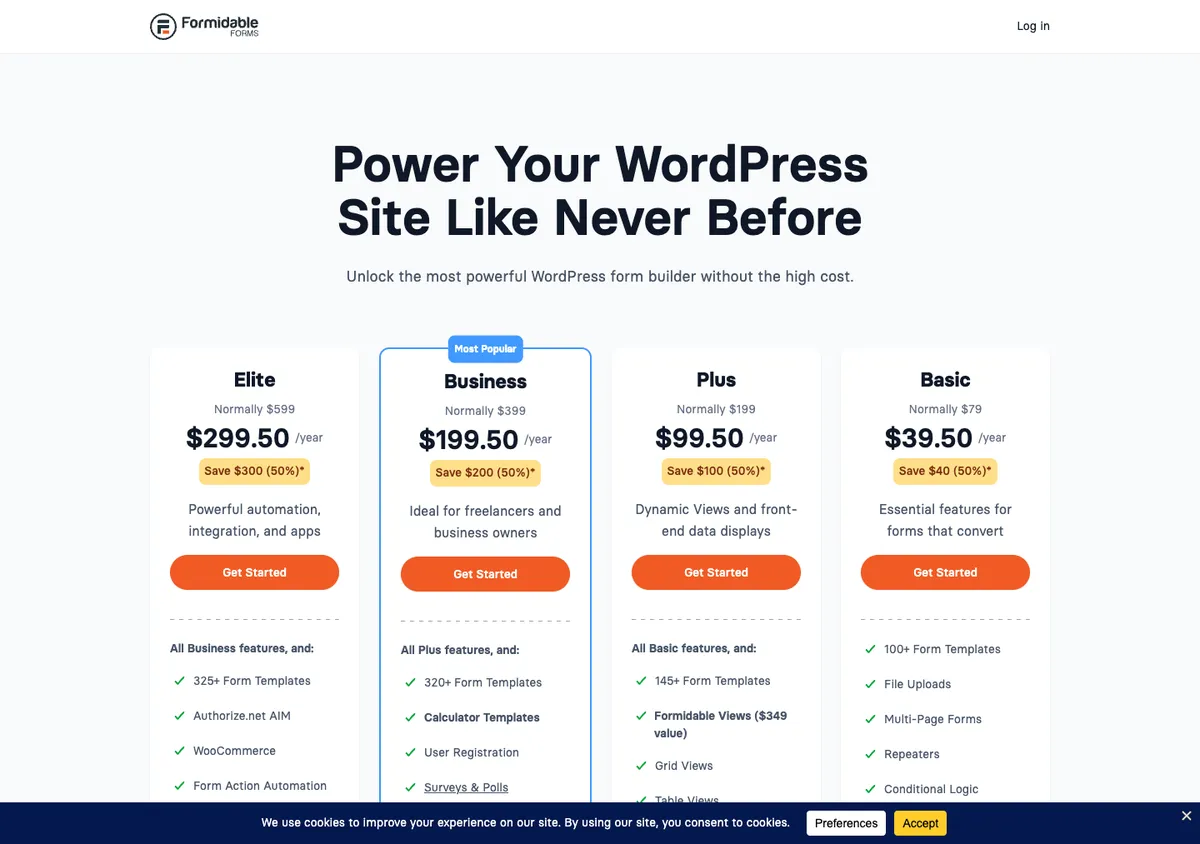
| Formidable Forms | Yes (Lite) | $39.50/yr | 1 | Normally $79 | Calculators and directories |
Prices in US dollars excluding tax, as shown on 17 Oct 2026. WPForms and Formidable show first-year discounts against their normal prices.
Which should you use?
Start free if
- You need a contact form or a simple survey
- You do not need payments or conditional logic
- You run one small site
Go Pro if
- You take payments or bookings
- You need conditional logic and CRM integrations
- You build forms for clients
Official pricing pages
Captured 17 Oct 2026, so you can compare with what you see today.
WordPress form plugin FAQ
What is the best WordPress form plugin?
For value, Fluent Forms. For ease of use, WPForms. For complex workflows, Gravity Forms.
What is the best free WordPress form plugin?
Fluent Forms’ free version has the most features. WPForms Lite and Formidable Lite are also good.
WPForms vs Fluent Forms: which is better?
WPForms is simpler for beginners; Fluent Forms includes more in its free and Pro versions for less money.
WPForms vs Gravity Forms?
WPForms is easier and has a free version. Gravity Forms has no free version but is more flexible for complex forms.
Do form plugin prices renew at the same rate?
Not always. WPForms and Formidable show 50% off the first year; renewals are at the normal price.
How to build a contact form, step by step
The same three-field form, built in each free plugin on our lab site, 23 Oct 2026. Gravity Forms has no free version, so it is not shown.
Tap any screenshot to open it full size.
- 1
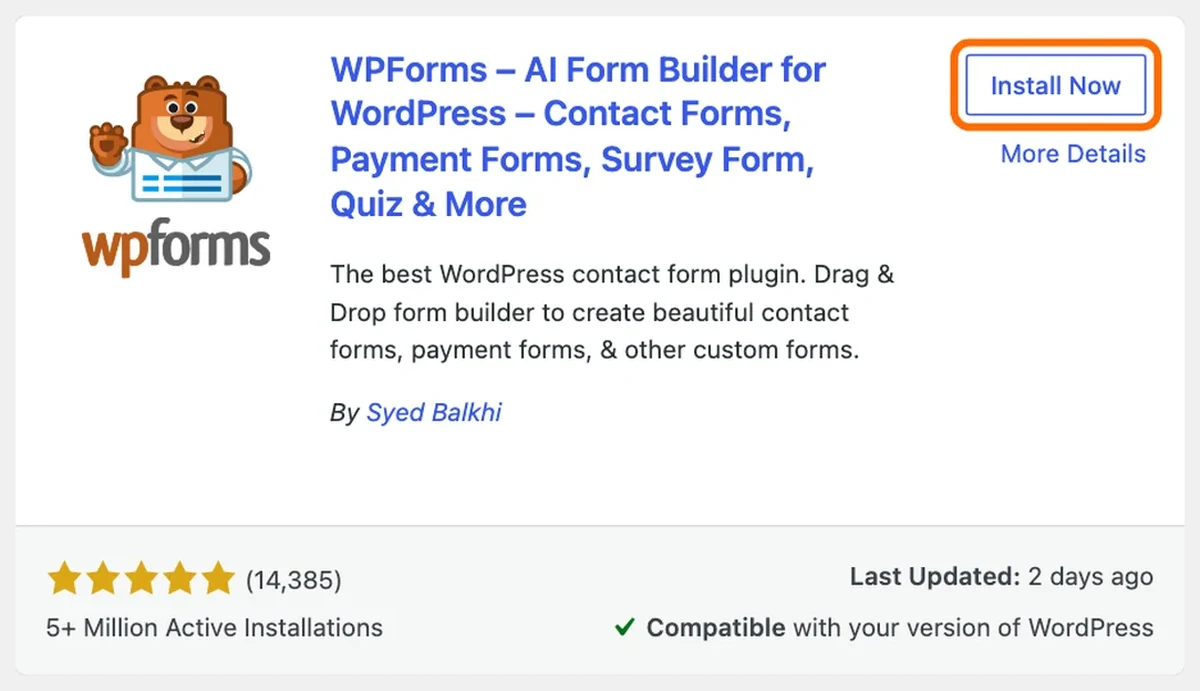
Install WPForms Lite
Plugins, Add New, search “WPForms” and click Install Now on the card by Syed Balkhi.
WPForms in the WordPress plugin directory - 2
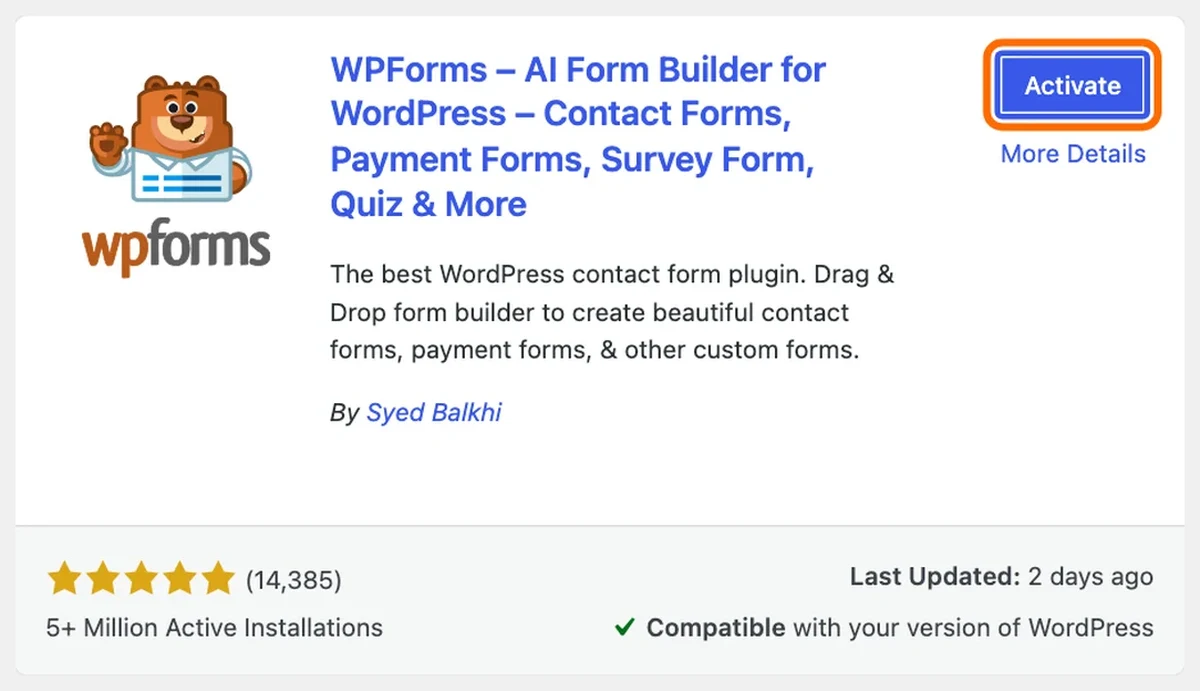
Activate it
Click Activate.
Activate WPForms - 3
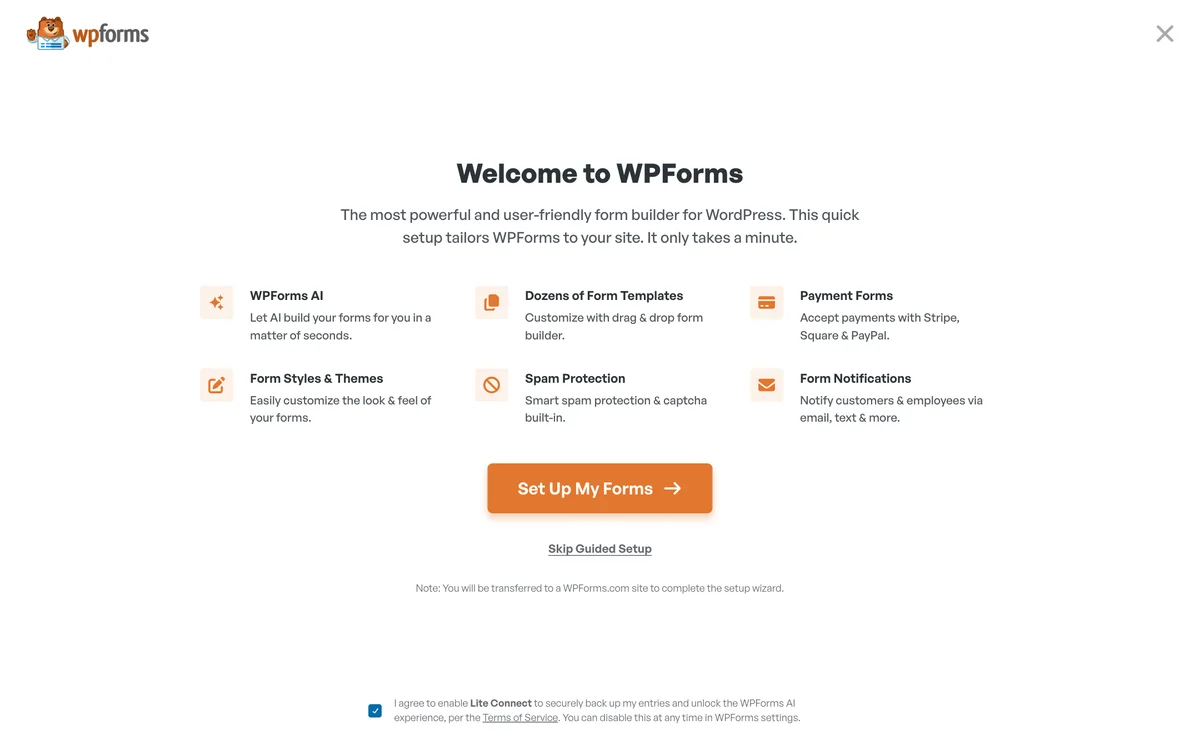
Check the Lite Connect box
The welcome screen has a ticked box that enables Lite Connect, which backs up your entries to WPForms. Untick it if you do not want that.
WPForms welcome screen with the Lite Connect box - 4
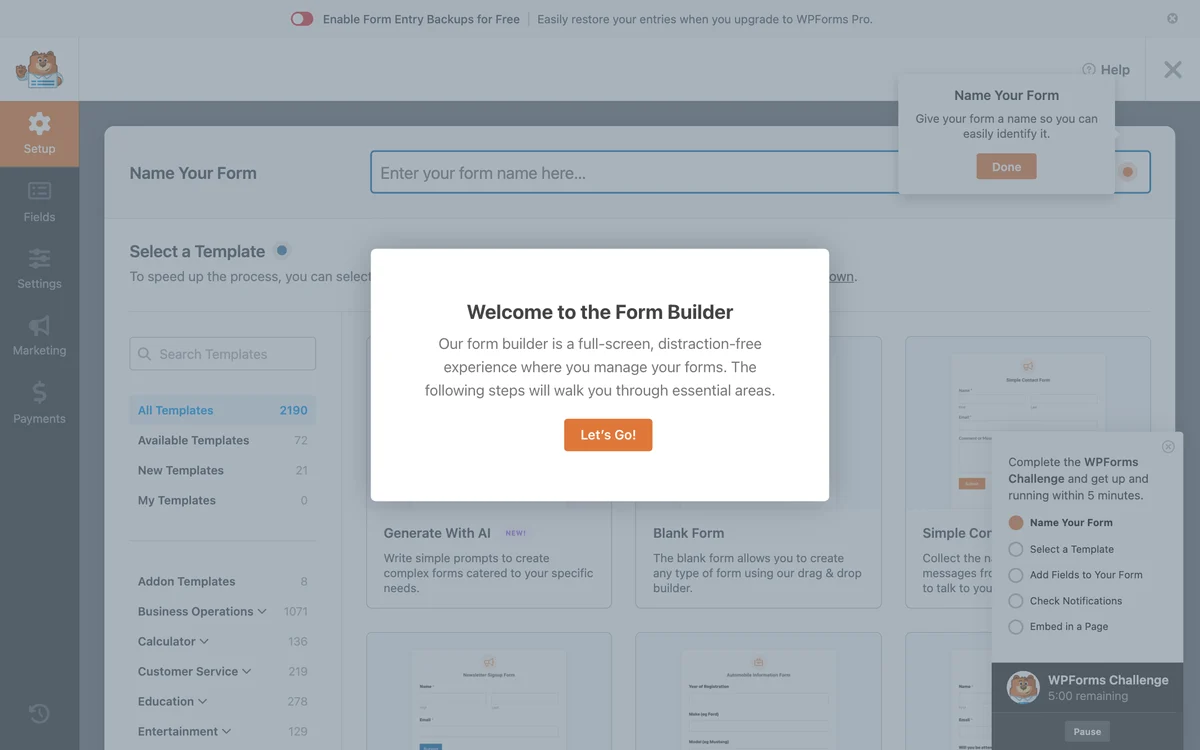
Name the form and pick a template
WPForms, Add New. Type a name and choose a template; we used Simple Contact Form.
WPForms form setup with templates - 5
Edit the fields
The builder shows Name, Email and Comment or Message. Drag more fields in from the left.
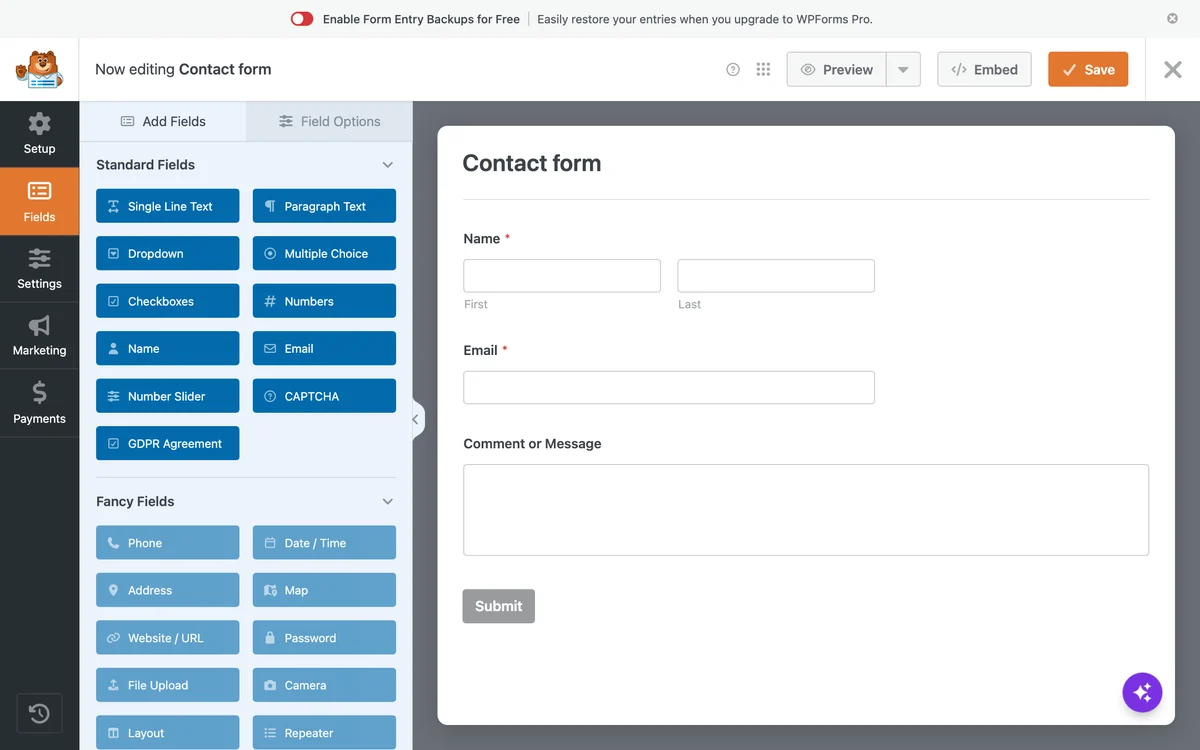
WPForms builder with the contact form - 6
Set the email
Settings, Notifications sends each entry to the site admin email by default. Change the address here.
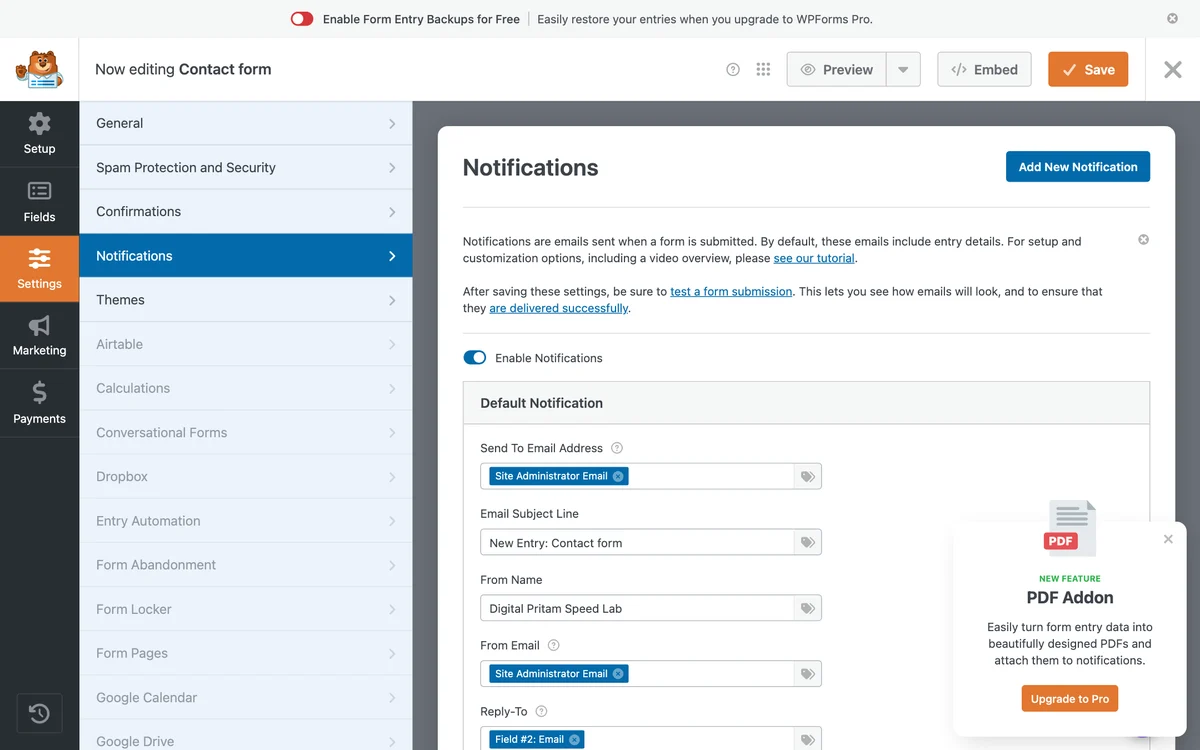
WPForms notification settings - 7
Embed the form
Use Embed in the builder, or the WPForms block, or the shortcode .
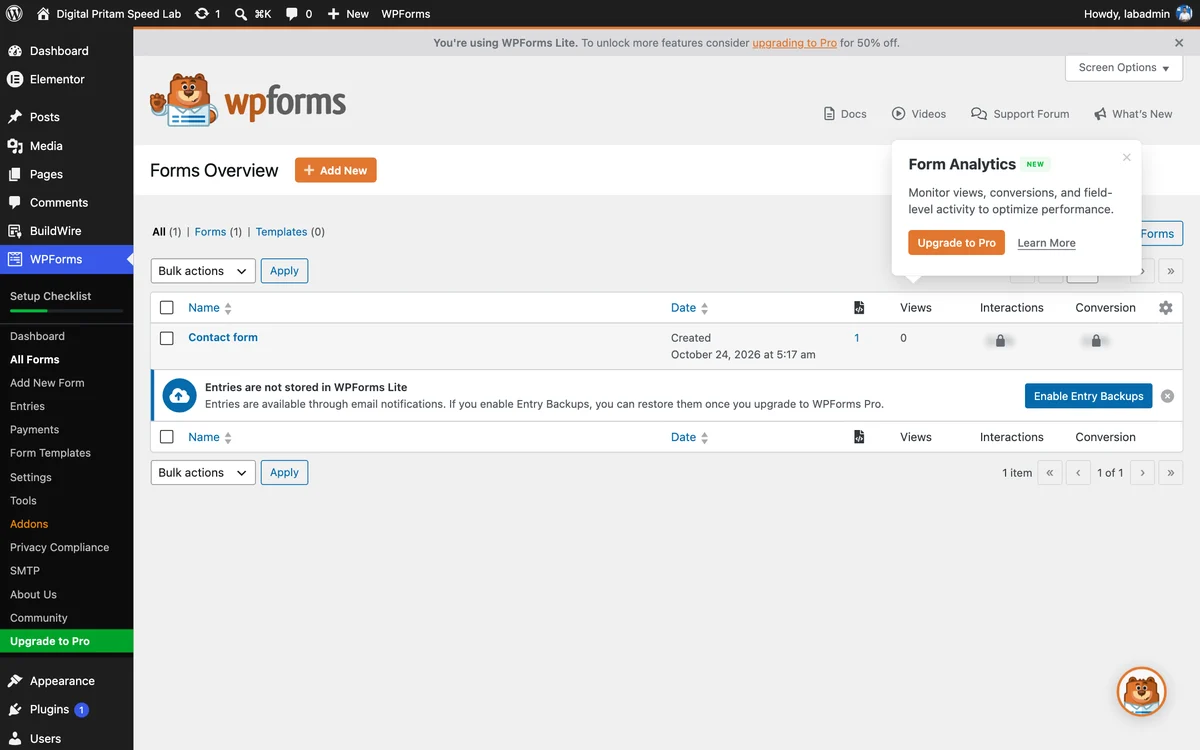
WPForms forms overview - 8
Know that Lite does not save entries
WPForms Lite says it plainly: form entries are not stored. You only get the notification email unless you upgrade.
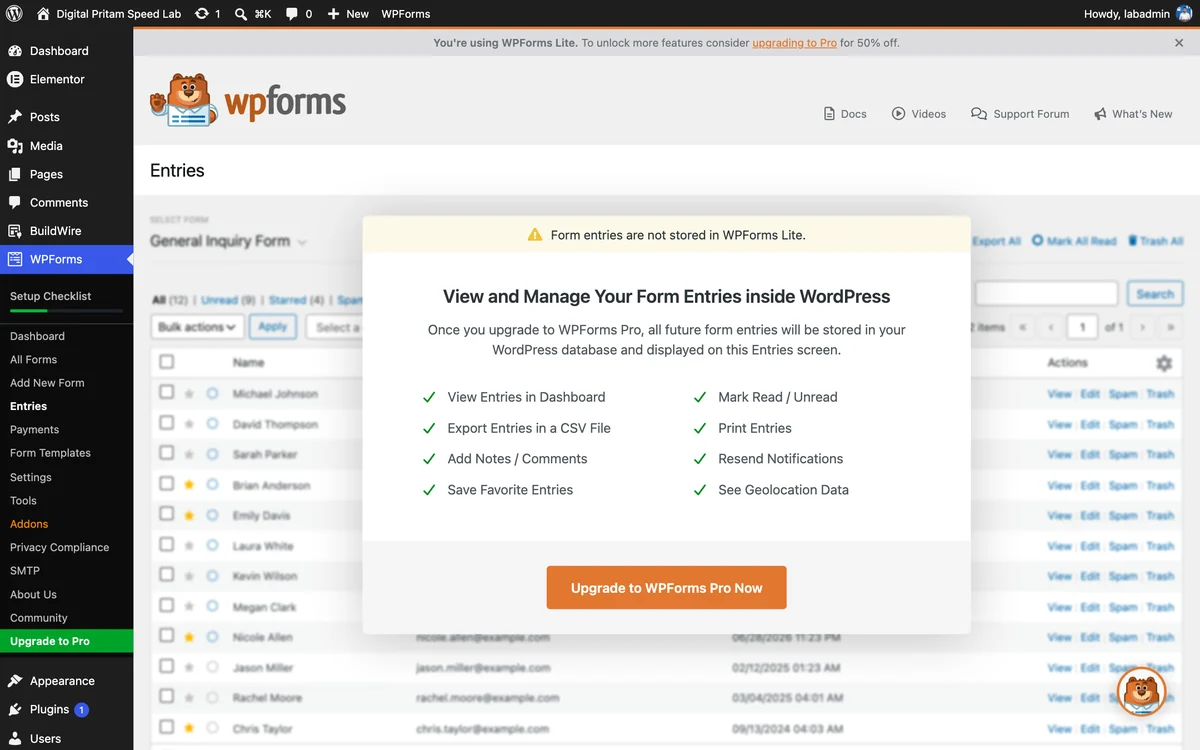
WPForms Lite entries screen: entries are not stored - 9
See it live
The form on our lab page with WPForms default styles.
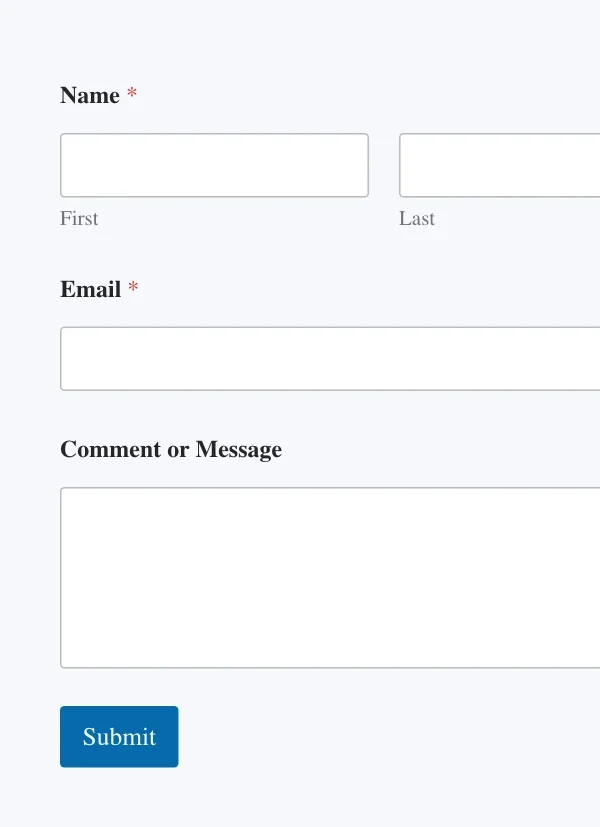
WPForms contact form live on our lab page
- 1
Open Fluent Forms and add a form
After installing the free plugin, go to Fluent Forms, Forms and click Add New Form.
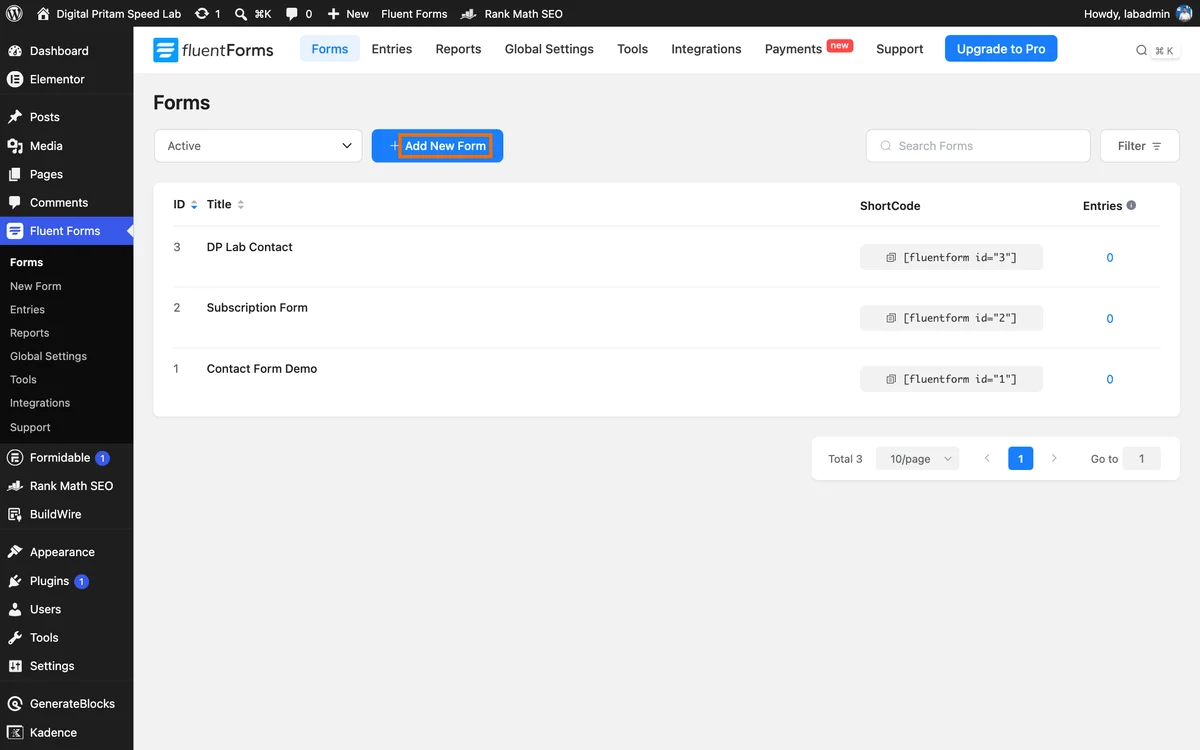
Fluent Forms forms list with Add New Form - 2
Start blank or from a template
Pick New Blank Form, a ready template, a conversational form or the AI builder.
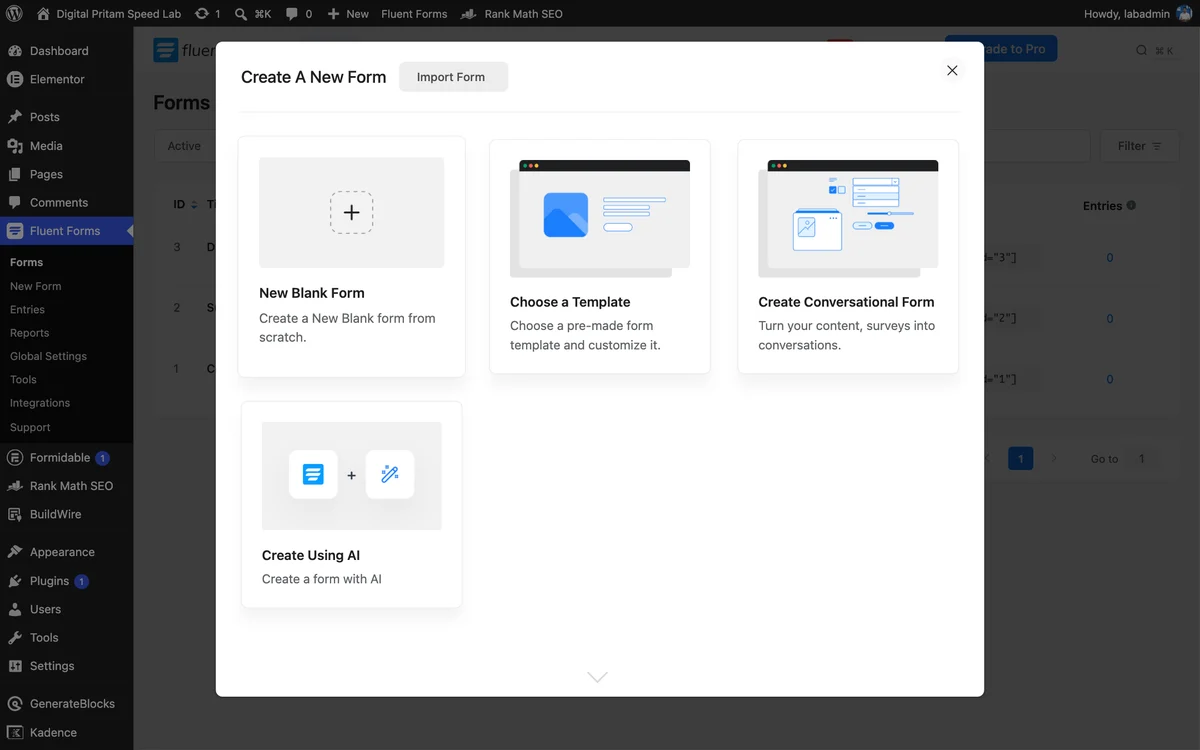
Fluent Forms Create a New Form window - 3
Drag in your fields
Add fields from the Input Fields panel on the right. We used Name, Email and Message.
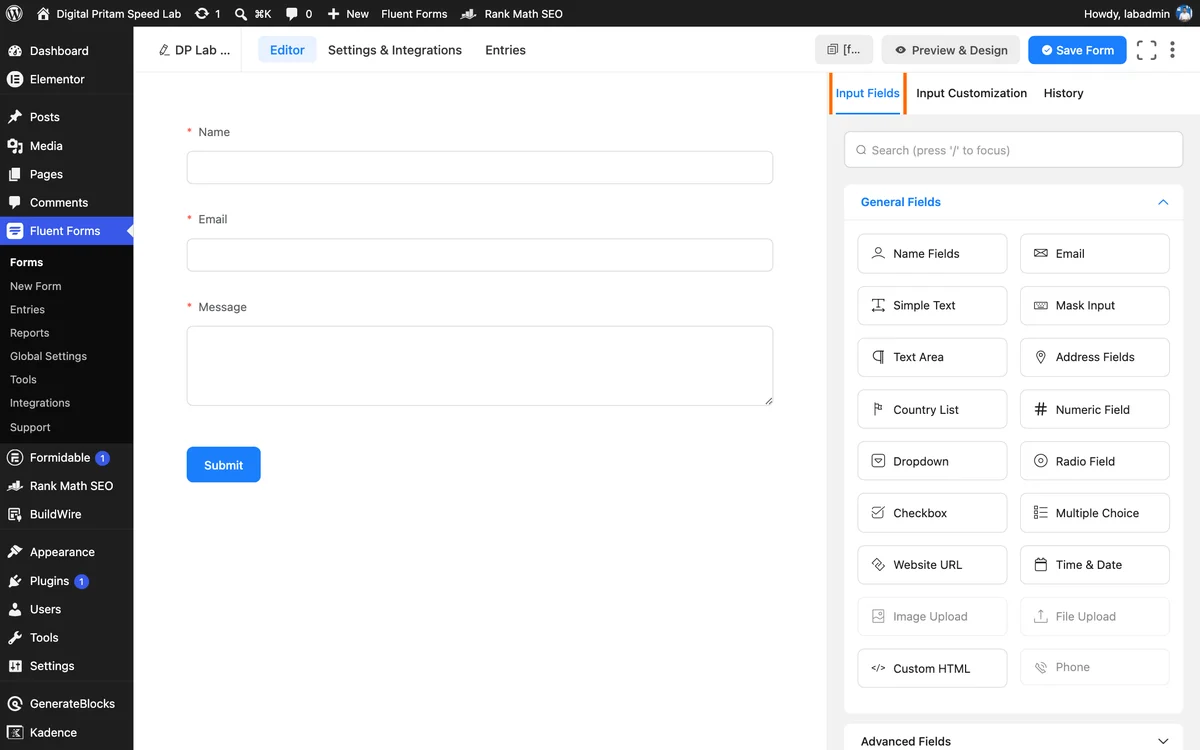
Fluent Forms drag-and-drop editor - 4
Set the confirmation and email
Settings and Integrations holds the thank-you message and the Email Notifications that send each entry to you.
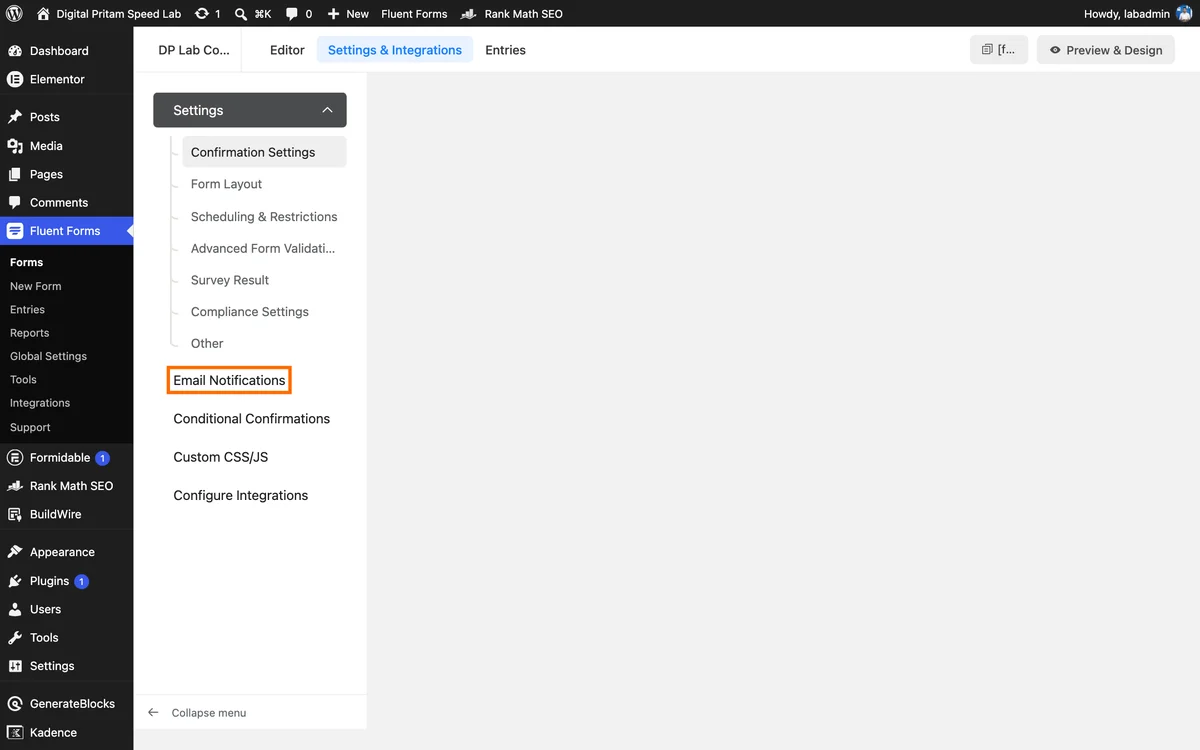
Fluent Forms Settings and Integrations - 5
Copy the shortcode
Every form has a shortcode in the forms list. Paste it into any page, or use the Fluent Forms block.
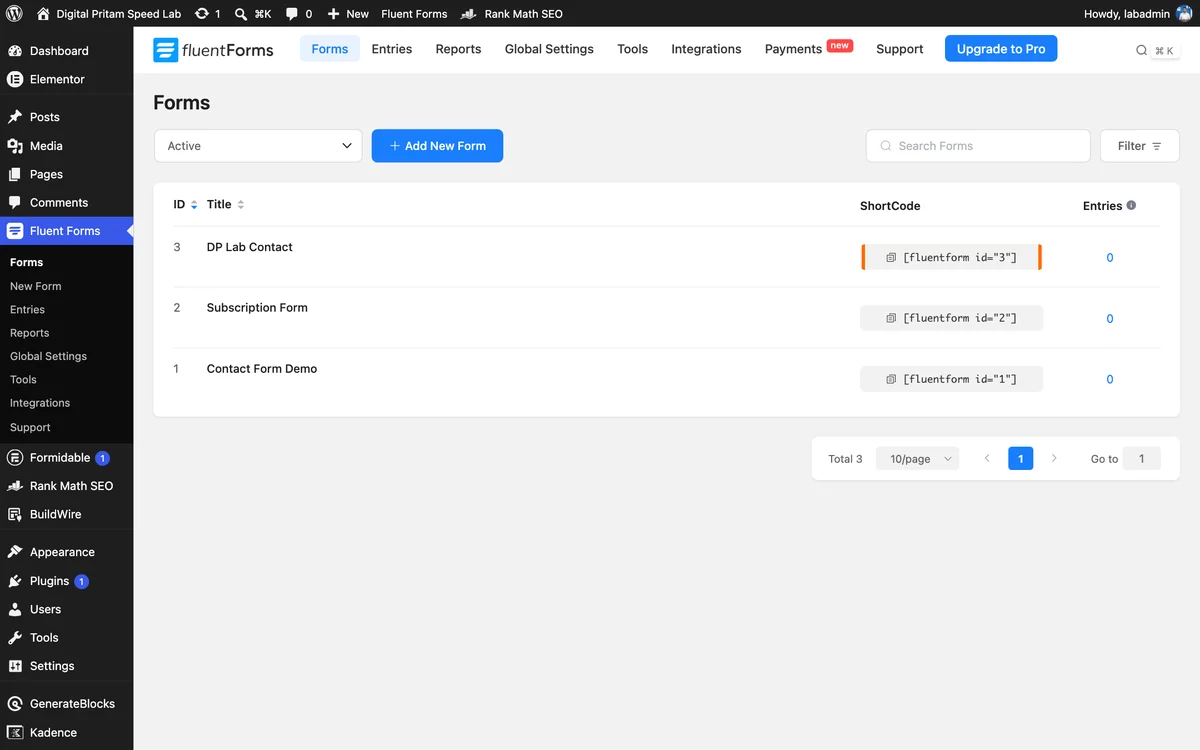
Fluent Forms shortcode in the forms list - 6
Read entries in WordPress
Entries lists every submission with a chart; the free version stores them and exports CSV.
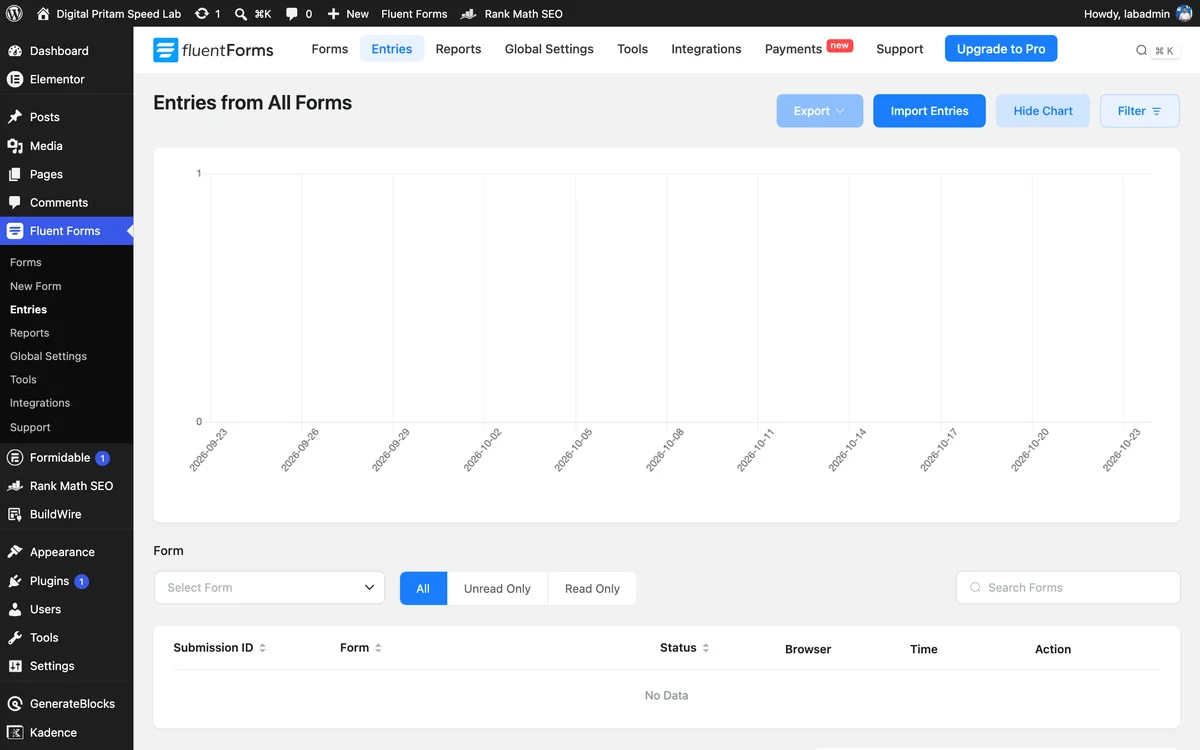
Fluent Forms entries screen - 7
See it live
The form on our lab page, default styles, no extra CSS.
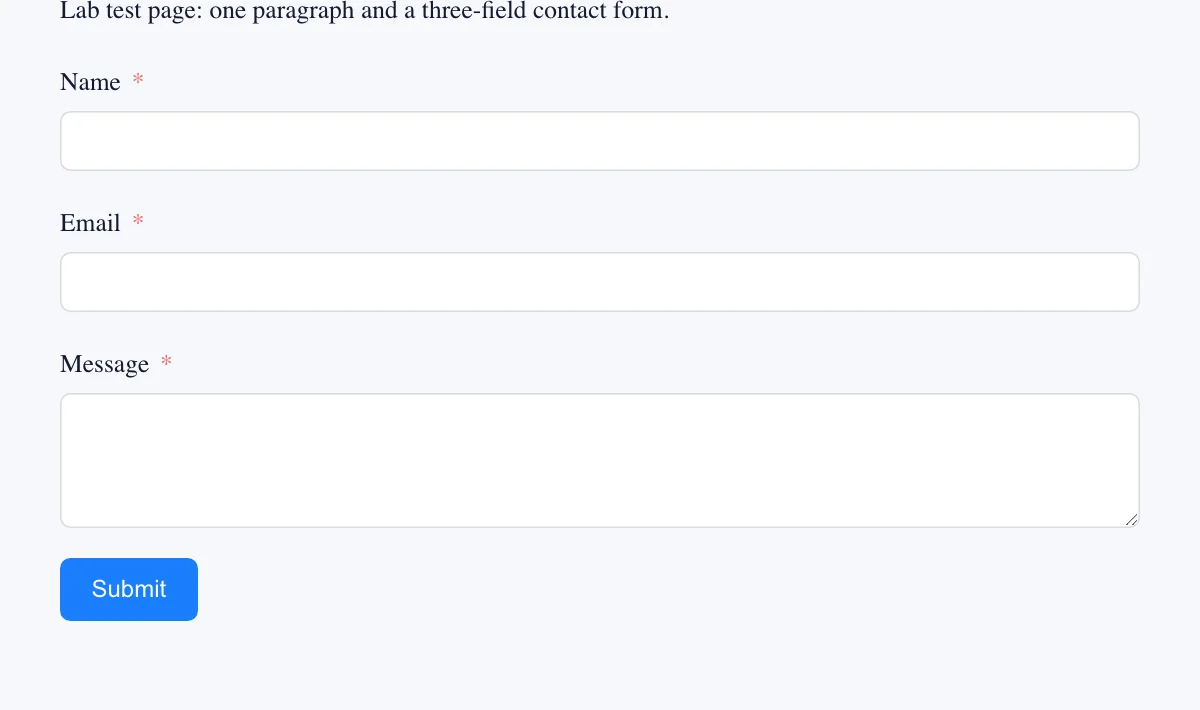
Fluent Forms form live on our lab page
- 1
Open Formidable and add a form
After installing Formidable Lite, go to Formidable, Forms and click Add New.
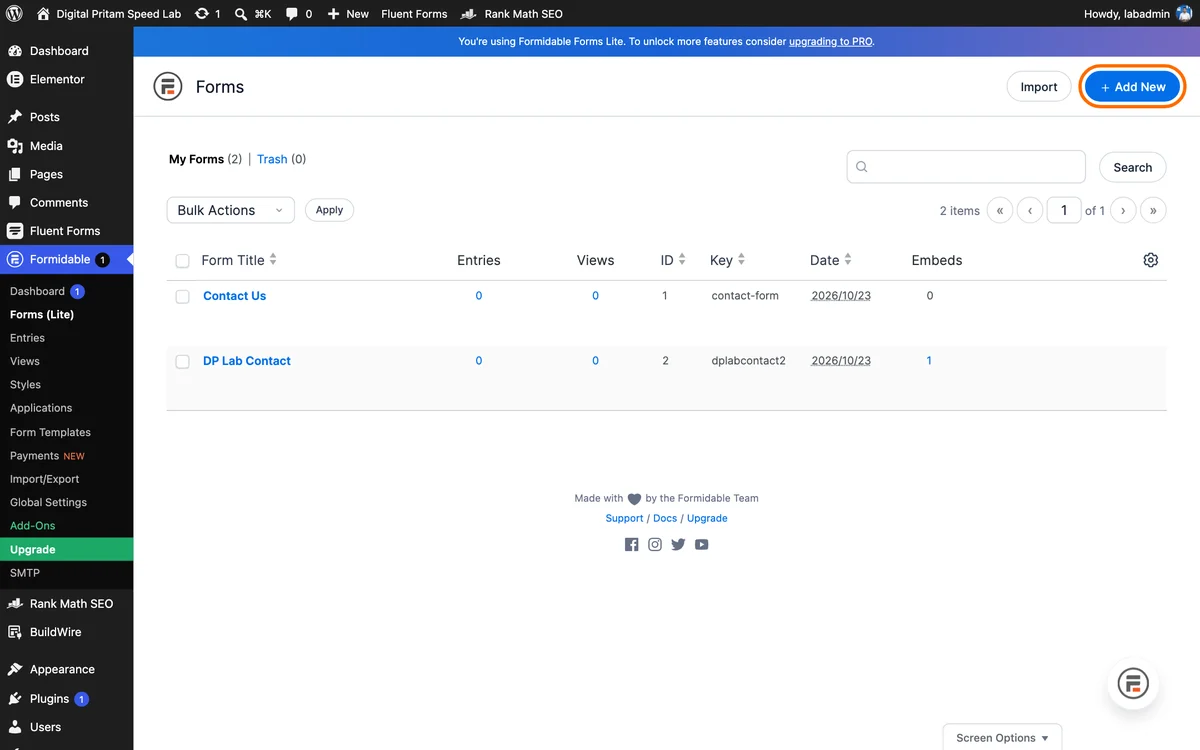
Formidable forms list with Add New - 2
Start blank or from a template
Create a blank form or pick a template; many templates need a paid plan.
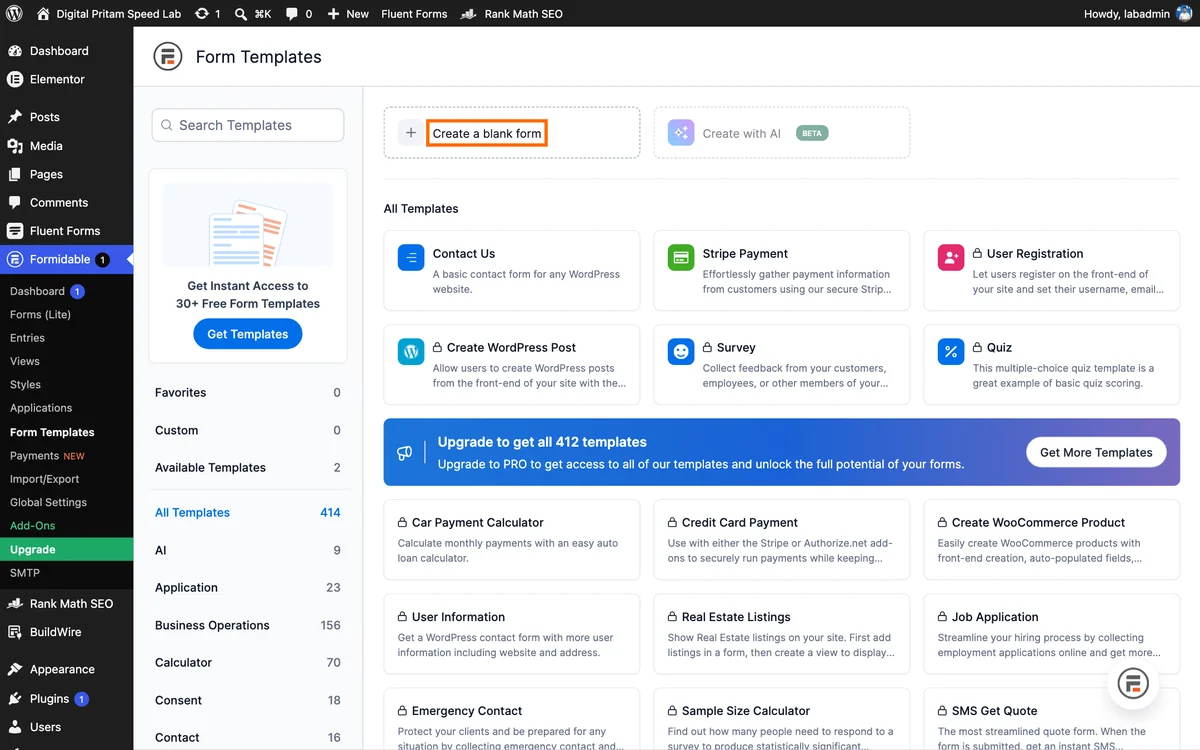
Formidable form templates screen - 3
Add your fields
Drag fields from Add Fields on the left. We used Name, Email and Paragraph for the message.
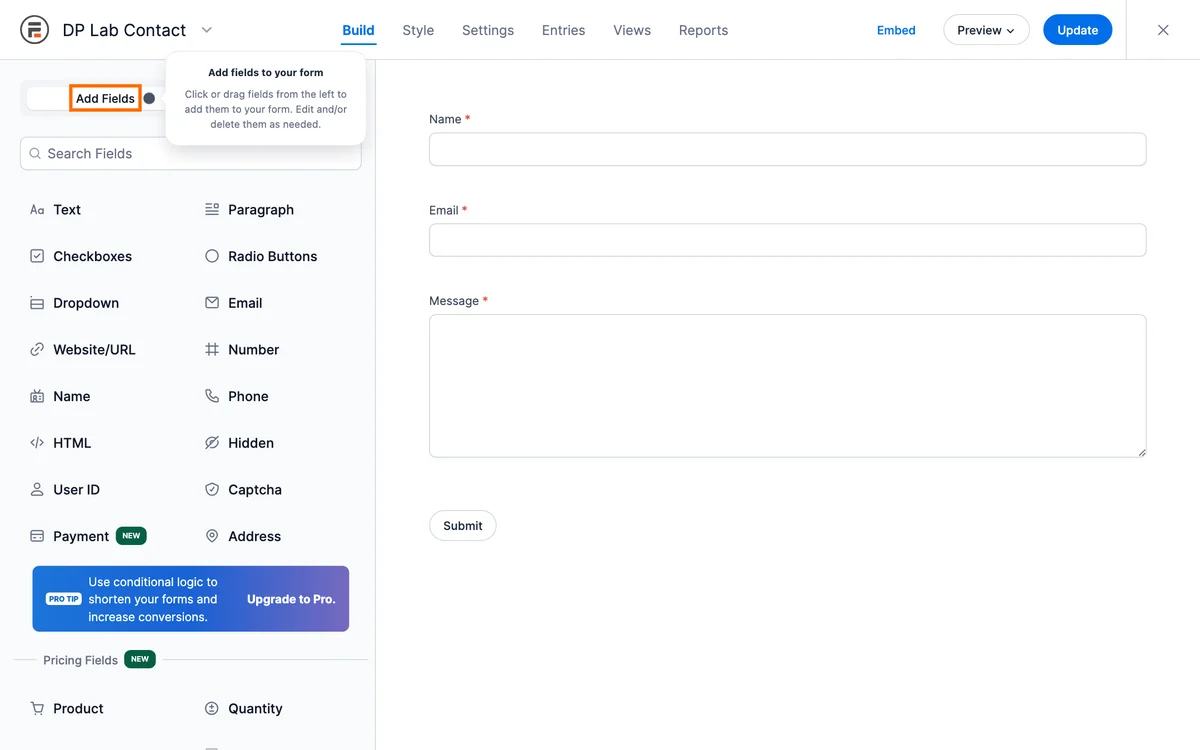
Formidable form builder - 4
Set notifications
Settings, Actions and Notifications sends each entry by email; General sets what happens on submit.
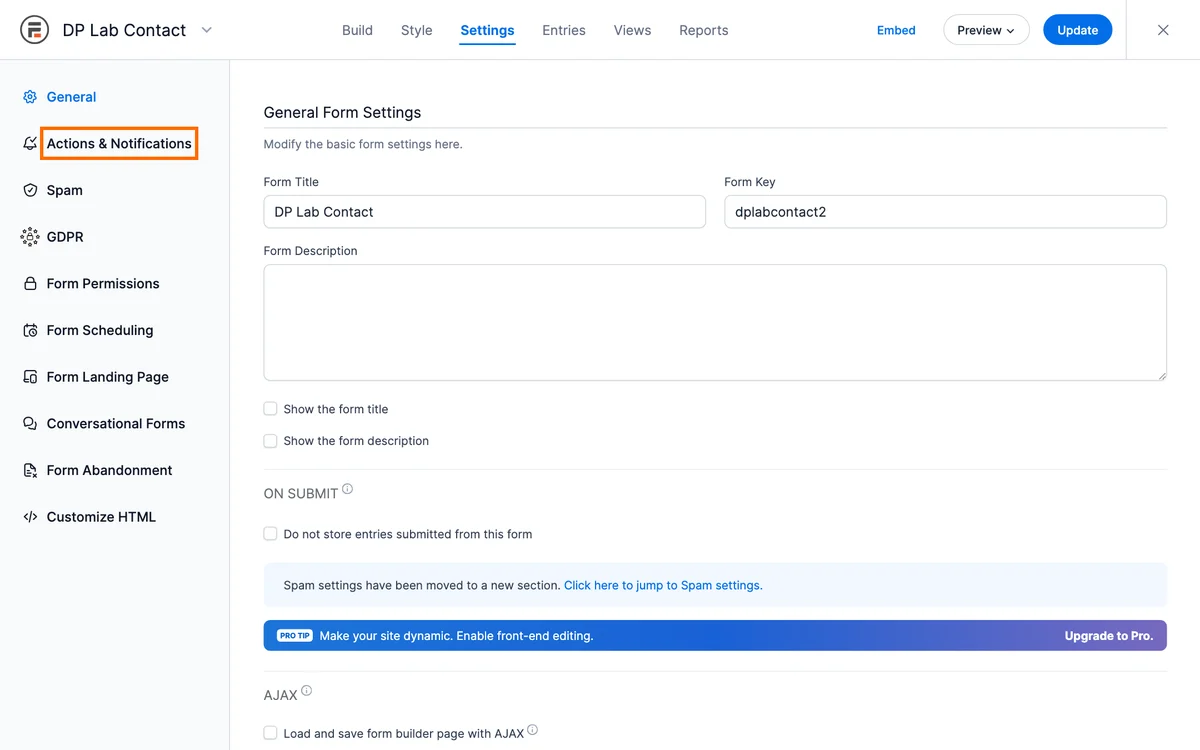
Formidable form settings - 5
Embed the form
Click Embed to add it to an existing page, a new page or copy the shortcode.
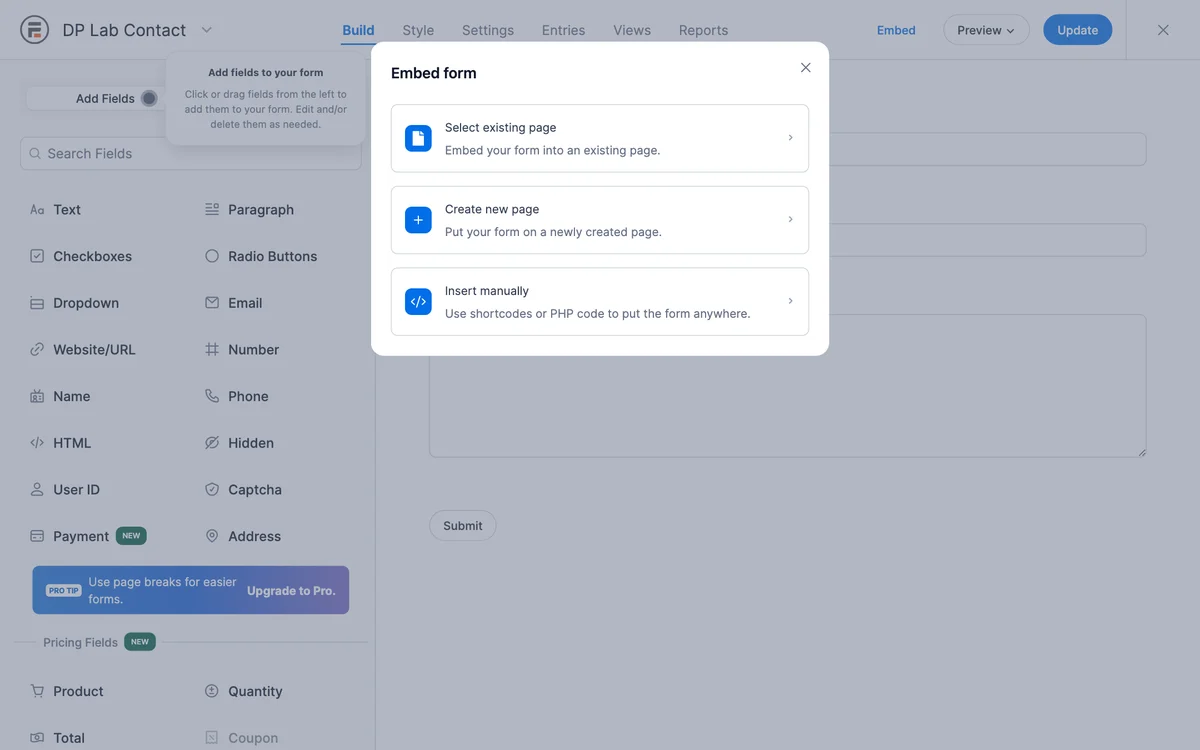
Formidable Embed form window - 6
Read entries
Formidable, Entries lists submissions stored in WordPress.
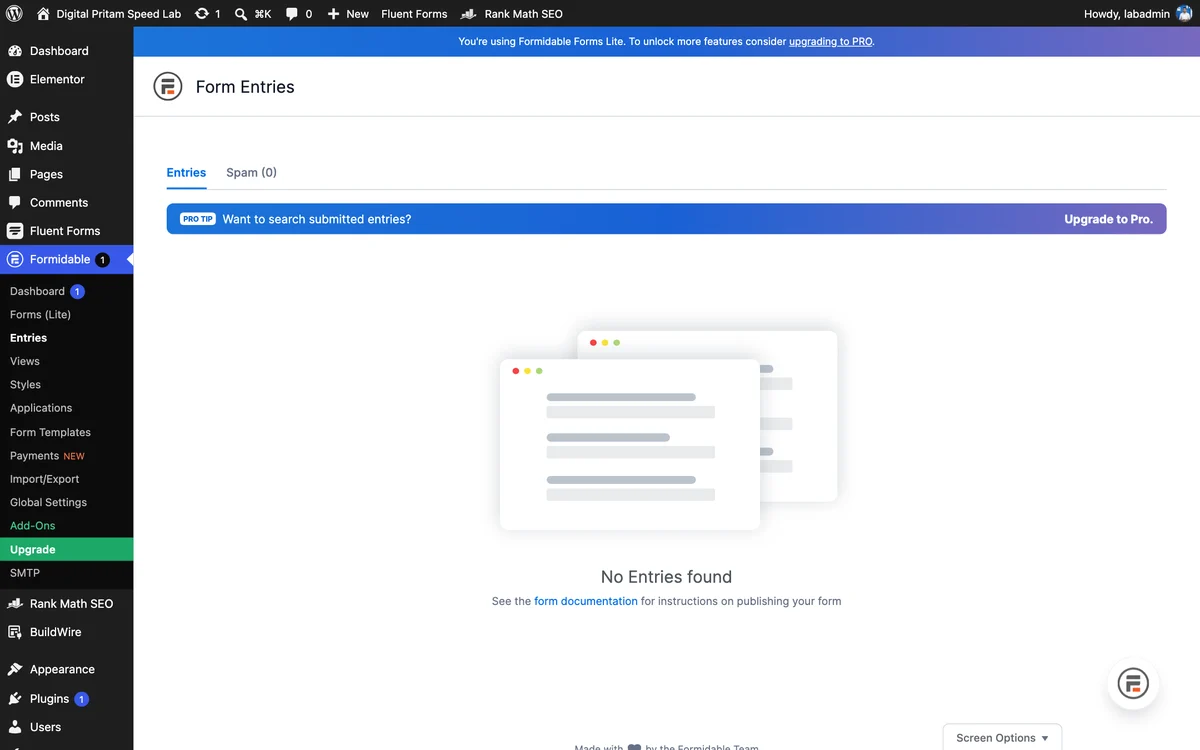
Formidable entries screen - 7
See it live
The form on our lab page with Formidable’s default style.
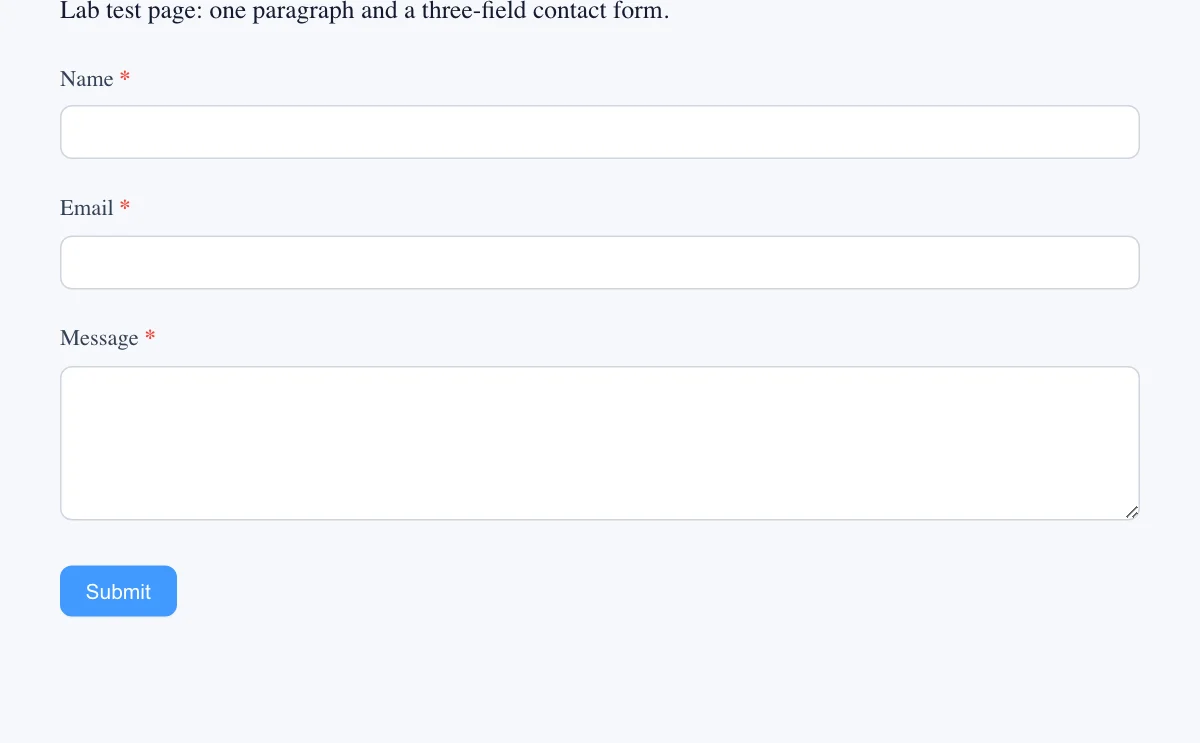
Formidable form live on our lab page
Methodology
How this page was built, so you can check it.
| Detail | |
|---|---|
| Date | 17 Oct 2026 |
| Sources | Each product's official pricing page and, where marked, our own tests |
| Procedure | We read every price, plan and renewal term for form plugins and dated the page; tested pages link to their raw data |
| Limits | Prices change. Deal prices are re-checked against the official pricing pages every morning where the site allows it, and each card shows its date. Some links are affiliate links and never change which product we rank higher |
About this page
Pritam Sonone
Founder of Digital Pritam. WordPress developer and designer, WordCamp Kolhapur 2025 speaker. Builds WordPress sites for clients.
How we checked
- Every price read on the official pricing page on 17 Oct 2026
- Free versions and refund terms from each vendor's own site
- No speed or feature test claims until our own tests are published
Sources: Fluent Forms pricing · WPForms pricing · Gravity Forms pricing · Formidable Forms pricing
Related guides
 WPForms review 2026Tested on our lab, prices in rupees
 WPForms Black Friday 202650% off now, up to 70% in 2025
 WPForms vs Fluent FormsSame form, measured on a clean install
 Best WordPress SEO Plugin 2026Rank Math, Yoast, AIOSEO and SEOPress
 Best WordPress Page Builder 2026Elementor, Divi, Bricks and more by price
 Buy WordPress plugins from IndiaCards, forex fees and RBI renewal rules
Affiliate links: we may earn a commission at no extra cost to you. It never changes our verdicts.