









Disclosure: some links on this page are affiliate links. If you buy through them we may earn a commission, at no extra cost to you.
Keyword research means finding the words people type into Google, then choosing the ones worth writing about. Do it in five steps and you will know what to write next.
The steps are plain and need few tools. I read every tool price on this page from the maker’s own page on 15 Nov 2026, and every rule from Google’s own documentation.
What we ran and what we did not. We ran the free steps ourselves on 15 Nov 2026 from India, signed out of every account: Google search suggestions, People also ask, related searches and Google Trends. The screenshots are real. We did not sign in to any paid tool, so tool facts come from the makers' own pages. We have not tried the Search Console and Bing steps in our own account. There is no ranking promise and no traffic claim.
Three ways to start

5 lookups every 24 hours.
- 15 related keywords per lookup
- 5 competitor keywords per lookup
- More than 65,000 locations
$226.20 a year, about ₹25,346 with GST.
- 100 keyword lookups a day
- Tracks 200 keywords, weekly updates
- 48-hour money-back promise

$129 if you pay monthly. About ₹1,38,766 a year with GST.
- Unlimited keyword research
- Tracks 2,000 keywords daily
- 14-day free trial, no card
From mangools.com and seranking.com, read 15 Nov 2026. US dollars before tax.
On this page17 sections
What keyword research is, in plain words
A keyword is a word or phrase someone types into a search box. Keyword research is the job of finding those phrases and picking the best ones for your page.
Good research tells you three things. What people search for. How many people search for it. How hard it is to reach the top of the results.
Search volume is the number of searches a month, as a tool estimates it. Keyword difficulty is a score that shows how hard the top spots are to win. Each tool scores it in its own way.
Search intent is the reason behind a search. Someone who types “what is blogging” wants to learn. Someone who types “buy domain” wants to buy. Your page must match the reason.
Numbers differ from tool to tool, even for the same phrase. Use them to compare one keyword with another, not as a promise of visits.
Here is the whole job on one page. Each step throws things away, so only the best phrases reach your page.

Step 1: Pick one main keyword
Start with a topic you know well. Write down three to five ideas. Check each one in a free tool, then keep the one that passes four checks.
| What to check | The question to ask | A good sign |
|---|---|---|
| Search volume | Do enough people search for this? | Some searches every month |
| Difficulty | Can a newer site compete? | A lower score than the sites you see in the results |
| Intent | Does my page match why people search? | The top pages meet the same need your page will |
| Fit | Do I know this topic well enough to help? | You can add something the top pages lack |
Prices from mangools.com and seranking.com, read 15 Nov 2026. US dollars before tax.
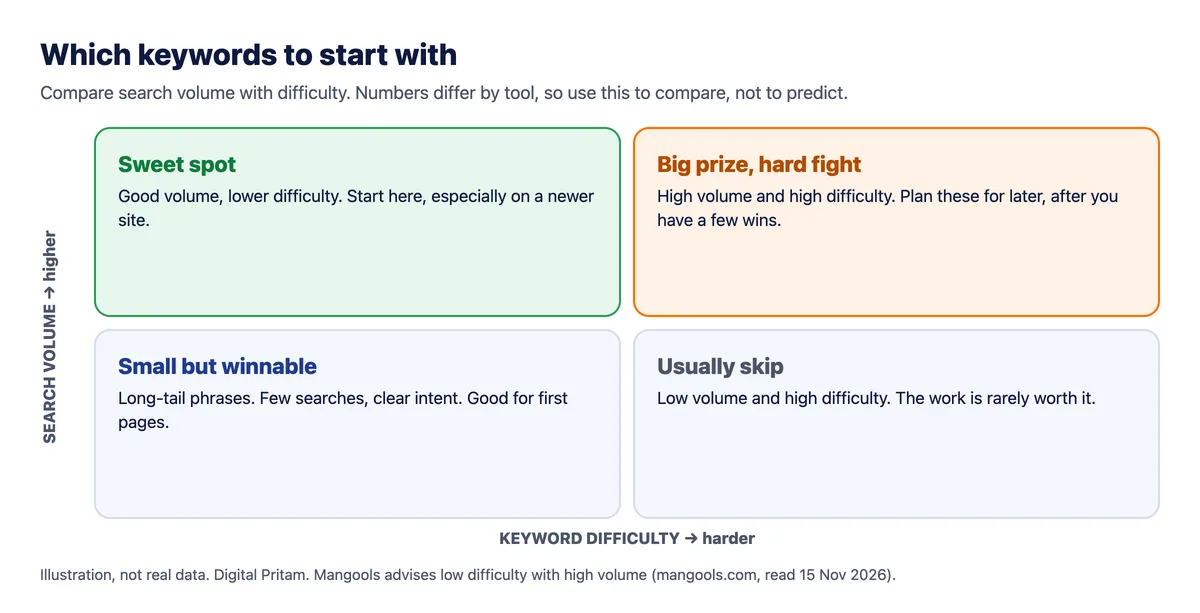
Mangools gives plain advice here: go for keywords with low difficulty and high search volume. That is the sweet spot, and a new site should lean toward the low-difficulty side.
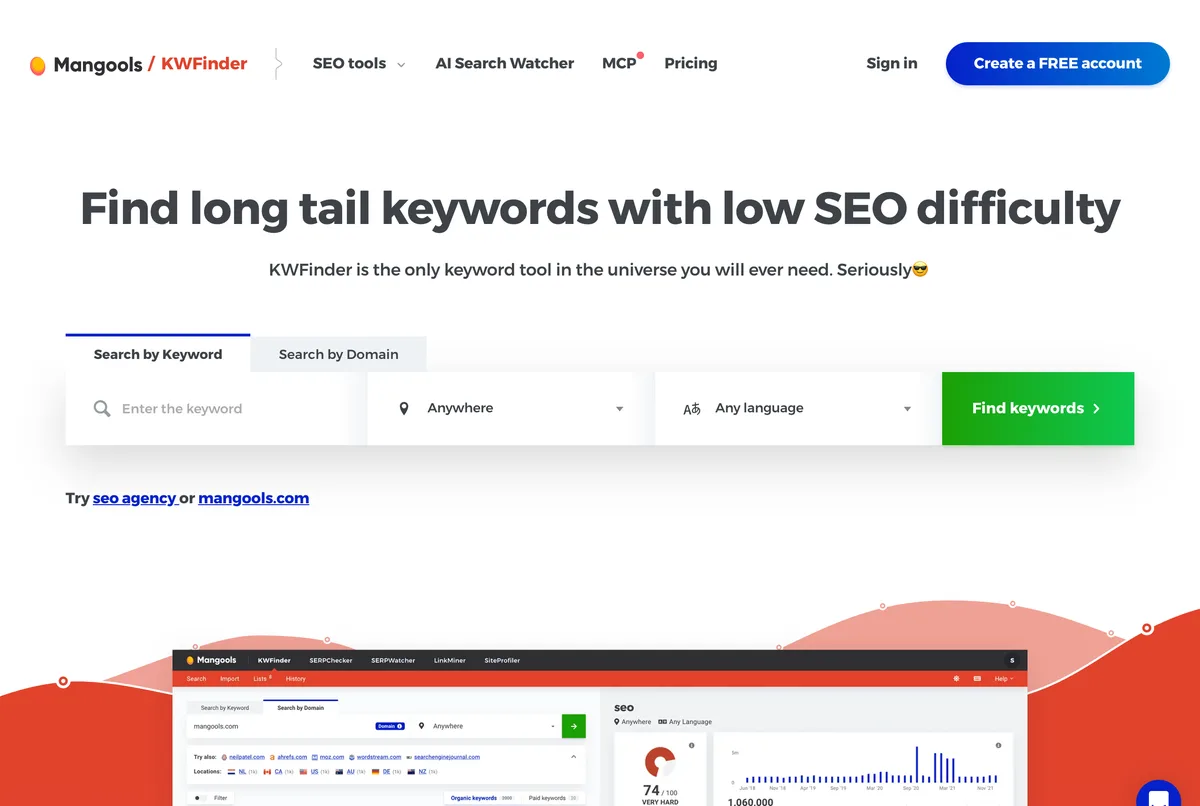
In KWFinder, type your phrase, choose India as the location and pick a language. The free account shows results for 5 lookups every 24 hours. That is enough to test a few ideas.
Write your main keyword at the top of a note. Every other step builds on it.
To show every step with real screens, we use one topic we publish: what is DNS. Our guide is What is DNS?. All screenshots below were taken on 15 Nov 2026 in India, signed out of Google.
Start with demand over time. Google Trends is free. It shows how interest moves, not how many searches there are. The scale runs from 0 to 100, where 100 is the busiest moment in the time you chose.
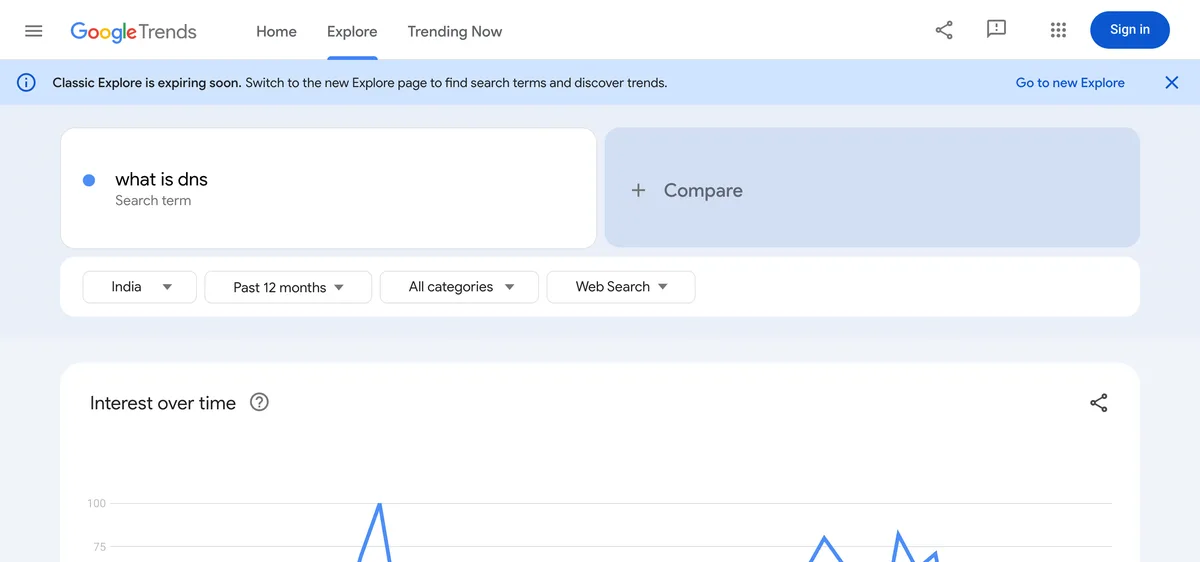
The line has a few busy bursts and quiet stretches between them. That is the lesson: check the shape of the line, not just one number, before you spend a week on a phrase.
Now compare volume with difficulty. This picture shows where to start. It is an idea, not real data.
A tool gives you the two numbers. This is KWFinder’s public page. It asks for a keyword, a location and a language. For readers in India, choose India and English.
Step 2: Find related keywords
People ask for the same thing in different ways. Google gives a simple example: some people search for “charcuterie” and others for “cheese board”.
You need not guess every version. Google says its systems can match a page to many searches, even without the exact words. So find the main variations and the questions people ask.
- Your keyword tool. KWFinder lists 15 related keywords per free lookup. The SE Ranking keyword tool shows volume, difficulty, intent and search result data.
- Google’s search box. Start typing and read the suggestions. They show how real people phrase the search.
- People also ask. This box on the results page lists questions linked to your phrase. Each good question can become a heading.
- Related searches. Scroll to the bottom of the results page and read the list.
- Search Console. Its Performance report lists the searches that already show your site, with clicks and impressions.
- Your readers. Emails, comments and questions from friends are real language you can use.
A long-tail keyword is a longer, more specific phrase, such as “keyword research steps for a new blog”. It has fewer searches, but the reason for the search is clear. Long-tail phrases are often easier to win.
Now we run the free methods on our topic. First, Google’s search box. Type your phrase slowly and read the suggestions. They are real phrases that real people typed.
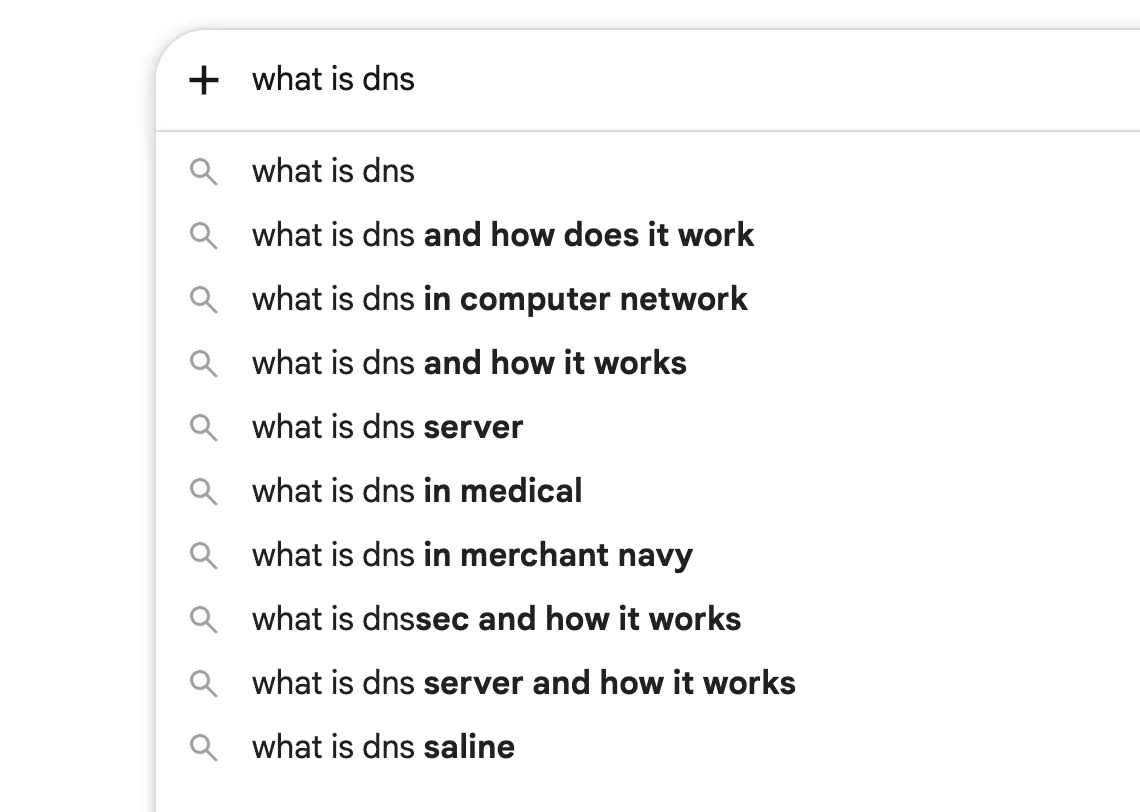
Read them like a reader. Some are close to our topic, such as “what is dns and how does it work” and “what is dns server”. Some use the same letters for another meaning, such as “in medical” and “in merchant navy”. Drop those. This is why intent matters before you pick a keyword.
Next, press Enter and scroll to the People also ask box. Each question can become a heading on your page.
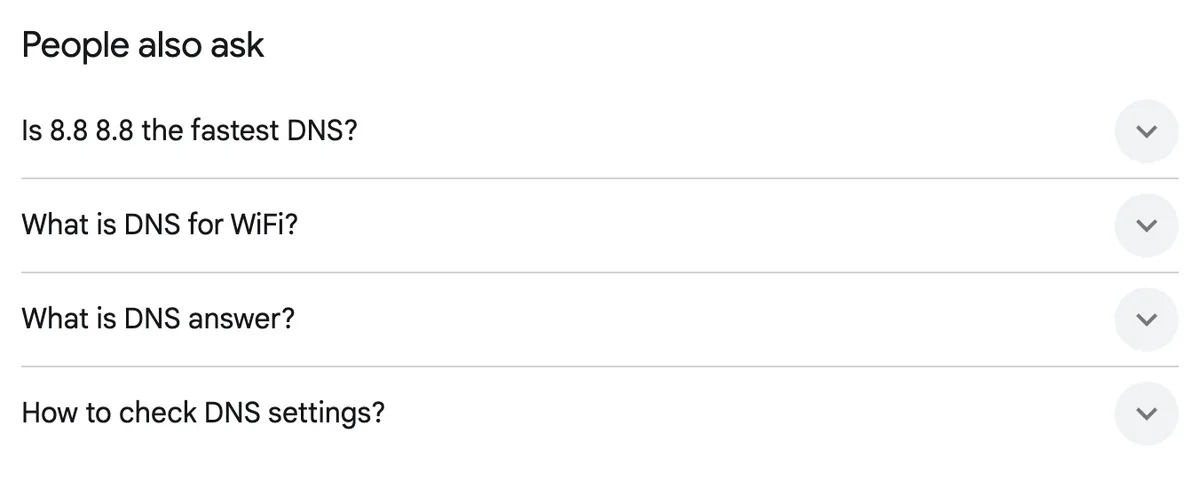
We got four questions, including “Is 8.8 8.8 the fastest DNS?” and “How to check DNS settings?”. Opening a question can show more, so click a few and write them down.
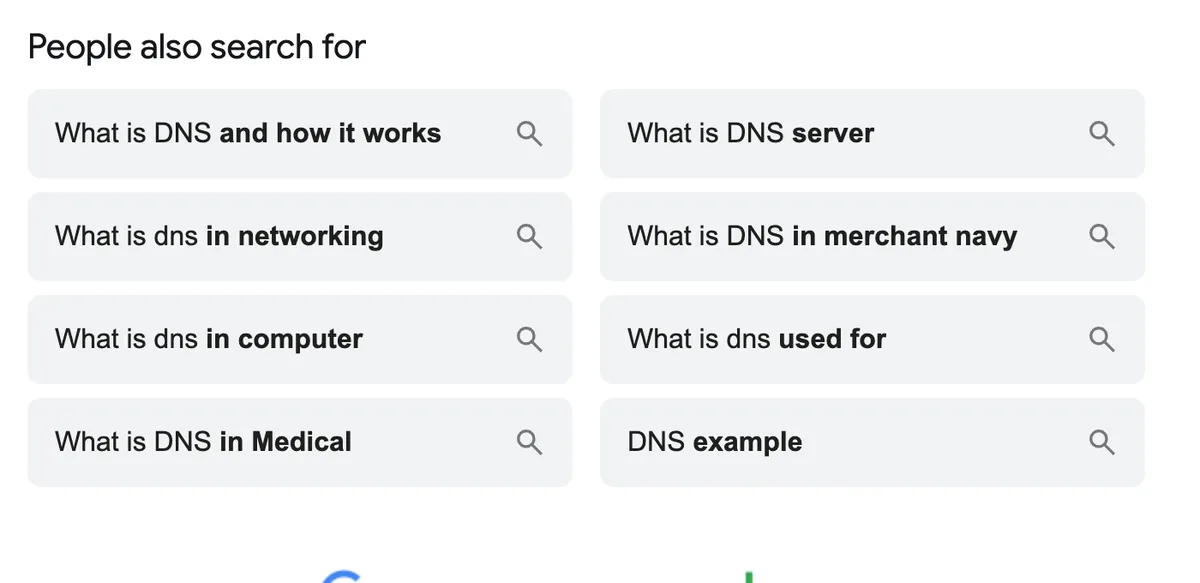
Last, scroll to the bottom of the results page. Google lists related searches there. On our page the list is headed “People also search for”.
The alphabet soup trick
This is a free way to find many long-tail ideas in a few minutes. It uses the suggestions Google shows as you type.
- Type your main keyword into Google’s search box. Add a space and the letter a.
- Read the suggestions that appear. Write down the useful ones.
- Change the letter to b, then c, and carry on through z.
- Repeat with a word before your keyword, such as how, best or why.
Treat the results as ideas, not facts. Then check each idea in a keyword tool for volume and difficulty. Throw away anything that does not fit your page.

Adding the letter a brought new ideas such as “what is dns and dhcp” and “what is dns adguard”. Carry on with b, c and the rest. Some ideas are off topic. Keep the ones your page can answer well.
Step 3: See what the top pages rank for
Open the top results for your main keyword. Read them the way a visitor would. You are looking for what they cover and what they leave out.
| What to note | Why it helps |
|---|---|
| The headings they use | They show the topics readers expect |
| The questions they answer | You can answer the same ones, and more |
| What is missing | This is where your page can add value |
| The page type | A list, a how-to guide or a tool page tells you the intent |
Prices from mangools.com and seranking.com, read 15 Nov 2026. US dollars before tax.
A tool can speed this up. In KWFinder you can enter a rival’s domain and see keywords it ranks for. SE Ranking lists a Competitor Analysis Tool in its menu. We have not tested either tool for this page.
Learn from rivals, but do not copy them. Google’s guide says to create your own content from what you know, and not to rehash what others already published.
Now press Enter and read the top of the results page like a visitor. On 15 Nov 2026 the page for “what is dns” opened with an AI Overview, then the first result, then People also ask.

Note three things. The format, which here is a definition page. The questions in People also ask. And the gaps, the questions the top pages do not answer. Semrush says AI answers can reduce click potential, so a result with an AI answer on top may bring fewer visits. We have not measured that for this topic.
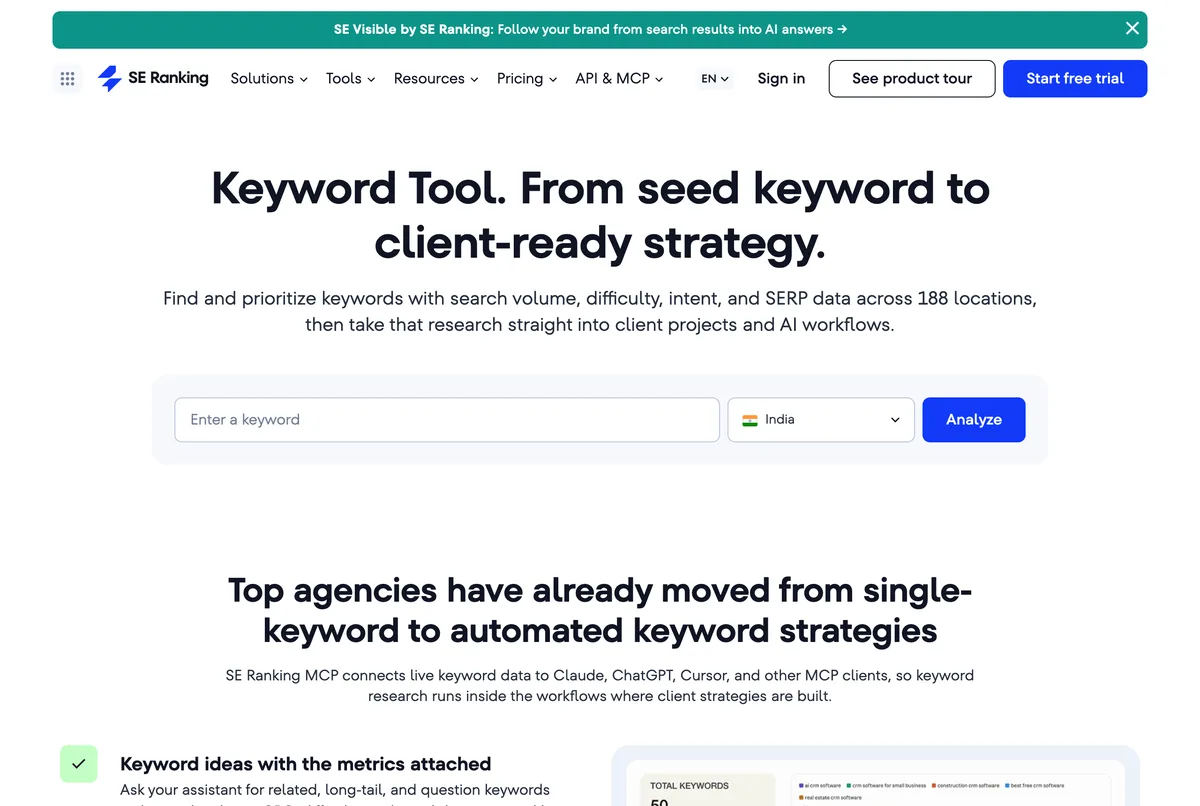
Tools can speed up this step. This is SE Ranking’s public keyword tool page. We did not sign in or run a search on it.
Step 4: Pick your final list
Now you have many keywords. You need a short list for one page. Group the phrases that mean the same thing. A group of keywords that one page can answer is called a cluster.
SE Ranking has a Keyword Grouper that clusters a long list for you. You can also do it by hand with a sheet. Put each phrase under the page that should answer it.
Here is an example for a page about this topic. It is a made-up list to show the shape, so it has no numbers.
| Type | Example phrase | Where it goes |
|---|---|---|
| Main keyword | keyword research | Title, main heading, first paragraph |
| Related phrase | how to do keyword research | A heading or the opening paragraph |
| Question | what is search intent | A short section with its own heading |
| Long-tail phrase | keyword research for a new blog | An example or a short section |
Prices from mangools.com and seranking.com, read 15 Nov 2026. US dollars before tax.
To choose, ask three things in order. Does the intent fit your page? Can you win it? Is the volume worth the work? Give each search its own page, since two pages for one search confuse readers.
Now turn the real phrases from our example into a plan. We match each one to what the reader wants and to the part of our DNS guide that answers it.
| Phrase we found | Where we found it | Why they search | Where our DNS guide answers it |
|---|---|---|---|
| what is dns and how does it work | Google suggestions | Learn | What is DNS? and How DNS works, step by step |
| what is dns server | Suggestions and related searches | Learn a detail | The four servers in a lookup |
| is 8.8 8.8 the fastest dns | People also ask | Choose between options | Alternatives to your default DNS |
| how to check dns settings | People also ask | Do a task | Partly, in DNS problems and quick fixes. No step-by-step check yet. |
| what is dnssec and how it works | Google suggestions | Learn a detail | Not covered yet |
| what is dns for wifi | People also ask | Learn a detail | Not covered yet |
Prices from mangools.com and seranking.com, read 15 Nov 2026. US dollars before tax.

This is the point of research. It showed three questions our guide does not fully answer yet. Finding gaps is as useful as finding keywords.
Step 5: Put the words on your page
Use keywords where a reader expects them, in natural language. Here is where each one goes.
- Title. Write a short, clear title. Google says to avoid vague titles and repeated words.
- Main heading and first paragraph. Say what the page is about, near the top.
- Subheadings. Use your related phrases and questions. They also help readers scan.
- URL. Use a few descriptive words. They can show in breadcrumbs, but have little other ranking effect.
- Image text. Write short, true alt text. Place images near the text they match.
- Links. Link to related pages with clear link text.
- Short summary. Write a unique meta description of one or two sentences. Google may use it as the snippet.
Do not stuff keywords. Google says repeating the same words again and again tires readers and is against its spam policies. It also says it does not use the keywords meta tag.
After you publish, wait. Google says a change can take hours or months, and suggests a few weeks before you judge. Then open the Performance report in Search Console. It shows clicks, impressions, click-through rate and average position for each search.
Keyword research for AI search: prompt research
More people now ask AI tools in full sentences instead of typing two or three words. Google says the usual SEO practices still apply to AI Overviews and AI Mode, with no extra requirements. Your research can still take on a second job: finding the questions people ask AI tools. This is called prompt research.
How long are those questions? Sources disagree. Similarweb says ChatGPT prompts average about 60 words, against 3.4 words for Google searches (from its 2025 report, quoted in its own guide). An agency, Passion Digital, says about 13 words. Both are companies that sell to this market, and we could not check either method. The safe lesson is the same: prompts are longer and more personal than keywords.
Google also says AI features can run several related searches across subtopics before they answer. It calls this query fan-out. So one question can hide many searches.

How to find prompt-style questions
- Start from real questions. Sales calls, support emails, reader comments and forum posts hold the questions people really have. Semrush and Similarweb both start there.
- Use People also ask and related searches. They are Google’s own list of follow-up questions, as in Step 2.
- Fan each question out. Similarweb splits one question into seven kinds of sub-question: definition, comparison, how-to, use case, objection, entity and metric. Write one example of each for your topic.
- Look at long searches in Search Console. Similarweb suggests filtering your queries for 10 or more words as a rough stand-in for how people talk to AI tools. It calls this a proxy, not a direct measure, and says you may test 8 to 12 words. We have not tried it in our own account.
- Test your questions in AI tools. Ask ChatGPT, Perplexity, Gemini or Claude your 10 to 15 best questions and note which sites they cite. Exposure Ninja suggests this for ChatGPT Search and Perplexity. Answers change from session to session, so one check is only a hint.
- Use Bing Webmaster Tools. Its AI Performance report shows when your site is cited in AI answers in Copilot and Bing’s AI summaries, and the phrases the AI used to find your content, called grounding queries. It counts citations, not clicks, and it is a sample. Microsoft calls it a public preview. We have not set it up for this site yet.
- Use a tracking tool if you want it automated. SE Ranking lists AI visibility tracking, with 25 prompts a day across 5 AI engines on the Core plan. Mangools lists AI Search Watcher PRO with 500 prompts. Semrush offers an AI Visibility Toolkit with competitor prompt analysis. Similarweb sells prompt tracking, up to 300 prompts per campaign. We have not tested any of them.
Take care with AI-made keyword lists. Bloggers Passion advises against using AI chatbots to build your list, because they give no search volume or difficulty. Use AI for ideas, then check them in a real tool.
To start, write the 10 to 15 questions your readers ask most. Similarweb suggests 50 to 150 prompts per topic cluster for tracking, and says patterns settle after 60 to 90 days. Check once a month.

The sheet below has a Prompt research tab for exactly this.
Free tools or paid tools?
Free sources are enough to begin. Paid tools save time once you write often. Here are the two we compare most, from their own pages.
| Mangools Basic | SE Ranking Core | |
|---|---|---|
| Price on the yearly plan | $18.85 a month ($226.20 a year) | $103.20 a month |
| Price by the month | Not read | $129 a month |
| Yearly cost with 18% GST | ₹25,346 | ₹1,38,766 |
| Keyword research | 100 lookups a day | Unlimited |
| Rank tracking | 200 keywords, weekly updates | 2,000 keywords, daily |
| AI search tracking | AI Search Watcher PRO, 500 prompts | 25 prompts daily, 5 AI engines |
| Try before paying | Free account, 5 lookups a day | 14-day free trial, no card |
| Refund promise | 48 hours | Not read |
Prices from mangools.com and seranking.com, read 15 Nov 2026. US dollars before tax.
US dollars before tax, from mangools.com and seranking.com on 15 Nov 2026. Rupees at US$1 = ₹94.96 (16 Oct 2026 ECB rate) plus 18% GST.
For a full price breakdown, see our Mangools pricing and SE Ranking pricing guides. If you are weighing SE Ranking against a bigger tool, read SE Ranking vs Semrush.
Which tool should you pick?
Pick Mangools ifOur pick- You want the lowest paid price
- You mostly need keyword lookups and a simple screen
- You are a solo writer or blogger
- Keyword lookups are capped at 100 a day on Basic.
Pick SE Ranking if- You also want daily rank tracking and a site audit
- You manage several sites or clients
- You want to try it free for 14 days first
- It costs more: $103.20 a month on the yearly plan.
Your first keyword list in one afternoon
- 1Pick a topic you know
Write three to five ideas and check each in a free tool.
- 2Choose one main keyword
It must fit your readers' intent and be a fair fight for your site.
- 3Collect related phrases
Use the search box, People also ask and your tool's suggestions.
- 4Read the top pages
Note their headings and what they miss.
- 5Group and place the words
Give each search its own page and put the words where a reader expects them.
Mistakes to avoid
- Chasing volume only. A big number means big rivals. Check difficulty and intent too.
- Targeting one keyword with two pages. Give each search one page.
- Copying a rival’s page. Google asks for original content with your own knowledge.
- Stuffing the phrase. Say it naturally. Readers leave when text repeats itself.
- Trusting one tool’s numbers. Tools disagree. Use them to compare, not to predict.
- Judging too soon. Google suggests waiting a few weeks before you decide.
Do keywords still matter in 2026?
Yes, but not as a trick. Keywords are a way to understand your readers’ words and needs. They are not a secret switch for the top spot.
Google’s own guide says no secret will rank a site first. It says useful content people find compelling will likely matter most.
So do the five steps, then write the best page you can. Add real knowledge, answer the follow-up questions and keep the page up to date. Good research makes you a better writer, because you start from what people ask.
Free keyword research sheet
We made a sheet for the steps in this guide. Download the keyword research sheet (.xlsx). It is free to copy and change.
- Keyword sheet. List phrases, pick a type and intent, add searches and difficulty from your tool, and give each search one page. A priority score fills in by itself.
- Prompt research. Write the real questions, note where you found them, test them in AI tools and record who is cited.
- Checklist. The five steps, the AI steps and the monthly check.
The priority score is our own simple helper: searches divided by difficulty plus 10. A higher score means more searches for less difficulty. It is not a Google or tool metric. The three example rows are real Google suggestions with the numbers left blank on purpose. We built and checked the formulas, but we have not opened the file in every spreadsheet app.
How we chose
Frequently asked questions
What is keyword research?
Keyword research is finding the words people type into search engines, then choosing the ones your page should target. You look at how many people search, how hard it is to rank, and why they search.
How do I do keyword research for free?
Use Google’s own search box suggestions, the People also ask box and the Performance report in Search Console. Add a free KWFinder account, which lists 5 lookups every 24 hours. SE Ranking also lists a 14-day free trial with no card.
What is a good keyword difficulty score?
There is no magic number, because every tool scores it its own way. Mangools says to go for keywords with low difficulty and high search volume. A newer site should lean toward the lower scores.
How many keywords should one page target?
Google gives no number. Pick one main keyword and a few related phrases that mean the same thing. Write the page for the reader and let the related words appear naturally.
Are search volume numbers exact?
Treat them as estimates. Mangools calls its volumes exact, and other tools show ranges or estimates. The numbers help you compare keywords. They do not promise visits.
Do I need a paid keyword tool?
Not at the start. Free sources are enough for your first ten posts. Pay when the free daily limits stop you, or when you want rank tracking and site checks in one place.
How is keyword research different for AI answers?
Google says the usual SEO practices still apply to AI Overviews and AI Mode, with no extra requirements. These features can run several related searches at once, so cover the related questions on one page.
Mangools or SE Ranking for keyword research?
Mangools Basic costs $18.85 a month on the yearly plan and caps keyword lookups at 100 a day. SE Ranking Core costs $103.20 a month on the yearly plan and lists unlimited keyword research. Pick on price or on how much else you want in the plan.
What is prompt research?
Prompt research means finding the full questions people ask AI tools such as ChatGPT or Perplexity, then answering them on your page. It adds to keyword research. It does not replace it.
How do I find the questions people ask ChatGPT?
Nobody can read ChatGPT’s search data for you, so use stand-ins. Use your own sales and support questions, People also ask, long queries in Search Console and your own tests in AI tools. Bing Webmaster Tools also reports when your site is cited in Copilot and Bing’s AI summaries.
Is the keyword research sheet free?
Yes. It is free to download, copy and change. The priority score in it is our own simple helper, and it is not a Google or tool metric.
About this page

- WordPress developer and designer, builds sites for clients
- WordCamp Asia Communication Co-Lead
- 14K+ subscribers on the DigitalPritam YouTube channel
How we checked
Updated 15 Nov 2026How I got these numbers
I read plans and limits on the Mangools and SE Ranking pages on 15 Nov 2026. Rules come from Google Search Central. Rupee figures use the 16 Oct 2026 ECB rate (US$1 = ₹94.96) with 18% GST. The sums are mine, and prices change.
Sources
- Mangools plans and pricing (mangools.com/plans-and-pricing), read 15 Nov 2026
- KWFinder (mangools.com/kwfinder), read 15 Nov 2026
- SE Ranking pricing (seranking.com/pricing), read 15 Nov 2026
- SE Ranking keyword research tool and Keyword Grouper, read 15 Nov 2026
- Google Search Central: SEO Starter Guide, AI features and your website, and title links, read 15 Nov 2026
- Search Console Help: Performance report, read 15 Nov 2026
- Bing Webmaster Tools help: AI Performance (bing.com/webmasters/help/ai-performance-9f8e7d6c), read 15 Nov 2026
- Similarweb: How To Do Prompt Research For AI SEO (5 May 2026), a vendor guide, read 15 Nov 2026
- Semrush: How to do keyword research in 2026, a vendor guide, read 15 Nov 2026
- Passion Digital: Keyword Research for LLMs (28 Mar 2025), an agency article, read 15 Nov 2026
- Bloggers Passion and Exposure Ninja keyword research guides, read 15 Nov 2026
What to do next
Pick one topic today and run Step 1. Open a free KWFinder account and use your five lookups. Then write down the questions people ask, and answer them on your page.
Keep reading
 Best AI SEO tools
 Mangools pricing
 SE Ranking pricing
 SE Ranking vs Semrush
Start with the free lookups. Check the price on the day you buy, since plans change.
 FREE PDF
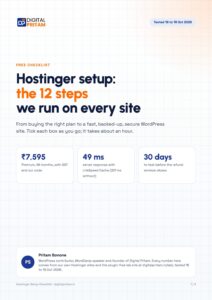
Get the Hostinger setup checklist, plus every sale alert
The exact steps we use on our lab sites, and an email when each big hosting sale opens.
Sent instantly. Deal alerts until 1 Dec. Unsubscribe in one click.


 Pritam Sonone