









DigitalOcean review 2026: the developer cloud for WordPress, honestly
What DigitalOcean is like to use for WordPress: billing, extras, support, the Bangalore region and when Cloudways is the better door.
 By Pritam SononePrices checked 28 Oct 2026Reviewed by Pritam SononePrices re-checked regularly against the brand’s own website.How we test →
Affiliate links: we may earn a commission at no extra cost to you. It never changes our verdicts.
DigitalOcean is the easiest of the developer clouds: clear pricing, a Bangalore region and good docs. A Basic Droplet with 2 vCPU and 4 GiB costs $24 a month (about ₹2,689 with 18% GST) and bills per second. Backups and extra transfer cost more, there are no refunds, and Droplets are unmanaged, so WordPress beginners are better off with Cloudways on DigitalOcean.

DigitalOcean prices in rupees
Basic Droplets (Regular CPU) from digitalocean.com/pricing/droplets, 28 Oct 2026. Converted at the 16 Oct 2026 ECB rate (US$1 = ₹94.96, €1 = ₹106.864) with 18% GST.
| RAM | vCPU | SSD | Transfer | Per hour | Per month | With 18% GST |
|---|---|---|---|---|---|---|
| 1 GiB | 1 | 25 GiB | 1,000 GiB | $0.00893 | $6/mo | ₹672/mo |
| 2 GiB | 1 | 50 GiB | 2,000 GiB | $0.01786 | $12/mo | ₹1,345/mo |
| 2 GiB | 2 | 60 GiB | 3,000 GiB | $0.02679 | $18/mo | ₹2,017/mo |
| 4 GiB | 2 | 80 GiB | 4,000 GiB | $0.03571 | $24/mo | ₹2,689/mo |
| 8 GiB | 4 | 160 GiB | 5,000 GiB | $0.07143 | $48/mo | ₹5,379/mo |
| 16 GiB | 8 | 320 GiB | 6,000 GiB | $0.14286 | $96/mo | ₹10,757/mo |
A 512 MiB Droplet at $4 also exists. Premium Intel and AMD Droplets cost more and use NVMe.
Billing, bandwidth and extras
What the monthly price does not show.
Since 1 January 2026 Droplets are billed per second, with a minimum of 60 seconds or $0.01, and DigitalOcean caps each Droplet at its monthly price. There is no term. Its pricing FAQ is blunt: “We do not offer refunds.”
Transfer is pooled across all your Droplets. Past the pool, outbound transfer costs $0.01 per GiB; inbound is free.
| Extra | Price | On a $24 Droplet, with GST |
|---|---|---|
| Weekly backups | 20% of the Droplet price | ₹538/mo |
| Daily backups | 30% of the Droplet price | ₹807/mo |
| Snapshots | $0.06 per GB a month | Depends on size |
| Extra transfer | $0.01 per GiB | ₹1,121 per 1,000 GiB |
What is good and what to watch
Good
- Bangalore region for Indian visitors
- Per-second billing with a monthly cap
- Clear prices and very good tutorials
- Managed databases, Kubernetes and storage when you grow
- 4.6 on Trustpilot from 2,617 reviews
Watch out for
- Droplets are unmanaged; you maintain the server
- Backups cost 20% to 30% extra
- No refunds
- Billed in US dollars plus 18% GST
- Costs more per GB of RAM than Indian-priced VPS
India and Asia regions
DigitalOcean has a Bangalore data centre, so Indian visitors get low latency. Singapore is the other Asian option. You pick the region when you create the Droplet; prices are the same.
Regions from DigitalOcean’s pricing FAQ, 28 Oct 2026. We have not run a site on it yet, so this page has no star score.
Managed or unmanaged: what a WordPress beginner gets
DigitalOcean sells an unmanaged server: you get root access and a blank Linux machine. Installing the web server, PHP, the database, SSL, security updates, backups and fixes is your job. That is fine if you know Linux. If you just want a fast WordPress site, pick one of these instead:
- A managed layer on top: Cloudways runs WordPress for you on DigitalOcean, Vultr, Linode, AWS or Google Cloud servers, with Indian regions.
- A free panel: CloudPanel, Coolify or a one-click WordPress image does the install, but updates and security are still on you.
- A VPS with a simpler panel and rupee billing: Hostinger VPS has an India location and one-click templates.
DigitalOcean itself says its core Droplet offering is unmanaged and points to managed hosting providers that run on its infrastructure. Cloudways is the best known one, and it offers the Bangalore region.
How to start on DigitalOcean
Screenshot of the official pricing page, 28 Oct 2026.
Tap any screenshot to open it full size.
- 1
Pick a Droplet size
On digitalocean.com/pricing/droplets compare Basic sizes. 2 GiB is the smallest we would use for WordPress; 4 GiB if you run WooCommerce.

DigitalOcean Droplet pricing, 28 Oct 2026 - 2
Create the Droplet in Bangalore
Sign up, choose Bangalore, then the WordPress 1-Click app or plain Ubuntu, and add an SSH key.
- 3
Turn on backups
Weekly backups add 20% of the Droplet price. Point your domain and add SSL before you publish.
DigitalOcean vs Cloudways
| DigitalOcean | Cloudways | |
|---|---|---|
| Entry for WordPress | 2 GiB Droplet, $12/mo | 1 GB DigitalOcean Premium server, $14/mo |
| Who runs the server | You | Cloudways |
| India region | Bangalore | Bangalore (DigitalOcean), Mumbai (AWS, Google Cloud) |
| Backups | 20% to 30% extra | Included on the server |
| Billing | Per second, USD | Monthly, by the hour, USD |
| Trustpilot | 4.6 | 4.6 |
Full comparison: Cloudways review. Related: best VPS hosting in India, DigitalOcean VPS in India, Hostinger VPS, Cloudways review and our free Hosting Checker, which shows which host or cloud any site runs on.
What users say
Trustpilot ratings, read on 28 Oct 2026.
 DigitalOcean4.6out of 5 · 2,617 reviews on Trustpilot
 Cloudways4.6out of 5 · 3,773 reviews on Trustpilot
Trustpilot does not verify every review; treat the rating as a signal, not proof.
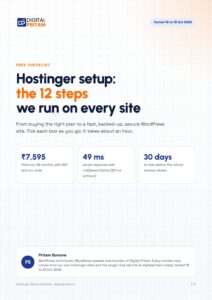
Get every deal the day it goes live
One email per big WordPress and hosting deal, in rupees with GST. Plus the free Hostinger setup checklist.
Free. Unsubscribe any time. Privacy policy
DigitalOcean review: FAQ
Is DigitalOcean good for WordPress?
Yes, if you can manage a Linux server or use its WordPress 1-Click app and keep it updated. If you want WordPress handled for you, use Cloudways on DigitalOcean.
What is the DigitalOcean price in India?
Basic Droplets start at $4 a month. The 2 vCPU, 4 GiB Droplet is $24, about ₹2,689 a month with 18% GST at the 16 Oct 2026 rate.
Does DigitalOcean have a data centre in India?
Yes, in Bangalore.
Does DigitalOcean give refunds?
No. Its pricing FAQ says it does not offer refunds, except in extenuating circumstances through support.
Is DigitalOcean managed hosting?
No. Droplets are unmanaged. DigitalOcean offers managed databases and Kubernetes, and managed WordPress through partners such as Cloudways.
What happens if I use more bandwidth?
Transfer is pooled across your Droplets. Past the pool, outbound transfer costs $0.01 per GiB; inbound is free.
About this page
Pritam Sonone
Founder of Digital Pritam. WordPress developer and designer, WordCamp Kolhapur 2025 speaker. Builds WordPress sites for clients.
How we checked
- Plans, billing rules and regions read on each official pricing page on 28 Oct 2026
- Regions for Linode and Vultr read from their public APIs the same day
- Dollar and euro prices converted at the ECB rate used across the site, with 18% GST
- User ratings from Trustpilot, read the same day; not yet hosted on our own sites, so no star scores
Sources: Hetzner Cloud · OVHcloud India VPS · DigitalOcean Droplets · Akamai Cloud (Linode) · Vultr · Trustpilot
Related guides
 Digital Pritam Best VPS IndiaBest VPS Hosting in India (2026): 5 Providers, Real Rupee Pr
 DigitalOcean in IndiaEvery Basic Droplet with its rupee cost, the Bangalore regio
 Hostinger VPS in IndiaPlans, real cost and what you can run
 Cloudways reviewManaged cloud with Indian data centres
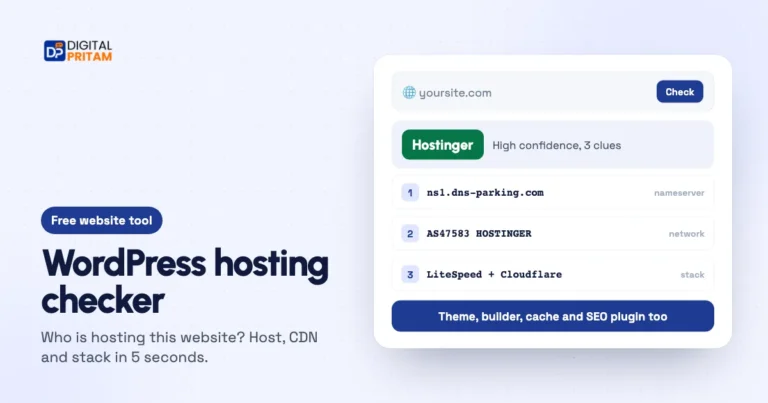 Hosting checker (what is my host?)Who is hosting this website? Host, CDN and stack in 5 seconds.
 WordPress ComparisonsHead-to-head WordPress comparisons
Affiliate links: we may earn a commission at no extra cost to you. It never changes our verdicts.