










Disclosure: some links on this page are affiliate links. If you buy through them we may earn a commission, at no extra cost to you.
Kinsta starts at $35 a month on monthly billing for one WordPress install and 35,000 visits. Plans step up by visits for one site, by installs for several sites, then Agency plans from $340 a month and Enterprise from $500. Prices are in US dollars and exclude tax; the cheapest plan is about ₹3,922 a month with GST.
The plans at a glance

Monthly visits: 35,000 | USD a month: $35 | With 18% GST: ₹3,922
Monthly visits: 65,000 | USD a month: $50 | With 18% GST: ₹5,603
Monthly visits: 125,000 | USD a month: $90 | With 18% GST: ₹10,085
Prices as shown on the vendor's own pages on 13 Nov 2026.
Our take. Our pick is Single. One business site on a Mumbai data centre. This page lists prices only. Speed and uptime are not tested here; see our Kinsta review.
I read every price on this page from the official page of Kinsta on 13 Nov 2026, and I explain each one in plain words below.
Key Takeaways
- At a glance: Single, from: $35/mo; Multi-site, from: $70/mo; Agency, from: $340/mo; Prices: USD, before tax.
- Our pick: Single. One business site on a Mumbai data centre.
- This page lists prices only. Speed and uptime are not tested here; see our Kinsta review.
- Prices were read on 13 Nov 2026. Check the vendor’s page again before you pay, because prices change.
On this page13 sections
Kinsta plans and prices
| Plan | WordPress installs | Monthly visits | USD a month | With 18% GST |
|---|---|---|---|---|
| Single | 1 | 35,000 | $35 | ₹3,922 |
| Single | 1 | 65,000 | $50 | ₹5,603 |
| Single | 1 | 125,000 | $90 | ₹10,085 |
| Single | 1 | 315,000 | $170 | ₹19,049 |
| Single | 1 | 500,000 | $290 | ₹32,495 |
| Single | 1 | 750,000 | $375 | ₹42,020 |
| WP 2 | 2 | Not shown | $70 | ₹7,844 |
| WP 5 | 5 | Not shown | $115 | ₹12,886 |
| WP 10 | 10 | Not shown | $225 | ₹25,212 |
| WP 20 | 20 | Not shown | $340 | ₹38,098 |
| WP 40 | 40 | Not shown | $450 | ₹50,424 |
| Agency 20 | 20 | 500,000 | $340 | ₹38,098 |
| Agency 40 | 40 | 750,000 | $450 | ₹50,424 |
| Agency 60 | 60 | 1,250,000 | $675 | ₹75,636 |
| Enterprise | Custom | Custom | From $500 | Custom |
Monthly billing, as shown on Kinsta's plans page on 13 Nov 2026. Kinsta shows prices in US dollars and excluding tax. Dollar and euro prices are converted at the 16 Oct 2026 ECB rate (US$1 = ₹94.96, €1 = ₹106.864) and include 18% GST.
This page lists prices only. Speed and uptime are not tested here; see our Kinsta review.
Which plan should you pick?
Pick by what you need most.
Pick Single ifOur pick- One business site on a Mumbai data centre
- Starts at $35 a month for 35,000 visits
- Free migrations and 24/7 human support
- Billed in US dollars. Prices step up with visits.
Pick WP 2 to WP 40 if- Several sites on one Kinsta plan
- From $70 a month for 2 installs
- Unlimited users and flexible access
- Visit limits for these tiers were not shown in the page text we read.
Example sites and the plan to look at
| Site | Plan that fits | Why |
|---|---|---|
| A company site with about 20,000 visits a month | Single 35k | One install and 35,000 visits |
| A shop that has passed 50,000 visits | Single 65k or higher | More visits and bandwidth for one install |
| A founder with four small sites | WP 5 | Five installs on one plan |
| A web agency with 25 client sites | Agency | 20 to 60 installs and agency tools |
Count visits and installs before you pick. Add your first month and any add-ons, such as extra disk at $20 a month per 20 GB.
Add-ons and what they cost
The plans page lists optional extras.
| Add-on | Price shown | What it does |
|---|---|---|
| Extra WordPress site | $30 a month each | One more install on the plan |
| Disk space | $20 a month per 20 GB | More storage |
| Extra backups | $20 a month a site (every 6 hours) or $100 a month a site (every hour) | Back up more often |
| External backups | $10 per 500 MB a month, plus $1 per GB bandwidth | Copy backups to AWS or Google Cloud Storage |
| Premium staging | $20 a month a site | Up to five staging environments |
| Redis caching | $100 a month a site | Lower database load |
| PHP performance | $10 per 500 MB a month | Custom PHP thread and memory |
| Reverse proxy | $50 a month a site | Load your site from a subdirectory |
| Dedicated virtual server | From $300 a month | For high-traffic sites |
| Scheduled plugin updates | From $3 a site a month | Updates on days and times you pick |
How Kinsta plans are built
From kinsta.com/plans, read 13 Nov 2026. Prices are US dollars before tax.
| Plan family | Sites | Tiers on the page | What it is for |
|---|---|---|---|
| Single | 1 WordPress install | By visits: 35k, 65k, 125k, 315k, 500k, 750k. By bandwidth: 20 GB, 40 GB, 65 GB, 125 GB, 250 GB, 500 GB | One site, sized by how many visitors or how much data it serves |
| WP (multi-site) | 2, 5, 10, 20 or 40 installs | WP 2, WP 5, WP 10, WP 20, WP 40 | Several sites on one plan |
| Agency | 20 to 60 installs | Starting at $340 a month on the page | Agencies with growing client portfolios |
| Enterprise | Custom | Starting at $500 a month | Large and business-critical sites |
The page shows Single 35k (or 20 GB) at $35 a month and the next step up, Single 65k, at $50 a month. We did not capture list prices for every other tier, so open the plans page for the exact number.
Kinsta’s agency tier lists benefits like hosting credits for eligible agencies, a free agency site and an unbranded admin. Enterprise lists a 99.99% SLA, dedicated servers and compliance such as SOC 2 and ISO 27001.
What the entry plan (Single 35k) includes
From the plan card on kinsta.com/plans.
| Resource | Single 35k | In plain words |
|---|---|---|
| WordPress installs | 1 | One website |
| Visits a month | 35,000 | Kinsta counts each unique IP address in a 24-hour period as one visit |
| Server bandwidth | 20 GB a month | Data your site sends out |
| Storage | 10 GB | Room for files and the database |
| CDN bandwidth | 125 GB a month | Data served from Kinsta’s network of copies |
| Backups kept | 14 days | How far back you can restore |
| Migrations | Unlimited, free | Kinsta moves your site for you |
| Support | 24/7 human support in 8 languages | A person answers, not only a bot |
| Extra site | $30 a month each | Add one more install |
| Extra disk | $20 a month per 20 GB | More storage |
| In rupees (35 USD, 18% GST) | ₹3,922 | Kinsta bills in US dollars |
Every plan also lists a bundle Kinsta values at $300 or more: enterprise DDoS protection, advanced caching, automatic daily backups, uptime monitoring, SSL certificates, a redirects manager, bot protection and APM (application performance monitoring).
What happens if you go over your limits
The FAQ on the plans page answers this plainly.
- Your site stays online if it passes its visit, storage or CDN limit.
- Kinsta warns you at 80% and again at 100% of your usage.
- It then adds overage fees based on how far you went over.
- You can change plans at any time in the dashboard and billing is prorated, so you can move up or down.
- A visit means one unique IP address in a 24-hour period; all visits across your sites count toward the plan.
- Annual billing gives two months free compared with paying monthly, the page says.
Plan for overage before you buy: if your site has visit spikes, a bigger tier or a cheaper tier with a bit of overage may cost less. Kinsta publishes its full overage fee table on its own site.
How to sign up for Kinsta, step by step
This follows the plans page.
- 1Open kinsta.com/plans
Pick Monthly or Annual at the top.
- 2Choose Single or Multiple sites
Then choose to be billed by bandwidth or by visits.
- 3Pick a tier
Single 35k is the entry plan.
- 4Pay and create the account
Prices exclude tax and are in US dollars.
- 5Add your first site
Kinsta offers free unlimited migrations by its team, so ask them to move your existing site.
- 6Use the guarantee
After any free period, plans are covered by a 30-day money-back guarantee, the page says.
Which Kinsta plan for which site?
Choose by installs, then visits.
1 install, 35,000 visits, 24/7 human support
Single 35kMore visits and bandwidth for the same one install
Single 65k or higherMultiple installs on one plan
WP 2 to WP 4020 to 60 installs and agency tools
AgencyCustom terms, SLA and compliance
EnterpriseKinsta runs on Google Cloud with a Mumbai data centre, as listed in our Kinsta review. For cheaper managed options see Kinsta alternatives.
Before you buy
- Billing. $35 is the monthly-billing price of the cheapest Single plan. Our Kinsta review read $30 a month on yearly billing on 16 Oct 2026.
- Promotion on the page. Kinsta shows a promotion for new customers on this page until 1 Dec 2026. The prices in the table are the list prices, before it.
- Tax. Kinsta shows prices without tax. 18% GST applies to Indian customers; the GST column adds it.
- India server. Mumbai on Google Cloud, as in our review.
- Refund. 30 days for first-time customers, from our review. Check Kinsta’s terms at checkout.
- Not shown. Visit limits for WP 2 to WP 40 and the yearly list prices were not clear in the page text, so they are not listed.
Three reasons to choose Kinsta
- A Mumbai data centre. Kinsta runs on Google Cloud and lists Mumbai, which suits Indian visitors.
- Managed for you. Kinsta handles the server, and our review lists free migrations and malware removal.
- Support at any hour. Our review lists 24/7 human support.
Pros and cons of Kinsta pricing
| Pros | Cons |
|---|---|
| One clear price per plan, with the visit limit shown | Billed in US dollars, so the rupee price moves with the exchange rate |
| Yearly billing is cheaper than monthly ($30 against $35 for Single) | The entry plan covers one site |
| Mumbai data centre and free migrations | Visits above your limit cost extra |
These points come from Kinsta’s plans page and our own Kinsta review. We have not hosted a site on Kinsta for this page.
How we chose
Frequently asked questions
Is there a Kinsta free trial?
The FAQ says a first month free on select plans for new customers. After any free period, a 30-day money-back guarantee applies.
Can I move my site for free?
Yes. All plans include free unlimited WordPress migrations by Kinsta’s team.
Do I pay less for yearly billing?
Yes. Annual billing gives two months free compared with monthly.
What is a visit?
Each unique IP address that visits within 24 hours counts as one visit.
Is there a server in India?
Kinsta runs on Google Cloud and lists a Mumbai data centre in our review.
How many sites does the entry plan allow?
One WordPress install. The WP 2 plan allows two.
What is included in every plan?
DDoS protection, advanced caching, daily backups, uptime monitoring, SSL, a redirects manager, bot protection and APM.
How long are backups kept?
The Single 35k card lists 14 days.
How much is Kinsta in rupees?
Single 35k at $35 a month is about ₹3,922 with 18% GST at the 16 Oct 2026 ECB rate. Kinsta bills in US dollars.
Do you recommend Kinsta?
We have not hosted a site on Kinsta for this page, so we give no verdict on speed. Our review lists what its own pages promise.
How much does Kinsta cost?
Kinsta’s cheapest WordPress plan is $35 a month on monthly billing for one install and 35,000 visits, before tax. Prices rise with visits and installs up to Enterprise from $500 a month.
Does Kinsta have a server in India?
Yes. Kinsta runs on Google Cloud with a Mumbai data centre, as listed in our Kinsta review.
Is yearly billing cheaper on Kinsta?
Yes. Our Kinsta review read $30 a month on yearly billing for the Single plan on 16 Oct 2026. Yearly prices change, so check the toggle on Kinsta’s plans page.
What is the difference between Single, WP and Agency plans?
Single plans cover one WordPress install and step up by monthly visits. WP plans cover 2 to 40 installs. Agency plans cover 20 to 60 installs with a visit limit and are built for client work.
What is Kinsta?
Kinsta is a managed WordPress host that runs on Google Cloud. Our Kinsta review covers the Mumbai data centre, free migrations and support.
How do I sign up for Kinsta?
Pick a plan on Kinsta’s plans page, choose monthly or yearly billing, then create the account and add your first site. You can ask Kinsta to migrate an existing site for free.
Where do these prices come from?
Kinsta’s own plans page, read on 13 Nov 2026.
About this page

- WordPress developer and designer, builds sites for clients
- WordCamp Asia Communication Co-Lead
- 14K+ subscribers on the DigitalPritam YouTube channel
How we checked
Updated 13 Nov 2026What to do next
Open the official page, check the price on the day you buy, and keep the date of this page in mind (13 Nov 2026). More to read: Kinsta review, Kinsta alternatives, Cloudways vs Kinsta, WordPress.com vs Kinsta. You can also read how we test. Questions? Contact me and I will reply.
Sources
- Kinsta pricing page, retrieved 13 Nov 2026.
- Kinsta review, retrieved 13 Nov 2026.
- Every price and limit read on kinsta.com/plans on 13 Nov 2026.
- Dollar and euro prices converted at the 16 Oct 2026 ECB rate, with 18% GST added.
- Anything the page did not show is marked ‘not shown’ and left out.
- No hands-on test for this page: no star score, no performance claim.
 Kinsta review
 Kinsta alternatives
 Cloudways vs Kinsta
Check the price on the day you buy. Plans and rules change.
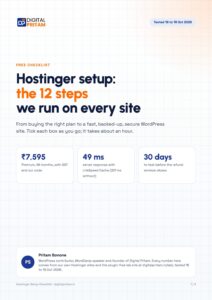 FREE PDF
Get the Hostinger setup checklist, plus every sale alert
The exact steps we use on our lab sites, and an email when each big hosting sale opens.
Sent instantly. Deal alerts until 1 Dec. Unsubscribe in one click.


 Pritam Sonone