







Disclosure: some links on this page are affiliate links. If you buy through them we may earn a commission, at no extra cost to you.
What you get with Divi, Extra, Bloom and Monarch, the three plans, the refund and who should buy. I read each official page on 13 Nov 2026. We have not tested Divi, so there is no speed, ease or quality rating.
Our take. Elegant Themes is a good-value toolbox for people who build many sites. Our pick for India: Divi Lifetime if you will use it for years, Divi Yearly if you want to try it first. Test it on a staging site during the 30-day window. We have not tested Divi for this page.
Key Takeaways
- Elegant Themes sells Divi, Extra, Bloom and Monarch for unlimited websites.
- Divi Yearly is $89 a year, Divi Lifetime is $249 paid once and Divi Pro is $277 a year with AI, Cloud, VIP and Teams.
- Lifetime is cheaper than yearly after about three years.
- We have not tested Divi.
On this page25 sections
Elegant Themes at a glance
Elegant Themes is the company behind Divi, one of the best known WordPress themes and page builders. When you join, you get Divi and also Extra, Bloom and Monarch. You can use all of them on as many websites as you like. This page explains what you get, what it costs in India and who it suits. I have not tested Divi for this page, so it covers facts, not speed or looks.
| Divi Yearly | Divi Lifetime | Divi Pro | |
|---|---|---|---|
| Price | $89 a year | $249 once | $277 a year |
| With 18% GST | ₹9,973 | ₹27,901 | ₹31,039 |
| What you get | Divi, Extra, Bloom, Monarch | The same, for life | Divi plus AI, Cloud, VIP and Teams |
| Websites | Unlimited | Unlimited | Unlimited |
| Support | 24/7 chat and email | 24/7 chat and email | 24/7, plus replies in 30 minutes or less |
| Refund | 30 days | 30 days | 30 days |
From elegantthemes.com/join on 13 Nov 2026. Dollar prices use the 16 Oct 2026 ECB rate with 18% GST. The join page does not say whether tax is added at checkout.
In one line: Elegant Themes is a good fit if you build many sites and want one price. The lifetime plan pays for itself against the yearly plan after about three years.
What is Elegant Themes?
Elegant Themes was started to sell WordPress themes. Its own join page says it has been building WordPress themes and plugins for 16 years, and that it has 974,872 customers. Think of it as a toolbox with one big tool, Divi, and a few smaller ones.
Divi
Divi is a WordPress theme and a page builder in one. A page builder lets you drag and drop parts of a page, such as text, pictures and buttons, instead of writing code. Elegant Themes calls Divi a no-code visual builder. The join page lists a design system with class-based presets and global variables, theme templates, ready-made website packs, hundreds of content elements and online store modules.
Extra
Extra is a magazine-style WordPress theme with a drag and drop builder. It suits news sites and blogs with lots of posts. It comes with your membership at no extra cost.
Bloom
Bloom is an email opt-in and lead generation plugin. It shows sign-up forms, such as pop-ups, to turn visitors into email subscribers. Its page says you can target or exclude pages and show different forms by visitor location.
Monarch
Monarch is a social sharing plugin. Its page lists more than 20 social networks and five places to show share buttons. If you want a lighter option, our theme guide and plugin guides cover other choices.
The extra services
| Service | What Elegant Themes says it is | In which plan |
|---|---|---|
| Divi Dash | A tool listed in both plans | Divi and Divi Pro |
| Divi AI | AI help to write and improve content, make code and create images | Divi Pro |
| Divi Cloud | Cloud storage for your layouts and design assets | Divi Pro, unlimited storage |
| Divi VIP | Faster support: 30 minutes or less, every day | Divi Pro |
| Divi Teams | Seats for team members | Divi Pro, 4 seats |
| Divi Marketplace credit | A one-time $50 credit when you sign up | Divi Pro |
The Divi Pro page also lists $60 a year of free agent spend and 10% off marketplace purchases. It lists a bundle called the Don Divi Collection too, which it values at $170. These are Elegant Themes’ own claims.
Plans and prices
There are three ways to pay. The big question is yearly or once.
| Plan | Price | What it gives you | Best for |
|---|---|---|---|
| Divi Yearly | $89 a year ($7.42 a month on the page) | Divi theme and builder, Divi Dash, 24/7 support | A site owner who wants the lowest yearly bill |
| Divi Lifetime | $249, paid once | The themes and plugins for life: Divi, Extra, Bloom, Monarch and the Divi Builder, with updates and support | Anyone who will use Divi for more than three years |
| Divi Pro | $277 a year ($23.08 a month on the page) | Divi plus Divi AI, Cloud, VIP and Teams, with unlimited websites | A freelancer or agency building client sites |
Yearly or lifetime? A simple sum
Yearly costs $89 every year. Lifetime costs $249 once. Over 1 year, yearly is cheaper. Over 3 years, yearly is $267, a little more than lifetime. Over 10 years, yearly is $890 against $249. So if you plan to use Divi for three years or more, lifetime is cheaper. In rupees with 18% GST, lifetime is about ₹27,901 once, and 10 years of yearly is about ₹99,727.
| Years | Yearly total | Lifetime | Cheaper |
|---|---|---|---|
| 1 | $89 | $249 | Yearly |
| 2 | $178 | $249 | Yearly |
| 3 | $267 | $249 | Lifetime |
| 5 | $445 | $249 | Lifetime |
| 10 | $890 | $249 | Lifetime |
What lifetime does not cover
Only the themes and plugins plan is lifetime. Divi AI, Divi Cloud, Divi VIP and Divi Teams are monthly or yearly only. The Divi Pro bundle includes them at a discount. If you want them, Pro costs $277 a year and does not stop being a subscription.
Can I change plans later?
Yes. Elegant Themes says you can upgrade to a different package and add services after you sign up. It also says buying the Divi Pro bundle up front gives you the biggest saving across the services in it.
See our Divi pricing page for the plans side by side.
Which plan fits which person
Different people need different things. Find yourself in this table.
| You are | What you probably need | Which plan to look at first |
|---|---|---|
| A blogger with one site | A theme that looks good and is easy to edit | Divi Yearly, or a free theme if you only need the basics |
| A small business owner | A clean business site, built once and kept for years | Divi Lifetime |
| A freelancer with 5 to 20 clients | One licence for every client site, plus fast help | Divi Pro, or Lifetime plus the services you use |
| An agency with a team | Seats for the team and shared design assets | Divi Pro, which lists 4 Teams seats and unlimited Cloud storage |
| A store owner | Online store modules and design settings | Divi Lifetime or Yearly, then check your store plugin works with it |
| A beginner who is not sure | A way to try it without risk | Divi Yearly, and use the 30-day refund if it is not for you |
If you are still unsure, ask one question: how many sites will I build in the next three years? One or two sites make a free theme a fair choice. Five or more make one unlimited licence look good.
Divi Pro in detail
Divi Pro is the plan with the most extras, so it needs a closer look. It costs $277 a year, and the page says it includes four things on top of Divi.
| Service | What it is | Who gets the most from it |
|---|---|---|
| Divi AI | AI to write and improve content, generate code and create images; unlimited layout, text, image and code generation on Pro | Freelancers who write a lot of copy and want a head start |
| Divi Cloud | Storage for your layouts and design assets, unlimited on Pro | Anyone who reuses designs across many sites |
| Divi VIP | Support with a reply in 30 minutes or less, every day | Agencies with clients who cannot wait |
| Divi Teams | Four team seats | A small team that shares one account |
Is Divi Pro worth it? Five questions
- Do I build client sites often enough to reuse layouts? If yes, Cloud saves time.
- Do I write a lot of text, so that AI drafts save me hours? If not, skip Divi AI.
- Do my clients need replies within the hour? If not, 24/7 chat on the normal plan may be enough.
- Do I work with other people on the same account? If not, you will not use four seats.
- Will I still need these in a year? If not, do not pay for a year.
If you answered no to most of these, Divi Lifetime or Divi Yearly is the better value. If you answered yes to most, Divi Pro may save you more than it costs. The page says Divi Pro also gives you $60 a year of complimentary agent spend and 10% off marketplace purchases.
Extra, Bloom and Monarch: when to use them
Because Extra, Bloom and Monarch come with your membership, it helps to know when each is worth installing.
| Product | Use it when | Skip it when |
|---|---|---|
| Extra | You run a magazine or news style site with many posts and categories | You only need a simple business site |
| Bloom | You want pop-ups or forms that collect email addresses on your site | You already use an email service with its own forms |
| Monarch | You want share buttons on posts and pages, with many networks to pick from | You do not want share buttons, or your theme already has them |
You do not have to use any of them. They add to the value of the membership, but the main reason to buy is Divi.
Divi features
Here is what Elegant Themes lists for Divi, in plain words. These are the company’s own claims. I have not tested them.
| Feature | What it means for you |
|---|---|
| No-code visual design | Build pages by dragging parts onto the page. You do not write code. |
| Universal design system | Set your fonts and colours once and reuse them everywhere, with presets and global variables. |
| Quick Sites | Divi can generate a complete starter website with real content and set it up for you. |
| Hundreds of content elements | Ready-made parts for text, images, forms, sliders and more. |
| Theme Builder | Design your headers, footers and post layouts, not only pages. |
| Ecommerce modules | Dozens of modules and design settings for an online store. |
| Divi AI | Help to write and improve content, generate code and create images, on Divi Pro. |
| Divi Cloud | A shared place to keep layouts and assets so a new site starts fast. |
| Speed and performance | Elegant Themes lists a section on this. We have not measured it. |
If you want proof of speed on your own site, test it. Our fastest themes test measured eight themes on a clean install, and our page builder guide lists prices and other builders.
Does it work with other plugins?
Elegant Themes says its themes should work with most plugins, but it cannot test and guarantee all of them. It says any plugin that follows good coding practice should play well with its themes. The 30-day refund covers you if a plugin you need does not work.
Support, updates and what happens if you cancel
Support is one of the things Elegant Themes talks about most. This is what the page says.
- 24/7 chat and email support come with every plan. You click the chat bubble and ask about anything Divi-related.
- Divi Pro adds Divi VIP, with response in 30 minutes or less every day of the week.
- Elegant Themes says it has over 25,000 five-star reviews from more than 1,000,000 customers. That is its own claim, and we have not checked it.
- The join page links to Trustpilot so you can read reviews yourself.
Updates
Elegant Themes says Divi is constantly improved and that you get new features and updates at no extra cost while your membership is active. Divi 5 is listed as now available.
What happens if you stop paying
If you cancel a yearly plan, your account stays active until the end of the year. After that, you lose the members area, new themes, theme updates and tech support. The page says you can keep using the themes you have already downloaded forever. A lifetime plan keeps updates and support for life.
That is an important difference for planning. A yearly plan is more like renting. A lifetime plan is closer to buying.
Cost compared with other builders, hosting and plugins
Elegant Themes publishes its own cost comparison on the join page. Treat it as a sales claim, because we have not checked the other vendors’ prices. It is still useful to see how Divi counts the cost.
| Builder | Sites covered | 1 year | 10 years |
|---|---|---|---|
| Divi | Unlimited | $89 | $249 |
| Elementor | 1,000 | $399 | $3,990 |
| Visual Composer | 1,000 | $349 | $3,490 |
| Breakdance | Unlimited | $199 | $1,990 |
| Beaver Builder | Unlimited | $199 | $1,990 |
| Avada | 100 | $6,900 | $6,900 |
| Bricks | Unlimited | $249 | $599 |
Elegant Themes’ own comparison on its join page, read on 13 Nov 2026. Prices and site limits may be out of date. We did not verify other vendors’ numbers.
The point it makes is fair: Divi does not charge per website. If you build 20 client sites, one membership covers all of them. If you build one site, the saving is smaller, and a free theme may be enough. For current prices of other builders, see our Elementor and page builder pages.
Does Divi come with hosting?
No. The membership does not include hosting, but Divi works with any web host. Elegant Themes also sells Divi Hosting, which comes with Divi pre-installed. Our hosting reviews list hosts with Indian data centres and rupee prices. The page also says Divi works with the WordPress.com Business plan, which allows third-party themes and plugins.
What it costs in rupees
US dollars are hard to feel, so here are three simple examples in rupees. Each uses the plan prices above with 18% GST at the 16 Oct 2026 ECB rate. Your bank may add a currency fee.
| Example | Plan | Cost | With 18% GST |
|---|---|---|---|
| One business site for 1 year | Divi Yearly | $89 | ₹9,973 |
| One business site for 5 years | Divi Lifetime | $249 | ₹27,901 |
| A freelancer for 1 year with AI, Cloud and VIP | Divi Pro | $277 | ₹31,039 |
| A freelancer for 3 years, Pro each year | Divi Pro x 3 | $831 | ₹93,116 |
| A freelancer for 3 years, Lifetime plus nothing else | Divi Lifetime | $249 | ₹27,901 |
The last two rows show the real choice for a freelancer. Pro for three years costs far more than lifetime, but it includes Divi AI, Cloud and VIP, which lifetime does not. Ask yourself whether you will use those services enough to pay for them every year. If not, lifetime is the cheaper tool and you can add services later.
Rupee cost of hosting for a Divi site
Divi does not include hosting, so budget for that too. On our own host reviews, Hostinger Premium is ₹139 a month on a 48-month term before GST, and Cloudways starts at $14 a month. Read our Hostinger review and Cloudways review for what each includes.
The cancel and refund timeline
This is the timeline for a yearly plan, as the page describes it.
| When | What happens |
|---|---|
| Day 0 | You join, log in to the members area and download Divi |
| Day 1 to 30 | You can ask for a no-questions refund by email |
| Month 12 | The yearly plan renews, unless you cancel before it |
| After cancelling | Your account stays active to the end of the paid year |
| After that | No members area, no new themes, no updates, no tech support. Downloaded themes keep working |
With the lifetime plan, there is no yearly renewal for the themes and plugins. The add-on services still renew if you buy them.
How to join and install Divi
1. Pick a plan
Choose Divi Yearly, Divi Lifetime or Divi Pro on the join page. If you are unsure, start with yearly: you have 30 days to ask for a refund.
2. Create your account
Join, pay and log in to the members area. This is where you download the themes and plugins.
3. Install Divi on WordPress
In your WordPress dashboard, go to Appearance, then Themes, then Add New, and upload the Divi file you downloaded. Then click Activate. This is the normal way to install any premium WordPress theme.
4. Build your first page
Open a page and start the visual builder. Use a ready-made layout from the layout library or Quick Sites, then change the text and pictures.
5. If you change your mind
Elegant Themes says it gives no-questions-asked refunds within 30 days. You email them and they refund your purchase right away. Keep the date of purchase so you do not miss the window.
Words you will see, explained
New words make buying harder than it needs to be. Here are the main ones, with an everyday picture for each.
| Word | What it means | Everyday picture |
|---|---|---|
| Theme | The design layer of a WordPress site | The paint and furniture of a room |
| Page builder | A tool to arrange a page by dragging parts | Building with Lego blocks |
| Visual builder | A builder where you see the page as you edit | Drawing on the page itself, not describing it |
| Plugin | An add-on that gives WordPress a new ability | An app on your phone |
| Licence | Your permission to use the software | A ticket that lets you in |
| Lifetime plan | You pay once and keep access | Buying a book instead of borrowing it |
| Subscription | You pay again each year or month | Renting a flat |
| Theme Builder | Design headers, footers and post layouts | Choosing the frame, not only the picture |
| Preset | Saved style settings you can reuse | A recipe card |
| Staging site | A private copy of your site to test changes | A dress rehearsal before the show |
| Members area | The account page where you download files | Your locker at the gym |
When a vendor says ‘unlimited websites’, it means the licence does not count your sites. It does not mean your hosting is unlimited. Hosting is a separate bill.
Before you buy: a checklist and a first month
Before you pay, answer these. If you can answer them, you can buy with confidence.
- How many sites will I build this year and next year?
- Will I need the AI, Cloud, VIP or Teams services, or only the builder?
- Do I already have hosting, and does it work with Divi?
- Have I seen Divi on a staging site I own?
- Do I know the date my 30-day refund window ends?
- Have I added 18% GST and a bank fee to the dollar price?
- Will the plugins I need work with Divi? I can test them in the refund window.
A simple first month
| Week | What to do | Time |
|---|---|---|
| 1 | Pick a plan, install Divi on a staging site and try three layouts | 2 hours |
| 2 | Rebuild one real page, such as your home page, and test it on your phone | 3 hours |
| 3 | Install the plugins you need and check each works | 1 hour |
| 4 | Decide before day 30: keep it, switch plan or ask for a refund | 30 minutes |
Mistakes to avoid
- Paying for Pro when you only need the builder
- Forgetting the refund window and missing day 30
- Treating the vendor’s own comparison table as proof. It is a sales page
- Installing Divi straight on a live site without a backup
- Choosing by looks alone. Check speed on your own site
- Forgetting that hosting is a separate cost
Before you install: habits that protect your site
Whatever plan you pick, a few habits protect your site. These are general WordPress good practice, not claims about Divi.
- Take a backup first. A backup is a saved copy of your site. If something breaks, you can go back.
- Use a staging site. A staging site is a private copy where you can try Divi before it touches your real site.
- Update WordPress first. A theme works best on an up-to-date WordPress.
- Test your forms. Fill in each form and check the email arrives.
- Check the phone view. Most visitors use a phone, so look at every page on one.
- Test the speed. Use a free tool before and after. If the site gets slower, find out why before you launch.
Questions to ask support before you buy
- Does Divi work with the plugin I rely on, for example my store or my forms?
- Which PHP and WordPress versions does the current Divi need?
- How do I move my site from my old theme to Divi?
- What happens to my layouts if I stop paying?
Elegant Themes says it offers 24/7 chat and email support, so you can ask these before you pay. Write down the answers and the date.
Pros and cons
Pros, based on what Elegant Themes lists
- One price for unlimited websites, including client sites
- A lifetime plan that is cheaper than yearly after about three years
- 24/7 chat and email support on every plan
- Extra, Bloom and Monarch included, not sold apart
- A 30-day refund with no questions asked
- Works with any web host
Cons and limits
- Hosting is not included
- Prices are in US dollars, so add 18% GST and any bank fee
- Divi AI, Cloud, VIP and Teams are not lifetime. They are subscriptions
- If you cancel a yearly plan, you lose updates and support after the year ends
- The company cannot guarantee that every third-party plugin works
- We have not tested Divi, so we cannot say how fast it is or how easy it feels
Divi compared with other ways to build a site
Divi is not the only way to build a WordPress site. Here is how the main options differ in plain terms. This table is about how you work, not about speed.
| Option | How you build | Price model | Good to know |
|---|---|---|---|
| WordPress block editor | Blocks in the default editor | Free, part of WordPress | Nothing extra to learn or pay for. Fewer design tools. |
| Divi | Visual drag and drop builder plus theme | $89 a year, $249 once, or $277 a year Pro | Unlimited websites, 30-day refund, no hosting included |
| Kadence | Blocks plus theme options | Free theme, paid add-ons | This site runs on Kadence. See our review. |
| GeneratePress | A light theme with blocks or a builder | Free theme, paid Premium | We rate its size well in our own measured test. |
| Elementor | Visual builder | Free and paid | See our Black Friday and page builder pages for prices |
Our Kadence review and GeneratePress review show what we measured and why. If you want a visual builder and unlimited sites, Divi is a strong candidate. If you want a very light site, test before you commit.
Four plain facts about the lifetime plan
- You pay once for the themes and plugins: Divi, Extra, Bloom, Monarch and the Divi Builder.
- You keep updates and support for life, as the page states.
- Divi AI, Divi Cloud, Divi VIP and Divi Teams are not lifetime. They are monthly or yearly.
- It is one payment today, so check your budget before you click.
What do reviews say?
People often ask whether reviews of Elegant Themes are good. The join page shows testimonials and says it has over 25,000 five-star reviews from more than 1,000,000 customers, and links to Trustpilot. Those are Elegant Themes’ own numbers, picked and shown by the company. For a fair view, read the Trustpilot page yourself, look at recent reviews and read the bad ones too.
How to read reviews of any theme
- Look at the date. A review from five years ago may describe an older version.
- Look for problems you care about, such as support wait, a plugin clash or renewal cost.
- Ignore reviews that say only ‘best ever’ with no detail.
- Check whether the reviewer built one site or fifty. Needs differ.
- Test the product yourself in the refund window. Your own test beats any review.
We have not used Divi on a live site for this page, so I will not tell you it is good or bad. I can tell you what it costs, what it includes and how to test it safely.
Who should buy it
Elegant Themes suits you if
- You build several sites, for yourself or clients
- You like a visual drag and drop builder
- You want one price and no per-site fee
- You plan to use it for three years or more
Look elsewhere if
- You build one small site and a free theme will do
- You want a very light theme, and you will measure speed before you commit
- You prefer the block editor and a small theme
- You do not want to pay in dollars
If you want a lighter option, read our reviews of Kadence and GeneratePress. If you want to compare builders, our Divi vs Elementor guide goes line by line.
Final verdict
Elegant Themes is a good-value toolbox for people who build many sites. The lifetime plan at $249 is the best deal if you will use Divi for three years or more. Choose Divi Pro only if you want the AI, Cloud, VIP and Teams services.
Our pick for India: Divi Lifetime if you will use it for years. Divi Yearly if you want to try it first, and you can always ask for a refund within 30 days.
I have not tested Divi for this page, so I make no claim about speed, ease or looks. Test it on a staging site during the 30-day window before you decide.
Which one should you pick?
 Pick Divi Lifetime ifOur pick
- $249 once, with Divi, Extra, Bloom and Monarch
- Updates and support for life
- Cheaper than yearly after about three years
- Divi AI, Cloud, VIP and Teams are not part of lifetime.
Pick Divi Yearly if- $89 a year, the lowest first bill
- Unlimited websites
- A 30-day refund if it is not for you
- You lose updates and support if you stop paying.
Pick Divi Pro if- Divi AI, Cloud, VIP and four Teams seats
- Replies in 30 minutes or less
- Built for freelancers and agencies
- $277 a year, and it is always a subscription.
How I got these numbers
Plans, prices and FAQ read on elegantthemes.com/join on 13 Nov 2026. Prices come from the vendor’s own pages. Where a page did not show a number, I wrote that it was not shown. We have not tested Divi, so there is no speed, ease or quality rating. Sources: Elegant Themes join page, Bloom, Monarch, Extra.
How we chose
Frequently asked questions
What is Elegant Themes?
Elegant Themes is the company that makes Divi, Extra, Bloom and Monarch. Its join page says it has built WordPress themes and plugins for 16 years and has 974,872 customers.
How much does Elegant Themes cost?
Divi Yearly is $89 a year (₹9,973 with GST), Divi Lifetime is $249 once (₹27,901) and Divi Pro is $277 a year (₹31,039), from elegantthemes.com on 13 Nov 2026.
Is the lifetime plan worth it?
If you will use Divi for three years or more, yes. Yearly costs $267 over three years, more than the $249 lifetime price.
Can I use Divi on unlimited websites?
Yes. Elegant Themes says Divi and Divi Pro both include unlimited usage, for you and your clients, with no per-site fee.
What is the difference between Divi and Divi Pro?
Both include the Divi builder and its base features. Divi Pro adds Divi AI, Divi Cloud, Divi VIP and 4 Divi Teams seats.
Does Divi come with hosting?
No, but it works with any web host. Elegant Themes also sells Divi Hosting with Divi pre-installed.
What if I want a refund?
Elegant Themes gives no-questions-asked refunds within 30 days of purchase. You email them and they refund you.
What happens if I cancel a yearly plan?
Your account stays active to the end of the year. After that you lose the members area, new themes, updates and support, but you can keep using the themes you downloaded.
Is Divi fast?
We have not tested it, so we make no claim. Test it on a staging site in the 30-day window.
Can I try Divi before paying?
The join page offers a 30-day money-back guarantee rather than a free trial. You pay, try Divi and ask for a refund within 30 days if it is not for you.
Can I use Divi on WordPress.com?
Elegant Themes says its products work with the WordPress.com Business plan, which allows third-party themes and plugins.
Is Elegant Themes cheaper than Elementor?
Elegant Themes’ own comparison says so, with Divi at $89 for a year against $399 for Elementor at 1,000 sites. That is the vendor’s own claim and we did not check Elementor’s price for this page.
Do I need Divi Pro?
Only if you want Divi AI, Cloud, VIP or Teams seats. Most site owners need only Divi Yearly or Lifetime.
Where do these facts come from?
Elegant Themes’ join page and its Bloom, Monarch and Extra product pages, read on 13 Nov 2026.
About this page

- WordPress developer and designer, builds sites for clients
- WordCamp Asia Communication Co-Lead
- 14K+ subscribers on the DigitalPritam YouTube channel
How we checked
Updated 13 Nov 2026Keep reading
More guides on this site:
- Divi pricing: Lifetime and yearly plans.
- Divi vs Elementor: Which builder.
- Best WordPress page builder: Prices and which to pick.
- Best WordPress theme: Kadence, GeneratePress and Astra.
Read how we test before we write about a tool.
Sources
- Elegant Themes join page, retrieved 13 Nov 2026.
- Bloom, retrieved 13 Nov 2026.
- Monarch, retrieved 13 Nov 2026.
- Extra, retrieved 13 Nov 2026.
Keep reading
 Divi pricing
 Divi vs Elementor
 Best WordPress page builder
Check the price on the day you join. Plans and rules change.
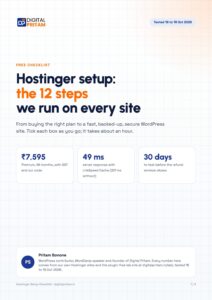 FREE PDF
Get the Hostinger setup checklist, plus every sale alert
The exact steps we use on our lab sites, and an email when each big hosting sale opens.
Sent instantly. Deal alerts until 1 Dec. Unsubscribe in one click.


 Pritam Sonone