









Best WordPress LMS Plugin 2026: Tutor LMS vs LearnDash and More
Four ways to sell courses and memberships on WordPress, by price, free version and renewal.
 By Pritam SononeUpdated 17 Oct 2026Reviewed by Pritam SononePrices re-checked regularly against the brand’s own website.How we test →
Affiliate links: we may earn a commission at no extra cost to you. It never changes our verdicts.
Start with Tutor LMS: its free version builds and sells courses, and Pro is $199 a year. LearnDash ($399 a year, no free version) suits serious course businesses. LifterLMS has a free core with paid bundles. MemberPress is best if you sell memberships first and courses second.
What is it?A WordPress LMS plugin turns a site into an online course platform with lessons, quizzes, students and payments.
The right LMS for you
Pick by what you need, not by the longest feature list.

Tutor LMS
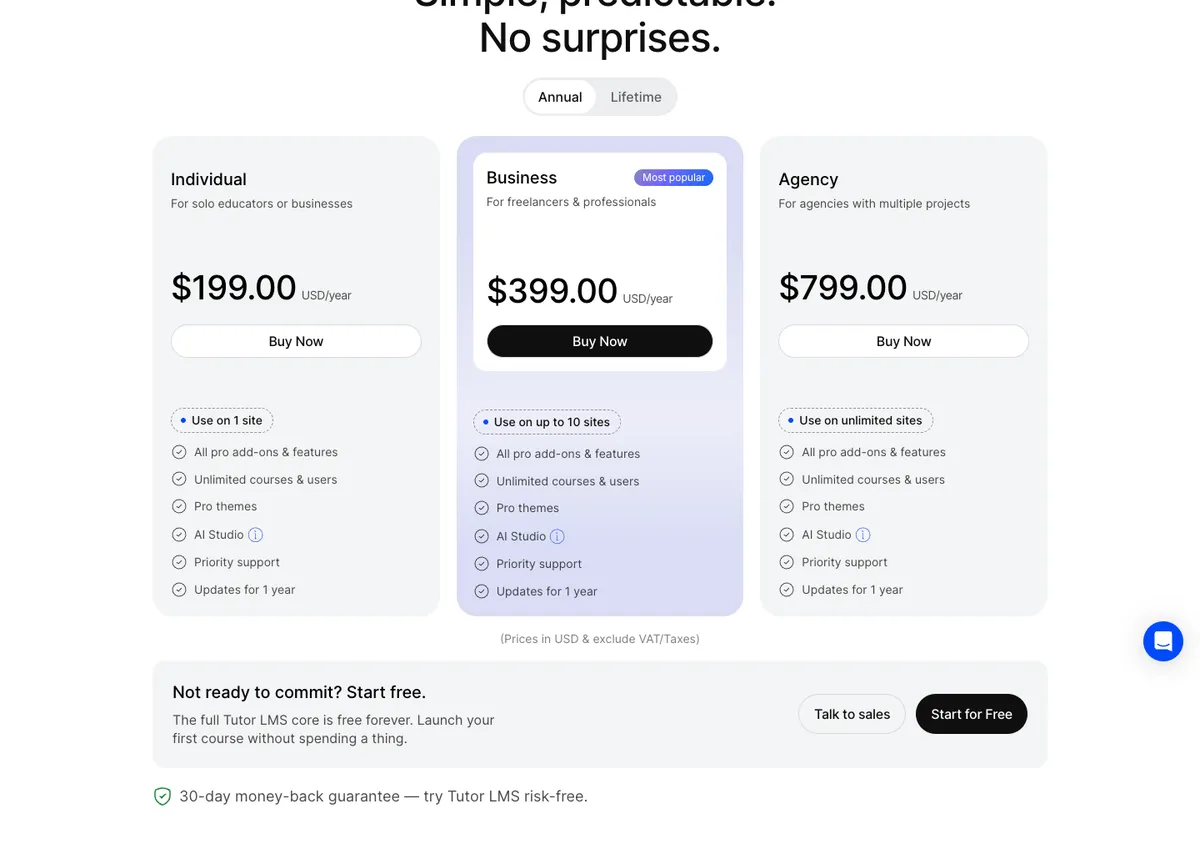
Free plugin sells courses; Pro $199/yr for 1 site.

LearnDash
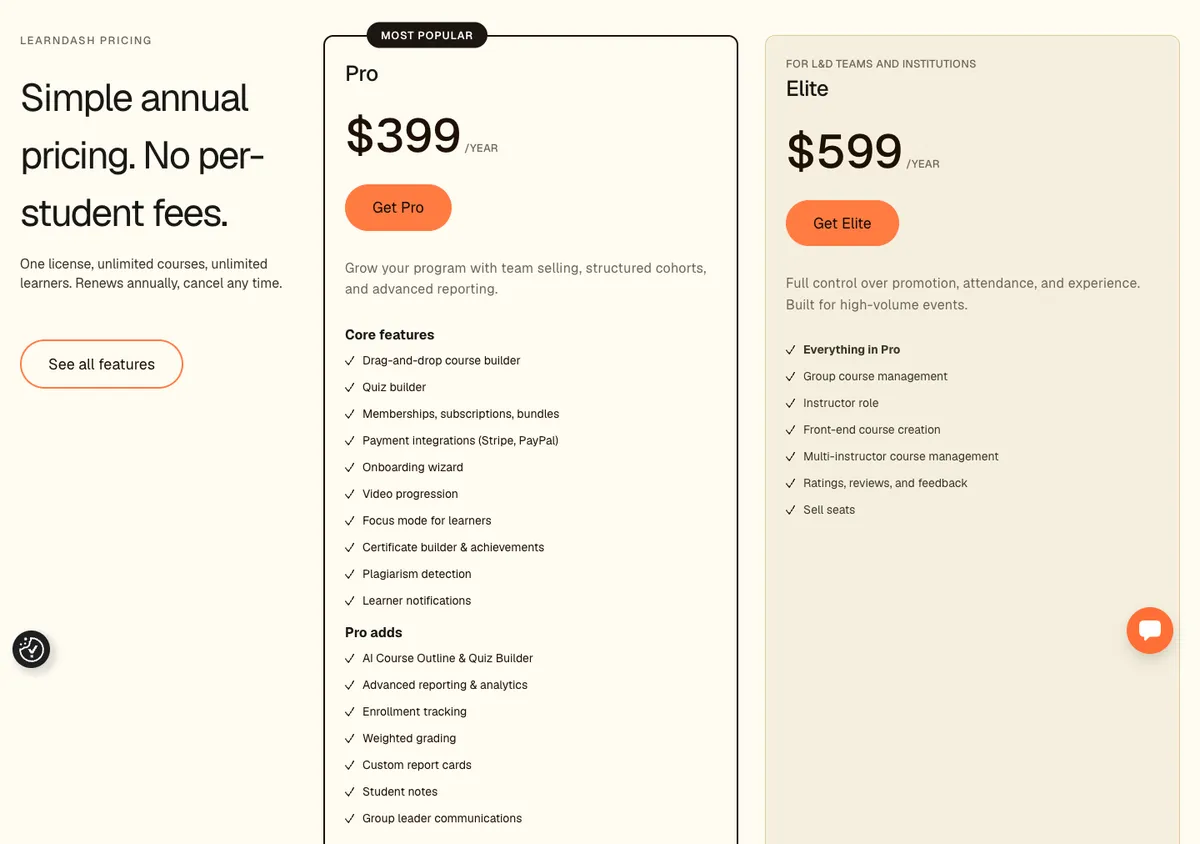
Advanced quizzes and groups; from $399/yr.

LifterLMS
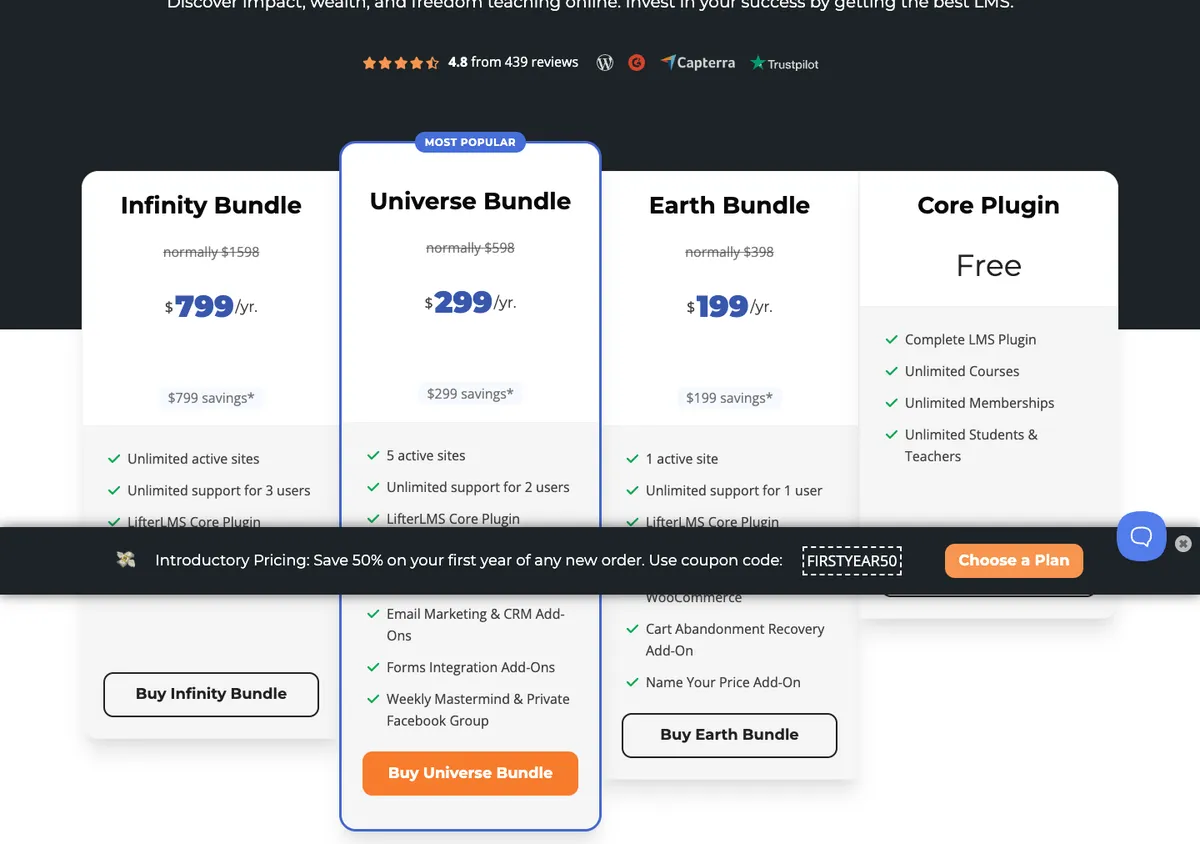
Core free; bundles from $199 the first year.

MemberPress
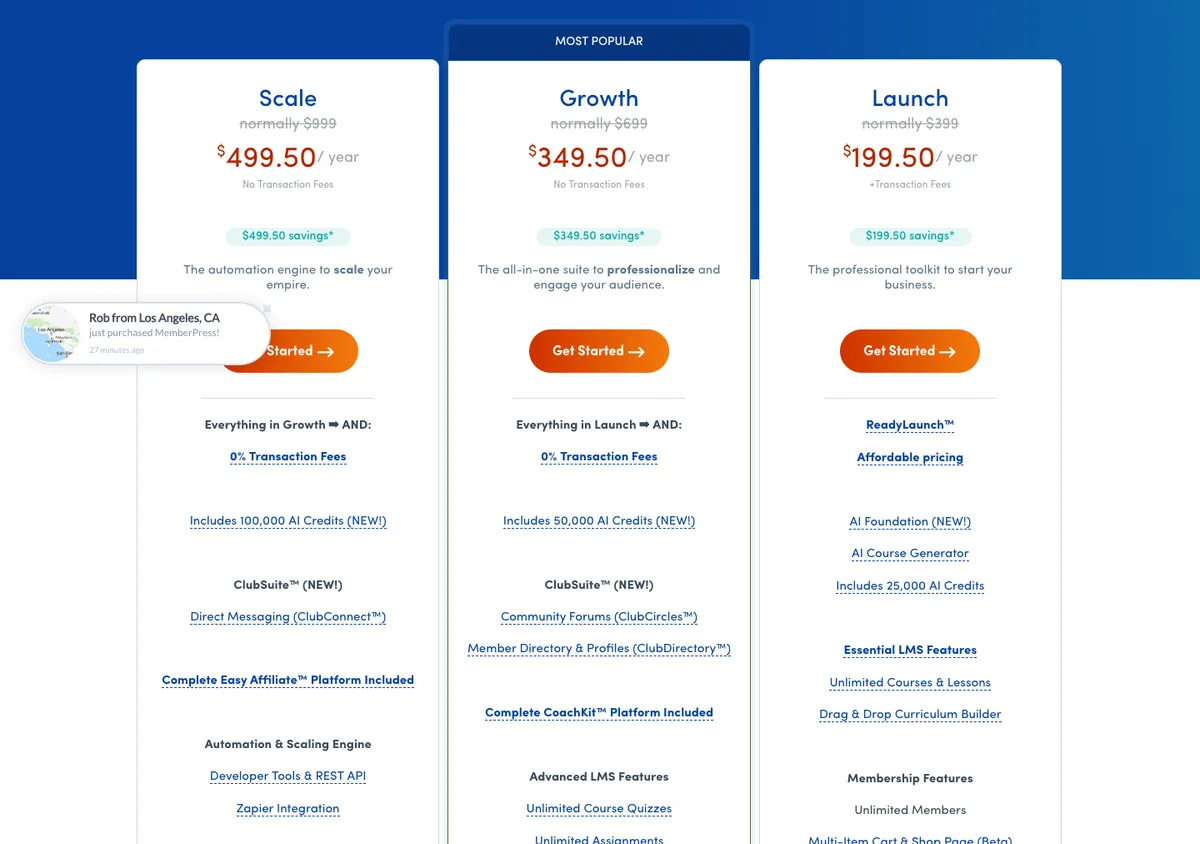
Paywalls plus courses; from $199.50 the first year.
WordPress LMS plugins: price and sites
Prices from each official pricing page on 17 Oct 2026, excluding tax.
| Plugin | Free version | Paid from | Sites | Renewal | Installs, rating |
|---|---|---|---|---|---|
| Tutor LMS | Yes | $199/yr | 1 ($399 for 10) | Same price | 100k+, 4.4/5 |
| LearnDash | No | $399/yr | 1 | Same price | 100k+ (LearnDash’s figure) |
| LifterLMS | Yes (core) | $199/yr | 1 | $398 (full price) | 10k+, 4.8/5 |
| MemberPress | No | $199.50/yr | 1 | Normally $399 | Not on WordPress.org |
Prices in US dollars excluding tax, read on each official pricing page on 17 Oct 2026. LifterLMS says renewals are at full price; MemberPress shows a first-year discount.
Which should you use?
Start free if
- You are testing your first course
- You sell a handful of courses on one site
- You can live without advanced quizzes
Pay from day one if
- Courses are your main business
- You need drip content, certificates and groups
- You sell memberships or bundles
Selling courses from India: what to check
Before you pick a plugin.
Payment gateway
Check Razorpay support: Tutor LMS and others support it through WooCommerce or add-ons.
GST on your sales
Online courses sold in India attract 18% GST once you cross the registration threshold.
Hosting
Course sites need more server power than blogs: start on a plan with daily backups.
Official pricing pages
Captured 17 Oct 2026, so you can compare with what you see today.
WordPress LMS plugin FAQ
What is the best WordPress LMS plugin?
Tutor LMS for most new course creators, because the free version can sell courses. LearnDash for established course businesses that need advanced quizzes and groups.
What is the best free WordPress LMS plugin?
Tutor LMS: 100,000+ installs and a free version with a course builder, quizzes and payments. LifterLMS and LearnPress also have free cores.
Tutor LMS vs LearnDash: which is better?
Tutor LMS is cheaper ($199 against $399 a year) and has a free version. LearnDash is older, with stronger group and reporting features.
LearnDash vs MemberPress?
LearnDash is a course platform; MemberPress is a membership and paywall plugin that also has courses. Many sites use both.
Do LMS plugins renew at the same price?
Tutor LMS and LearnDash list one yearly price. LifterLMS and MemberPress show first-year discounts and renew at full price.
Have you built a course site with these?
Not yet on our own sites. This page compares official prices and WordPress.org data; a hands-on Tutor LMS review is planned.
How to start a course with Tutor LMS (free), step by step
Every screenshot is from a fresh install of Tutor LMS 4.1.3 on our lab site, 23 Oct 2026.
Tap any screenshot to open it full size. Paid courses need a payment add-on or Tutor LMS Pro; we tested the free version only.
- 1
Install the plugin
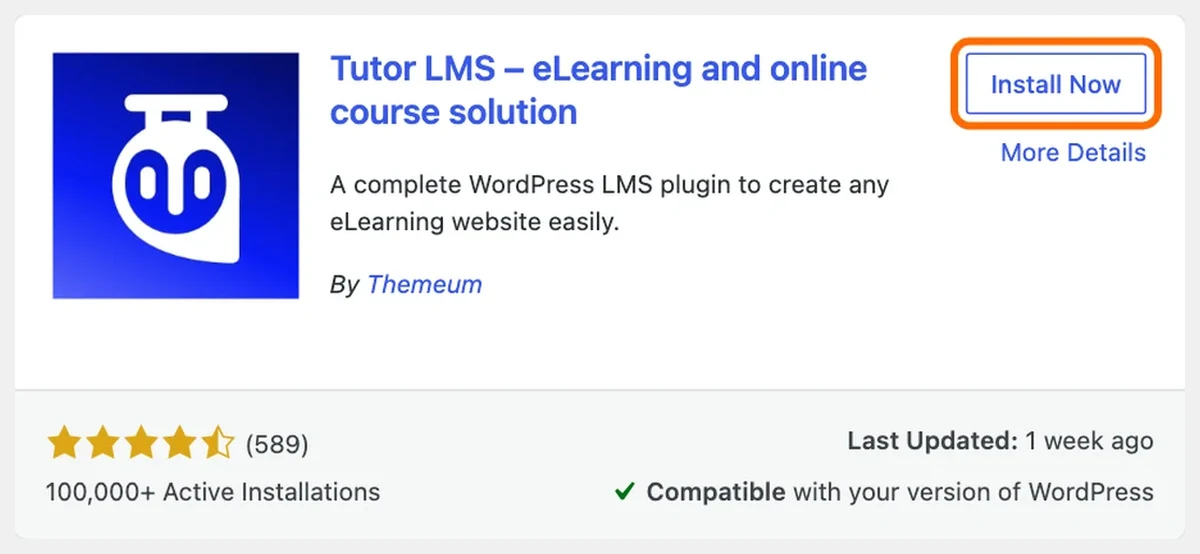
Plugins, Add New, search “Tutor LMS” and click Install Now.
Tutor LMS in the WordPress plugin directory - 2
Activate it
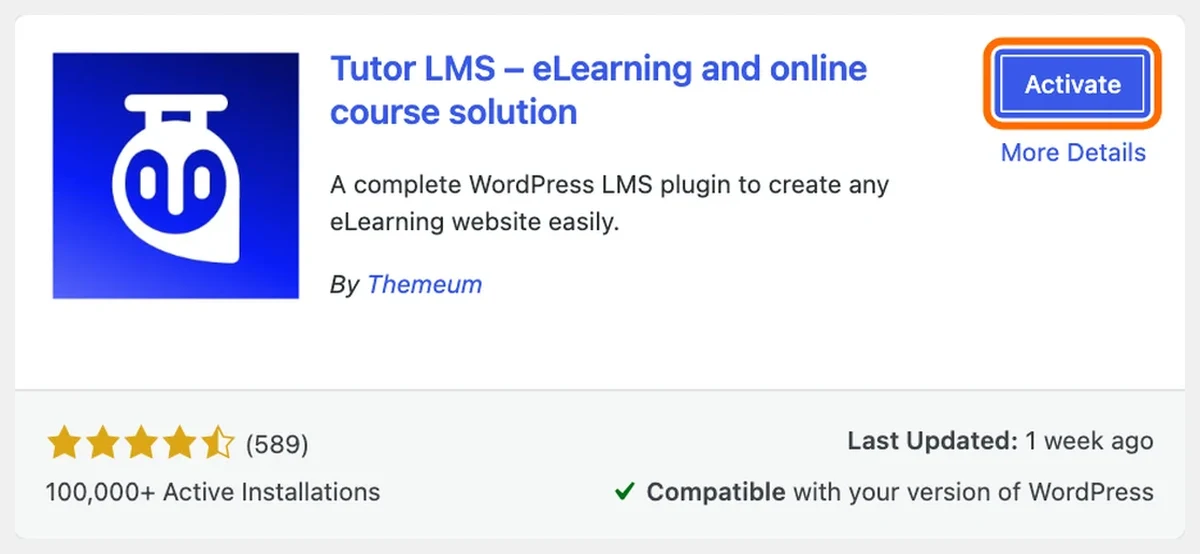
Click Activate. Tutor opens its setup wizard.
Activate Tutor LMS - 3
Start the setup wizard
The welcome screen explains what Tutor does. Click Next.

Tutor LMS setup wizard welcome screen - 4
Pick a look and sample courses
Choose Modern or Kids mode and a light, dark or auto theme. Leave sample courses ticked to see a full course straight away.

Tutor LMS choose a look for your learners - 5
Open your courses
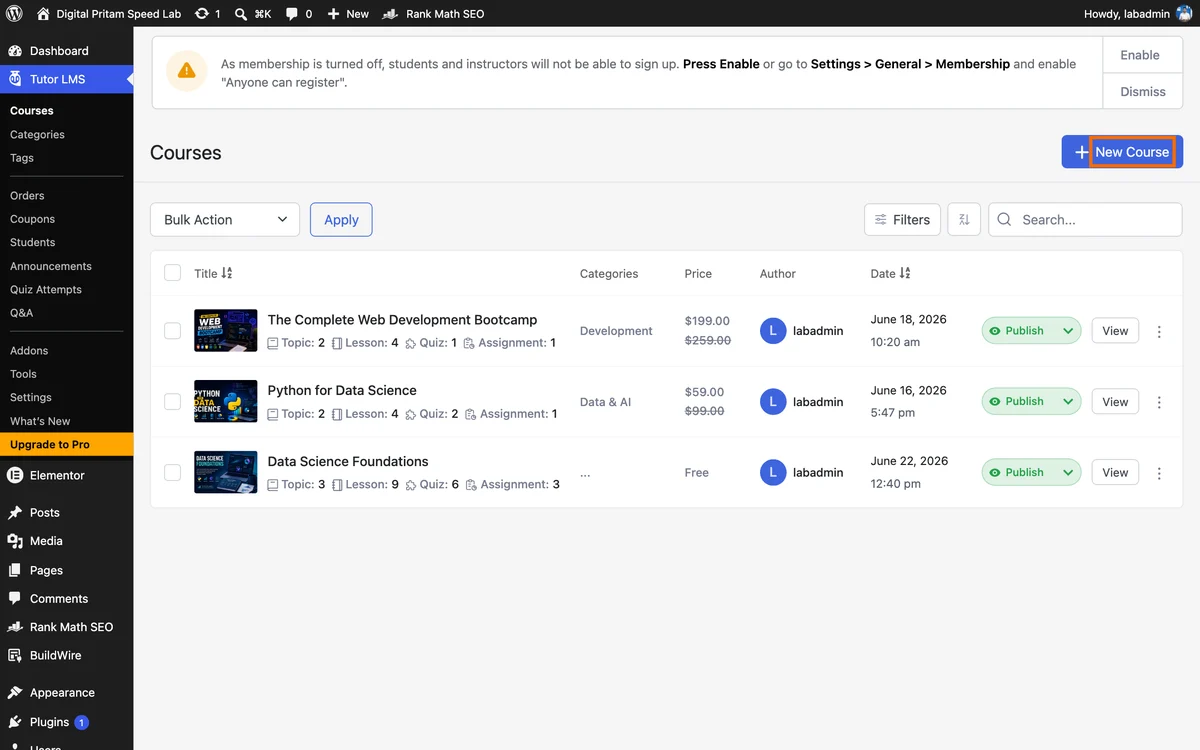
Tutor LMS, Courses lists your courses, with three sample courses loaded. Click New Course.
Tutor LMS courses list with sample courses - 6
Fill in the basics
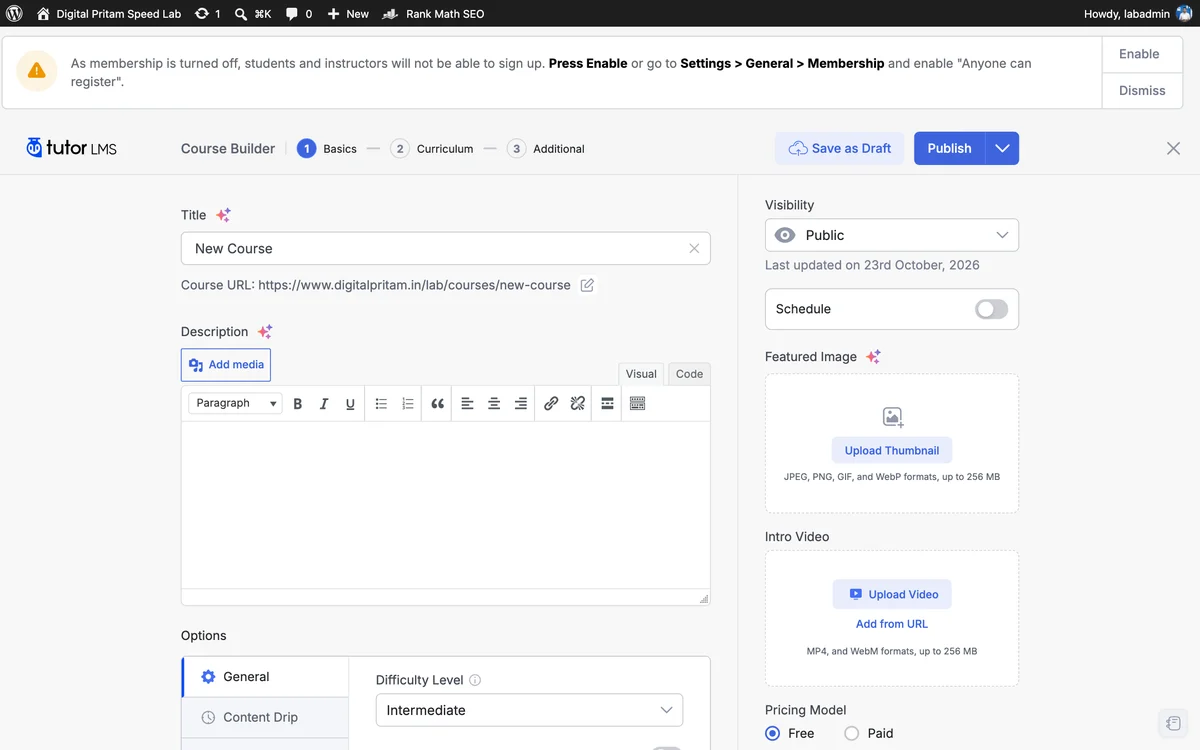
The course builder asks for a title, description, featured image, video, difficulty and price (free in Tutor LMS free).
Tutor LMS course builder basics - 7
Build the curriculum
On step 2, Curriculum, add topics, then lessons and quizzes inside each topic.
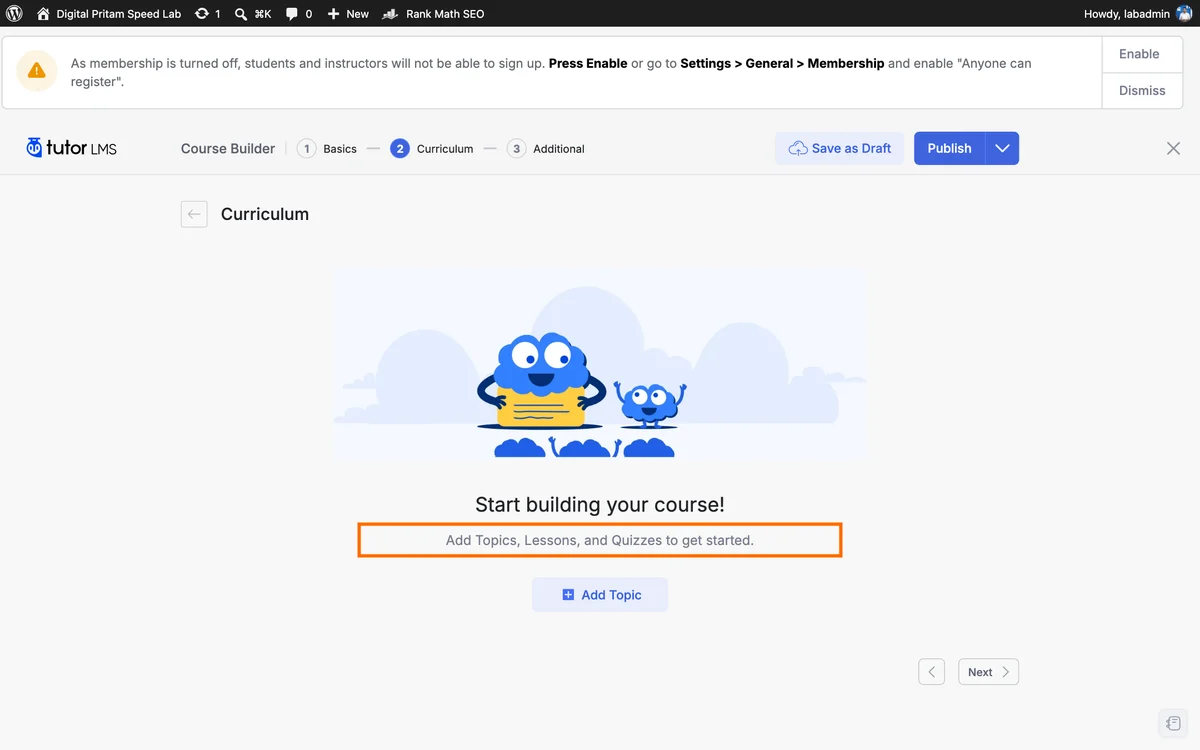
Tutor LMS course builder curriculum step - 8
Check the settings
Tutor LMS, Settings sets the dashboard page, monetisation, design and permissions.
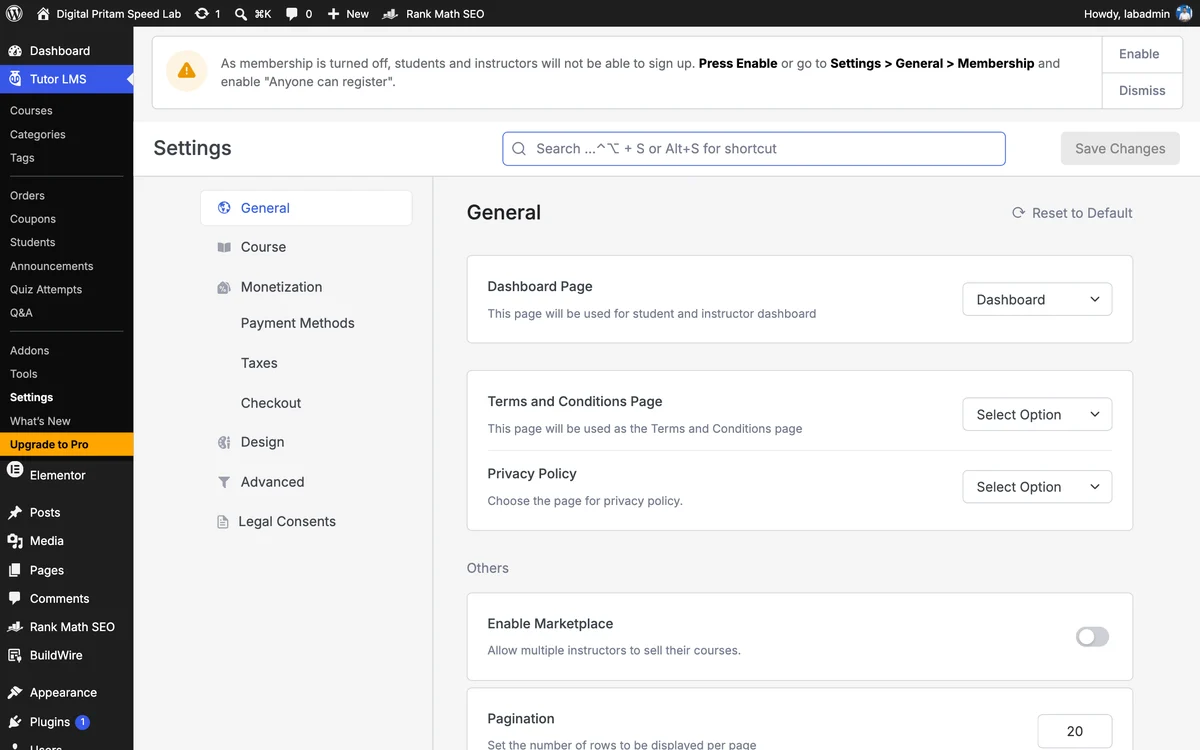
Tutor LMS settings screen - 9
See the course page
A sample course on our lab site: enrol button, level, materials and course content.

Tutor LMS course page on our lab site
Methodology
How this page was built, so you can check it.
| Detail | |
|---|---|
| Date | 17 Oct 2026 |
| Sources | Each product’s official pricing page and, where marked, our own tests |
| Procedure | We read every price, plan and renewal term for LMS and membership plugins and dated the page; tested pages link to their raw data |
| Limits | Prices change. Deal prices are re-checked against the official pricing pages every morning where the site allows it, and each card shows its date. Some links are affiliate links and never change which product we rank higher |
About this page
Pritam Sonone
Founder of Digital Pritam. WordPress developer and designer, WordCamp Kolhapur 2025 speaker. Builds WordPress sites for clients.
How we checked
- Prices read on each official pricing page on 17 Oct 2026
- Installs and ratings from the WordPress.org API the same day
- Not tested hands-on yet: labelled as a price and feature comparison
Sources: Tutor LMS pricing · LearnDash pricing · LifterLMS pricing · MemberPress pricing
Related guides
 Tutor LMS review 2026We built a course with the free version
 Best WordPress hosting in India14 hosts compared in rupees
 Best WordPress Form Plugin 2026WPForms, Fluent Forms, Gravity, Formidable
 Best WordPress Page Builder 2026Elementor, Divi, Bricks and more by price
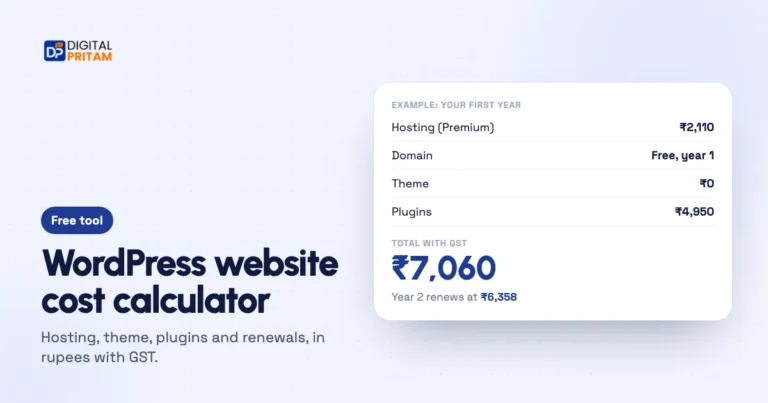 WordPress cost calculatorYour real budget in rupees
 GST on WordPress pluginsWho pays 18% and how reverse charge works
Affiliate links: we may earn a commission at no extra cost to you. It never changes our verdicts.