







Disclosure: some links on this page are affiliate links. If you buy through them we may earn a commission, at no extra cost to you.
You can create a website using AI in an afternoon. You describe your business in a few lines. The tool builds the pages, writes the text and picks the pictures. Then you fix what is wrong and publish.
This guide shows the steps in order. I tried two tools myself: Hostinger’s AI builder and the free plan of ZipWP. I use them as examples. Everything else is general, so the steps work in most builders.
We have tried Hostinger's builder and ZipWP's free plan. We have not tested the other builders named here. Prices are from each vendor's page on 15 Nov 2026.
On this page15 sections
What you need before you start
Gather five things first. It saves time later.
- A name for your site or business.
- One line on what it does and who it helps.
- Three to five pages you want, such as Home, About, Services and Contact.
- Your own facts: phone, email, address, prices and hours.
- Two or three real photos, a logo if you have one, and your colours.
An AI cannot invent your facts safely. If you skip them, it will guess.
The six steps
Here is the path from prompt to a live site. The exact buttons differ by tool, but the order stays the same.
From prompt to live site
- 1Pick a builder
Choose one that fits your goal. Start free where you can.
- 2Describe your business
Write who you are, what you offer, who it is for and where.
- 3Choose a style and colours
Pick a look that suits your trade, then let the AI build.
- 4Edit every page
Fix the text, swap pictures and check each fact.
- 5Add the basics
Contact details, a privacy page and a clear button on each page.
- 6Connect a domain and publish
Pick your address, check the mobile view and go live.
Step 1: pick a builder
Pick by what you are building. A simple brochure or portfolio site suits an easy builder. A blog you want to grow suits WordPress. A web app suits a chat-based tool.
Our list of 13 AI website builders compares free starts and prices. For a first site in India, I would start with Hostinger. If you want WordPress, try ZipWP.
 Pick Hostinger ifOur pick
- It is your first site
- You want rupee prices and a 30-day refund
- You want hosting and a domain in one plan
- The low price needs a 48-month plan.
 Pick ZipWP if
- You want a real WordPress site
- You want to test on a free plan first
- You may move hosts later
- Free sites last only 24 hours.
Step 2: write a good prompt
The prompt is the most important thing you write. A weak prompt gives a weak site. A good one names your business, your customers and your goal.
Here is a plain example for a made-up business:
I run Rao Tiffin Service in Pune. We deliver home-style lunch boxes to office workers in Hinjewadi. Plans start at 120 rupees a day. People can order by WhatsApp. Make a simple site with Home, Menu, Plans and Contact pages.
Notice what it has: a name, a place, the customer, a price, a way to order and the pages. The AI now has less to guess. If your tool lets you add a second round of detail, say what you do not want too.
Step 3: let the AI build, and see how it works
This is the easy part. Click create and wait. Hostinger says its builder makes a site in under a minute.
In my walkthrough of Hostinger’s builder, it asked four things. First, a brand name. Names of 20 characters or fewer get an automatic text logo. Second, the type of site: store, blog, business, portfolio or landing page. Third, a description of up to 700 characters. Fourth, a style and colours. Then I clicked create and edited the result with drag and drop. The full four-step guide with screenshots is on this site.
For WordPress, ZipWP asked for the business type, name and language, a short description, contact details, images, a design, colours and extras. Then it built the site in Gutenberg blocks or Elementor. Read the ZipWP review for the whole run and what went wrong.
Step 4: edit every page
The AI’s first draft always needs work. Treat it like a rough note from a helper, not a finished page.
- Read each page out loud. Cut lines that sound like everyone else.
- Check every fact: name, phone, address, prices, hours and service list.
- Replace stock pictures with your own where you can.
- Make each heading say what the page offers.
- Add one clear button per page, such as Call, Order or Book.
Examples of AI-made sites
Here are five kinds of site people build with AI, and the kind of tool that fits each. These are guides, not tests.
| Site type | What it needs | A tool that fits | Link |
|---|---|---|---|
| Portfolio or resume | A few pages, your photos | Hostinger or Wix | See the list |
| Local business | Phone, map, services | Hostinger, Durable or Jimdo | See the list |
| Blog you want to grow | Posts, SEO plugins | ZipWP or 10Web (WordPress) | ZipWP review |
| Online store | Products, payments | Shopify, Hostinger or Wix | See the list |
| Web app or tool | Logins, a database | Lovable or Bolt | See the list |
Prices from Hostinger and ZipWP, read 15 Nov 2026.
Tips for a site that looks good
Six tips that work in any builder
One idea per page. Short headings.
Less is clearerYour photo builds trust fast.
Own photosTell visitors what to do next.
Clear goalMost visitors will use one.
Tap every linkAbout, contact and privacy.
Be findableFix prices and hours when they change.
Stay currentWhat it costs
Free starts are useful for testing, but a live site on your own domain usually needs a paid plan. Here is what the two tools we used list on 15 Nov 2026.
| Hostinger AI builder | ZipWP | |
|---|---|---|
| Free start | Free test, no card, 250 AI credits | Free plan: 2 sites, 24 hours |
| Cheapest paid plan | ₹139 a month (48 months), plus GST | $79 a year |
| Renews at | ₹449 a month (Premium, read 23 Oct cart) | $149 a year (Starter) |
| Domain | Free for 1 year | 1 free domain, first year |
| Hosting | Included | 1 live site on Starter |
| Refund | 30 days | 7 days |
Prices from Hostinger and ZipWP, read 15 Nov 2026.
Hosting means the computer that keeps your site online. A domain is your address, such as yourname.com. Both usually cost money after the first year.
Checks before you publish
- Every fact on every page is right.
- The phone, email and address work.
- There is a privacy page and a way to contact you.
- Pictures are yours or properly licensed.
- The site looks right on a phone.
- You own the domain, in your own name.
Google says it rewards helpful pages made for people, not pages made to rank. Fresh facts and your own pictures are what make an AI draft useful.
Alternatives to Hostinger’s AI builder
Hostinger is not the only way. If it does not fit, these are the ones to look at next. Our full list of 13 has the prices.
- ZipWP if you want a real WordPress site.
- Wix if you want drag and drop and a free start.
- Squarespace if you care most about clean design. It has a 14-day trial.
- Jimdo if you want a simple site and a free plan.
- Shopify if you plan to sell products.
- Lovable or Bolt if you want to build an app by chatting.
Whichever you pick, use the same prompt and steps above. The method matters more than the tool.
How we chose
Frequently asked questions
How do I create a website using AI?
Pick an AI website builder, describe your business in a few lines, choose a style, and let the tool build the pages. Then edit the text and pictures, connect a domain and publish. The first draft takes minutes. The editing takes longer.
Can I create a website with AI for free?
You can start free. Hostinger says you can test its builder with no card and 250 free AI credits. ZipWP’s free plan makes 2 sites that last 24 hours. Wix, Jimdo, GoDaddy and others also list a free start. To publish on your own domain you usually pay.
Do I need to know coding?
No. Builders such as Hostinger, ZipWP and Wix work with drag and drop. You only need to write a clear description and check the result.
What should I write in the prompt?
Say who you are, what you sell, who it is for, which city or country, and what visitors should do. Add your name, phone and a line about why people pick you. Short and specific beats long and vague.
Is an AI-made website bad for Google?
Not by itself. Google says it ranks helpful pages made for people. An AI draft that you edit with real facts, real photos and clear headings can do fine. A site full of unchecked text will not.
Which is better, an AI builder or WordPress?
An AI builder is faster for a small brochure site. WordPress gives more room to grow, with plugins and full control. Some tools, such as ZipWP, build WordPress with AI, so you can have both.
Can I move my site later?
It depends on the tool. A WordPress site can move to another host. A closed builder site may not export cleanly. Ask before you build, and keep your domain in your own name.
How much does it cost in India?
On Hostinger’s India page, Premium is ₹139 a month on a 48-month plan, before GST. That is about ₹164 a month with 18% GST, paid upfront as ₹6,672 plus tax. Check the renewal price.
About this page

- WordPress developer and designer, builds sites for clients
- WordCamp Asia Communication Co-Lead
- 14K+ subscribers on the DigitalPritam YouTube channel
How we checked
Updated 15 Nov 2026How I got these numbers
I read Hostinger’s India page and ZipWP’s pricing page on 15 Nov 2026. Hostinger’s renewal price is from my own cart read on 23 Oct 2026. The steps in Step 3 come from my walkthroughs, which are linked above.
The rupee figure uses 18% GST as a rough guide. Prices change, so check each page on the day you buy.
Sources
- Hostinger AI Website Builder, India page (hostinger.com/in/ai-website-builder), read 15 Nov 2026
- ZipWP pricing (zipwp.com/pricing), read 15 Nov 2026
- Google Search Central: Creating helpful, reliable, people-first content
What to do next
Write your prompt today. Start a free test. Edit one page until you are proud of it. Then do the rest.
Keep reading
 13 best AI website builders
 Hostinger AI builder guide
 ZipWP review
 Hostinger pricing plans
 Free domain with Hostinger
Start with a free test. Check the price on the day you buy.
 FREE PDF
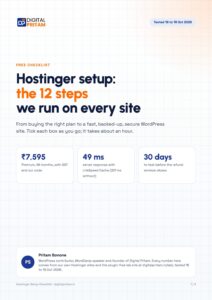
Get the Hostinger setup checklist, plus every sale alert
The exact steps we use on our lab sites, and an email when each big hosting sale opens.
Sent instantly. Deal alerts until 1 Dec. Unsubscribe in one click.


 Pritam Sonone